
Photos on the Mac does a great job of picking out faces, and if you’ve gone through and categorized the folks you know, it’s a handy feature for finding snapshots of your great-aunt Mabel (or whoever) without having to scroll by date. But sometimes, Photos doesn’t recognize that there’s even a person in an image you took. In that case, you’ll need to manually add that picture to a person’s “Faces” album, but luckily, it’s pretty simple to do. For this, you’ll start with the uncategorized image.
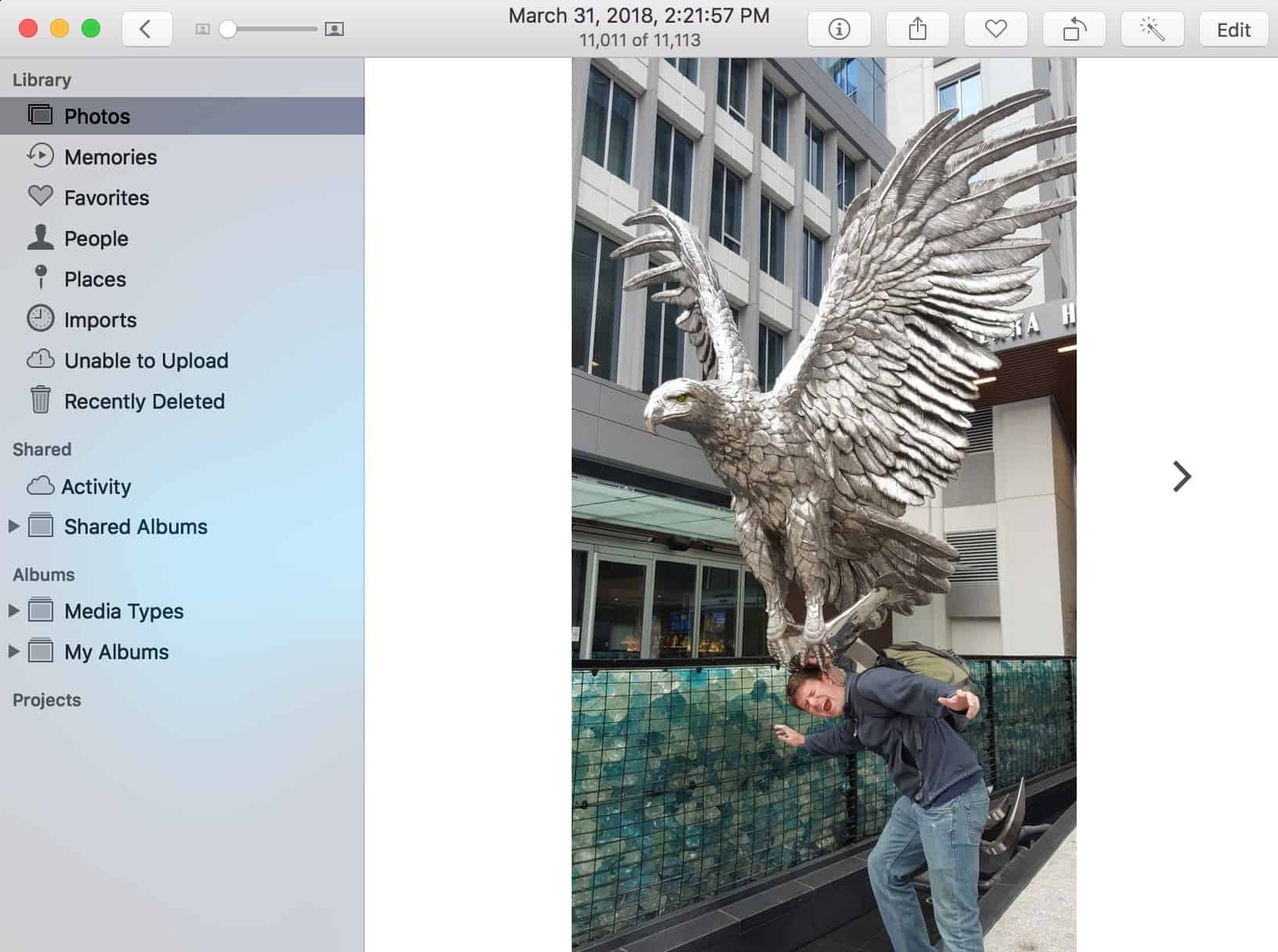
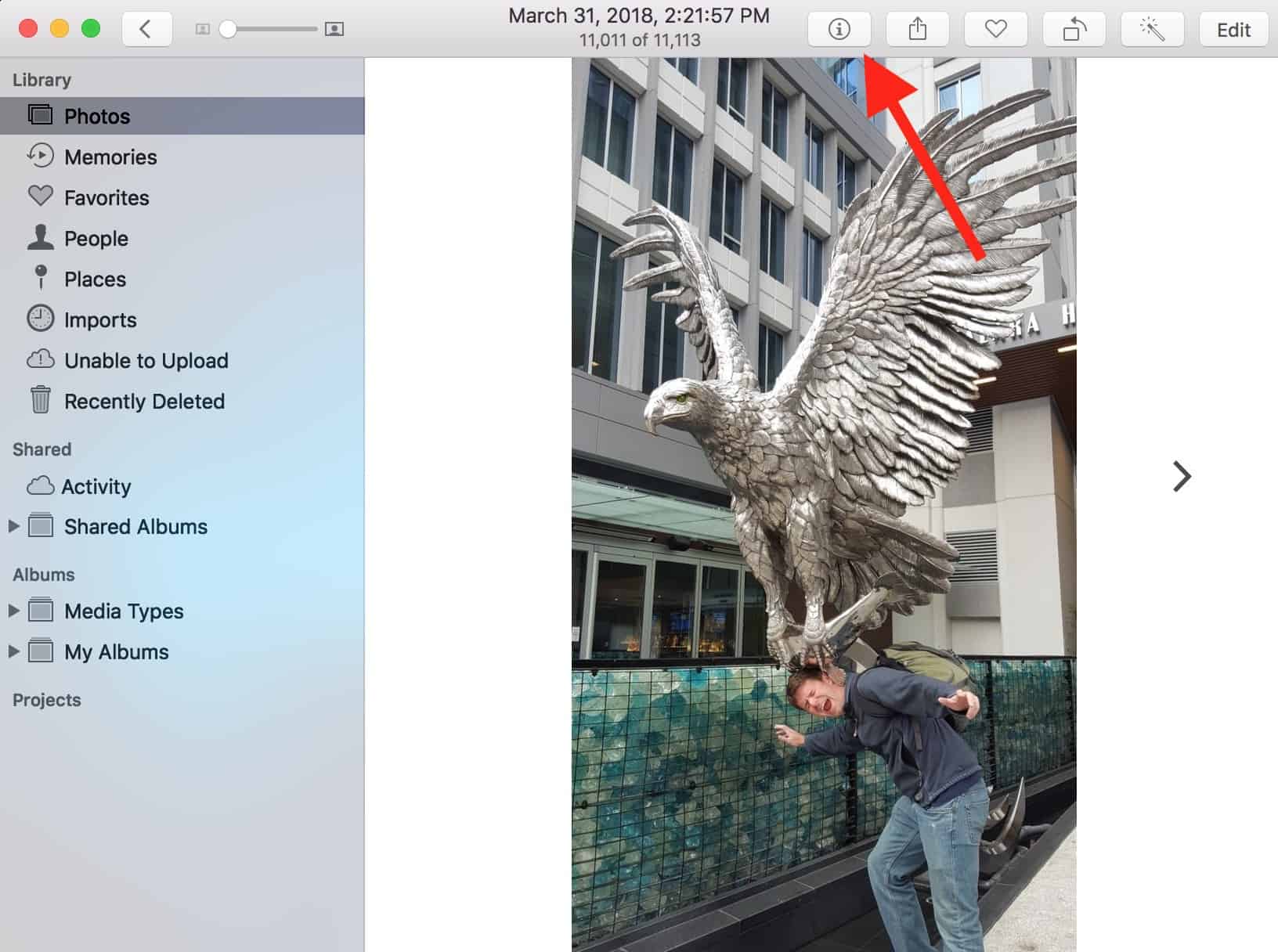
I can tell that Photos doesn’t recognize who’s in the picture because when I click the “i” icon in the toolbar to get info on the image…
…I find that there aren’t any faces listed.
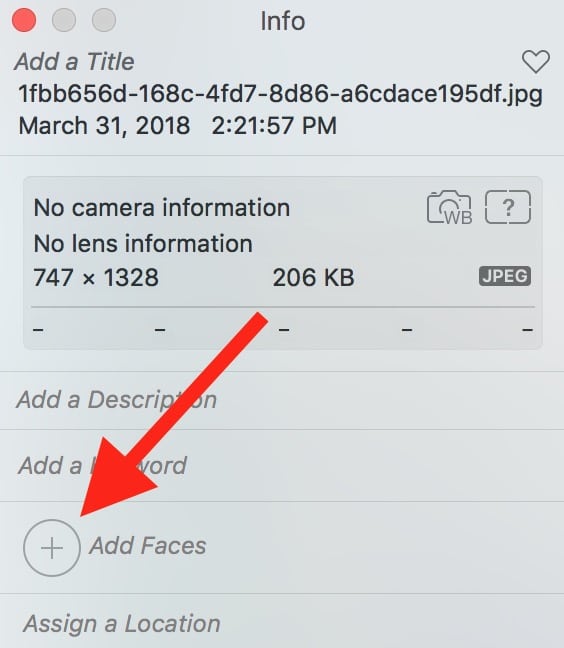
What I’ll do, then, is click the “Add Faces” plus button within that info window. Doing so will place a “Click to Name” circle on my image.

I’ll drag that circle until it’s around my friend’s face, and if I need to, I can click and drag the little white dot on the side to make the circle larger or smaller.
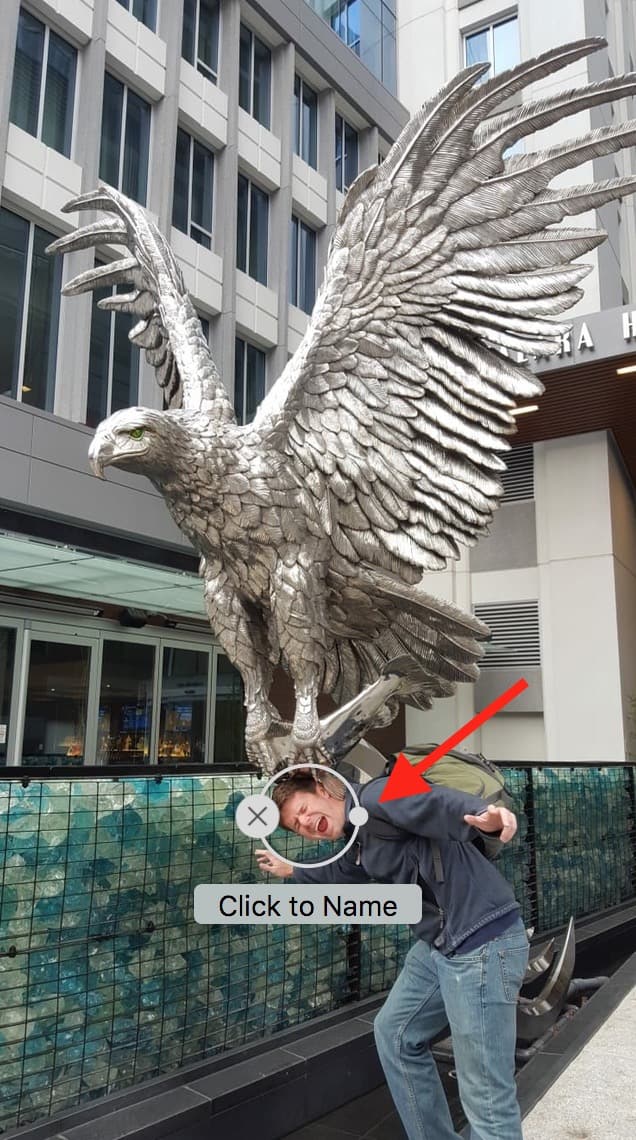
When it’s in position, I’ll do as the circle suggests and click the box to name the person. As I start typing, suggestions from my already existing faces will appear, and I can select the right one to identify the fun dude in the picture.

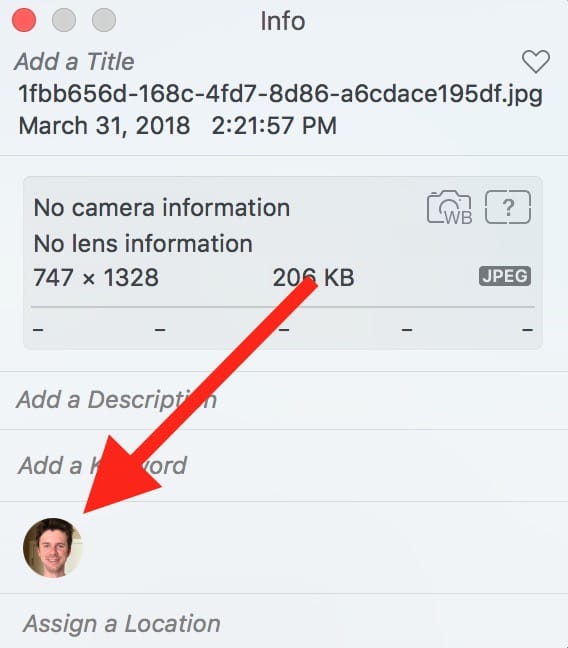
After I’ve assigned the correct face to the photo, going back to its info window will show me what I’ve done! His face will appear there, and the picture I just categorized will appear within his “Faces” album, too.
I do like using this feature, really—it’s certainly better than having to go through and pick out all of the images of one person and manually drop them into an album!—and I’m glad that there’s a way to fix it when Photos doesn’t recognize someone. Or maybe I just need to have friends that make fewer silly expressions so their faces are more recognizable.
Nah. That doesn’t sound as fun.
Don’t miss the best of The Mac Observer
Set us as a preferred source and our Apple reporting ranks higher in your Google Search results and Discover feed — one tap, no account changes.




Is there a way to do this on iPhone? I swiped up on the photo but it is only recognizing one of the faces even though there are two people in the photo.