

As more people use Macs, hackers are getting trickier, especially with scams like “Mac OS: The system is in danger” fake alerts. This article will explain this scam and how to protect your Mac.
What Is the “Mac OS: The System Is In Danger” Notification?
The “Mac OS: The system is in danger” fake alert is essentially a scam that masquerades as an official message from Apple. It tries to deceive you into believing that your system is under threat or compromised.
Don’t miss the best of The Mac Observer
Set us as a preferred source and our Apple reporting ranks higher in your Google Search results and Discover feed — one tap, no account changes.
What Does an Apple Security Warning Look Like?
Real Apple security warnings are pretty low-key, popping up as notifications or in System Preferences. They won’t ask for your personal info or tell you to call a number. Always double-check any weird security messages.
What Apple Devices Are at Risk?
All of them. MacBooks, iMacs, iPhones, and iPads can be tricked if you’re not careful. To stay safe, browse wisely, update your software, and keep up with the latest security news. Now, let’s tackle how to handle the macOS System Is In Danger scam.
How Do I Stop “Mac OS: The System Is In Danger” Notifications?
For Safari:
Time needed: 1 minute
- Open Safari.
- Click Safari > Settings.
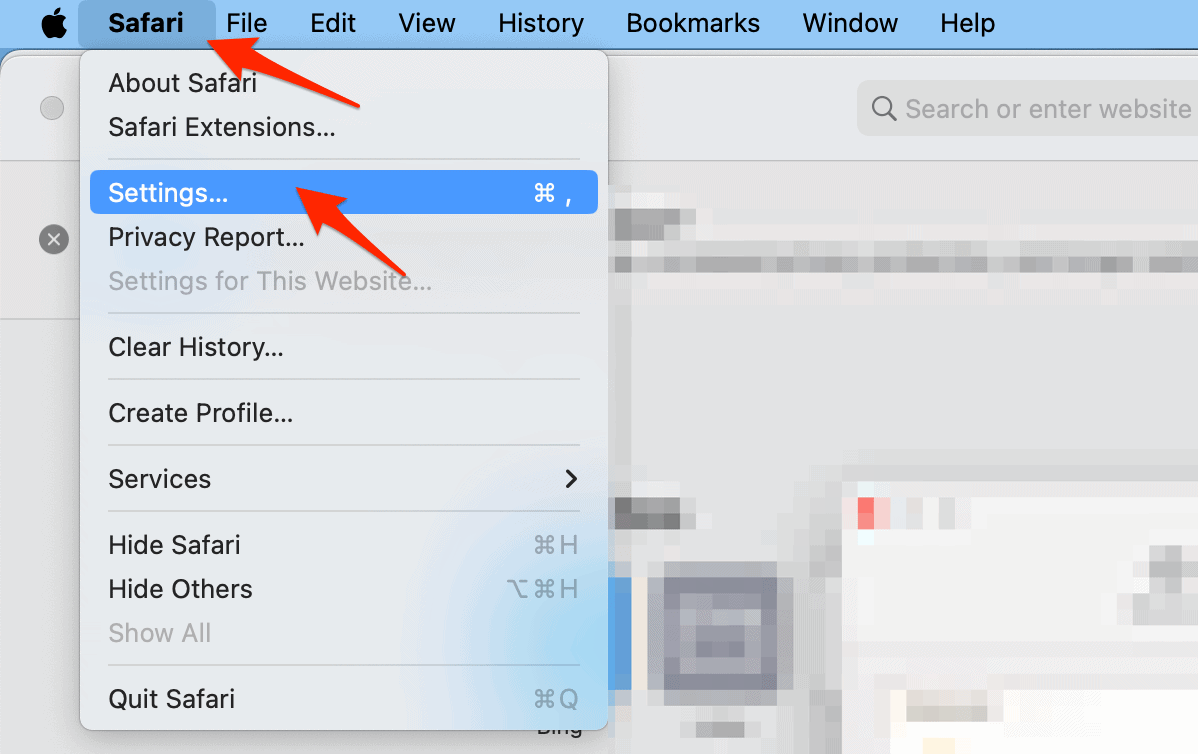
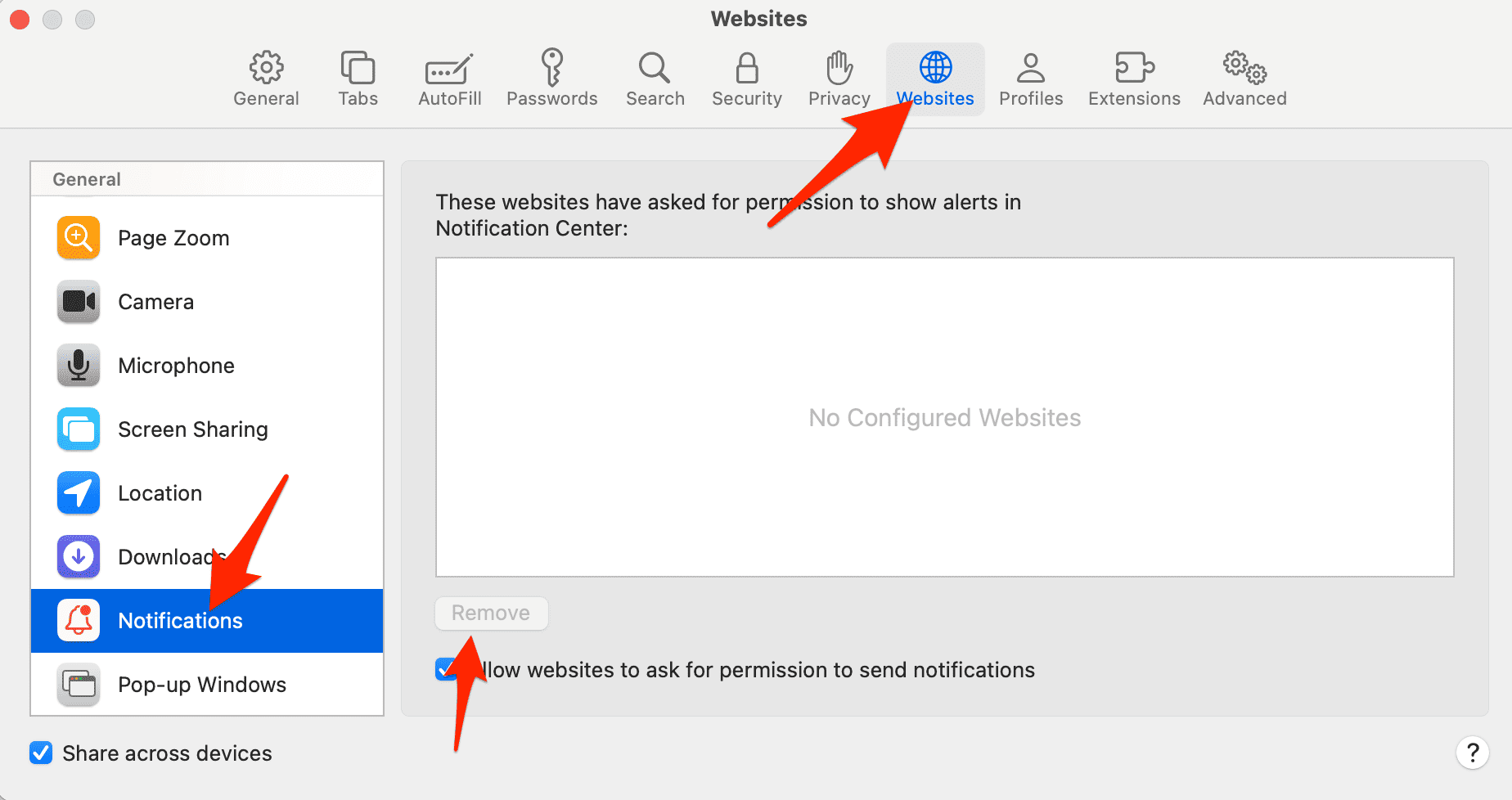
- Choose the Websites tab then go to Notifications and select the settings icon to remove it.
- Next, open the Extensions tab.
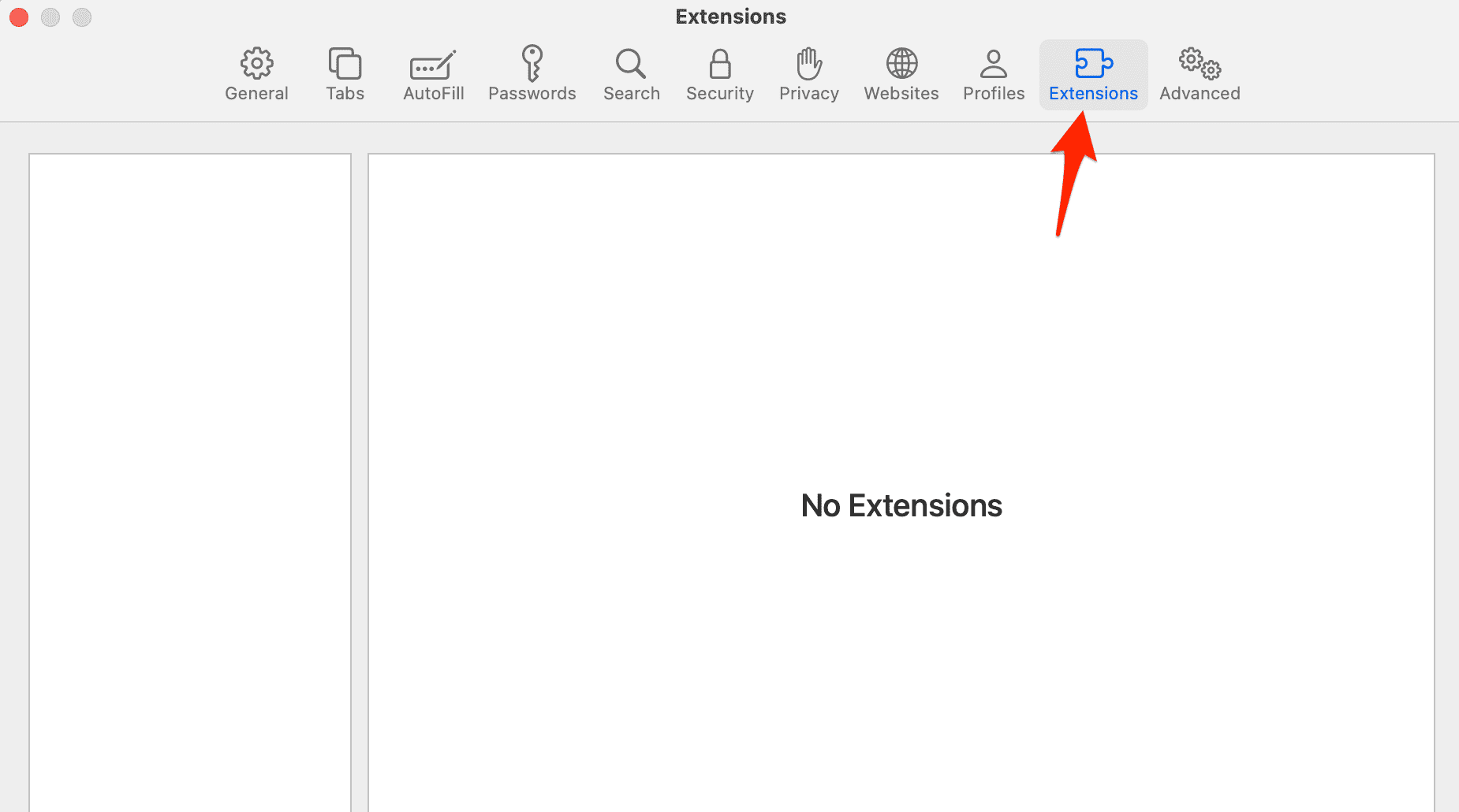
- Select anything that looks suspicious and click Uninstall.
For Google Chrome:
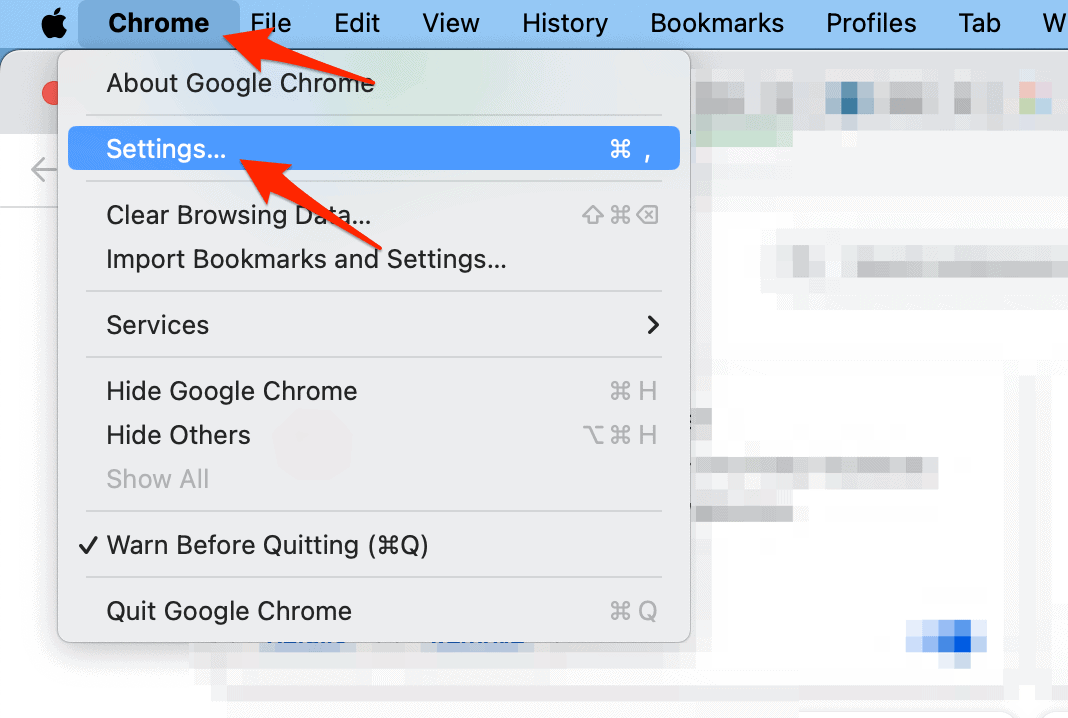
- Open Google Chrome then go to Chrome > Settings.
- Next, go to Extensions and if you see anything suspicious, click Remove and then confirm by clicking Remove again.
Can macOS Be Hacked?
Yes, even though macOS is usually safer than other systems, it’s not perfect. Its security depends on several things: built-in safeguards, keeping software fresh, how careful you are, and using good antivirus software.
The expertise of Intego’s Mac specialist team shines through in the design and functionality of Intego ONE. Built specifically for macOS, it combines advanced Antivirus Protection with a user-friendly interface, fast scanning speeds, and powerful security and privacy tools in one complete solution.
One of the standout features of Intego One is its smart Firewall and network protection, which help prevent hackers and unauthorized connections from accessing your Mac. Combined with real-time malware protection, scheduled scans, and encrypted private browsing features, it helps keep your device secure both online and offline.
 NOTE
NOTE



Discussion