

You need to check the battery level of your Apple Pencil to prevent it from running out of charge mid-session. And since the steps differ for each generation of Apple Pencil, it may seem confusing to many of you!
In this blog, we will explore easy and reliable methods for all Apple Pencil versions so you stay powered and productive.
Table of contents
How to Check the Apple Pencil Battery?
For All Apple Pencil Models on iPadOS 13 or Newer
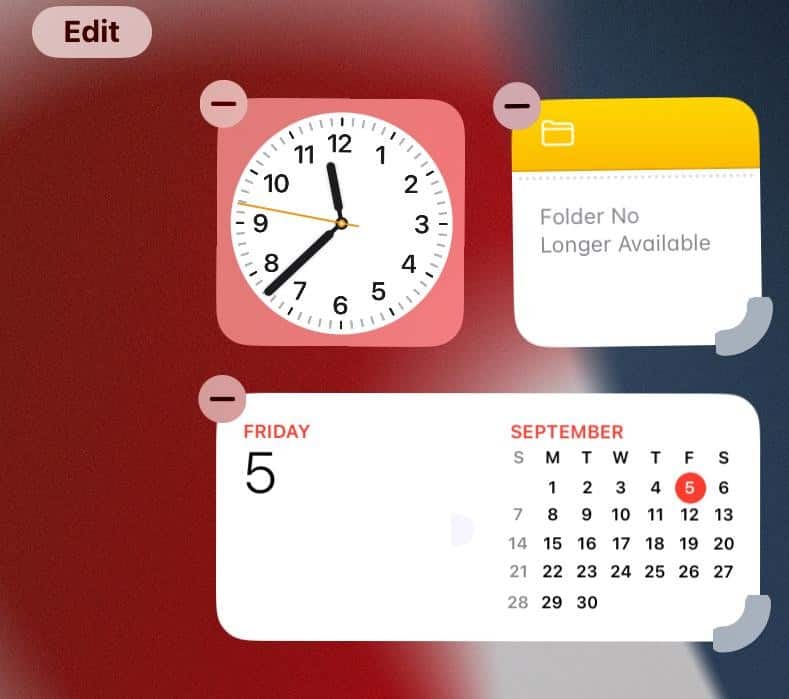
- Touch and hold an empty space on the Home screen until apps jiggle.
- Tap the Edit button in the top left, then select Add Widgets.
- Search for or scroll to Batteries, select the widget, choose the widget size (small, medium, large), and tap on Add Widget.
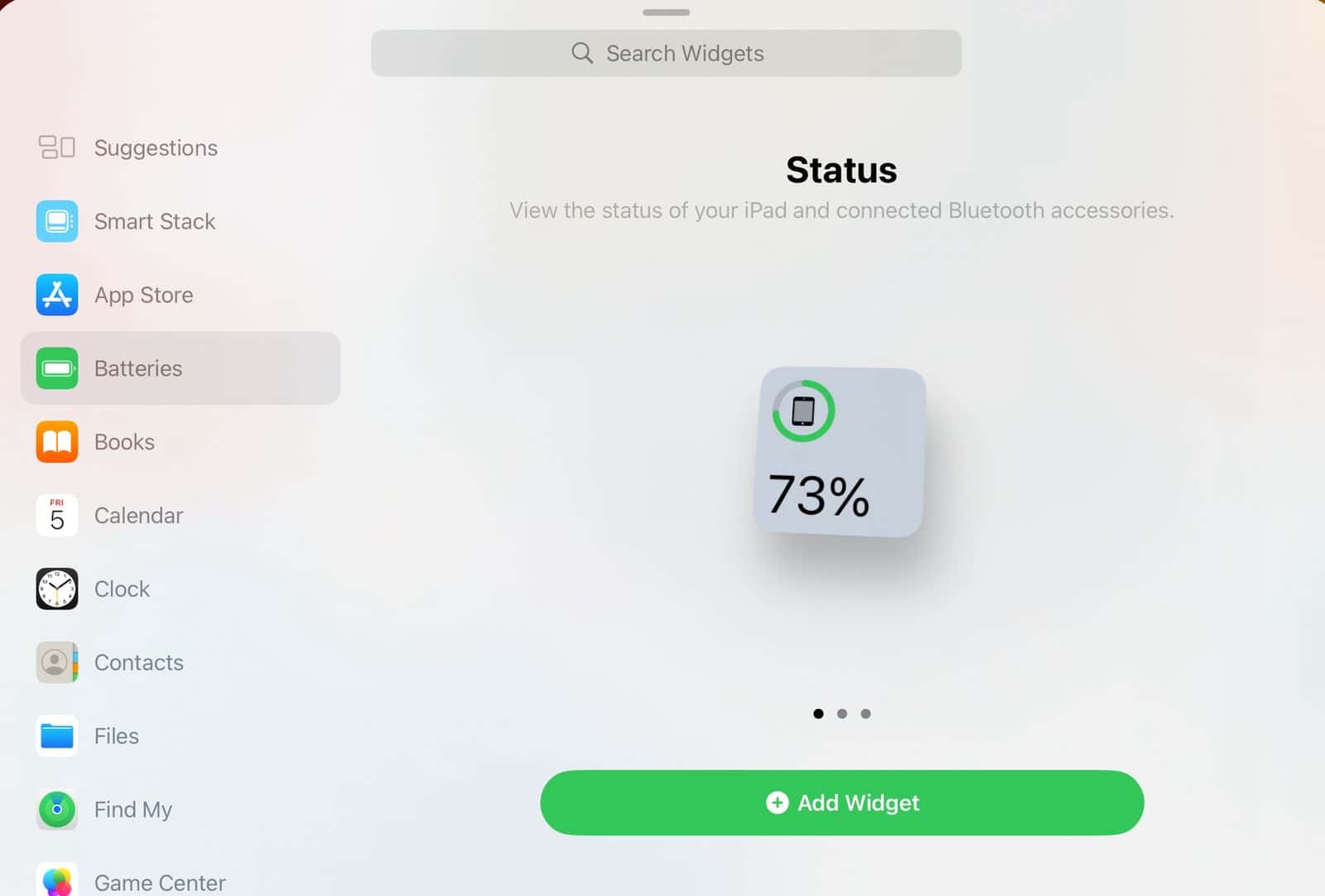
- The battery level of your Apple Pencil will now be displayed on the iPad.


You might also want to learn more about adding and customizing widgets!
Don’t miss the best of The Mac Observer
Set us as a preferred source and our Apple reporting ranks higher in your Google Search results and Discover feed — one tap, no account changes.
For the First-Generation Apple Pencil
- Add the Batteries Widget to Home to monitor battery level.
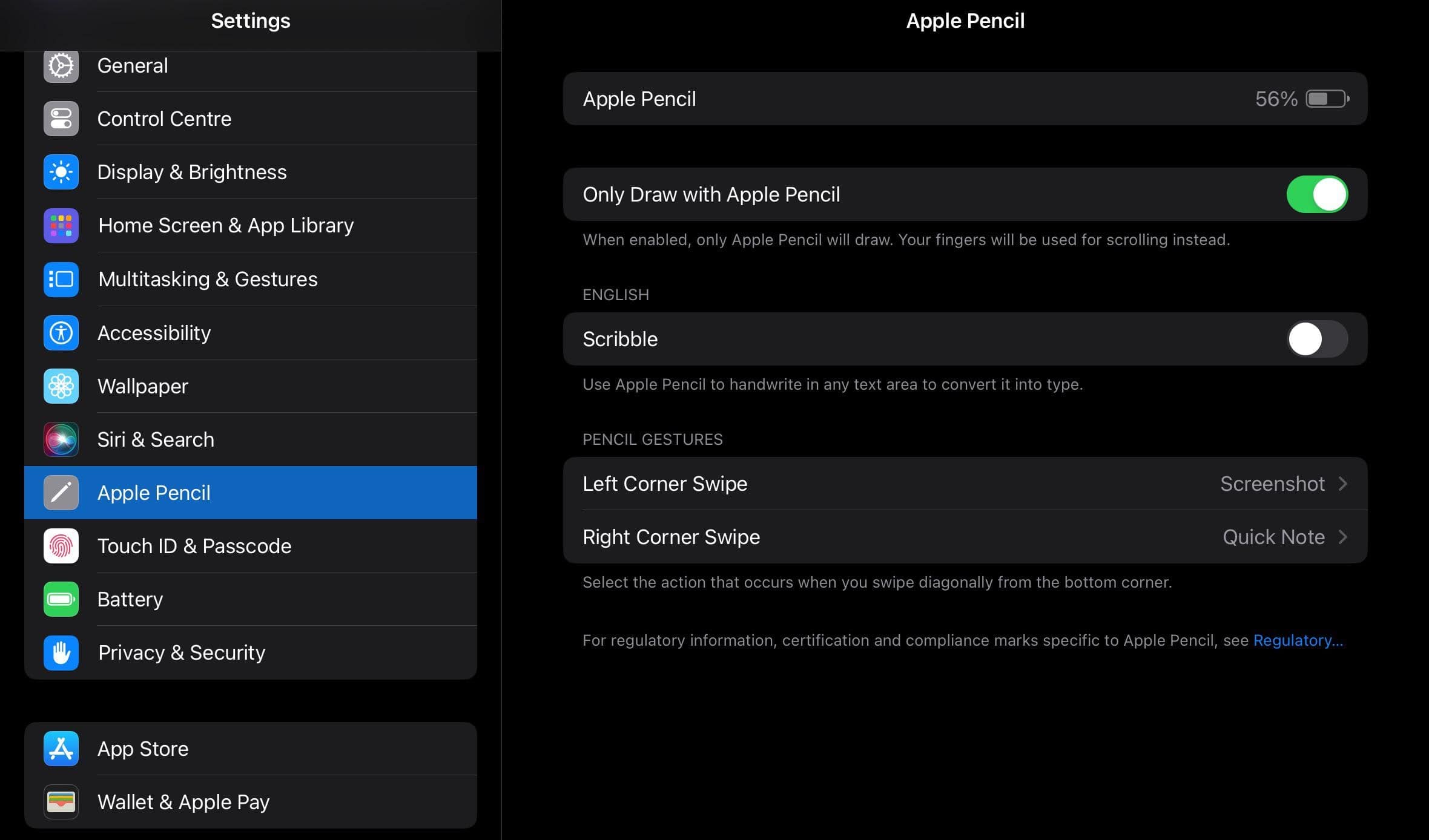
- Alternatively, go to Settings > Apple Pencil to see the battery level at the top.

For Second Generation Apple Pencil and Apple Pencil Pro
- Attach magnetically to the side of a compatible iPad near the volume buttons. A pop-up will briefly show its battery percentage. This also pairs the Apple Pencil to your iPad.
- Check Settings > Apple Pencil. iPadOS 15 and newer include this menu for battery info.
- You can also use the Batteries widget as above.
Tips
- Add the Batteries widget for quick glance access.
- Keep Bluetooth turned on so your Pencil stays connected and battery info updates.
- For second gen and Pro, the magnetic pop-up appears briefly, so be ready to read it.
- If your widget disappears, re-add it via Edit widget options.
- Regular quick charging helps preserve battery health. Even 15 seconds gives about 30 minutes of use.
Frequently Asked Questions
The widget only shows up when the Pencil is paired and Bluetooth is on. If it is missing, go to Edit widgets and add Batteries.
No. It only appears briefly when you attach a second-generation Pencil. Use the Batteries widget or settings for a persistent view.
About 12 hours of constant use. A 15-second charge gives approximately 30 minutes.
No. The battery is built in and not user replaceable. If it fails, contact Apple Support.
Summary
- Add the Batteries widget to Home for quick view.
- For first-gen Pencil, check Settings > Apple Pencil.
- For second gen and Pro, attach magnetically for a pop-up or check settings.
- Keep Bluetooth on and Pencil paired for accurate battery info.
Conclusion
Checking your Apple Pencil’s battery is simple once you know where to look. Use the widget for ongoing monitoring, attach for fast pop-up readings, or peek into Settings for details. This way, you stay in your creative zone without sudden power drops.
Before you leave, find out how to effectively use the Apple Pencil and utilize its functionalities to the fullest!


Jesus. my iPad is no where near. I am charging via my grapple laptop – HOW DO YOU SEE THE BATTERY LEVEL ON THE PENCIL IN THE CRAPPLE LAPTOP?