

Staying safe online on an older Mac might seem tricky, but it’s absolutely doable with the right VPN. Whether you’re running macOS El Capitan, Sierra, High Sierra, Mojave, or Catalina, several VPN services still offer reliable, privacy-focused apps that work smoothly on legacy systems. In this guide, we’ll break down the best VPNs for older Mac operating systems, including native support, privacy features, speed, and overall ease of use.
Table of contents
Can You Use a VPN on Older Mac Systems?
Yes, you can use a VPN on older macOS versions, but you need to choose a provider that still offers native apps for legacy systems. Many modern VPNs drop support for older versions, but several leading providers continue to maintain compatibility. These VPNs help encrypt your traffic, protect against trackers, and even unblock region-restricted content—all while running on your vintage Mac.
Some providers offer dedicated legacy downloads, while others maintain universal apps that function across multiple macOS versions.
Don’t miss the best of The Mac Observer
Set us as a preferred source and our Apple reporting ranks higher in your Google Search results and Discover feed — one tap, no account changes.
Best VPNs for Older macOS (Top 5 Picks)
| VPN | No-Logs Policy | Speed Rating | Kill Switch | Legacy macOS Support | Monthly Price (From) |
|---|---|---|---|---|---|
| PIA | Yes | Fast | Yes | El Capitan+ | $2.19 |
| ExpressVPN | Yes (Audited) | Very Fast | Yes | High Sierra+ | $8.32 |
| NordVPN | Yes | Very Fast | Yes | Sierra+ | $3.19 |
| Proton VPN | Yes | Moderate | Yes | High Sierra+ | Free / $4.99 |
| TunnelBear | Yes | Moderate | Yes | Sierra+ | Free / $3.33 |
1. Private Internet Access (PIA)

Private Internet Access is one of the best VPNs for older Macs thanks to its lightweight, legacy-friendly desktop client. It supports macOS versions going as far back as El Capitan, with no performance penalties or stripped-down features.
PIA offers a true no-logs policy, customizable encryption settings, a kill switch, and excellent compatibility with browsers and torrent clients. The app runs smoothly even on aging MacBooks, and its MACE ad-blocking feature adds an extra layer of protection.
Users can choose from WireGuard or OpenVPN protocols, and PIA’s network of 30,000+ servers ensures reliable performance anywhere.
2. ExpressVPN

ExpressVPN is a privacy-first VPN known for blazing-fast speeds and user-friendly apps, and its macOS client is no exception. It supports older systems like High Sierra and Mojave with a stable and full-featured application.
With built-in split tunneling, kill switch (Network Lock), and audited no-logs compliance, ExpressVPN delivers top-tier protection. It uses its proprietary Lightway protocol for better speed and battery life, and installation takes less than a minute.
While it comes at a higher price point, ExpressVPN’s reputation and ease of use make it ideal for users who want peace of mind on older machines.
3. NordVPN

NordVPN strikes a balance between security, usability, and speed, all while maintaining compatibility with macOS 10.12 (Sierra) and newer. It offers a sleek app with access to specialty servers like Double VPN, Onion over VPN, and P2P-optimized options.
NordVPN includes a kill switch, no-logs policy, ad-blocking with Threat Protection Lite, and support for both OpenVPN and NordLynx protocols. Setup is simple and fast, and the app works reliably even on hardware that’s a few years old. If you want strong encryption without slowing down your older Mac, NordVPN is an excellent pick.
4. Proton VPN
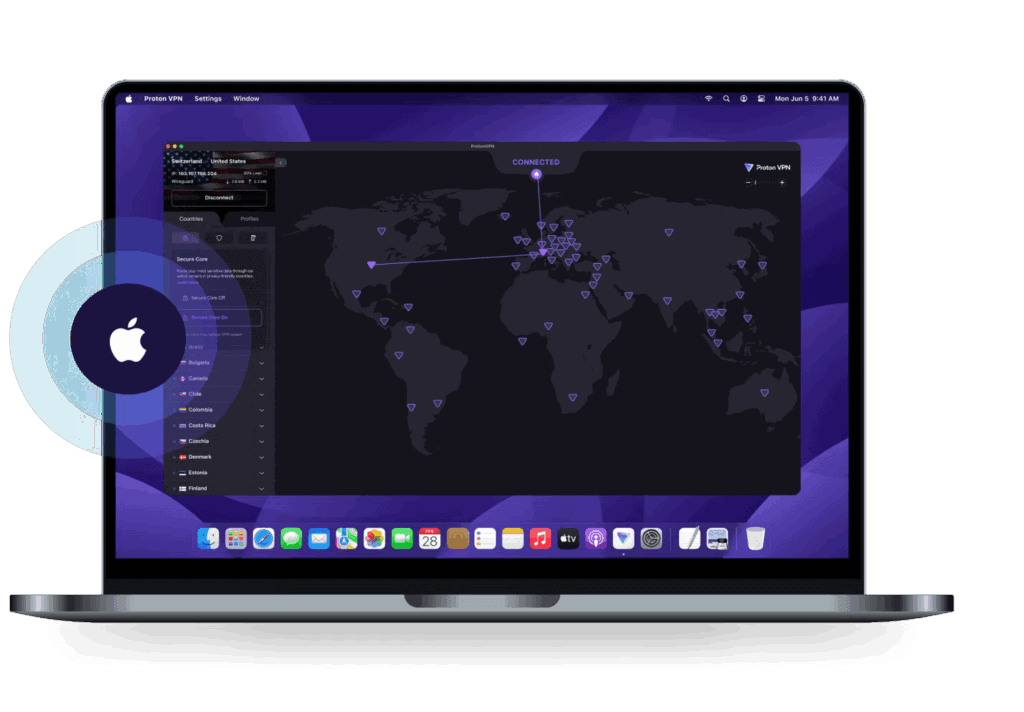
Proton VPN offers a trustworthy free plan and a secure client that still supports older versions of macOS (High Sierra and up). It’s backed by the makers of ProtonMail and built with open-source transparency in mind.
While the free tier has some speed limits and region locks, the paid version opens up high-speed servers, streaming support, and Tor over VPN functionality. Proton VPN has a solid reputation for transparency, and its Swiss base means strong legal privacy protection. The app is minimalist but effective, making it a good fit for privacy-conscious Mac users.
5. TunnelBear

TunnelBear is ideal for beginners who want a super simple VPN that just works—even on older Macs. Its app still supports macOS Sierra and later, and the installation process is practically one-click.
While TunnelBear lacks some advanced features like split tunneling or protocol switching, it shines with its friendly design, intuitive setup, and straightforward connection process. It’s not the fastest VPN on the list, and the free plan has a 2GB monthly data limit, but for casual browsing and added anonymity, TunnelBear is a solid choice.
Pros and Cons Summary
| VPN | Pros | Cons |
| PIA | Lightweight, highly configurable, affordable | Interface less modern |
| ExpressVPN | Fast, user-friendly, high privacy assurance | Pricier than most |
| NordVPN | Balanced features, strong privacy tools | No split tunneling on older macOS |
| Proton VPN | Transparent, strong free plan, secure location | Free plan limited in speed and countries |
| TunnelBear | Very easy to use, fun interface | No advanced features, 2GB free limit |
Frequently Asked Questions
Private Internet Access and ExpressVPN are top choices for performance, privacy, and legacy support.
Yes, PIA supports El Capitan natively. Most others require Sierra or newer.
Not significantly. VPNs like PIA and ExpressVPN are optimized to work well even on older hardware.
Yes. Proton VPN and TunnelBear both offer free plans with macOS compatibility.
Conclusion
Just because your Mac is running an older version of macOS doesn’t mean you have to sacrifice online privacy. The VPNs in this guide are fully compatible with legacy systems and continue to receive updates and support. Whether you value affordability, speed, ease of use, or rock-solid privacy, there’s an option here for you. Stick with providers that offer dedicated legacy support like PIA and ExpressVPN, and you’ll enjoy peace of mind with just a few clicks.




Discussion