

How to unlock an Apple Watch is one of the first things every user needs to know. Unlocking your watch is simple, but there are different ways to do it depending on your preferences.
Here, I’ll guide you through all the methods so you can choose the one that works best for you!
Table of contents
How to Unlock an Apple Watch?
1. Unlock with Passcode
- Raise your wrist or tap the screen to wake your Apple Watch.
- Enter your passcode on the screen.

- Once entered, your watch is unlocked and ready to use.

This is the most common method and works anytime, even if your iPhone isn’t nearby. Also, if you ever find the Apple Watch automatically typing the passcode, update or reset it.
Don’t miss the best of The Mac Observer
Set us as a preferred source and our Apple reporting ranks higher in your Google Search results and Discover feed — one tap, no account changes.
2. Unlock with iPhone
You can set your watch to unlock automatically when your iPhone is unlocked.
- On your iPhone, open the Watch app.
- Go to My Watch > Passcode.
- Turn on Unlock with iPhone.
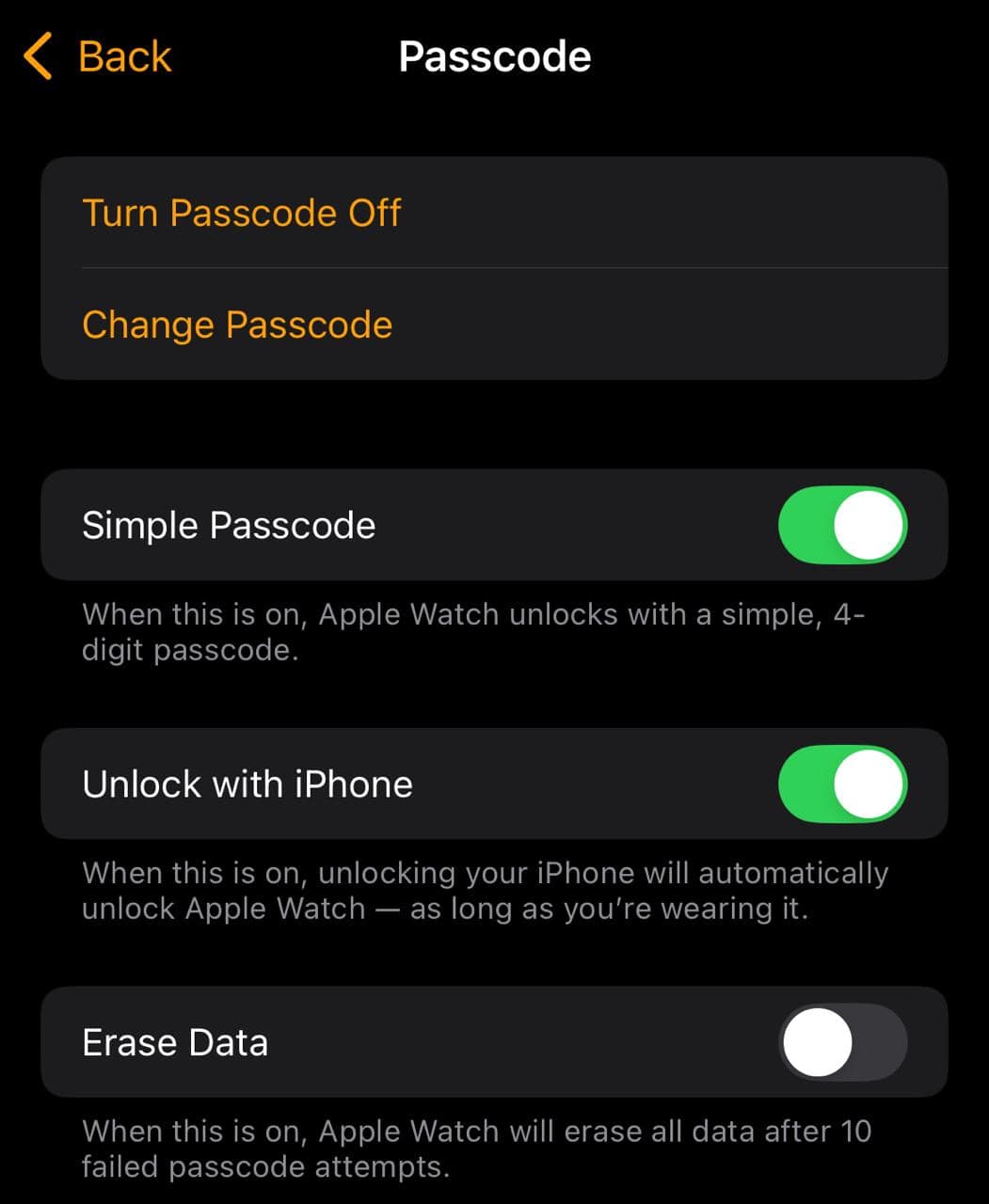

From now on, when you unlock your iPhone, your watch unlocks too if it’s close by.
3. Control Automatic Locking
Apple Watch locks automatically when it is not on your wrist. To manage this:
- On the watch, go to Settings > Passcode.
- Toggle Wrist Detection on or off.
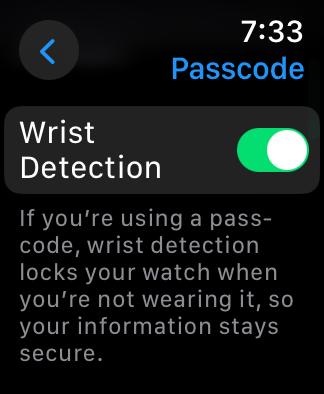

Keep in mind that turning off Wrist Detection also disables features like Apple Pay, activity tracking, notifications, and emergency SOS.
You may also want to learn about disabling passcode on your Apple Watch.
Tips for Unlocking Apple Watch
- Keep Unlock with iPhone enabled for convenience.
- Use a passcode you’ll remember but avoid simple numbers like 1234.
- If unlocking feels inconsistent, restart both the iPhone and the Apple Watch.
- Always erase your watch before giving it away or selling it.
Frequently Asked Questions
This usually happens if Bluetooth is off or the watch isn’t close to your iPhone. Make sure both are connected.
Yes, by turning off the passcode in Settings. But this also disables Apple Pay and reduces security.
The watch locks and asks you to erase it for security reasons. You can restore it from backup afterward.
Yes, because it only works when your iPhone itself is already unlocked.
Summary
- Enter your passcode to unlock manually.
- Enable Unlock with iPhone for automatic unlocking.
- Use a longer passcode if you want more security.
- Erase and reset if you forget your passcode.
Conclusion
Unlocking your Apple Watch is simple and flexible. Whether you prefer typing your passcode or letting your iPhone do the work, the process is quick and secure. With the right setup, you’ll always have an easy and reliable way to access your Apple Watch.
If you are new to the Apple ecosystem, learn how to use an Apple Watch!


Discussion