

iOS Account Manager is not an Apple app you can open or delete. Instead, it’s how Google labels sign-in activity coming from iOS apps. When you log into Gmail, YouTube, Maps, or any third-party app using Google Sign-In on an iPhone, this entry shows up in your Google Account activity.
It acts like a background connection manager between your Google account and iOS apps, so it’s expected to appear if you regularly use Google apps on your iPhone. Let’s find out more about it!
Table of contents
Is iOS Account Manager Safe?
Most of the time, yes. It usually means one of your Google apps or an iOS app used your Google sign-in. But you should stay alert if:
Don’t miss the best of The Mac Observer
Set us as a preferred source and our Apple reporting ranks higher in your Google Search results and Discover feed — one tap, no account changes.
- The device or sign-in listed is not yours
- You notice repeated unknown logins
- Unfamiliar apps have account access
In those cases, treat it as suspicious and revoke access immediately.
How to Remove iOS Account Manager?
There’s no uninstall button for it. Removal means either signing out of your Google account on iOS or revoking access from your Google Account. Here are the methods:
1. Remove the Google account from the iPhone
- Open Settings > Apps > Mail (or Passwords & Accounts on older iOS).

- Tap your Google account.
- Select Delete Account and confirm the change.
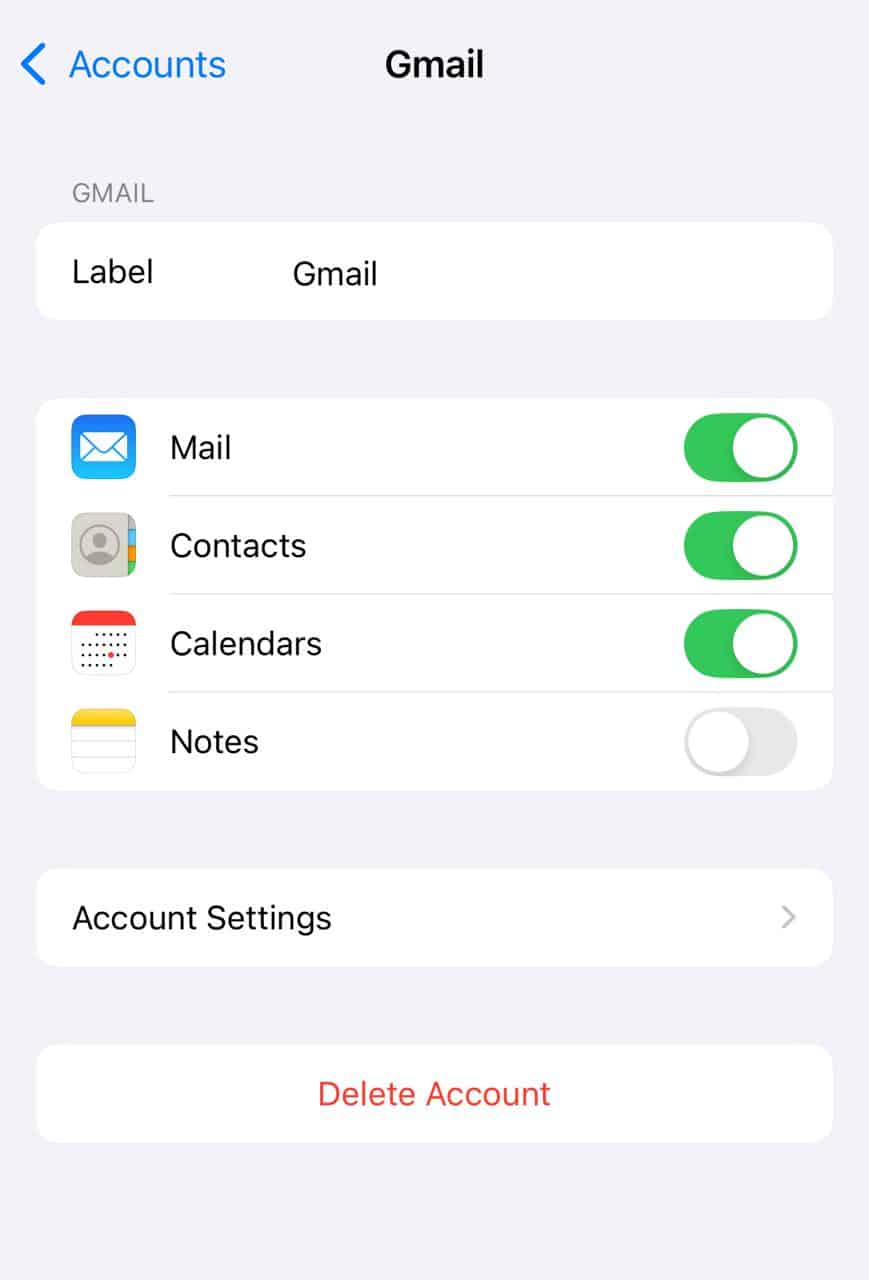


For Gmail app users: open Gmail, tap your profile picture, select Manage accounts, then remove the account.
2. Revoke access from the Google Account
- Open Google Account settings on your iPhone or computer.
- Go to Security.
- Scroll down to Your devices.
- Select the device that shows iOS Account Manager.
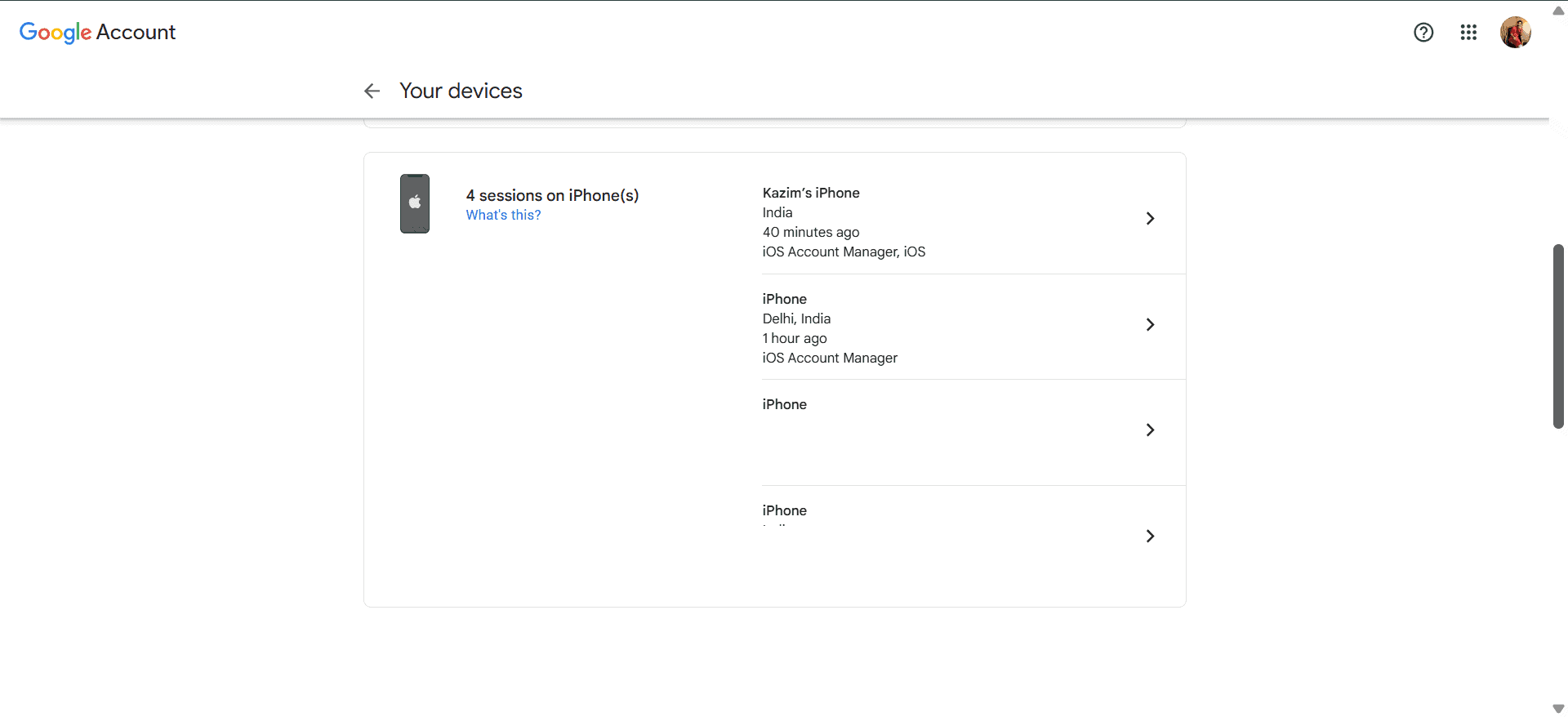
- Click or tap Sign out.
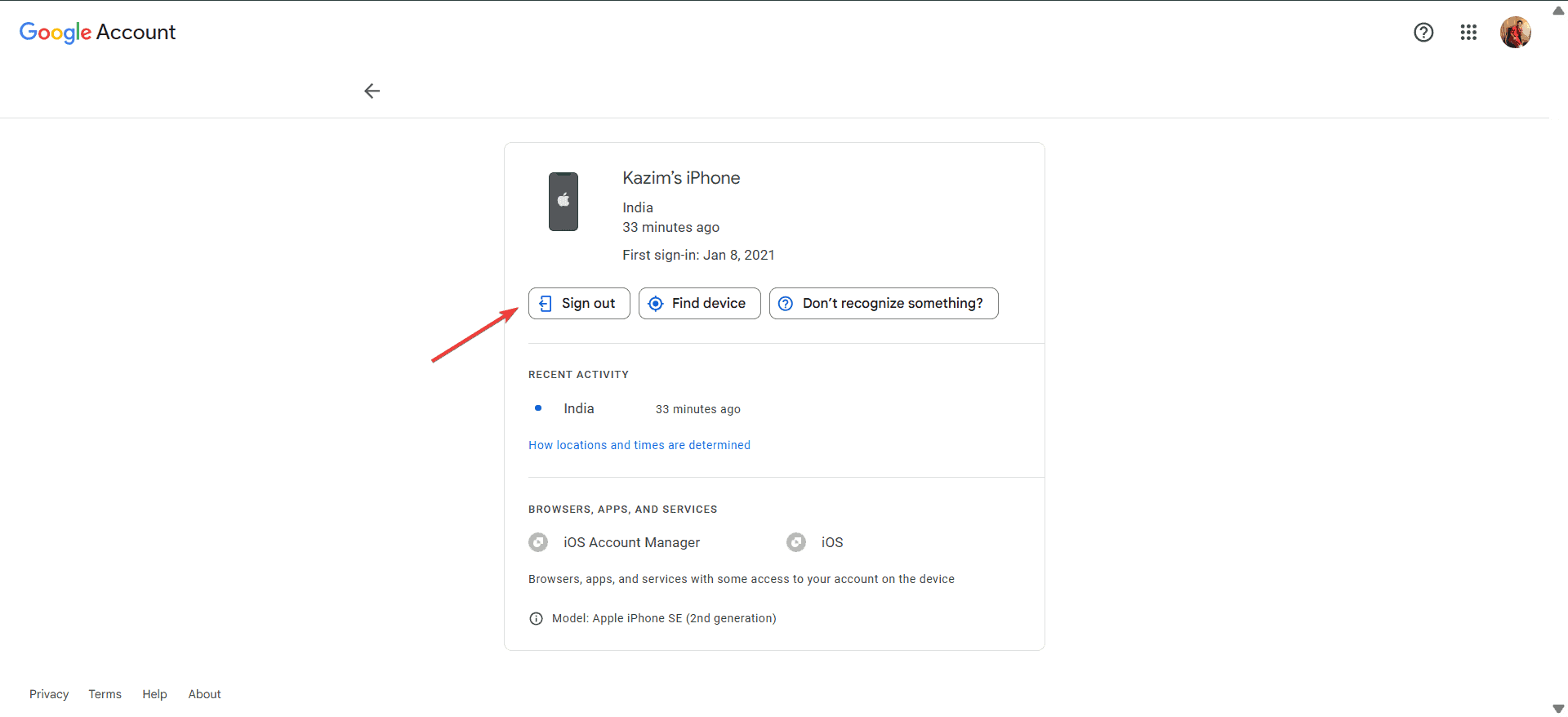
- Confirm when prompted.


3. Check for work or school profiles
- Go to Settings > General > VPN & Device Management.
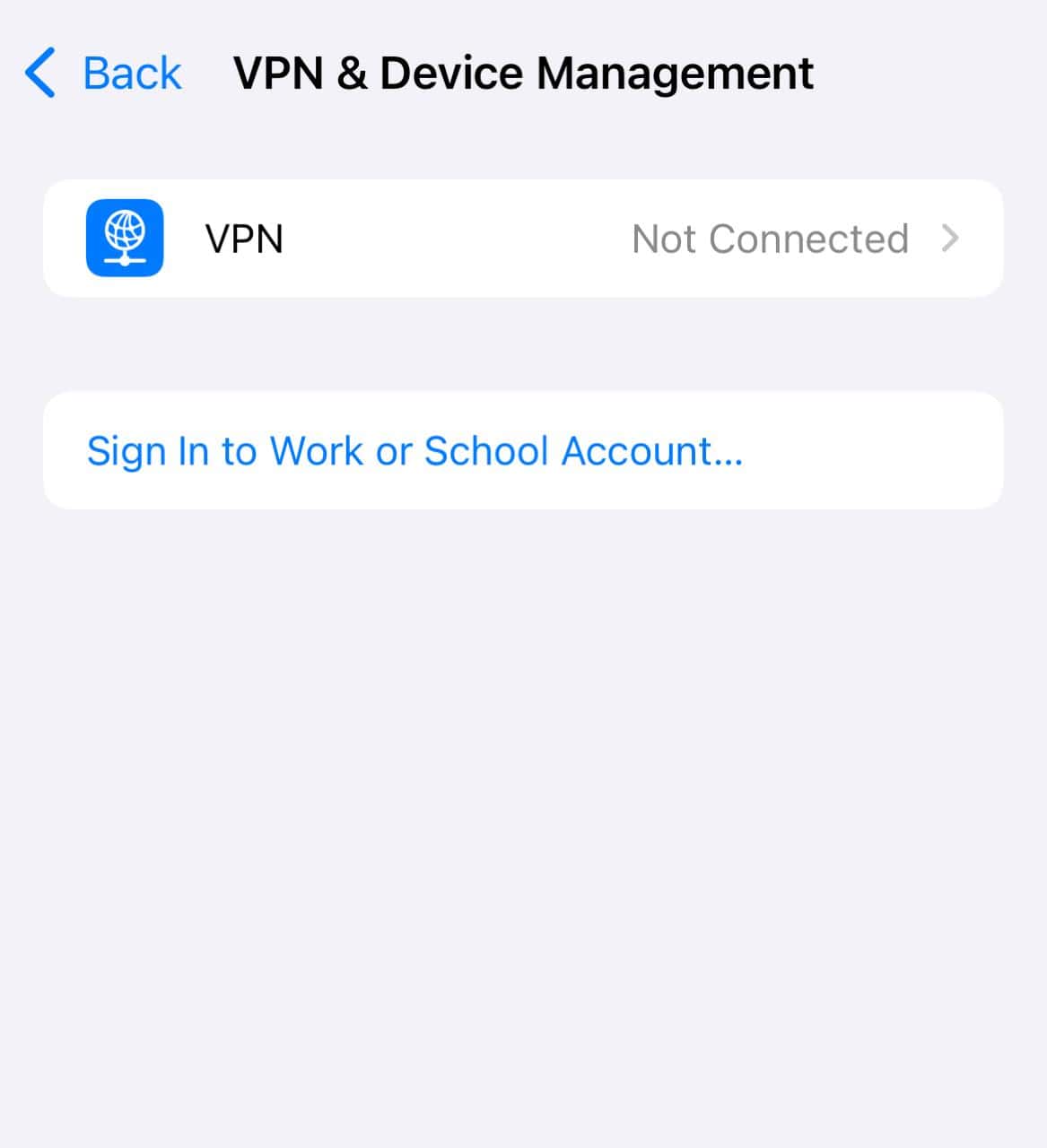
- If there’s a company or school profile, removing it should help, but it might require IT help.

How iOS Account Manager Differs From Google Account Manager
| Feature | iOS Account Manager | Google Account Manager (Android) |
|---|---|---|
| What it is | A label in Google Account activity showing iOS sign-ins | A built-in Android system service |
| Purpose | Tracks and manages Google sign-ins from iOS apps | Handles account syncing and authentication on Android |
| Visibility | Not an app, only appears in Google Account activity | Runs in the background, no app icon |
| Removability | Can be removed by revoking access or signing out | Cannot be uninstalled, part of the Android system |
In short, the Android version is a system-level service, while on iOS it’s simply a label for sign-in activity.
Quick Tips
- Regularly check device activity under your Google Account.
- Revoke access for unknown apps or devices.
- Use two-step verification for extra security.
- Ask IT before removing work or school profiles.
- Always sign out of accounts or reset the iPhone or Apple device before selling or giving it away.
Frequently Asked Questions
No, it’s usually just a record of Google sign-ins on iOS.
No, you can only remove it by revoking access or signing out of your Google account.
Because an iOS app signed back into your Google account. Sign out of all apps and change your password to stop it.
No, the Android version is a system service. On iOS, it’s just a Google sign-in label.
Summary
- iOS Account Manager is a sign-in label, not an app
- It’s safe if it matches your own apps and devices
- You can remove it by signing out on iOS or revoking access in your Google Account
- Company-managed devices may need IT help
- Change your password and use two-step verification if it looks suspicious
Conclusion
iOS Account Manager isn’t something to be afraid of. It’s simply how Google records sign-ins from iOS apps. If it belongs to you, leave it be. If it looks suspicious, follow the steps above to remove it and secure your account.
With a few quick checks, you can keep your iPhone and Google account completely safe.
If you frequently notice suspicious activity or sign-ins, it’s wise to get a top-rated antivirus solution and scan the device for threats!


Discussion