

With iOS 26, Apple changed how screenshots work. Instead of the small thumbnail in the corner, you now get a full-screen preview every time you capture your screen. Apple added this to highlight new Visual Lookup and Apple Intelligence features, like copying text or detecting locations.
But not everyone loves it. Sometimes you just want a quick screenshot without your entire display being taken over. Here’s how to switch back to the old thumbnail style.
Table of contents
Turn off full-screen screenshot previews
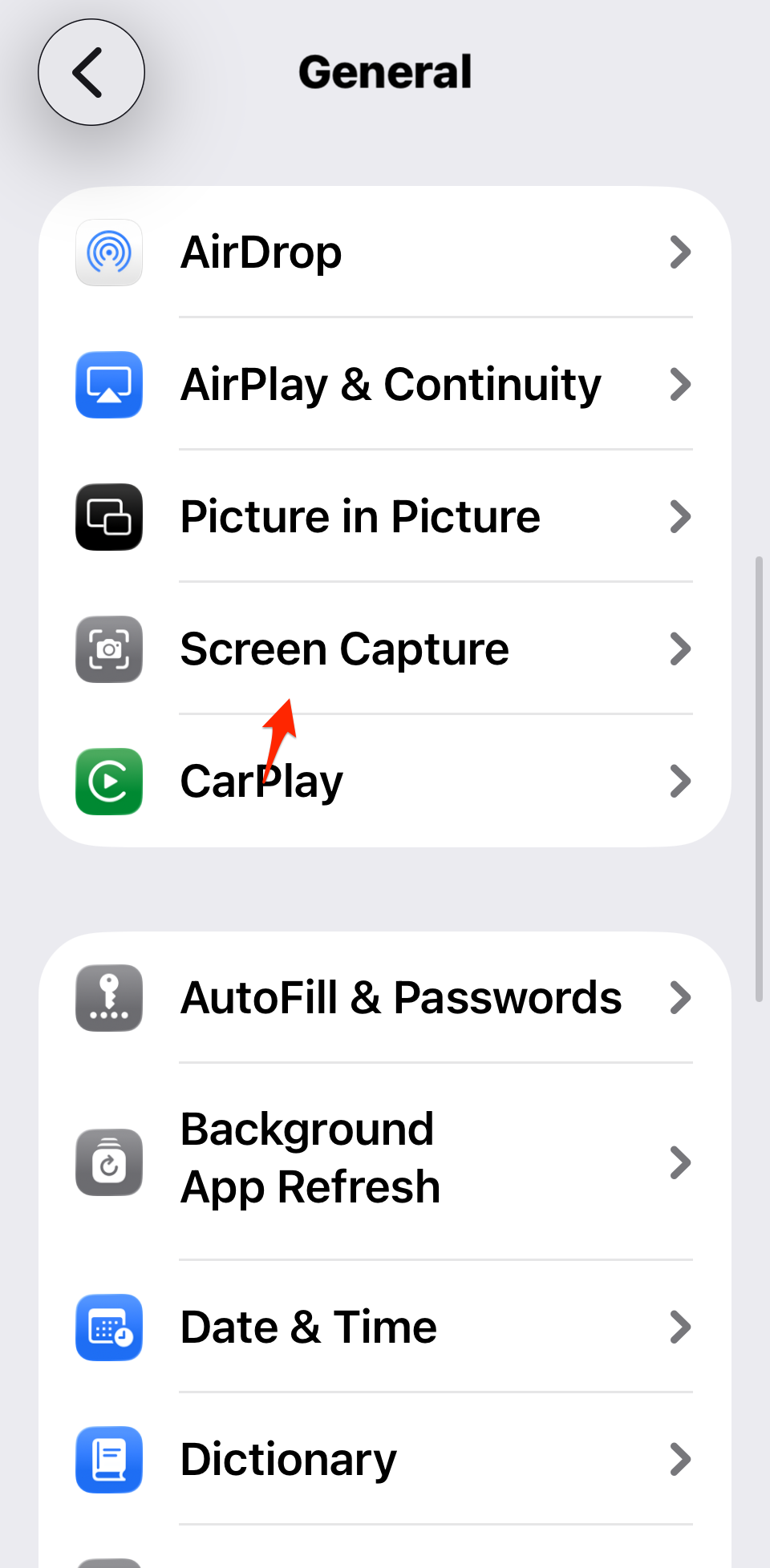
- Open Settings.
- Go to General → Screen Capture.
- Toggle off Full-Screen Previews.
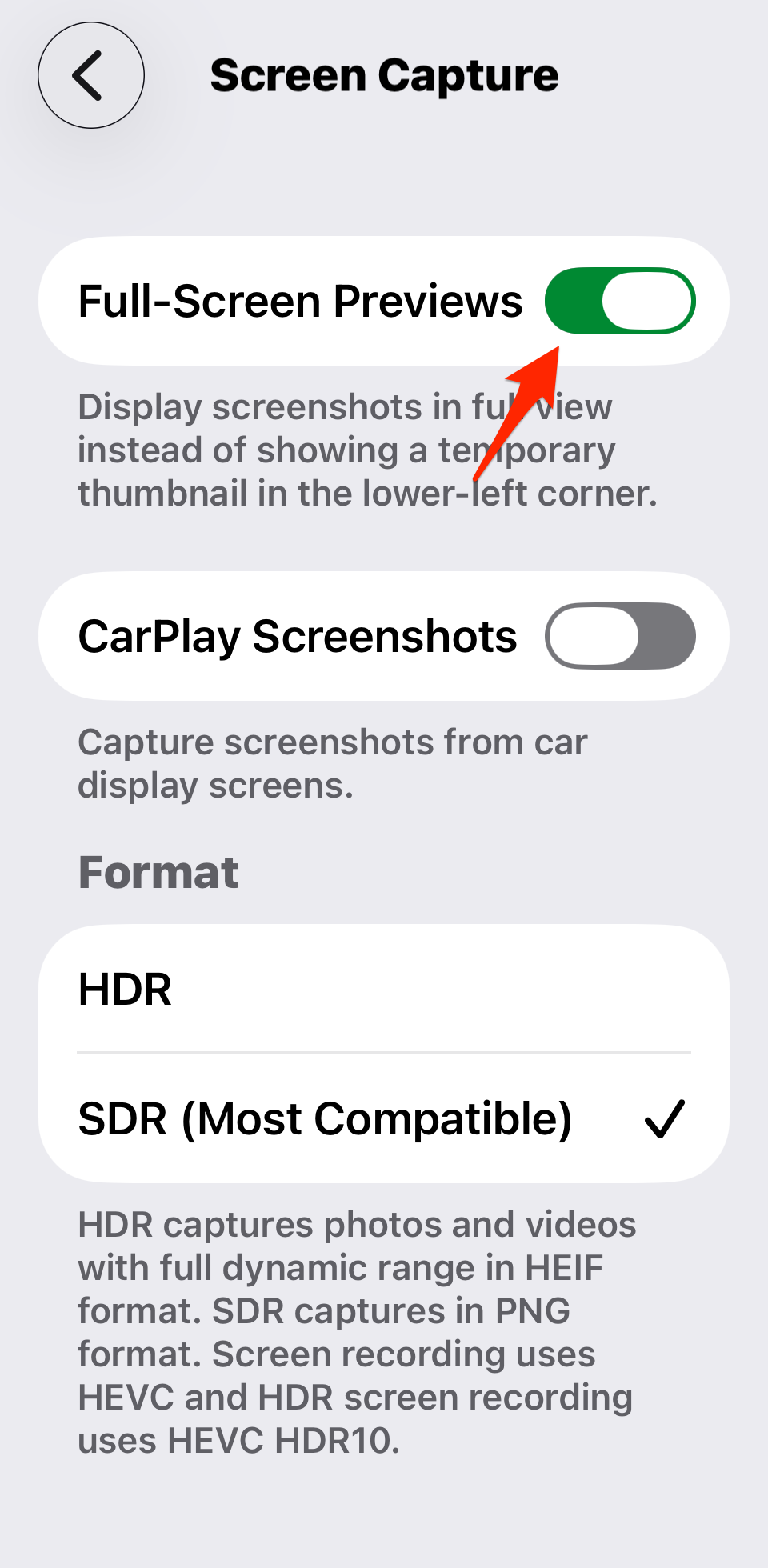
Now screenshots will behave like they did before, a small corner thumbnail that disappears after a few seconds.
Don’t miss the best of The Mac Observer
Set us as a preferred source and our Apple reporting ranks higher in your Google Search results and Discover feed — one tap, no account changes.
Still want the new tools sometimes?
Turning off full-screen previews doesn’t remove the new features. You can still:
- Tap the thumbnail to open the full-screen editor.
- Use Visual Lookup to detect text, places, or objects.
- On supported devices, try Apple Intelligence prompts.
Other screenshot settings in iOS 26
In the same Screen Capture menu, you’ll find extra options:
- CarPlay Screenshots: Toggle this off if you don’t want iOS to also capture your car’s screen. See our guide on CarPlay video streaming for what’s new there.
- Screenshot format: Choose between HDR (HEIF) or SDR (PNG). HDR looks richer, but SDR is more compatible.
If you run into problems, check our dedicated guide on fixing iOS 26 screenshot issues.
Related iOS 26 guides
- All reported iOS 26 bugs and issues with fixes
- Why is iOS 26 so laggy? Causes and fixes
- Fix iMessage not working after iOS 26 update
- Make iOS 26 less animated
- 10 iOS 26 hidden features you may not know about
- How to fix iPhone freezing in iOS 26
The takeaway
The full-screen screenshot UI in iOS 26 makes sense if you want instant access to smart features. But if you’d rather keep things simple, turning off Full-Screen Previews gives you back the old lightweight thumbnail flow. And you still have the option to tap in whenever you need the extras.



Discussion