

iOS 26.1 developer beta 3 packs small but meaningful changes across the system. You get clearer branding, tighter recording controls, smarter notifications, and early signs of broader AI choice. Every change fits a pattern of polishing features before a wider public release.
Apple’s own software strings and in-app terms provide the clearest early roadmap today. You can see renamed services, fresh icons, settings toggles, and revised alerts referenced directly inside the build. I reviewed those on-device changes and paired them with interface behavior across system apps.
Apple TV rebrand and app icon refresh

Apple has officially dropped the “+” from Apple TV+. The streaming service, app, and physical device will now share a single name: Apple TV. The new app icon has a colorful accent at the bottom of the “tv” logo, replacing the old monochrome design.
Don’t miss the best of The Mac Observer
Set us as a preferred source and our Apple reporting ranks higher in your Google Search results and Discover feed — one tap, no account changes.
The revised terms now read “your Apple TV subscription,” showing Apple’s shift toward unified branding. Some on-screen references still show Apple TV+, but the visual transition has already begun in iOS 26.1 beta 3.
Local Capture now available in Settings
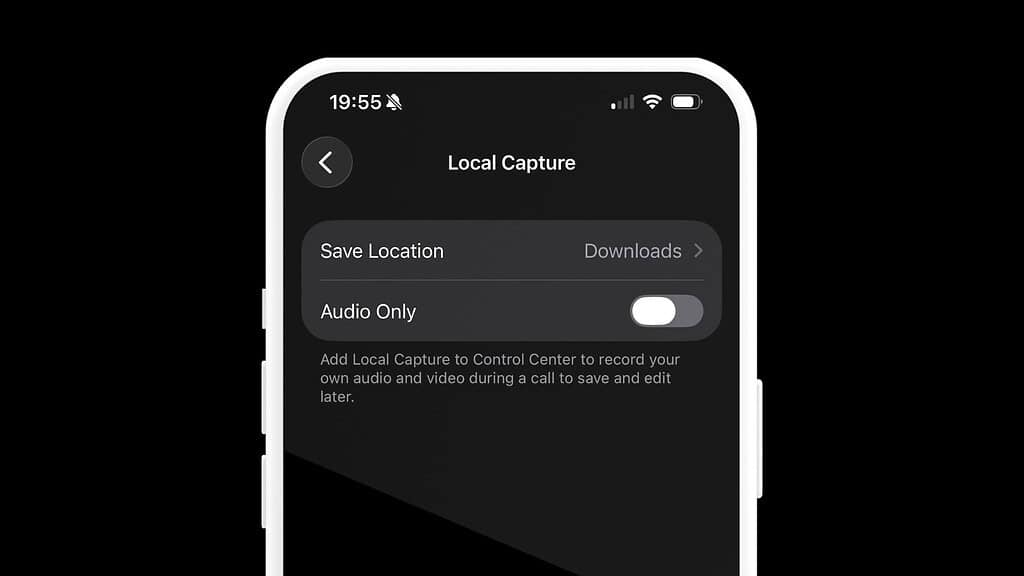
Local Capture lets you record isolated audio tracks using the iPhone’s microphone, AirPods, or an external mic. Previously accessible only through Control Center, it now lives inside the Settings app with better control over storage and gain levels.
To use Local Capture in iOS 26.1 beta 3:
- Open Settings.
- Go to General > Local Capture.
- Toggle the Audio Only switch to record only voice.
- Tap Save Location to choose where recordings are stored (default is the Downloads folder in Files).
- Adjust Microphone Gain if you’re using an external mic.
This move makes Local Capture more discoverable and useful for content creators, journalists, and podcasters who need quick, isolated voice tracks.
Third-party AI provider support
Inside the beta’s code, Apple replaced “ChatGPT” references with “Third Party,” signaling the next step in its Apple Intelligence rollout. The shift points to future support for multiple AI providers within iOS.
The line “Report a concern related to a Third Party” replaces earlier ChatGPT text. This change suggests Apple plans to let users choose between different AI models, possibly including Google Gemini or Anthropic’s Claude. Once active, third-party AI integration will extend across Notes, Siri, and Image Playground, creating a more open intelligence framework.
Notification forwarding for third-party accessories
iOS 26.1 beta 3 also expands notification handling beyond Apple Watch. A new Notification Forwarding feature is being tested to allow alerts on non-Apple smartwatches and accessories.
When the option rolls out, you’ll be able to:
- Open Settings > Notifications.
- Tap Notification Forwarding.
- Choose one of the following below.
- Enable Notification Forwarding/Allow all apps/Deny all apps/Select specific apps to forward notifications.
If turned on, this feature disables Apple Watch notifications to prevent duplicate alerts. It shows Apple’s effort to improve iPhone compatibility with third-party wearables.
Built-in spyware attack alerts
Apple appears to be internalizing its security warnings. Until now, the company has notified at-risk users of mercenary spyware attacks via email or iMessage. Beta 3 adds references to built-in spyware attack notifications, hinting that future warnings will appear directly within iOS.
This could allow faster user responses and less reliance on external communication channels. The alert system will likely display warnings through the Settings app or as dedicated notifications.
Accessibility addition: Single-Touch Actions
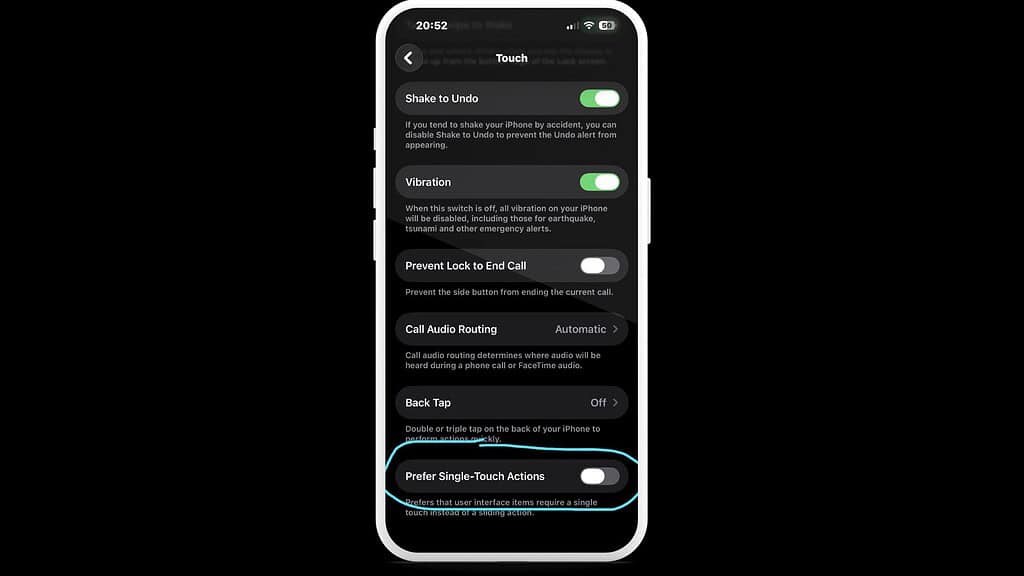
Under Settings > Accessibility > Touch, there’s a new option called “Prefer Single-Touch Actions.”
When enabled, this setting simplifies interactions that normally require sliding or holding gestures. It changes elements like sliders or toggles into one-touch buttons for smoother navigation. The description reads, “Requires a single touch instead of a sliding action.” This option makes iOS easier for users who prefer minimal motion input.
Visual and animation tweaks
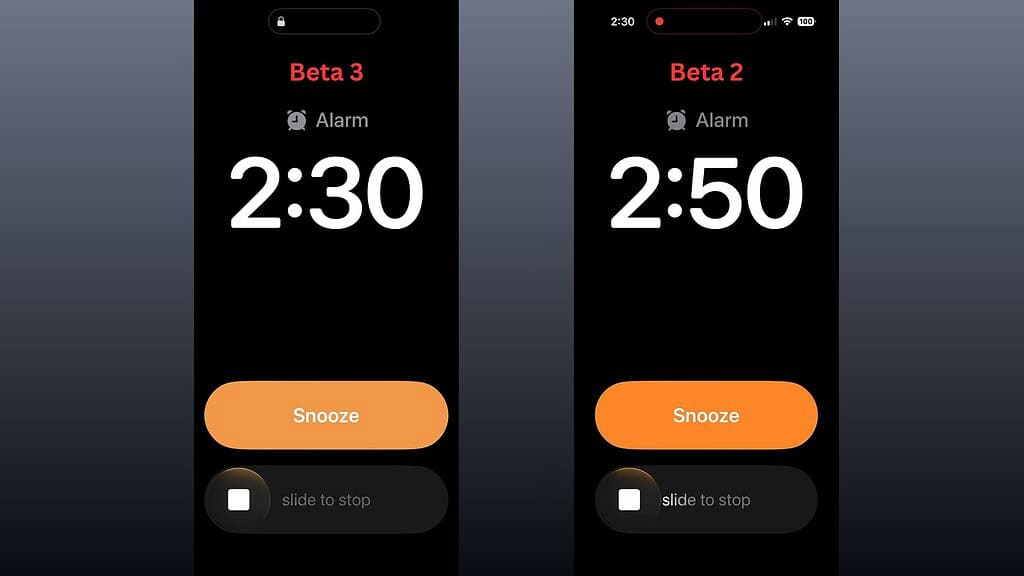
The Clock app now uses refined “slide to stop” text for alarms and timers. In Control Center, animations feel smoother and bouncier, helping transitions appear more natural. The Liquid Glass interface remains the same, but micro-interactions have been tuned to respond faster.
These small touches improve day-to-day use, especially during quick tasks like toggling Wi-Fi or adjusting brightness.
Dock and interface polish
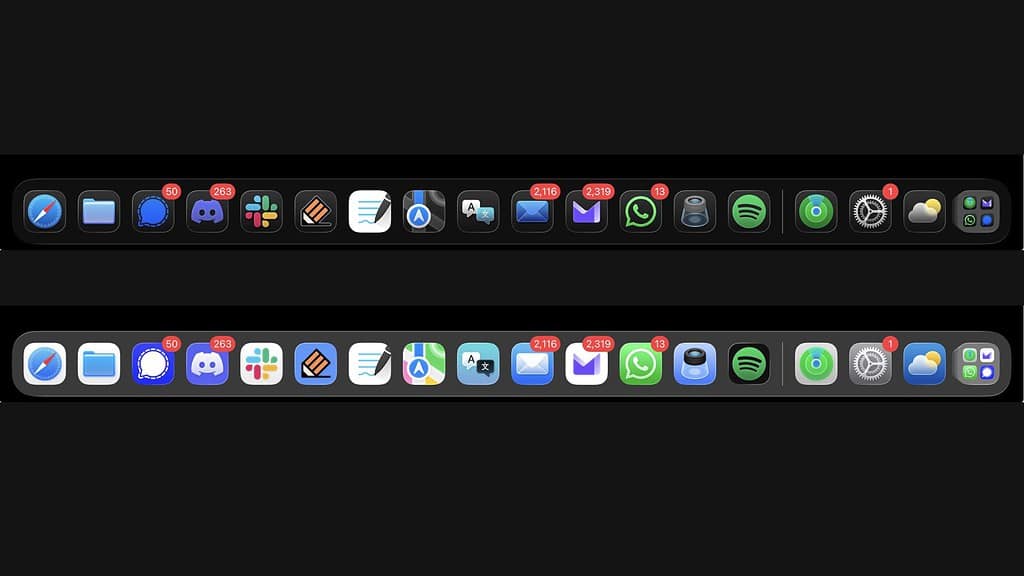
In iPadOS 26.1 beta 3, the dock background now adapts to your app icons. If you have darker icons, the dock adjusts its shade for better contrast. This subtle change makes the interface look cleaner and more dynamic depending on your setup.
New wallpaper description spotted
Code references in the update describe an upcoming wallpaper likely for iOS 26.3:
“Ethereal currents of vibrant light flow into serene darkness, shaped by soft, undulating paths that create a striking visual harmony.”
It’s another artistic addition that fits Apple’s Liquid Glass design aesthetic.
What this beta tells you
Beta 3 refines more than it reveals. You get improved control in Local Capture, more flexible accessibility, and signs of an open AI system ahead. It builds infrastructure early, then activates features gradually.
Install the update if you want smoother animations and early glimpses of Apple’s next ecosystem shift. Each beta is a small step toward a more flexible and capable iOS 26.




Discussion