

Slow charging on the Apple Watch Ultra 3 often comes from the cable, adapter, or software. Using a 20W adapter restores fast charging in many cases. Cleaning the back of the watch and the charging puck also improves power transfer. A quick restart can clear background activity that slows the process. These simple steps fix most charging delays without replacing any hardware.
Table of contents
- Why is this happening?
- Steps to fix slow charging on the Apple Watch Ultra 3
- 1. Use the Apple fast charging cable
- 2. Switch to a 20W or higher adapter
- 3. Clean the watch and charging puck
- 4. Remove thick or rugged cases
- 5. Restart the Apple Watch Ultra 3
- 6. Turn off Optimized Battery Charging for one cycle
- 7. Update to the latest watchOS version
- 8. Try a different outlet
- 9. Disable heavy background features while charging
- 10. Check battery health
- Additional tips
- Conclusion
- FAQs
Why is this happening?
Slow charging usually begins when the watch is not receiving full power. A low-wattage adapter supplies limited energy. Damaged cables interrupt normal flow. Dust on the charging surface reduces contact. Software bugs also create a background load and slow down the process. Battery health deteriorates over time, reducing the maximum charging rate. Any of these factors can cause delays.
Steps to fix slow charging on the Apple Watch Ultra 3
Below are the most reliable steps that help increase charging speed.
Don’t miss the best of The Mac Observer
Set us as a preferred source and our Apple reporting ranks higher in your Google Search results and Discover feed — one tap, no account changes.
1. Use the Apple fast charging cable
Apple’s USB-C fast charging puck is required for full speed. Third-party cables may not support fast charging and can reduce performance.
2. Switch to a 20W or higher adapter
The watch needs at least a 20W adapter for fast charging. Lower wattage adapters delay the process. A certified adapter gives stable power.
3. Clean the watch and charging puck
Dust affects the alignment of the charging coils.
- Wipe the back of the watch with a soft cloth.
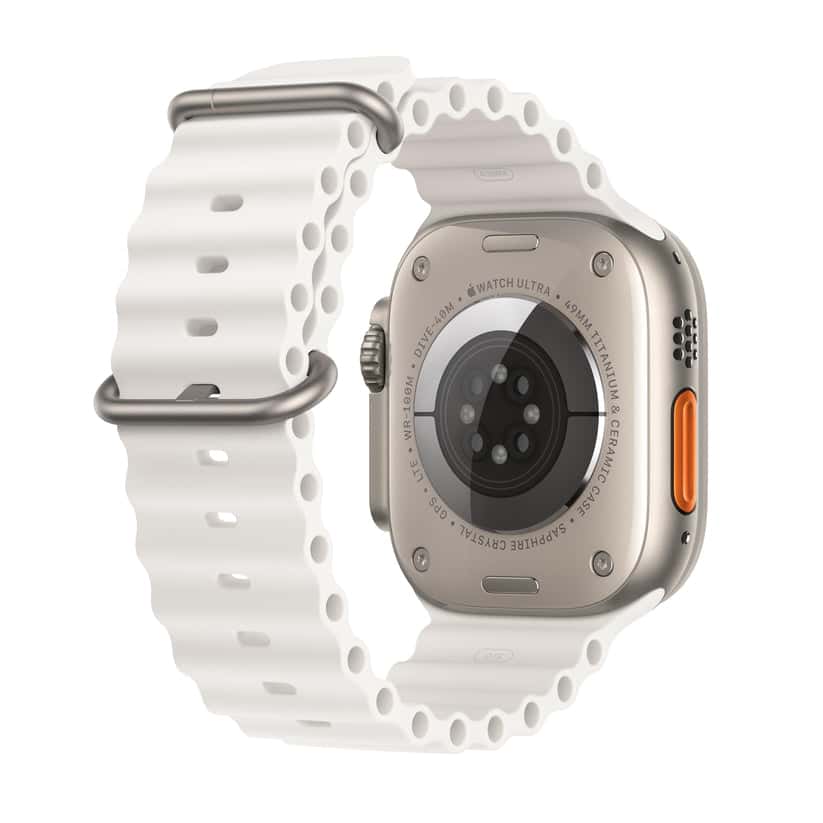
- Clean the charging puck surface.
- Dry both parts before trying again.

4. Remove thick or rugged cases
Some cases interfere with magnetic contact.
- Remove the case.
- Place the watch on the charger again.
- Check if the charging speed improves.
5. Restart the Apple Watch Ultra 3
A restart clears minor software issues.
- Hold the side button.
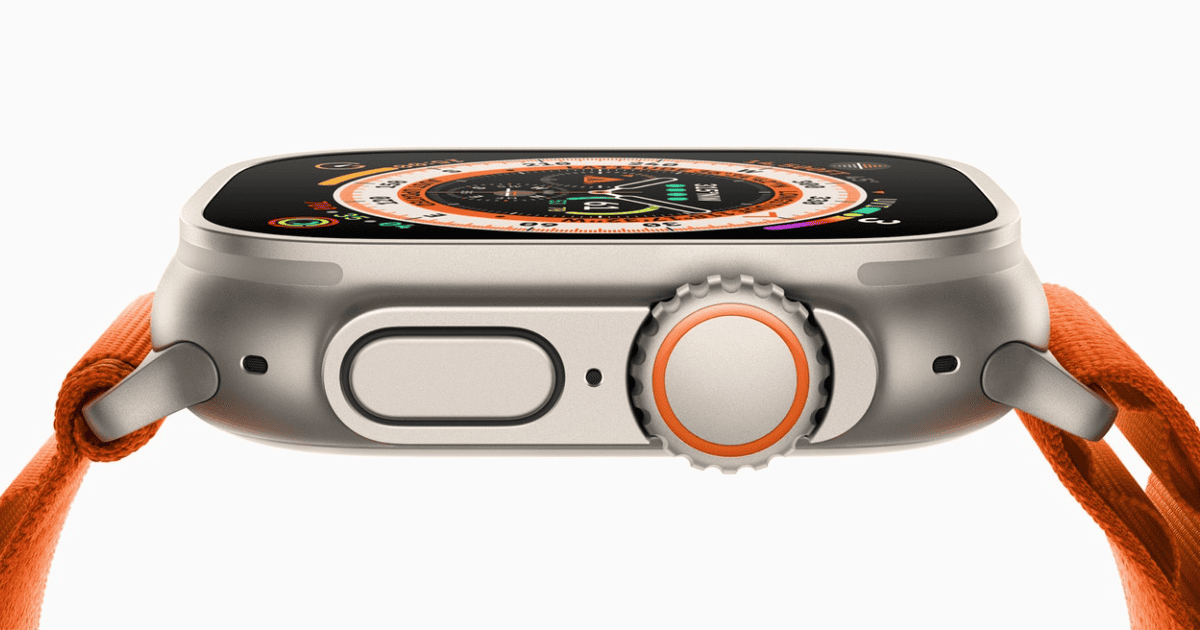
- Turn off the watch.
- Wait a few seconds.
- Turn it back on.

6. Turn off Optimized Battery Charging for one cycle
This feature slows charging during certain periods.
- Open Settings.
- Go to Battery.
- Select Battery Health.
- Disable Optimized Battery Charging.
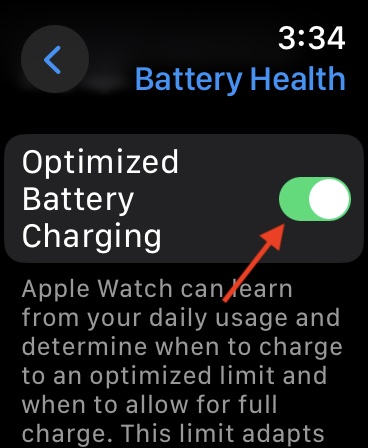
- Re-enable it after one full charge.

7. Update to the latest watchOS version
Software updates often fix power management problems.
- Open the Watch app on the iPhone.
- Go to General.
- Select Software Update.

- Install the latest version.

8. Try a different outlet
Wall outlets may supply inconsistent power.
- Unplug the adapter.
- Test a new outlet.
- Check if the charging speed improves.
9. Disable heavy background features while charging
Features like Always On Display consume power during charging.
- Open Settings.
- Turn off Always On Display.
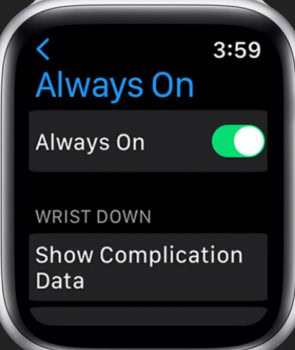
- Close unused apps.

10. Check battery health
Battery condition affects charging speed after long use.
- Open Settings.
- Go to Battery.
- Check Battery Health.
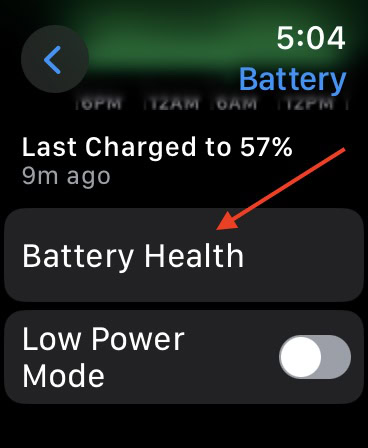
- Consider a battery replacement if the capacity is low.

Additional tips
- Keep the watch cool while charging because heat slows the process.
- Charge on a flat and stable surface for proper alignment.
- Use original accessories whenever possible.
- Avoid using the watch during charging to maintain stable power input.
- Try charging from a laptop USB-C port only for testing, since it is slower.
Conclusion
Most cases of slow charging on the Apple Watch Ultra 3 come from simple issues. A quick check of the cable, adapter, and software settings often brings the watch back to normal speed. Regular cleaning and proper accessories also help maintain long-term performance. Small changes in daily charging habits can make a noticeable difference.
FAQs
Yes. It works with the Apple USB-C fast charging puck and a 20W or higher adapter.
Yes. It slows charging during certain periods to protect the battery.
Yes. A worn or frayed cable reduces charging speed.
It helps because these features use power while the watch is charging.
Yes. Lower battery health limits the maximum charging rate.



Discussion