

In iOS 27, the Journal app can suggest writing prompts “based on what you write and any photos or drawings you add to your entry,” and you can add up to three of them to a single entry. The prompts come from Apple Intelligence, and one switch hides them: Settings > Apps > Journal > Get Writing Prompts.
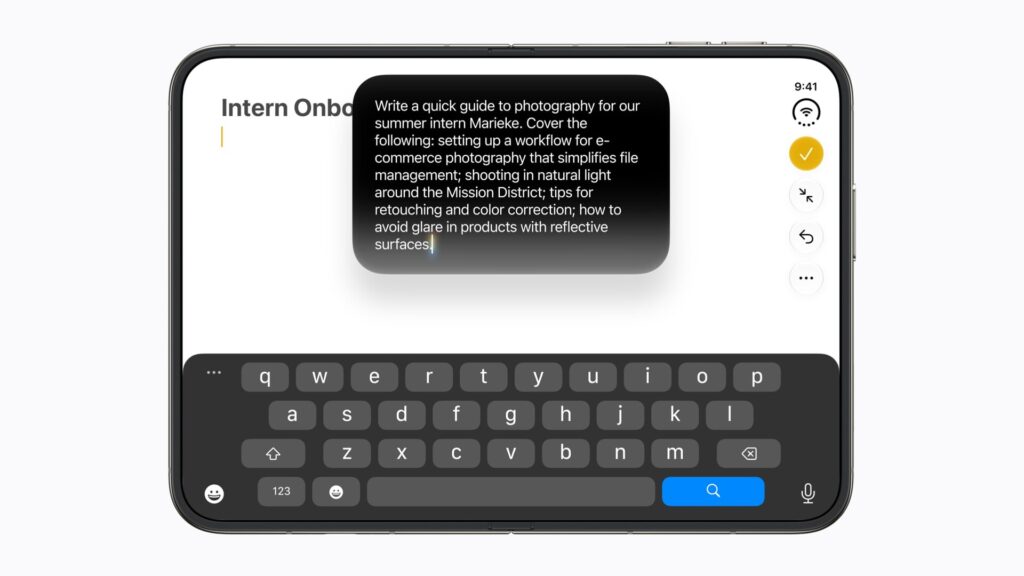
Apple lists “Customized writing prompts in Journal entries” among the Apple Intelligence features that come with iOS 27, on iPhone, iPad and Mac. Journal still offers a generic reflection prompt when you start an entry. These prompts respond to the entry you’re writing.
How to add a writing prompt to an entry
- Go to the Journal app on your iPhone.
- Choose a journal, tap the Create an Entry button, and start writing.
- While composing the entry, tap the Show Writing Prompts button in the toolbar.
- Swipe through the prompts, then tap one to add it to your entry.
The limit is three prompts per entry. Treat each one as a nudge rather than a form to fill in, and write around it however you like.
Don’t miss the best of The Mac Observer
Set us as a preferred source and our Apple reporting ranks higher in your Google Search results and Discover feed — one tap, no account changes.

How to turn off writing prompts
- Open the Settings app.
- Tap Apps, then tap Journal.
- Turn off Get Writing Prompts.
Show Suggested Moments sits on the same screen. Apple’s guide pairs the two for anyone who wants to “create new entries without viewing suggestions or prompts,” so turn both off for a plain blank page.
Prompts and Journaling Suggestions aren’t the same thing
Journal has two suggestion features, and they’re easy to mix up. Journaling Suggestions predate iOS 27. They group outings, photos, workouts and more into moments you can write about, and you choose which categories they draw on at Settings > Privacy & Security > Journaling Suggestions. Apple says the data used for those suggestions “is private and stored on your iPhone.”
Writing prompts are the Apple Intelligence feature that reacts to the entry in front of you. Apple’s privacy note on the settings page is about Journaling Suggestions, and its guide doesn’t say where prompt generation happens, so don’t read that note as covering the prompts.
Who can use writing prompts
There are three requirements. First, a device with Apple Intelligence: on iPhone in iOS 27 that’s iPhone 15 Pro, iPhone 15 Pro Max, or an iPhone 16 model or later, including iPhone 18 Pro. On iPad and Mac, you need a model that supports Apple Intelligence.
Second, a supported language. Apple’s feature availability page lists Journal writing prompts in all 16 Apple Intelligence languages, with Chinese (Simplified) not available in China mainland. Your device language and Siri language must match.
Third, Apple says, “You must be an adult to use this feature.” If your iPhone asks you to confirm your age, Apple’s guide links to a support article explaining how. Apple also notes that usage limits may apply.
Writing prompts also need iOS 27, which Apple released September 14. If the prompts button is missing on an eligible iPhone, check that the update is installed.



