
Since Apple split apart iTunes in macOS Catalina, stuff got removed and/or move around. One of those things is app subscriptions. Here’s how to manage app subscriptions on Mac.
System Preferences
In System Preferences there is an Apple iD panel that lets you manage and see account-related settings, including subscriptions.
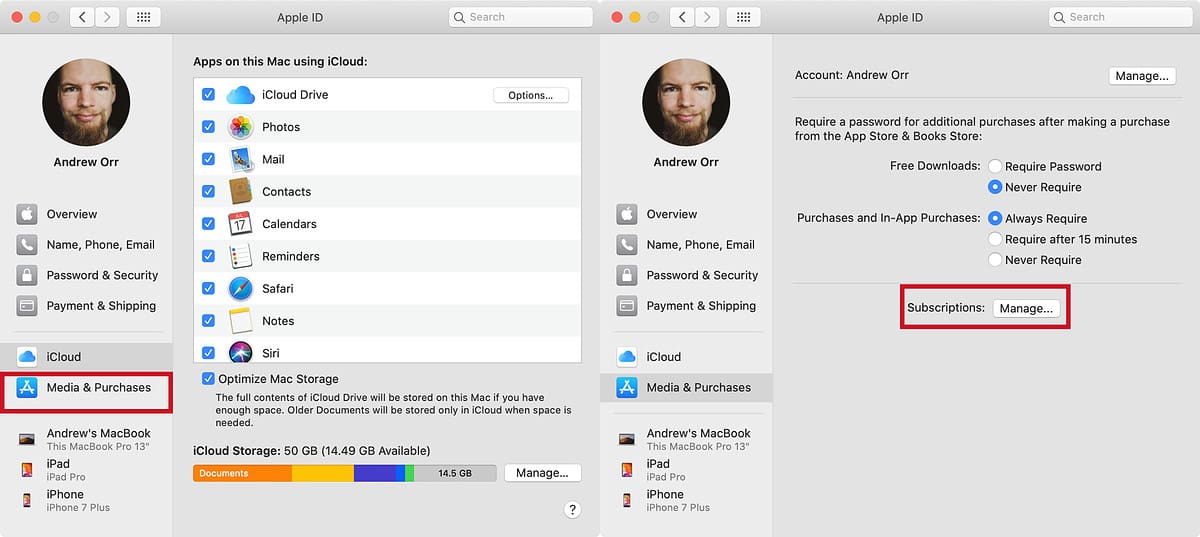
- Open System Preferences.
- Click Apple ID in the upper right corner.
- Next, click on Media & Purchases in the left sidebar.
- Finally, click the Manage button. It will open the Mac App Store with a panel that lets you manage subscriptions.
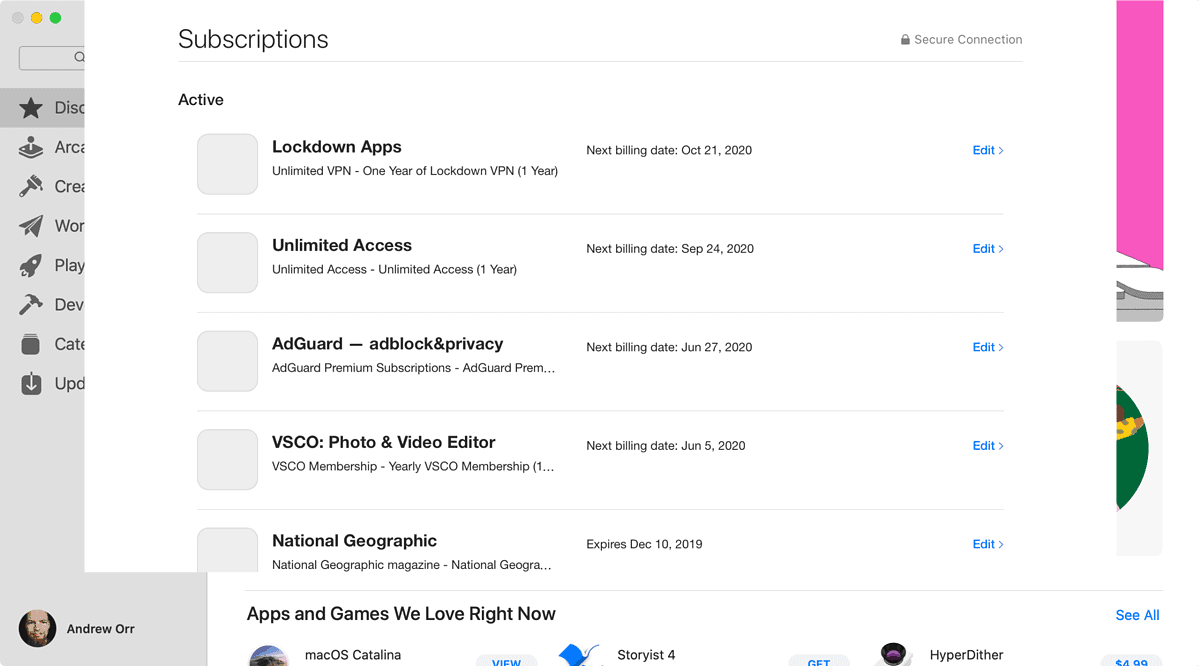
But that’s not the only place you can manage them. Charlotte wrote a tip to handle that area.
Further Reading:
[iTunes is Dead, But Apple Still Wants You to Manage Subscriptions Through Music]
[Video for Selena Gomez Single ‘Lose You To Love Me’ Shot on iPhone 11 Pro]
Don’t miss the best of The Mac Observer
Set us as a preferred source and our Apple reporting ranks higher in your Google Search results and Discover feed — one tap, no account changes.




Discussion