
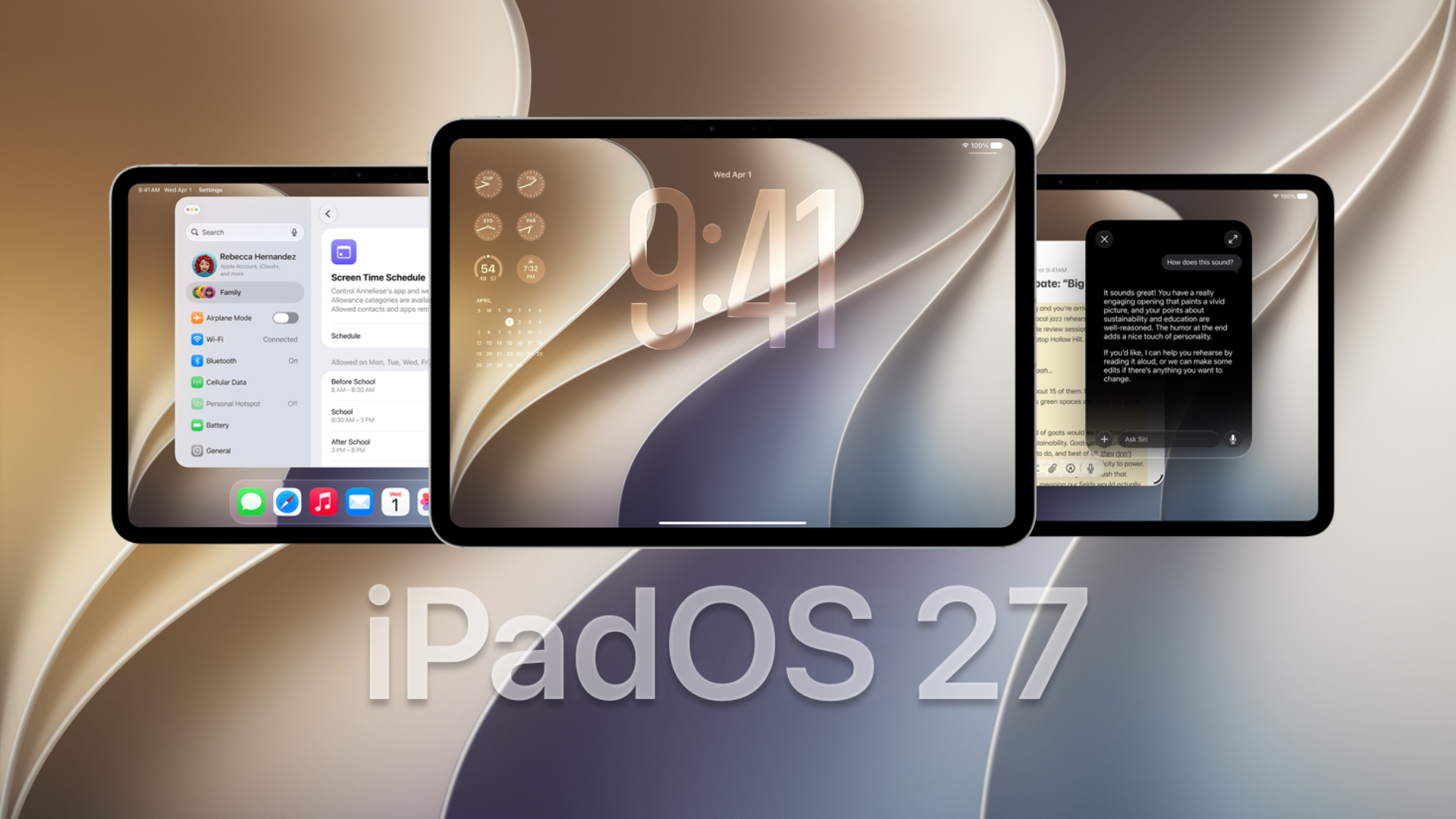
Apple has released iPadOS 27 for compatible iPads, bringing the new Siri AI experience, expanded Apple Intelligence features, faster performance, Liquid Glass refinements, improved external drive transfers, and several updates across Apple’s built-in apps. Apple announced that iPadOS 27 would arrive on September 14 alongside iOS 27, macOS 27, watchOS 27, and visionOS 27.
The release candidate that Apple provided to developers on September 9 carried build number 24A435, following nearly three months of developer and public beta testing. You can read our full iPadOS 27 release date and features roundup for a broader overview of the update.
How to update your iPad to iPadOS 27
Before installing a major software update, back up important files through iCloud or your Mac. Once that is done, follow these steps:
Don’t miss the best of The Mac Observer
Set us as a preferred source and our Apple reporting ranks higher in your Google Search results and Discover feed — one tap, no account changes.
- Open the Settings app on your iPad.
- Select General.
- Tap Software Update.
- Wait while your iPad checks for available updates.
- Select Update Now when iPadOS 27 appears.
- Enter your passcode if requested.
- Allow the update to download, install, and restart your iPad.
Users who installed an earlier beta can also check the Software Update page for the final public build.
Apple supports iPadOS 27 across several generations of iPad Pro, iPad Air, standard iPad, and iPad mini. However, Siri AI and the more advanced Apple Intelligence features require an iPad with an M1 chip or newer, or the iPad mini with A17 Pro. You can check our complete iPadOS 27 compatible iPads list before updating.
What’s new in iPadOS 27
| Feature | What changes |
|---|---|
| Siri AI | New conversational Siri with richer answers and a dedicated app |
| Apple Intelligence | New AI features across Photos, Messages, Mail, Safari, Shortcuts, and more |
| Visual Intelligence | Lets Siri understand and answer questions about content shown on the screen |
| Liquid Glass | Improved readability, sharper icons, and additional appearance controls |
| Performance | Faster app launches, AirDrop transfers, search, and system responsiveness |
| External drives | Apple says file browsing and transfers can be up to five times faster |
| Connectivity | Improved transitions between Wi-Fi and cellular networks |
| Child safety | New parental controls, Screen Time tools, and child account protections |
Siri AI comes to iPad
Siri gets its largest upgrade in years with iPadOS 27. Siri AI works more like a conversational assistant, allowing users to ask follow-up questions, discuss complicated topics, brainstorm ideas, and make requests using more natural language.
Apple has also added a dedicated Siri app that stores conversations and privately syncs conversation history through iCloud. This means you can start a Siri conversation on another compatible Apple device and continue it on your iPad.
Siri can also work with content already displayed on the screen. Through Visual Intelligence, users can take a screenshot and ask Siri about a specific object or section by tapping it or circling it with Apple Pencil. Apple is initially rolling Siri AI out in English, and some capabilities depend on compatible Apple Intelligence hardware.
Apple Intelligence expands across iPad apps
Apple Intelligence now plays a larger role across iPadOS rather than sitting inside a few separate tools.
Some of the main additions include:
- Write with Siri: Siri can generate text, rewrite existing content, provide feedback, and respond to natural-language editing instructions while you type.
- Image Playground: Apple has expanded image generation with additional styles, including photorealistic images.
- Photos: New AI-powered editing features can reframe images and improve the existing Clean Up tool.
- Shortcuts: Users can describe the automation they want in natural language, and Shortcuts can build actions across supported apps.
- Visual Intelligence: Content shown on the iPad display can become part of Siri queries.
- Mail and Messages: Apple Intelligence can understand more context and offer relevant actions inside conversations.
Apple showed an example where a user could tell Shortcuts to enable windowed apps and place Safari and Notes beside each other whenever a keyboard connects.
Apple has delayed some planned features, including Messages suggestions and automatic fixing of compromised passwords, until a later iPadOS 27 update.
Liquid Glass gets more customization
Apple has continued refining its Liquid Glass interface in iPadOS 27 after introducing the design language across its software platforms.
The update improves contrast and refraction to make controls easier to read against complicated backgrounds. App icons also receive sharper details, while a new appearance slider lets users choose how transparent or tinted Liquid Glass should look.
Apple made several smaller interface changes during the beta cycle as well. You can look back at our iPadOS 27 public beta coverage to see how the interface developed ahead of the final release.
iPadOS 27 brings major performance improvements
Apple has also concentrated on underlying performance rather than limiting iPadOS 27 to visible features.
The company says browsing and transferring files between an iPad and an external drive can now be up to five times faster. Apple has also improved app launch speeds, AirDrop transfers, search performance, display rendering, memory usage, and CPU scheduling.
Network handling has received an update as well. Compatible iPads can transition more smoothly between Wi-Fi and cellular connections, which should reduce interruptions during FaceTime calls, navigation, downloads, and other connected tasks.
More iPadOS 27 changes
Several smaller improvements are spread throughout the operating system:
- Calendar can create or edit events from a natural-language description.
- Messages syncs unread counts and missed-message notifications more reliably between devices.
- AirPods settings gain Custom EQ controls for adjusting lows, mids, and highs.
- Photos can turn selected photos and videos into customizable slideshows and save them as videos.
- iCloud Shared Albums improve support for Android and Windows users, including full-resolution sharing and additional reactions and filters.
- Accessibility gains richer VoiceOver image descriptions and improved automatic captioning.
- Home uses Apple Intelligence to summarize camera activity and search HomeKit Secure Video footage using natural-language descriptions.
- Menu Bar controls can remain visible on iPad.
- iPhone apps gain improved resizing support when running on iPad.
iPadOS 27 is available as a free software update starting September 14. Siri AI and several advanced Apple Intelligence features remain limited to newer hardware, so older supported iPads will receive the core operating system improvements without every AI feature.
If you have already installed iPadOS 27 on your iPad, let us know which new feature you are using most in the comments.




Discussion