
Gizmodo has a nice summary of the current SETI work. “A new congressionally mandated report says NASA should refine its strategy and improve its tools to foster the study of exoplanetary systems and expedite the search for alien life…. The new consensus study report, authored by the National Academies of Sciences … highlights several strategic priorities that, if implemented, will go a long way in ensuring that scientists have the resources they need to study exoplanets (planets in orbit around other stars).”

Apple TV 8K May Never Ship. 8K TV Might Actually Fail in the Market
John collects the news debris of the week that didn’t make the TMO headlines.
iCloud Drive is a Sync Service, Not a Backup Service
Glenn Fleishman reminds us that iCloud Drive shouldn’t be used solely as your backup service.
Apple doesn’t offer any way to let you backup the data for which it has the only copy. And, in many cases, you may have a mix of information that could make it hard to restore, even if you have a full copy.
I used to use iCloud Drive-only, but now I’ve diversified. An ideal solution is a combination of cloud storage and physical storage. There are cloud services like Backblaze you can use for your Mac, as well as an external hard drive. For iPhones and iPads, you can use a special flash drive like iXpand. Earlier this year I bought a wireless SanDisk that I can use both with my iDevices and Mac.

The Flying AirSelfie 2 Camera Takes Your Selfies to New Heights
It’s technically not a drone because it isn’t able to fly by itself. But that doesn’t stop it from being a neat little gadget.
Mac Adware Tool Sends Your Data to China
Security researcher Patrick Wardle said that Apple knew about Adware Doctor’s suspicious function last month, but only removed it today.
Are Apple's iBeacons Secretly Tracking You?
Michael Kwet says that Google and Apple are secretly tracking you in retail stores, and with a phrase like, “What the media isn’t telling you,” you know it will be juicy.
Apple claims to be better than Google – they are a “hardware company”, not data miners, they insist. Yet iBeacons provide just one example of many to the contrary.
I think the subject is worth discussing, but Michael doesn’t give evidence that Apple is tracking you in the same way Google is. Because of this I think his article is flawed. I don’t know if iBeacons are used outside of Apple retail stores. But it sounds like customers have to opt-in for iBeacon to work. According to TechRepublic, iBeacon is “simply a location tool and doesn’t gather excessive data or track users…”
Apple Brand Recognition Beats Other Tech Companies, Shows Study
Apple brand recognition is at the top in the technology industry among millennials, beating Microsoft, Intel, IBM, HP, and Dell.
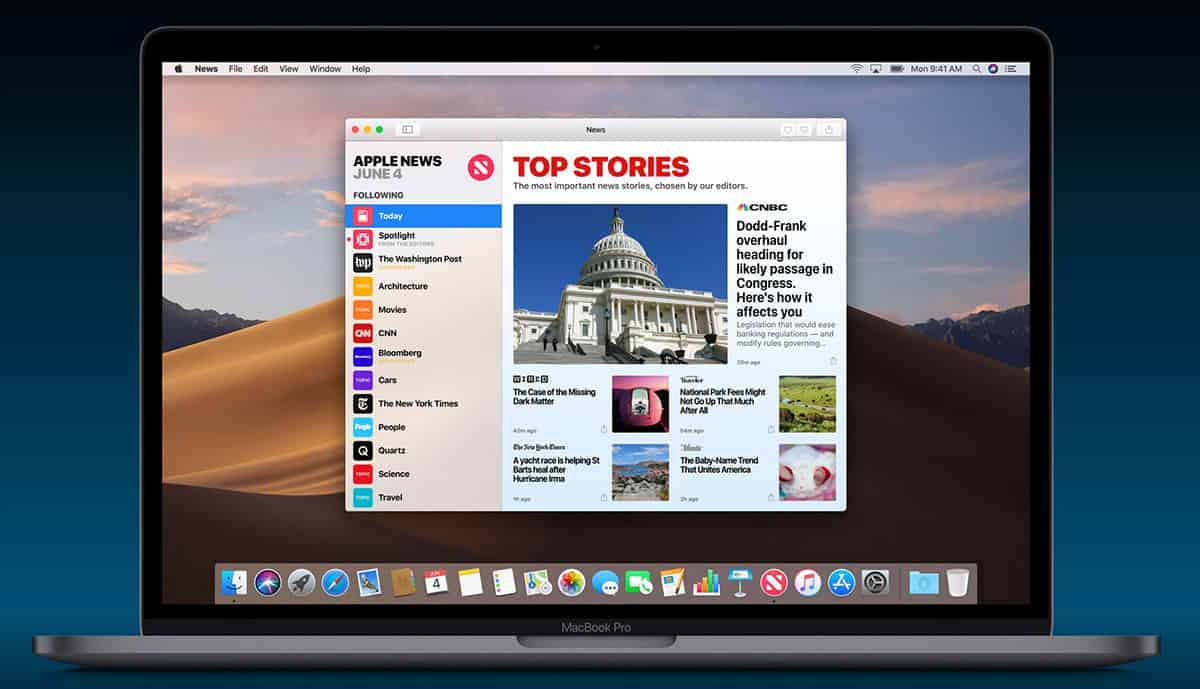
Apple Hires Condé Nast Exec to Build Apple News
Apple has hired Liz Schimel, formerly of Condé Nast, to help build Apple News. The Information (via AppleInsider) reported (subscription required) that her new title at Apple is Head of News Business, according to her LinkedIn Profile. She’s a media veteran, and her most recent title was President of Condé Nast’s China business. I personally used to worry that Apple News would be yet another project launched and then forgotten by Apple, but the company is clearly intent on growing the service. I read tons of articles on Apple News every day on iPad and iPhone, and I expect to use it in macOS Mojave when that OS ships later this year. TMO has also seen an increase in traffic on Apple News, and that probably coincides with overall growth in the platform. All of which makes Apple investing in more resources and people to build and promote Apple News make sense.

Interview Mac Geek Gab's Dave Hamilton and John F Braun - TMO Daily Observations 2018-09-07
Dave Hamilton and John F. Braun join Jeff Gamet to talk about the origin of the Mac Geek Gab podcast, hosting BBS systems, and Matt Groening TV shows.

Making the Case against Google AMP
Have you heard of Google AMP? That stands for Accelerated Mobile Pages, and it’s a way of making webpages so that they load faster and display more efficiently on mobile devices. Oh, and it puts your website under Google’s control. Polemic Digital has an explanarant (that’s part explanation, part rant) on AMP making the case not to adopt it. It’s an interesting read, and here’s a taste:
AMP allows Google to basically take over hosting the web as well. The Google AMP Cache will serve AMP pages instead of a website’s own hosting environment, and also allow Google to perform their own optimisations to further enhance user experience.
As a side benefit, it also allows Google full control over content monetisation. No more rogue ad networks, no more malicious ads, all monetisation approved and regulated by Google. If anything happens that falls outside of the AMP standard’s restrictions, the page in question simply becomes AMP-invalid and is ejected from the AMP cache – and subsequently from Google’s results. At that point the page might as well not exist any more.