The case was an attempt to bring legal action against Google over claims that it collected the sensitive data of over 4 million iPhone users.

About Russia's Mobile Hackers: Hotel Wi-Fi Spying from a Rental Car
Wired has a detailed report about Russia’s mobile hackers, a team that traveled the world hacking and spying as part of Vladimir Putin’s state-sponsored payback. The mobile team often packed a rental car with various bits of equipment, operated around the world, and worked with a support team back in Russia. It’s a very interesting piece, and as John Kheit quipped, it demonstrates how one should “seriously never use public Wi-Fi.” Here’s a snippet:
The US Department of Justice charged seven hackers working for the Russian military agency GRU with carrying out a vast intrusion campaign against a wide range of organizations. The targets include anti-doping agencies in Colorado, Brazil, Canada, Monaco and Switzerland, part of a retaliatory leaking campaign after Russia was accused of doping ahead of the 2016 and 2018 Olympics; the Westinghouse Electric Company’s nuclear power operations, which supplies nuclear fuel to Ukraine; and the Spiez chemical testing laboratory in Switzerland and the Organization for the Prohibition of Chemical Weapons in the Netherlands, likely due to their investigations into the Novichok gas attack on a Russian intelligence defector in the UK earlier this year.
iOS 12 Protects You Against Fake Keyboards
Redditor u/p_giguere1 found out that iOS 12 can protect you against fake keyboards.
To trigger the warning: open a webpage in full-screen mode, for example a full-screen video on YouTube’s mobile website. Then tap several times at the bottom of the screen, as if you were typing on an invisible keyboard.
A warning message will appear telling you the website may be showing you a fake keyboard to trick you into disclosing personal or financial information.
I haven’t been able to trigger this, but the OP and a commenter shared screenshots that appear legitimate.
5 iOS Security Apps to Keep Your Data Safe
Whether you’re managing passwords or encrypting files, we’ve got you covered.

Deconstructing Bloomberg's Spy Chip Report, 7 Years of Siri - TMO Daily Observations 2018-10-08
Bryan Chaffin and John Martellaro join Jeff Gamet to look at the responses to Bloomberg’s China spy chip report, and what could account for the strong denials from Apple and Amazon. They also look at the state of Siri on the voice assistant’s 7th anniversary.
Apple Releases iOS 12.0.1, Fixes Placement of '.?123' Key on iOS Keyboard
This maintenance release fixes several bugs, and it puts the “.?123” key on the iOS keyboard back where it used to be.

Clip Studio Paint Pro for Mac and Windows: $29.99
We have a deal on Clip Studio Paint Pro for Mac and Windows, the successor program to Manga Studio. It’s aimed at illustrators, comic artists, manga artists, and other creators. You can get it through us for $29.99, 50% off retail. You can see it in action in the video below.

Don't Panic, Kernel. It's Just a Kill Switch and a Nuke-and-Pave – Mac Geek Gab Podcast 730
Sometimes things go wrong with your devices, and sometimes the path you think will solve it winds up running you in circles. The same things can happen to your two favorite geeks, and this week’s show talks about some of that while also answering your questions and solving your problems. Press play and enjoy!
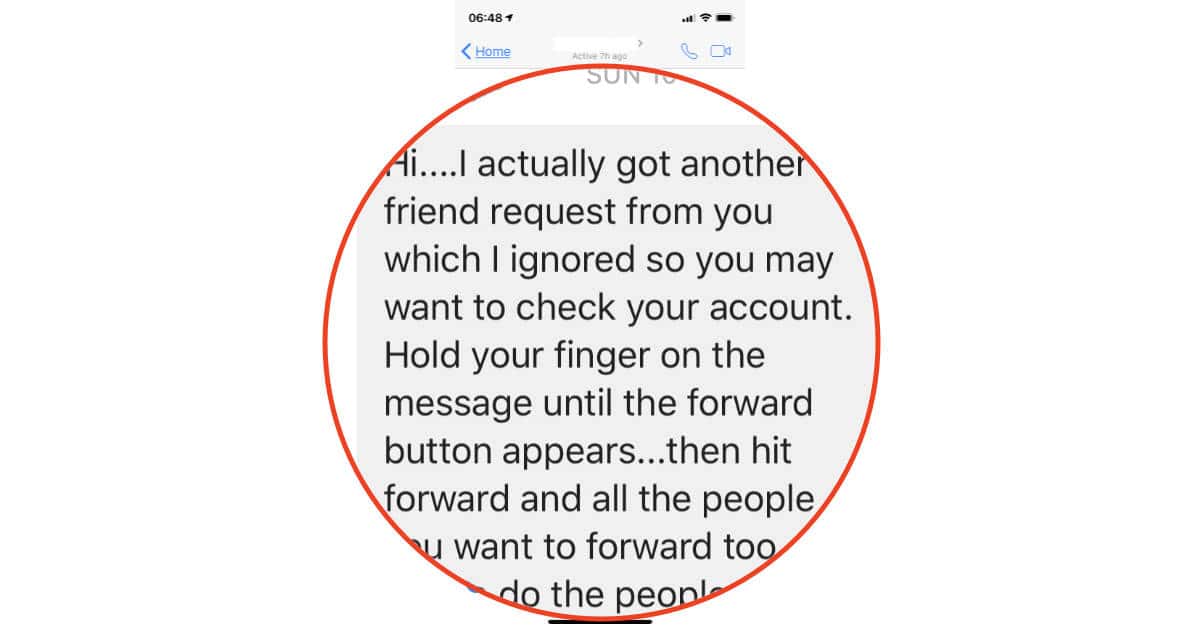
Your Facebook Account Probably Wasn't Hacked Over the Weekend
A message from friends warning your Facebook account may have been hacked made the rounds over the weekend. It’s a scam.

Halide Explains Why iPhone XS Is a Whole New Camera
Apple is doing something entirely new with the camera in iPhone XS, and Sebastiaan de With, designer of the Halide app published a killer explanation of what those new things are. He also explains how they work and why those things are good—and where they are not good. He also explains the so-called smoothing effect that has been noted on selfies. The end of the piece is a pitch for Halide 1.0, Mr. de With’s camera app, that includes something he calls Smart RAW, but the technical analysis and explanation of what’s happening with the iPhone XS camera is a terrific read. It’s long, too, but well worth the read. Here’s a snippet:
An iPhone XS will over- and underexpose the shot, get fast shots to freeze motion and retain sharpness across the frame and grab every best part of all these frames to create one image. That’s what you get out of the iPhone XS camera, and that’s what makes it so powerful at taking photos in situations where you usually lose details because of mixed light or strong contrast.