
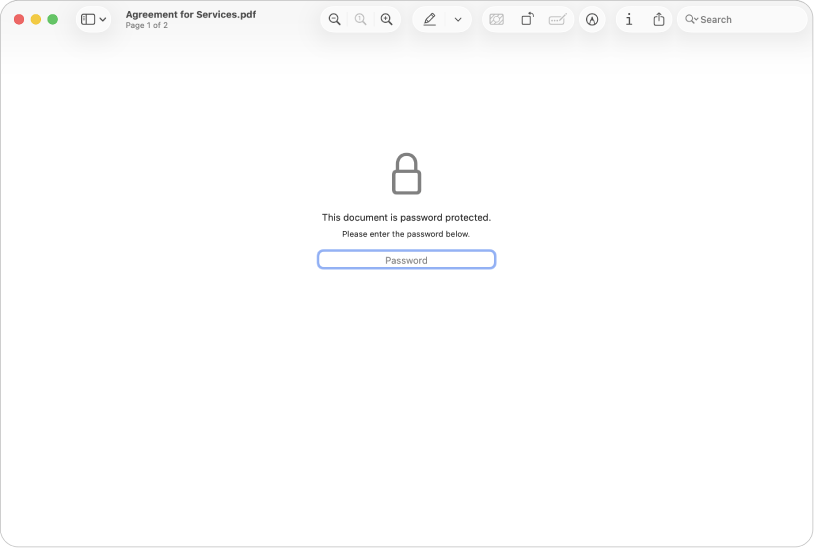
In Preview, open the PDF, choose File > Export, give the copy a new name and click Permissions. Select Require Password To Open Document if the recipient must enter a password just to read it. The action checkboxes below that control determine what a reader can do without the separate owner password.
Choose what someone should be able to do
For a registration packet, you might want a recipient to open the document with a password and print it for their records. For a public draft, you might want anyone to read it while limiting changes in PDF software that honors the permissions. Decide which outcome you want before filling in the two password fields.
- In the Export window, enter a distinct name so that the working original stays available. Click Permissions.
- For a private reading copy, select the opening-password option. Enter the password and confirm it. Leave this option clear if recipients should be able to open the file immediately.
- Review each listed action. A checked action is allowed without the owner password. An unchecked action requires it. To allow a recipient to print, leave printing checked.
- Set and confirm the owner password, then choose Apply and Save. Use a different owner password if recipients should have reader access only. Save the owner password where you can retrieve it for later changes.
Test the exported copy
Close the PDF and reopen the exported file. The changes take effect on reopening. First verify that you get the expected opening prompt. Then open it using only the reader password and check whether the Print command behaves as intended. If you shared the owner password for that check, you tested a different level of access.
To revise an existing protected document you own, open it in Preview and choose File > Edit Permissions. Recheck the final filename before attaching it. Opening protection, printing permissions and permanently removing sensitive passages are separate decisions. Apple explains Preview’s password and permission settings.
Don’t miss the best of The Mac Observer
Set us as a preferred source and our Apple reporting ranks higher in your Google Search results and Discover feed — one tap, no account changes.
Discussion