
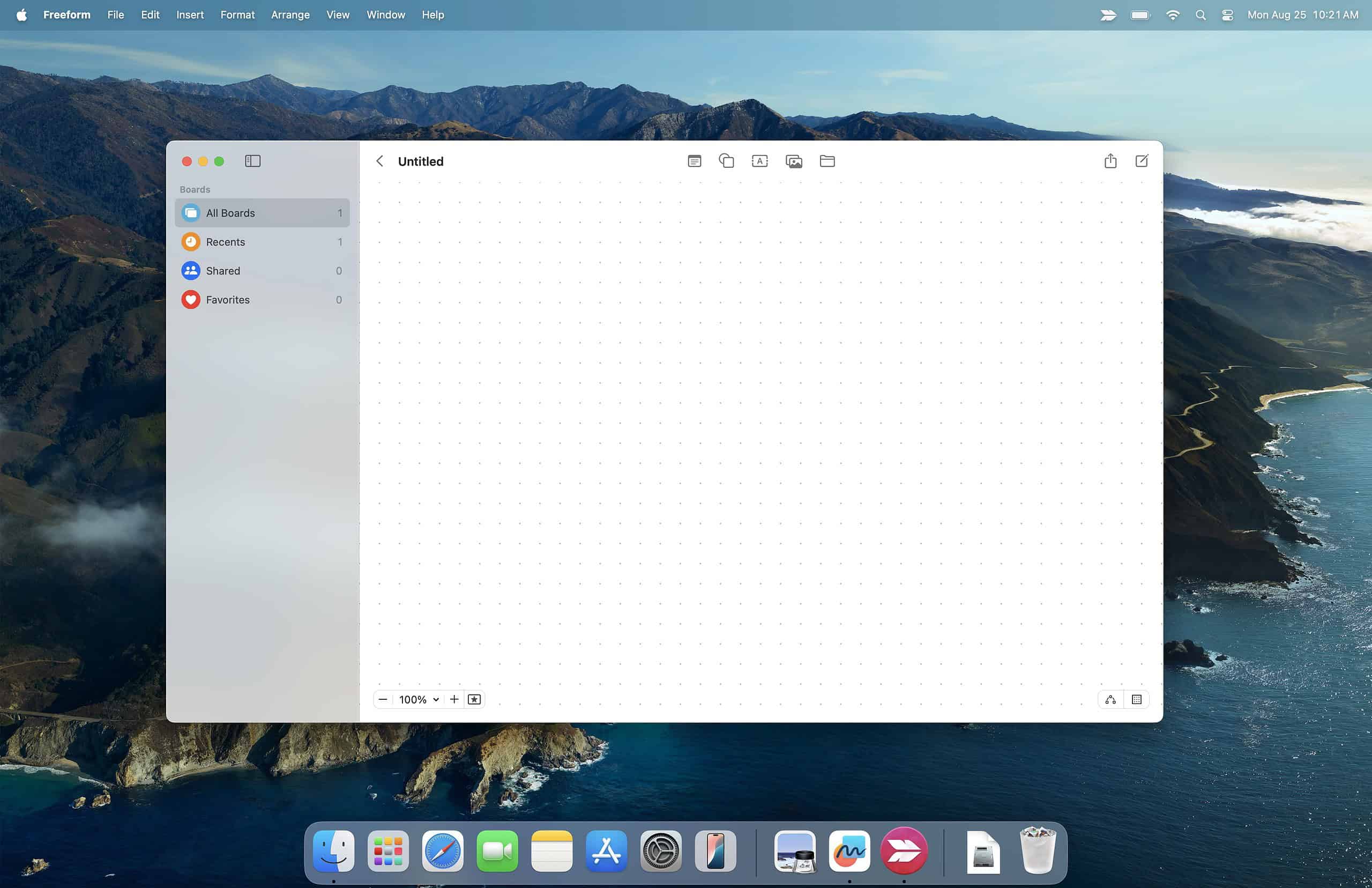
To give a colleague your planning board as a starting point, open Freeform’s Share menu and choose Send a Copy. They get a board they can edit in their account. You keep your original, and the two versions develop independently.
Send the board as it stands today
- Sign in to your Apple Account on the Mac and open the board in Freeform. Check the entire canvas, including off-screen notes and any material you do not intend to hand over. The recipient gets the board, not just the part currently visible in your window.
- Click Share. Open the menu immediately below the board name and select Send a Copy. You can also Control-click a board in All Boards, choose Share and make the same selection.
- Select Mail, Messages, AirDrop or another offered destination, then send the generated link. Anyone who obtains the link can download the copy before it expires. Use a delivery method appropriate for the material.
Tell the recipient to open the link, download the board and look in All Boards. A copy does not appear under Shared, which is where Freeform lists collaborative boards. As a simple check, they can rename their copy and make a test edit. That change should leave your original intact.
When the recipient needs a newer version
Apple’s link represents the board at the moment you created the link and expires after 30 days. If you fix an important number tomorrow, forwarding yesterday’s link again will continue to offer yesterday’s copy. Create a new link after the correction and tell the recipient which version to use. Edits in their earlier copy will not carry over into the replacement.
If someone can still edit your original, check whether they already had a collaboration invitation. Sending a copy does not revoke an existing collaborator’s access. Manage the original board’s sharing separately. For a team that needs to work on the same current version, use collaboration. For a checklist everyone should adapt privately, send copies.
Apple’s Freeform copy and link rules
Featured image: Freeform on Mac. Credit: TMO archive.
Don’t miss the best of The Mac Observer
Set us as a preferred source and our Apple reporting ranks higher in your Google Search results and Discover feed — one tap, no account changes.
Discussion