
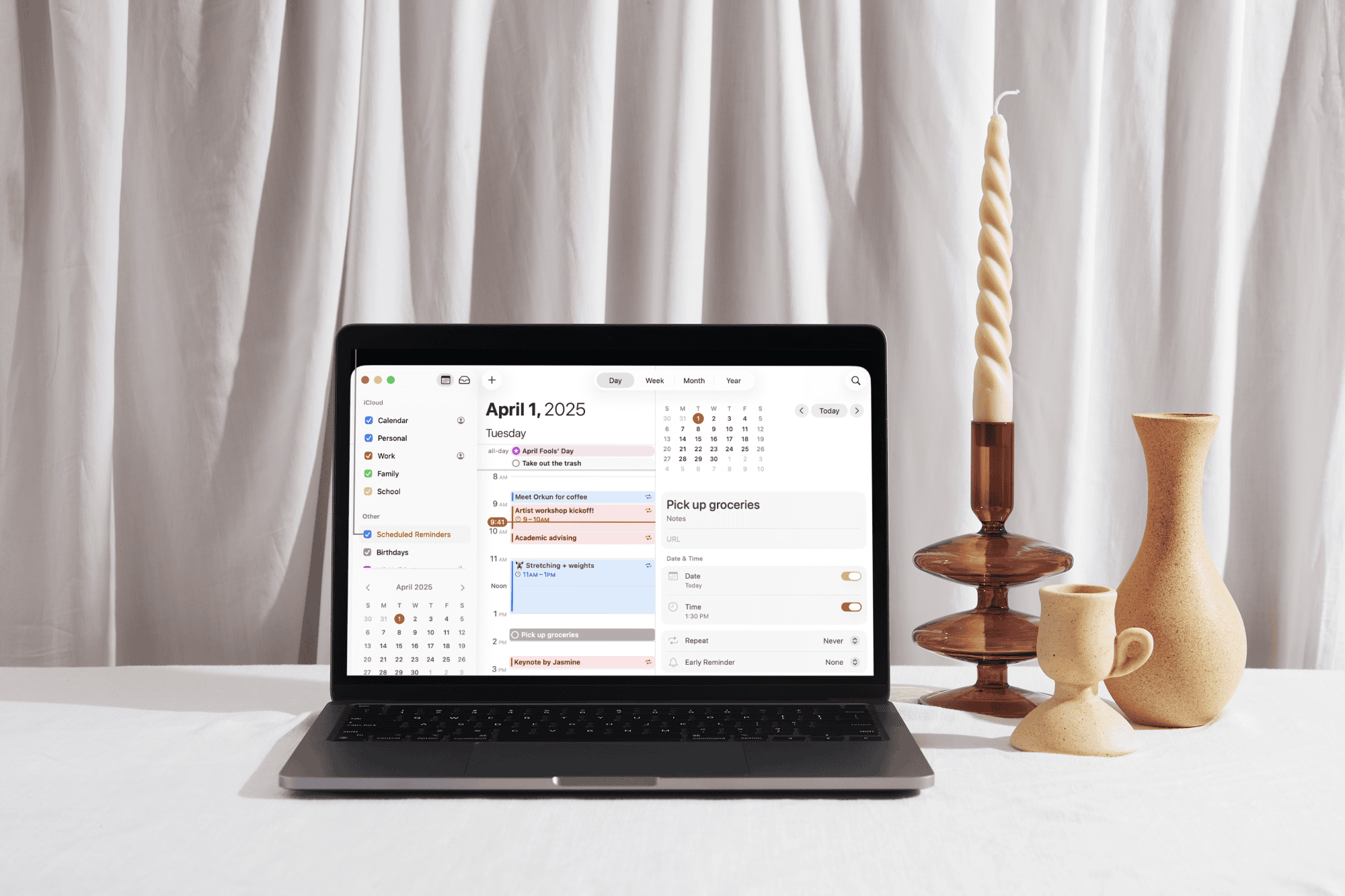
If a ticket says 7:30 p.m. in Chicago, enter 7:30 p.m. Chicago time in Calendar. There is no need to work out what that will be in your home city. Turn on time zone support, choose the event’s zone and let Calendar display the equivalent time wherever you view it.
Set up a date from a ticket
- Open Calendar > Settings > Advanced on the Mac and select Turn on time zone support. A time zone menu appears beside the search field in the main Calendar window.
- For a single booking, create the event on the date printed on the ticket. Open the event details, click its date and use the Time Zone menu to choose its location. Choose Other if the zone you need is missing.
- Enter the start and finish shown on the ticket after choosing the zone. Read the completed details once before closing. This avoids inadvertently keeping a home-time equivalent you calculated earlier.
To see the result from the venue’s perspective, use the menu beside Calendar’s search field to show that city’s zone. The event should appear at the printed local time. Switch the display back to your home zone. A timed event for the Chicago performance should now appear at the corresponding home time.
Entering several events for the same trip
If you have a hotel reservation, a restaurant booking and a show to add, change the calendar display to the destination zone before entering them. Apple says new events use the selected time zone. Switching the display back after entering them preserves the zone assigned when they were created. Check an appointment on the day before or after midnight if the two cities are far apart.
Floating has a different purpose. A floating event stays at the same clock reading when you change which zone you view. That might suit a personal reminder to stretch at 8 a.m. wherever you are. A venue opens its doors at a particular instant, so assign that city’s zone for anything involving tickets, other people or a scheduled broadcast.
Apple’s calendar time zone controls · Apple’s event time zone and Floating options
Featured image: Calendar on Mac. Credit: TMO archive.
Don’t miss the best of The Mac Observer
Set us as a preferred source and our Apple reporting ranks higher in your Google Search results and Discover feed — one tap, no account changes.
Discussion