

Modern teenagers use smartphones for everything. They need tools for academic success and mental wellness. Finding the right applications makes a difference in their development. The app landscape is vast. It offers platforms for learning, creativity, and budgeting. This guide highlights beneficial apps. They support teenage growth and responsible digital citizenship.
Table of contents
Curated Apps for Teenager Success and Well-being
1. Quizlet

Quizlet changes studying into an engaging activity. This application lets teens create custom flashcards. They can practice tests and play learning games. This promotes effective information retention. Active recall is crucial for academic performance. Students use Apple devices for school. Selecting hardware, like the best iPhone for kids, ensures a high-quality educational experience.
Don’t miss the best of The Mac Observer
Set us as a preferred source and our Apple reporting ranks higher in your Google Search results and Discover feed — one tap, no account changes.
2. CapCut

Video editing is a fundamental skill now. CapCut makes it powerful and accessible. This free app offers professional-grade tools. Users can cut video, add music, and apply effects. They craft compelling short-form video content. Consequently, it fosters creativity and digital literacy. These skills are essential for future careers. Parents must foster a safe online environment. They should understand how to use Apple’s child safety features to protect your kids online. Also, enforce appropriate boundaries for sharing.
3. Venmo
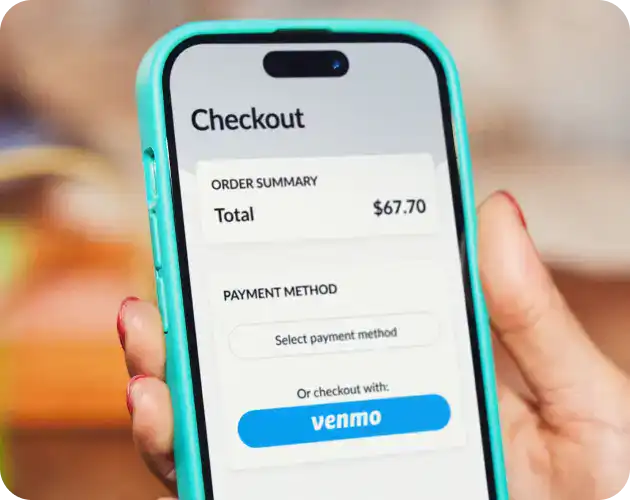
Handling money responsibly is a key life skill. Applications help teenagers master this skill. Venmo offers a safe, simple platform. Teens manage allowances easily. They pay friends back or save for goals. Therefore, it provides practical experience with digital transactions. Basic budgeting becomes real-world practice. The need for age verification is increasing. Protective measures are necessary for minors. This is especially true given regulatory actions. For example, Utah requires Apple to check users’ ages for compliance with new laws.
4. Calm

Teenagers face high-pressure academic environments. Mental wellness is thus more important than ever. Calm provides guided meditations and sleep stories. Soothing soundscapes reduce anxiety and improve focus. Using the app daily helps establish a healthy routine. It supports stress management and emotional regulation. Calm is a vital tool for fostering resilience. It offers accessible mental reflection during pivotal years.
5. Todoist

Staying organized is paramount for busy teens. They juggle school, activities, and social lives. Todoist serves as a simple task manager. Teens prioritize assignments and set reminders. They track long-term projects like essays. By consistently using this tool, students minimize procrastination. They manage their time effectively and boost productivity. These essential skills translate directly into future success.
FAQ
Do not install monitoring software covertly. The best approach is a Family Digital Agreement. This sets clear expectations together. For instance, the teen shares passwords. Parents occasionally review phone activity with the teen. This respects their growing independence. It fosters an open, trusting dialogue about safety.
Tie the apps to their actual interests or needs. Emphasize utility over obligation. Frame Quizlet as a tool to save study time. Introduce Duolingo if they like travel or languages. Focusing on apps that teach real-world skills helps. Coding or design tools are highly motivating. Show them the long-term career benefits clearly.
Essential Digital Resources for Teen Development
The best applications go beyond entertainment. They are genuine digital resources. They contribute directly to academic success. They also aid creative expression and financial wisdom. Parents must choose tools that educate and organize. These apps must support mental wellness. Thus, parents empower their children to navigate digital lives safely. This is important when learning how to set up an iPad for a child for educational purposes.


Discussion