

If you love Spotify but hate how one December playlist can haunt your recommendations until spring, this update is for you. Spotify finally lets you block individual songs from your recommendations. Not whole playlists. Not entire genres. One song at a time. That means you can enjoy a little holiday music without training the algorithm to think you are emotionally attached to Bing Crosby forever.
Here’s the thing. Spotify’s recommendations are built on your Taste Profile. That profile feeds Discover Weekly, Daily Mix, Blend, and even the Home screen. Until now, one accidental play could skew everything. Christmas music was especially dangerous because it’s seasonal but loud in the data. That problem is mostly solved.
Table of contents
The New Feature That Actually Fixes the Problem
Spotify added an option called Exclude from your Taste Profile. When you use it on a specific track, that song stops influencing what Spotify thinks you like. It will not show up in algorithm-driven playlists anymore.
Don’t miss the best of The Mac Observer
Set us as a preferred source and our Apple reporting ranks higher in your Google Search results and Discover feed — one tap, no account changes.
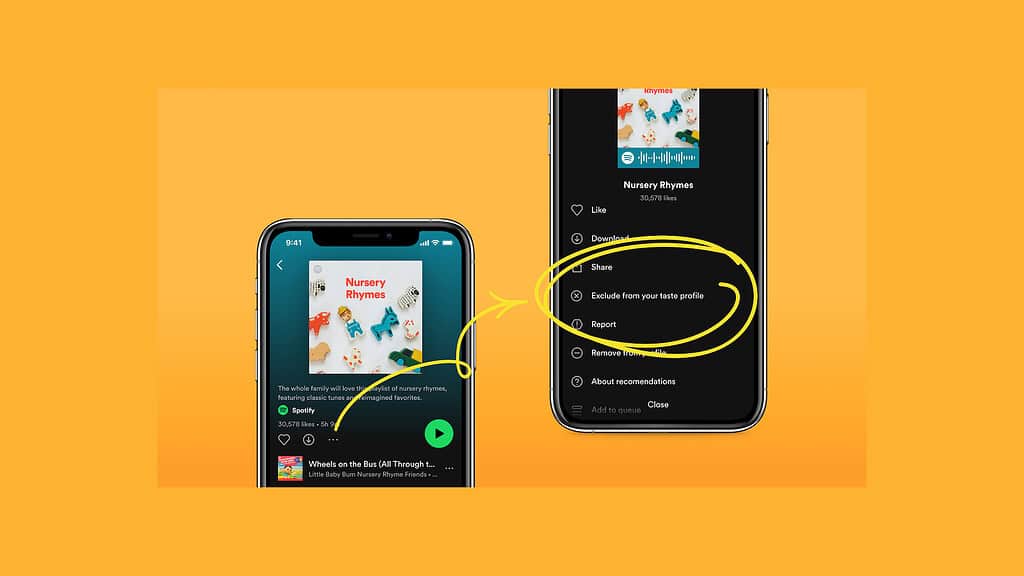
Image Source: Spotify Newsroom
The song is not deleted. You can still search for it and play it manually. You are just telling the system not to learn from it.
This works perfectly for holiday songs, kids music, novelty tracks, or that one song a friend played on your account one time.
How to Block a Christmas Song Step by Step
- Open the Spotify app and find the Christmas song you want gone. You can do this from a playlist, search results, or your listening history.

- Tap the three dot menu next to the song title.
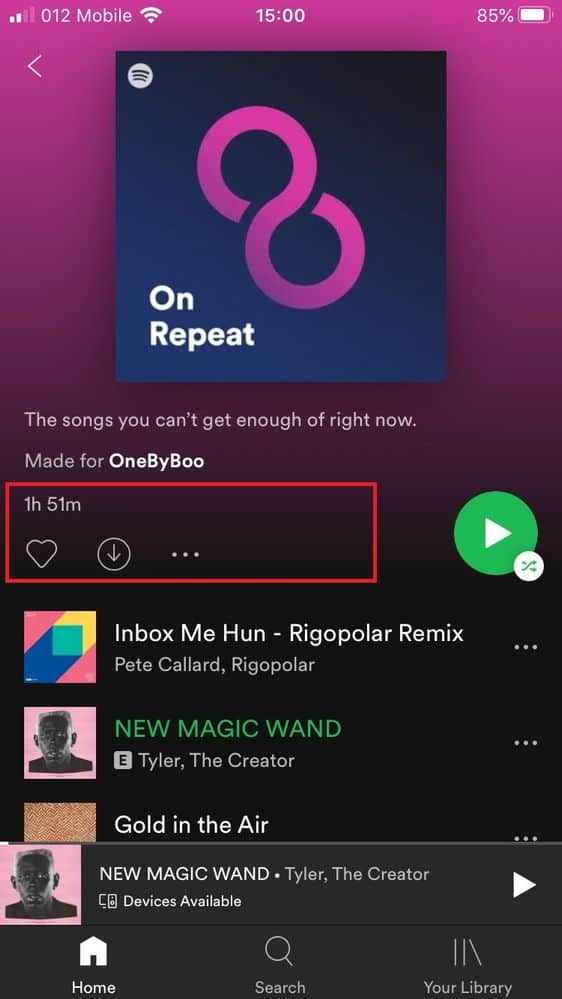
- Select Exclude from your Taste Profile.
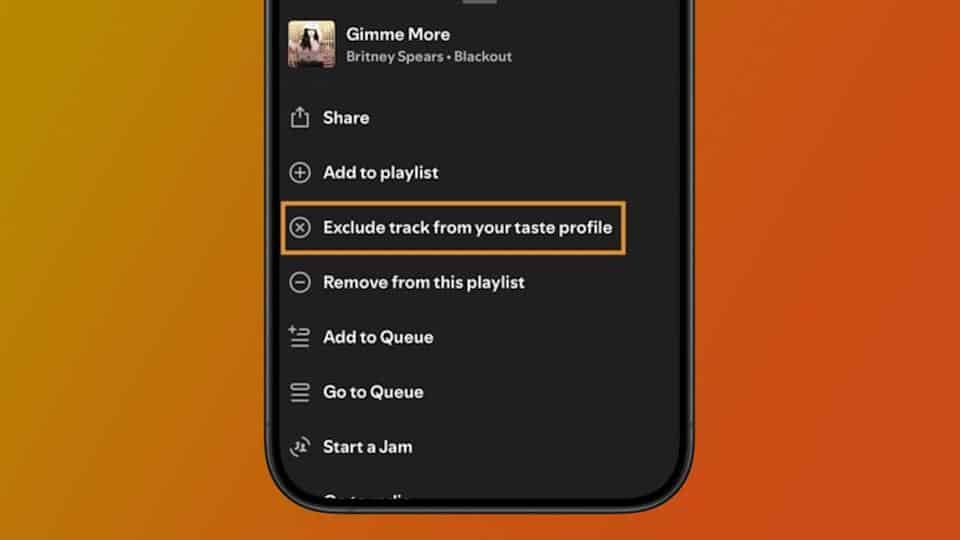
That’s it. The song immediately stops affecting your recommendations.
If you want it back later, repeat the steps and tap Include in your Taste Profile. Spotify remembers the change.
A Smarter Way to Handle Holiday Music
If you plan to listen to a lot of Christmas music, combine this feature with playlists. Keep holiday tracks inside specific playlists and exclude any song that keeps sneaking into Discover Weekly.
This is especially useful if:
- You share your account
- You play music for kids
- You only want holiday music for a few weeks
- You care about Spotify Wrapped not embarrassing you
The algorithm adjusts over time. Each exclusion helps it learn what you do not want, not just what you do.
Why This Matters
This update gives you real control without breaking the experience. You are no longer punished for seasonal listening. You can enjoy December without sacrificing January.
For once, the algorithm listens when you say no.




Discussion