
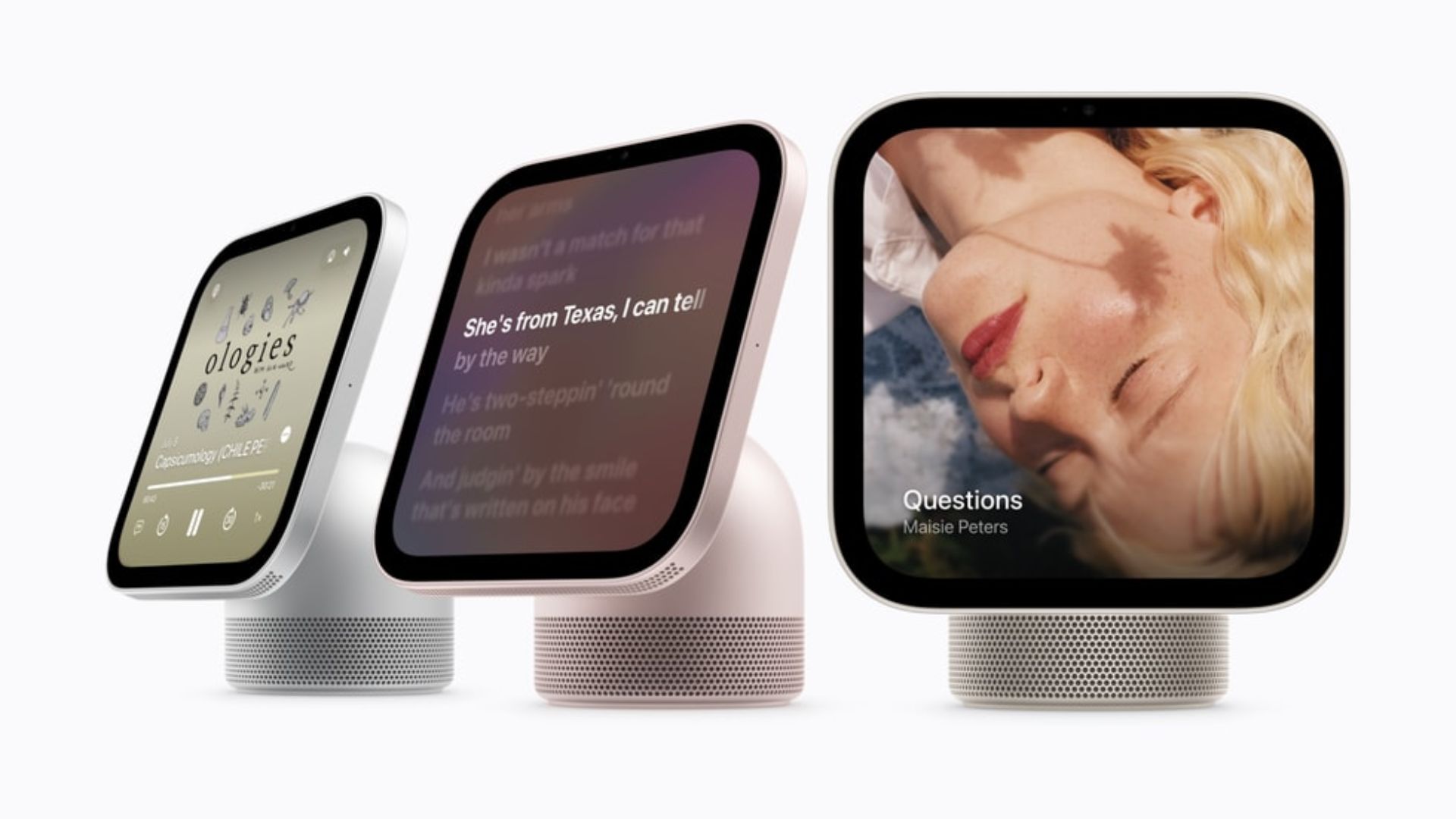
The new Apple smart home hub is turning out to be a tough environment for third-party software creators. A recent deep dive into the operating system running the highly anticipated Apple HomeView reveals that developers are facing strict limitations. While people assumed the new HomeView might behave like a traditional tablet, early looks show a highly controlled system that locks out standard applications right from the start.
The interface borrows heavily from familiar mobile devices
Even with the heavy restrictions, navigating the smart hub will feel very normal for most users. A new tour of the software shows that the settings menu looks almost identical to what you see on an iPhone or a standard iPad. The search function and overall layout carry the same visual style. It also supports standard swipe typing on its digital keyboard.
Digging deeper into the menus reveals some unique hardware controls. There is a new slider dedicated to adjusting the strength of the Liquid Glass display layer. The hub can also pull double duty and act as a dedicated security camera to monitor your house when you are away. It seems the core software shares a lot of DNA with the upcoming iOS 27.2 release, keeping the ecosystem closely tied together.
Don’t miss the best of The Mac Observer
Set us as a preferred source and our Apple reporting ranks higher in your Google Search results and Discover feed — one tap, no account changes.
Built-in cameras automatically adjust for dark rooms
Since the smart display is meant to sit in living rooms and kitchens, lighting conditions will change constantly. To solve this, the built-in camera has a clever trick. If the room is too dark or there are heavy shadows on your face, the screen will temporarily blast its brightness to illuminate you.
This helps the device verify who is standing in front of it. A small recognizing animation plays on the screen, followed by a prompt to manually pick your user profile if the camera fails to figure out who you are. This ensures personalized content loads for the right family member.
Software makers must adapt to car-focused development tools
The biggest shock is how the company expects developers to build for this screen. There is no dedicated App Store on the device, meaning you cannot freely download and install third-party games or utilities. Instead, developers are given software kits originally meant for cars.
The system uses CarPlay APIs to render external apps through developer-supplied templates. In the code, this setup is currently called PebblePlay. It essentially works by projecting information much like AirPlay does, rather than running a full independent application.
While this approach keeps the system secure and unified, many app builders are disappointed by the heavy limitations. They hope the company opens up more access in the future so the smart hub can reach its full potential.


Discussion