

iOS 26.2 bring with it some much needed performance improvements to address the common bugs found in iOS 26. However, many iPhone users still report that their devices heat up more than usual after updating their iOS version. Overheating can be caused by background tasks, compatibility issues, or even bugs introduced in the new build. If your iPhone feels unusually warm, there are several proven steps to cool it down and prevent further issues.
Table of contents
Why Does iOS 26.2 Cause Overheating?
Right after an update, your iPhone processes many background tasks such as indexing, syncing, and optimizing apps. This can push the processor, which naturally increases temperature. Other common triggers include:
- Software bugs were introduced in the latest build.
- Heavy apps like games or video streaming.
- Charging while using the phone intensively.
- Poor ventilation, especially if the phone is in a case.
If you have noticed similar issues while installing, you might have also experienced slow updates. In fact, some users have reported iOS 26.2 taking forever to download or install, which hints at resource-heavy processes in this release.
Don’t miss the best of The Mac Observer
Set us as a preferred source and our Apple reporting ranks higher in your Google Search results and Discover feed — one tap, no account changes.
Steps to Fix iOS 26 Overheating
Below are the main troubleshooting methods. Try them in order until the issue stabilizes.
1. Restart Your iPhone
Restarting clears temporary background tasks and can quickly lower device temperature.
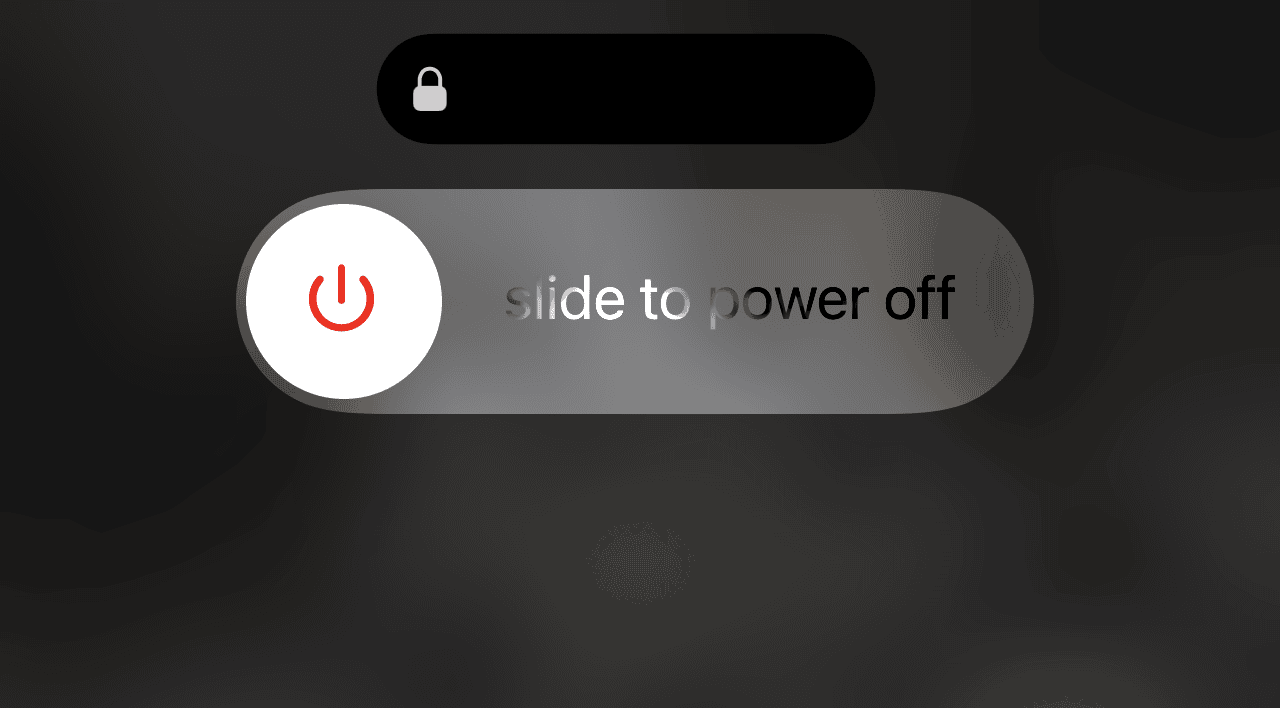
- Hold the Side button + Volume down until the power slider appears.
- Drag the slider, wait 30 seconds, then turn the phone back on.

2. Update Apps After Installing iOS 26.2
Old app versions may not be optimized for the new iOS build, which can cause overheating.
- Open App Store → tap your profile → Update All.


3. Check for a Minor iOS Patch
Apple often releases small patches after major updates. If you cannot find it, see this guide on how to fix issues when you cannot update to iOS 26.2.
4. Disable Background App Refresh
Apps constantly refreshing in the background drain resources.
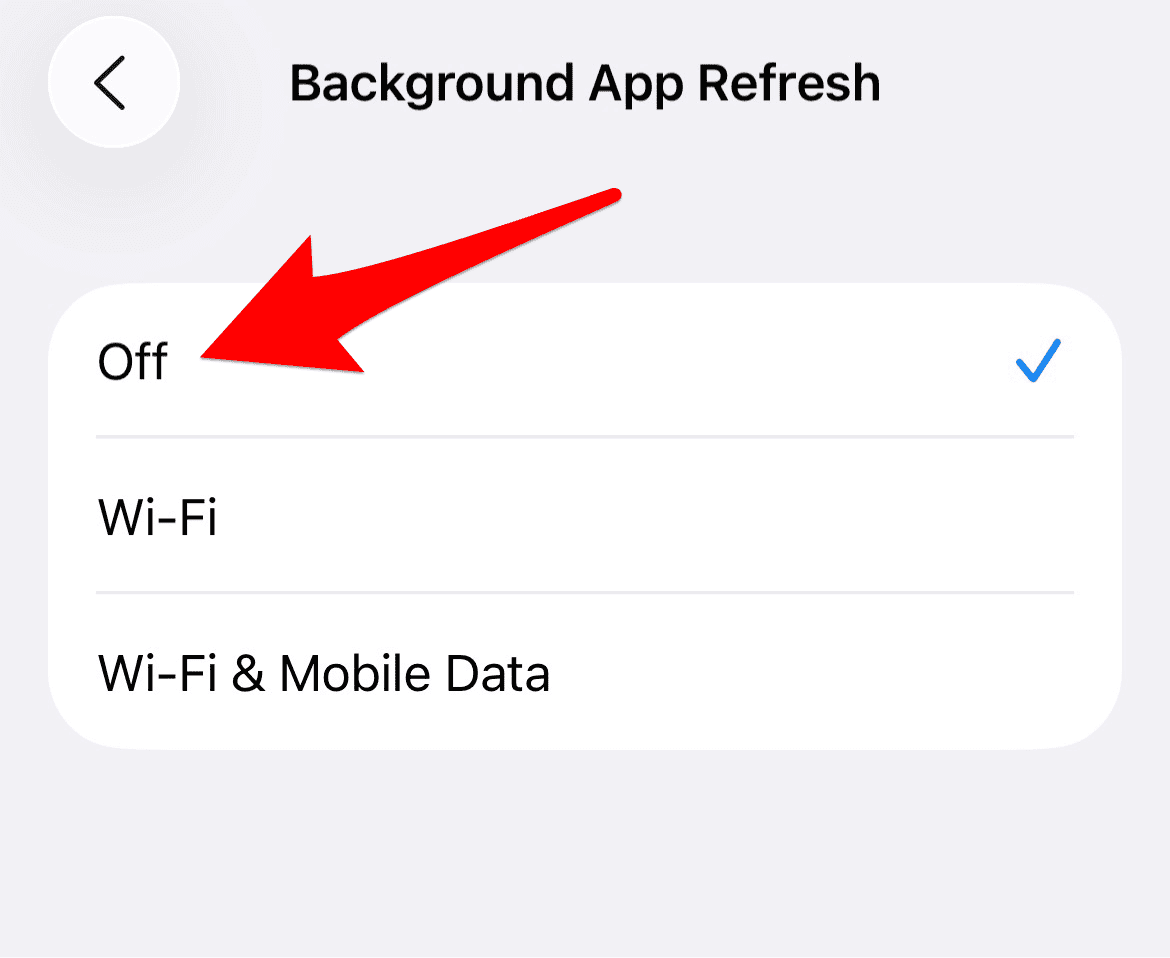
- Go to Settings → General → Background App Refresh → Background App Refresh (again) and turn it off.

5. Avoid Charging While Gaming or Streaming
High performance tasks combined with charging will make your phone heat up faster. Use your phone lightly while plugged in.
6. Check Storage and Download Size
A nearly full device can overwork the system. Learn more about the iOS 26 download size and ensure you have at least 10GB free for smooth operation.

7. Test With and Without Your Case
Some protective cases trap heat. Remove it temporarily to see if your iPhone cools down.
8. Reset All Settings
If overheating persists, resetting all settings can help clear conflicting system options without deleting data.
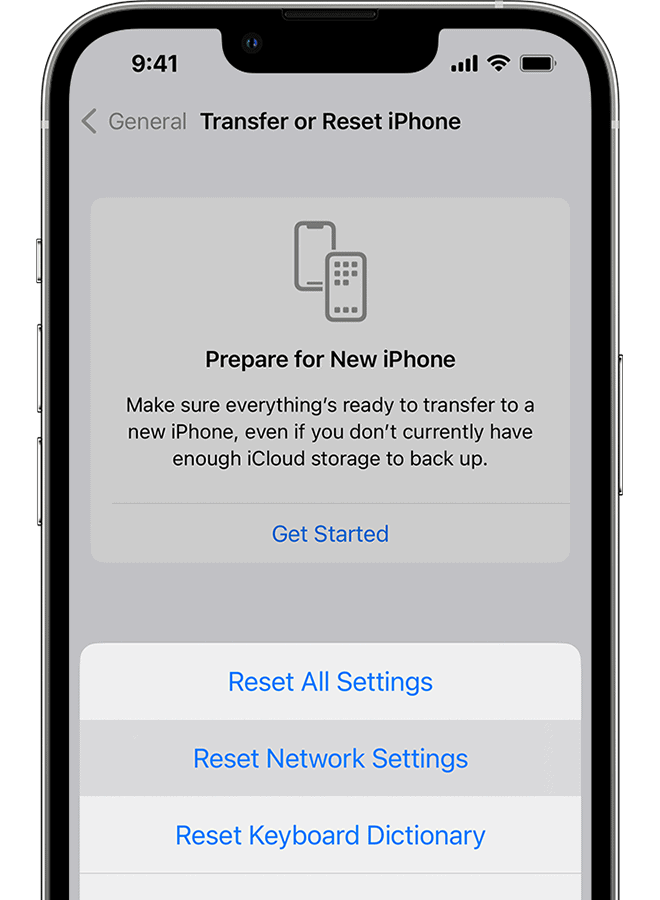
- Go to Settings → General → Transfer or Reset iPhone → Reset → Reset All Settings.

Tips to Prevent iOS 26.2 Overheating
- Keep your iPhone out of direct sunlight.
- Do not run heavy games for long periods right after updating.
- Let your device finish background indexing, which usually takes 24 to 48 hours.
- Check new features like Preview to understand what is running in the background.
- If you are still confused between older and newer builds, this comparison of iOS 18.7 vs iOS 26 explains why newer updates may strain hardware differently.
iOS 26.2 Overheating Fixes That Work
iOS 26.2 overheating is usually temporary and tied to post-update processes. For most users, following the steps above, especially updating apps, turning off background refresh, and avoiding heavy use while charging, will resolve the issue. If not, waiting for Apple’s patch is often the ultimate fix.
FAQs
Because the system runs indexing and optimization tasks in the background after an update.
In most cases, 24 to 48 hours after updating, the phone should stabilize.
Yes, bulky cases can trap heat and worsen the issue.
Only after trying other fixes like updates and disabling background refresh.
Yes, minor patches are often released to address post update performance issues.


![Best PlayStation 2 [PS2] Emulators for iOS in 2026](https://www.macobserver.com/wp-content/uploads/2023/05/controller-supported-games-for-iOS.webp)
I have a 15 pro max it went into s l o w mode so I just turned it off over night this morn it seems to work taking photos in 80 degree heat it gets hot too that I have to stop and go inside didn’t used to do that not sure if I might need a new phone