Blackmagic Design’s Blackmagic Camera app now lets iPhone 18 Pro owners set the new variable aperture by hand and record Apple ProRes straight into the phone’s Pro Video Storage. Both arrived in version 3.5, which reached the App Store on September 18, the day iPhone 18 Pro got to customers.

The app is free and comes from Blackmagic Design, the company behind DaVinci Resolve. The current version requires iOS 18 or later.
The release notes, word for word
Blackmagic’s App Store notes for version 3.5 list five changes:
Don’t miss the best of The Mac Observer
Set us as a preferred source and our Apple reporting ranks higher in your Google Search results and Discover feed — one tap, no account changes.
- “Support for iPhone 18 Pro and iPhone 18 Pro Max.”
- “Control the variable aperture on the 48MP Fusion Main camera to adjust depth of field and exposure.”
- “Record Apple ProRes directly to Pro Video Storage.”
- “Record Cinematic mode video.”
- “General performance and stability improvements.”
The notes stop there. The details below come from Apple’s own specs and user guide for the iPhone 18 Pro hardware those features rely on.

Why the aperture control matters
The 48MP Fusion Main camera on iPhone 18 Pro and iPhone 18 Pro Max has a variable aperture, and Apple’s spec sheet lists four stops: ƒ/1.48, ƒ/1.8, ƒ/2.8 and ƒ/4.0. The wide end gathers more light and softens the background. Stopping down to ƒ/2.8 or ƒ/4.0 keeps more of the scene in focus, which helps with group portraits and with subjects that move toward or away from the lens.
For video, the aperture is one of the three levers that set exposure, alongside shutter speed and ISO. Blackmagic’s app is built around exactly those controls: its App Store description lists frame rate, shutter angle, white balance and ISO as one-tap settings in its heads-up display. Adding the aperture to that set means a shooter can hold a fixed shutter angle for natural motion blur and change depth of field or exposure with the aperture instead.
Apple’s own Camera app has a Lens Aperture control on iPhone 18 Pro too, but it resets each time Camera opens unless you turn on Lens Aperture in Preserve Settings. We explained how to stop iPhone 18 Pro resetting the aperture after the phone launched.
ProRes and Pro Video Storage
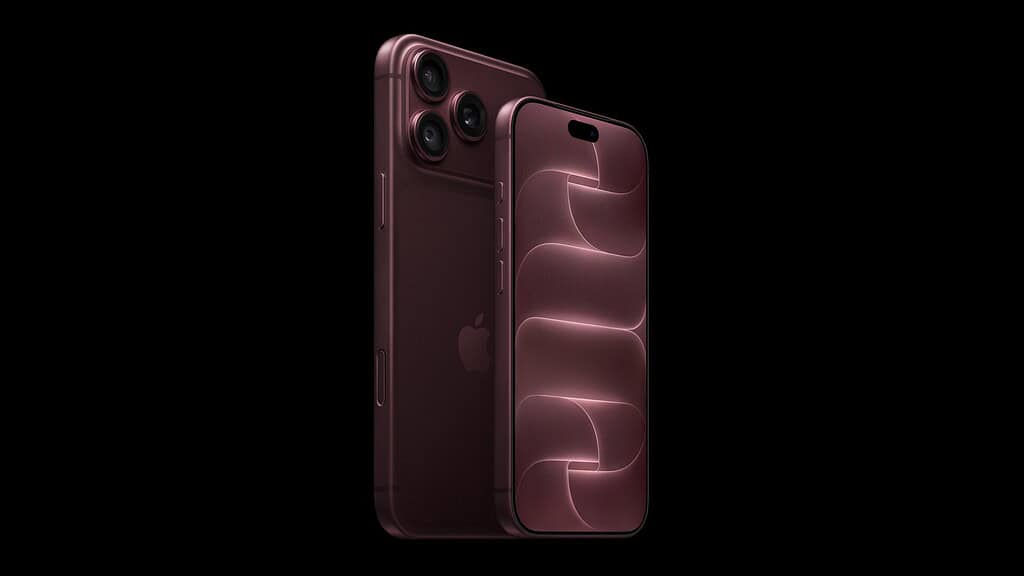
Blackmagic Camera already recorded ProRes on earlier iPhones. The change in 3.5 is where the files go on the new Pro models. On iPhone 18 Pro and iPhone 18 Pro Max, Apple requires you to set aside space before ProRes works at all. Apple’s iPhone User Guide describes the path: go to Settings > Camera > Formats, turn on Apple ProRes, tap Configure Pro Video Storage, set the amount of storage to reserve, then tap Update Pro Video Storage. Apple says you only have to do this the first time.
Blackmagic’s note says the app can now record ProRes directly into that reservation. If you haven’t set it up yet, our guide to reserving Pro Video Storage on iPhone 18 Pro walks through it. Apple warns that ProRes produces larger files, so size the reservation to how much you actually shoot.
Apple’s guide also sets the ceilings. ProRes on iPhone records up to 4K at 30 fps internally, and iPhone 18 Pro models can reach 4K at 120 fps when connected to a compatible external storage device. Those limits come from Apple, not from Blackmagic’s notes, and a third-party app can’t exceed what the hardware allows.
Cinematic mode, and what the notes leave out
The fourth line adds Cinematic mode recording inside Blackmagic’s app. Apple’s specs list Cinematic mode on iPhone 18 Pro at up to 4K Dolby Vision at 60 fps on the rear cameras. Apple’s guide notes that ProRes isn’t supported in Cinematic mode in its own Camera app, so treat these as two separate ways of shooting, not one combined format.
Blackmagic’s notes don’t mention ProRes RAW or Apple Log 2, both of which Apple lists for iPhone 18 Pro. If either matters to your workflow, check the app’s recording settings on your own phone before a shoot rather than assuming support.