
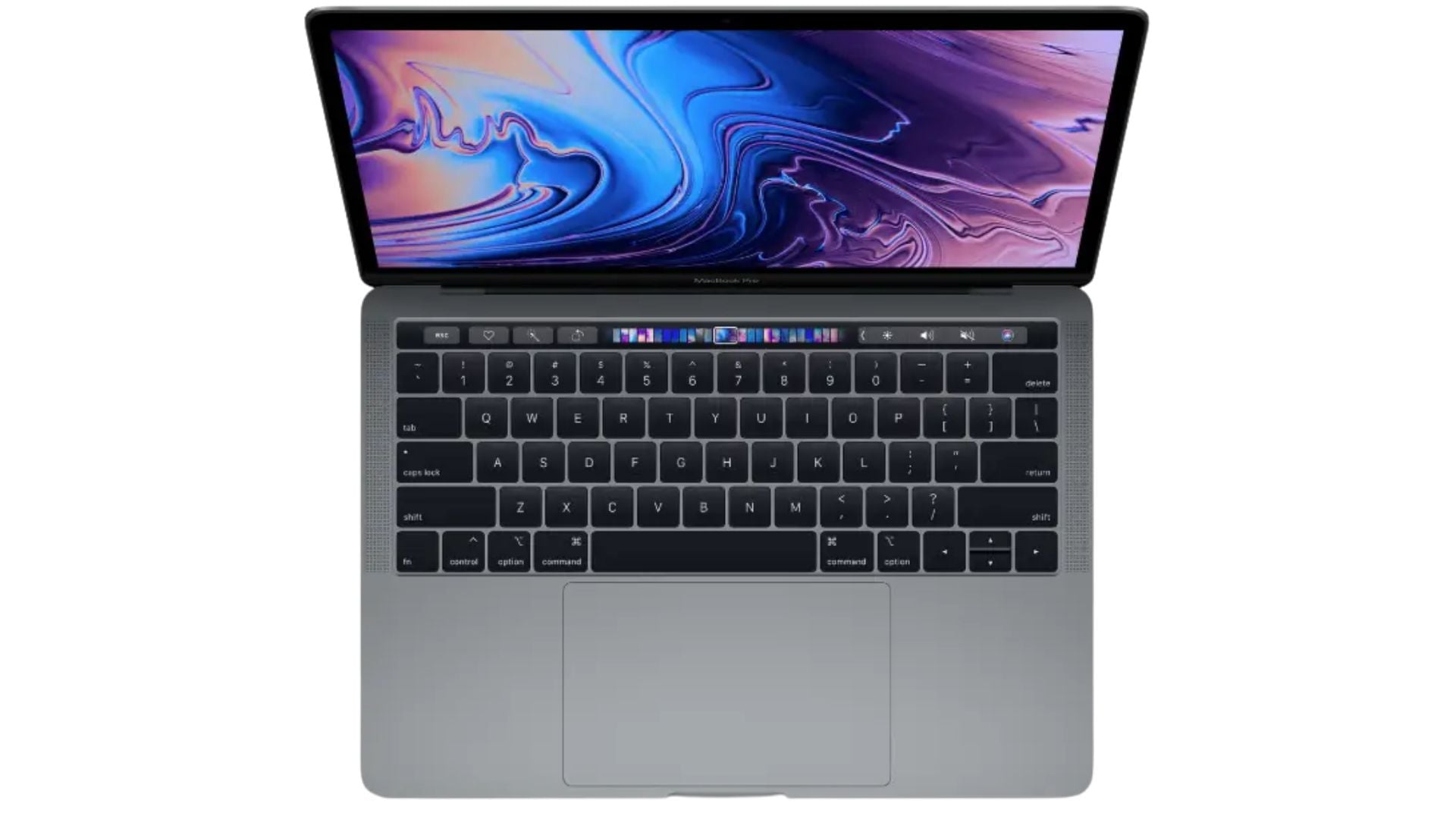
A clever new project shows that a laptop does not always need regular speakers to make noise. Developer Cody Collier created a free open-source tool called NO SPEAKER that turns a MacBook trackpad into a working audio output. By using the small haptic motor hidden beneath the glass surface, the software makes the trackpad talk, sing, and play tones even when your built-in speakers are completely muted.
How the software vibrates the glass trackpad to produce speech
Modern Apple laptops use Force Touch trackpads that do not physically click when you press down on them. Instead, a tiny haptic motor taps the underside of the glass to trick your fingers into feeling a click. NO SPEAKER takes control of that motor and drives it up to 4,000 times per second, shaking the glass fast enough to create sound waves between 100 Hz and 4 kHz.
To generate spoken words, the utility starts with a voice from the built-in macOS text-to-speech system. It slices that audio into tiny 10-millisecond pieces and pulls out the two strongest sound frequencies along with pitch and volume. The motor then plays those frequencies back as simple tones.
Don’t miss the best of The Mac Observer
Set us as a preferred source and our Apple reporting ranks higher in your Google Search results and Discover feed — one tap, no account changes.
The result sounds like a quiet, robotic voice that is much easier to hear when your laptop rests on a hard desk. Users can type custom phrases, pick different system voices, or slide a finger across the glass to shift the pitch, though the tool cannot play regular music or video audio from other apps.
Which Macs support the tool and what limits apply
Because Apple limits its official developer tools to just three basic vibration patterns, Collier built the app using a private, undocumented framework called MultitouchSupport. NO SPEAKER is available for free on GitHub under an MIT license and runs directly from the Terminal app. It works on any Mac with a Force Touch trackpad from 2015 or newer, as well as the Magic Trackpad 2 and later models. You will need macOS Monterey or later on an Apple silicon Mac, or macOS Ventura or later on an Intel machine.
Collier notes that the program includes a safeguard so it never pushes the motor past its normal maximum strength. Still, because it relies on private system code, a future software update could easily break it.
NO SPEAKER will not replace your laptop speakers anytime soon, but it is a fun reminder of what clever coding can pull off. Turning a piece of glass meant for cursor clicks into a tiny voice box shows how much untapped potential hides inside everyday hardware.
Discussion