Apple published its full Self Service Repair manual for iPhone 18 Pro Max on September 18, the day the phone reached customers: 23 support documents covering everything from the display and battery to the logic board. What you can’t do yet is order anything it describes. When we checked on September 19, Apple’s Self Service Repair Store in the US listed parts for iPhone models up to iPhone 17 Pro Max, iPhone 17e and iPhone Air, and no iPhone 18 model at all.
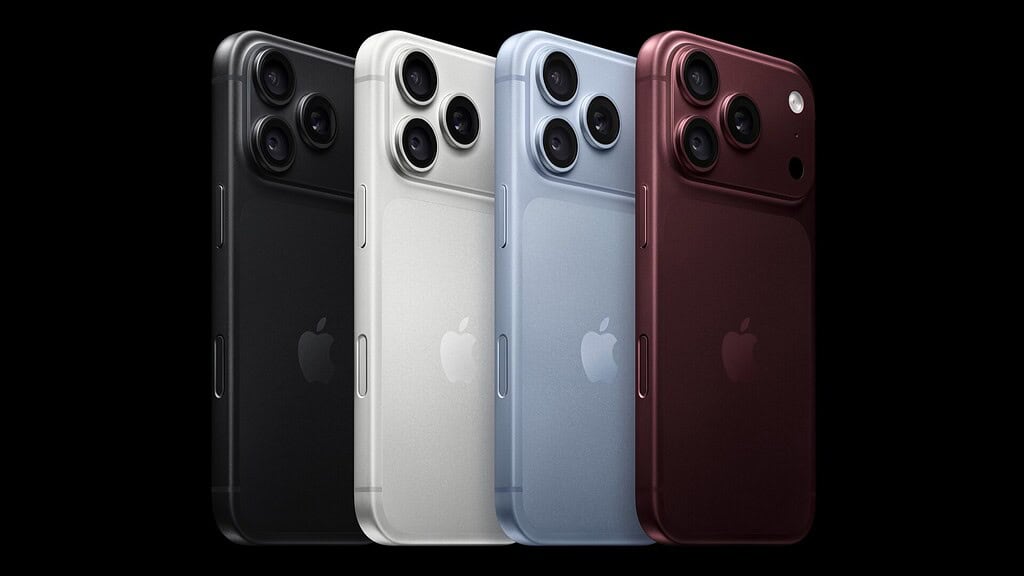
The set is for the Pro Max only. We didn’t find a matching manual for the smaller iPhone 18 Pro among Apple’s support documents.
What the manual covers
The main “iPhone 18 Pro Max Repair Manual” page works as an index. It opens with battery and broken glass safety, then troubleshooting for charging, cameras and Face ID, the display, buttons, the SIM card, the Taptic Engine and sound. Each repair then gets its own procedure: the display, back glass, battery, rear and front cameras, both speakers, the Taptic Engine, the main microphone, the USB-C connector, the logic board and the enclosure.
Don’t miss the best of The Mac Observer
Set us as a preferred source and our Apple reporting ranks higher in your Google Search results and Discover feed — one tap, no account changes.
Several of those come in separate eSIM and pSIM versions, so a Pro Max with a physical SIM tray and one without need their own instructions. The logic board is split the same way, by whether the phone has an mmWave antenna. Apple also posted a screw chart, a logic board interconnect diagram and a page of exploded views.
Nearly every job starts with the screen
Apple’s tools page lists 44 items, and not all of them are specialist gear: alongside a heated display removal fixture, a display press and six color-coded torque drivers sit gloves, ethanol wipes, safety glasses and 8 to 10 cups of clean, dry, untreated sand. Apple’s battery safety page says to keep a container of it within reach and dump it all at once on a battery that starts to smoke, spark or swell.
The display procedure heats the adhesive in that fixture, cuts it with an adhesive cutter (Apple says it must be a new one) and lifts the screen onto suction cups. That step matters beyond screen repairs, because the battery page starts with “Remove the display,” and the front camera page asks you to take out both the display and the battery first.
The warnings are blunt. “Improper battery replacement, improper handling of parts, or failure to follow the provided instructions could result in fire, injury, data loss, or damage to the device, parts, or other property,” the battery page says. The front camera page adds that a damaged front camera, or one that isn’t a genuine Apple part, “could expose you to hazardous infrared laser emissions.”
Part numbers are ready, the store isn’t
Apple’s orderable parts page already gives numbers for more than 20 components, including the display (661-65033), the rear camera (661-65034), the front camera (661-65074), batteries in eSIM and pSIM versions, and back glass in all four colors. It also lists the consumables a repair uses up, such as display adhesive, cowlings and grounding springs. None of it shows up in the store yet, and Apple hasn’t said when it will.
A repair also isn’t done until the iPhone signs off on it. After a battery swap, Apple says Repair Assistant “is recommended to finish the repair.” After a front camera swap, it’s “required to enable security features.” You start it from Settings > General > About > Parts & Service History, then tap Restart & Finish Repair. A new logic board needs System Configuration, started from diagnostics mode, and Apple warns you get one attempt.
What it means if you own one
For most owners, the manual is a reference rather than a weekend project. A brand-new iPhone 18 Pro Max is under Apple’s one-year warranty, and out of warranty Apple charges $129 for battery service. If you skipped coverage at checkout, you still have 60 days to add AppleCare from Settings.
If you want to do it yourself later, the instructions are there to read now. The parts and the rental tool kit come from the Self Service Repair Store, and Apple’s Self Service Repair page adds that genuine parts “can also be purchased from a Genuine Parts Distributor.” For what Apple rates that battery at in the first place, see our piece on the only iPhone rated at 45 hours.