In this segment from Mac Geek Gab 875, John F Braun, our Special Guest Dave Mark, and I discuss what’s new in Mac OS Monterey including: Shortcuts, Safari Tabs, Airplay to Mac, and Low Power Mode

Dave Hamilton
Dave Hamilton co-founded both The Mac Observer and <a href="https://www.backbeatmedia.com" data-wpel-link="external" target="_blank">BackBeat Media</a>, and he is producer and co-host of the <a href="https://www.macgeekgab.com" data-wpel-link="external" target="_blank">Mac Geek Gab Podcast</a>. He has worked in the computer industry since the early 1990s, doing time as a consultant, trainer, network engineer, webmaster, and programmer. He has worked on the Mac, all the various Windows flavors, BeOS, a few brands of Unix, and it is rumored he once saw an OS/2 machine in action. Before that he ran some of the earliest Bulletin Board Systems, but most of the charges have since been dropped, and not even the FBI requests that he check in more than twice a year. Dave's reachable for paid consulting at <a href="https://www.davethenerd.com" data-wpel-link="external" target="_blank" rel="nofollow noopener noreferrer">DaveTheNerd.com</a> and you can find links to him on Twitter, Facebook, and Google+ here, too.
Articles by Dave Hamilton

WWDC21 Apple Design Awards Winners and Finalists Include CARROT Weather, Bird Alone, 1Password, and Little Orpheus
Each year at WWDC, Apple’s Design Awards celebrate the apps which have surprised, delighted, wowed, and otherwise impressed Apple’s internal panel of judges. This year there were six finalists in each of six categories (with a bit of overlap). Of those six finalists, two winners per category were crowned, one for Apps, and one for Games. Links to all of the winners and finalists are presented for you here!

Digging into Apple's iCloud Private Relay
At this week’s WWDC Keynote, Apple announced iCloud Private Relay, a privacy feature aimed towards further separating you and your browsing activity from people who want to track and collect data about you. iCloud Private Relay works for anyone with an iCloud+ subscription using iOS 15, iPadOS 15, and macOS Monterey, and when enabled it protects all your Safari browsing, all DNS queries, and any insecure web traffic from other apps.
Microsoft Office Mega Tool for Mac Users
Do you use Microsoft Office on Your Mac? Check out this awesome Office Mega Resource that we shared from a listener in Mac Geek Gab 872.
Carbon Copy Cloner 6: Clone Your Mac...and More!
Carbon Copy Cloner 6 is out and we discussed a few of the highlights on Mac Geek Gab 872.
Understanding iMac Ports, Cables, and USB in 2021
In this mini-episode from Mac Geek Gab 873 John and I discuss ports, cables and USB Drives for Mac Desktops!
Juice Jacking Explained 2021: How to Avoid it
Check out this Quick Tip from Mac Geek Gab 873 where John and I talk through the ins and outs of Juice Jacking and how to prevent it.
AirPods Volume Low? Suck the Suck Out of Your AirPods
In this week’s Mac Geek Gab 873, listener Raymond shares a clever way of clearing up your AirPods’ sound. Press play and learn in two minutes or less!
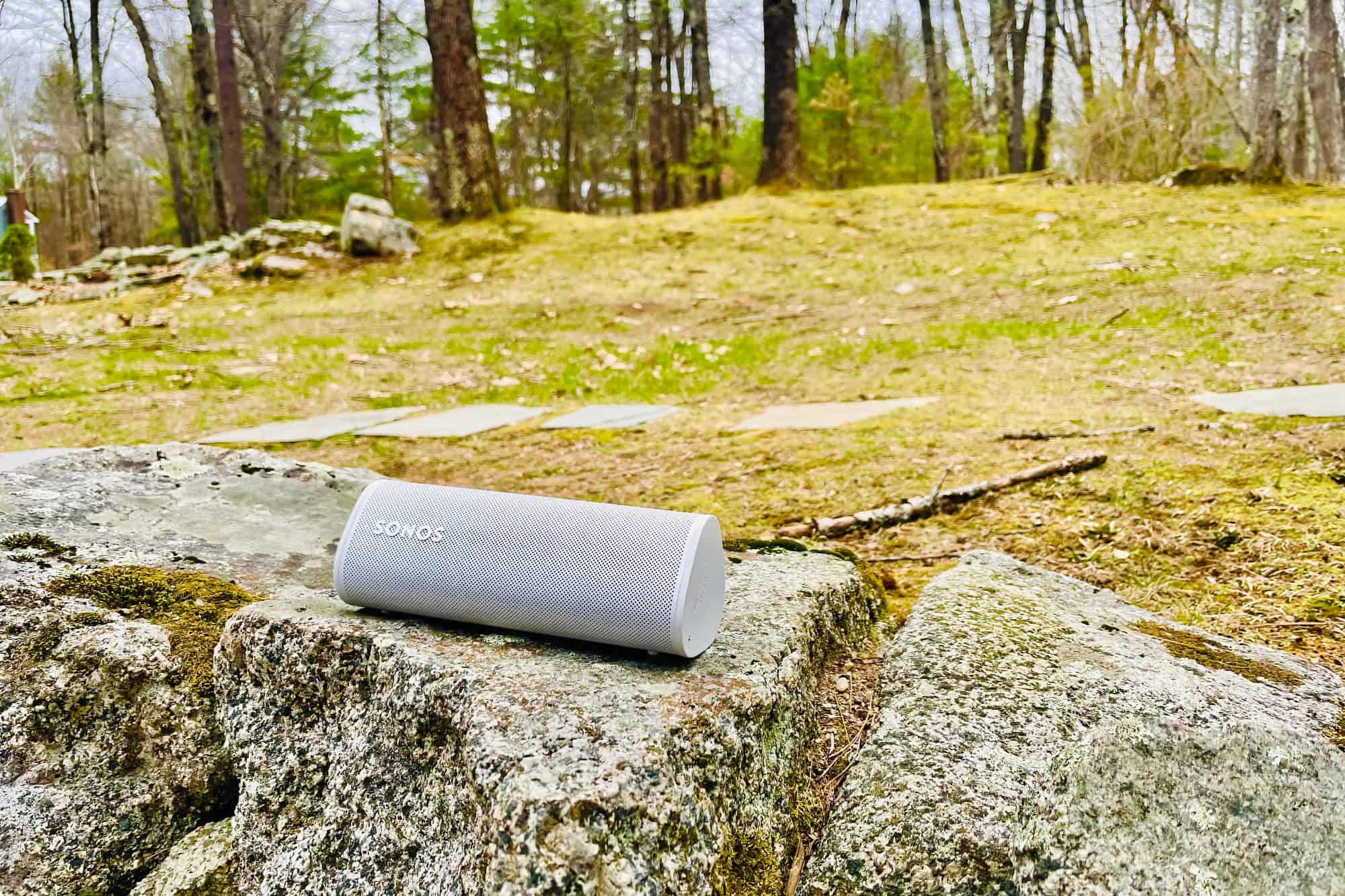
Sonos Roam Portable Speaker: Small Enough for Your Backpack, Big Enough to Fill a Room
Smaller than most water bottles, Sonos Roam will easily fit into your go bag or your travel carryon, and it’s waterproof IP67 rating will keep the worries away. At home on your Wi-Fi, Roam is a fully-fledged Sonos and AirPlay 2 speaker, and its sound can fill a room… or a picnic area.

Sonos Announces Roam: Portable, Wi-Fi, Bluetooth, Waterproof, and Obsessively Designed
On Tuesday, Sonos announced Roam, their first truly portable speaker. The 15oz, pill-shaped speaker looks like many of those waterproof BlueTooth speakers already in the market, but in true Sonos fashion the Roam takes things to a whole new level.
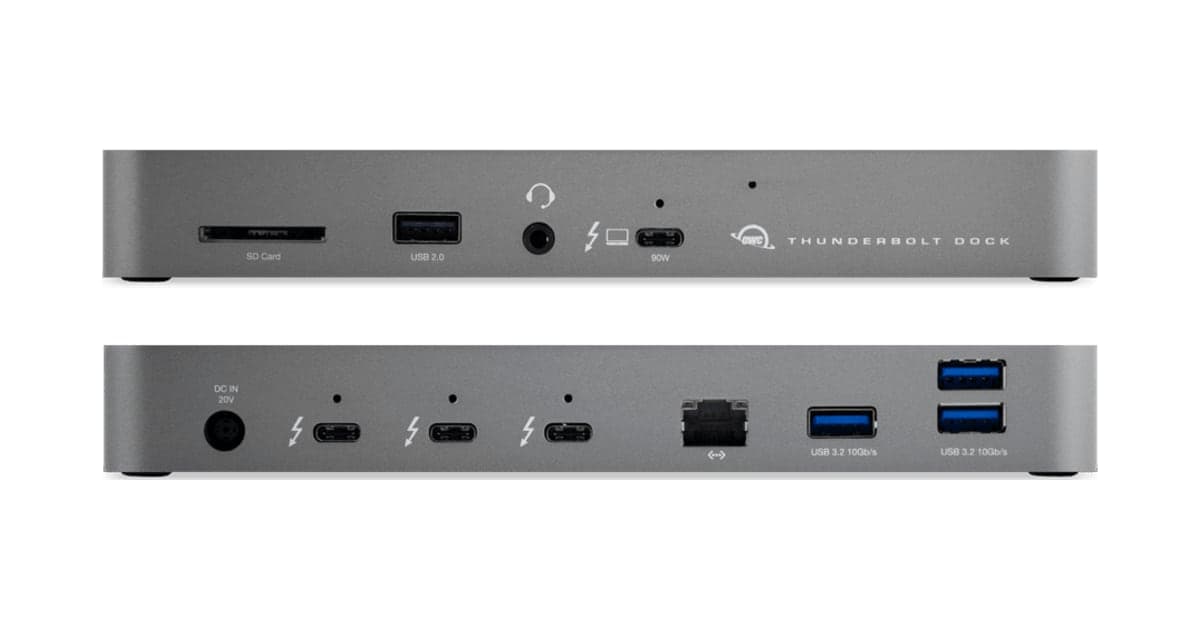
CES 2021: OWC's new Thunderbolt Dock adds Ethernet, USB, and More Thunderbolt Ports to Your Mac
At CES this week, OWC has announced the latest iteration of its Thunderbolt Dock, this one leveraging the new features unlocked by macOS Big Sur to allow you to add more Thunderbolt ports to your Intel or M1 Macs. With three, fully-capable Thunderbolt ports on the back, plus one on the front to which you connect your Mac, the possibilities are wide open. In addition to those, there are three 10Gbps USB-A ports, Gigabit Ethernet, SD card, headphone out, and a USB 2.0 port, giving you expansion options for days, including the ability to add up to two 4K displays or a 5K/6K/8K display. This self-powered hub will also deliver up to 90W of Power Delivery to your Mac laptop. Pre-orders are available today with units shipping later this month.
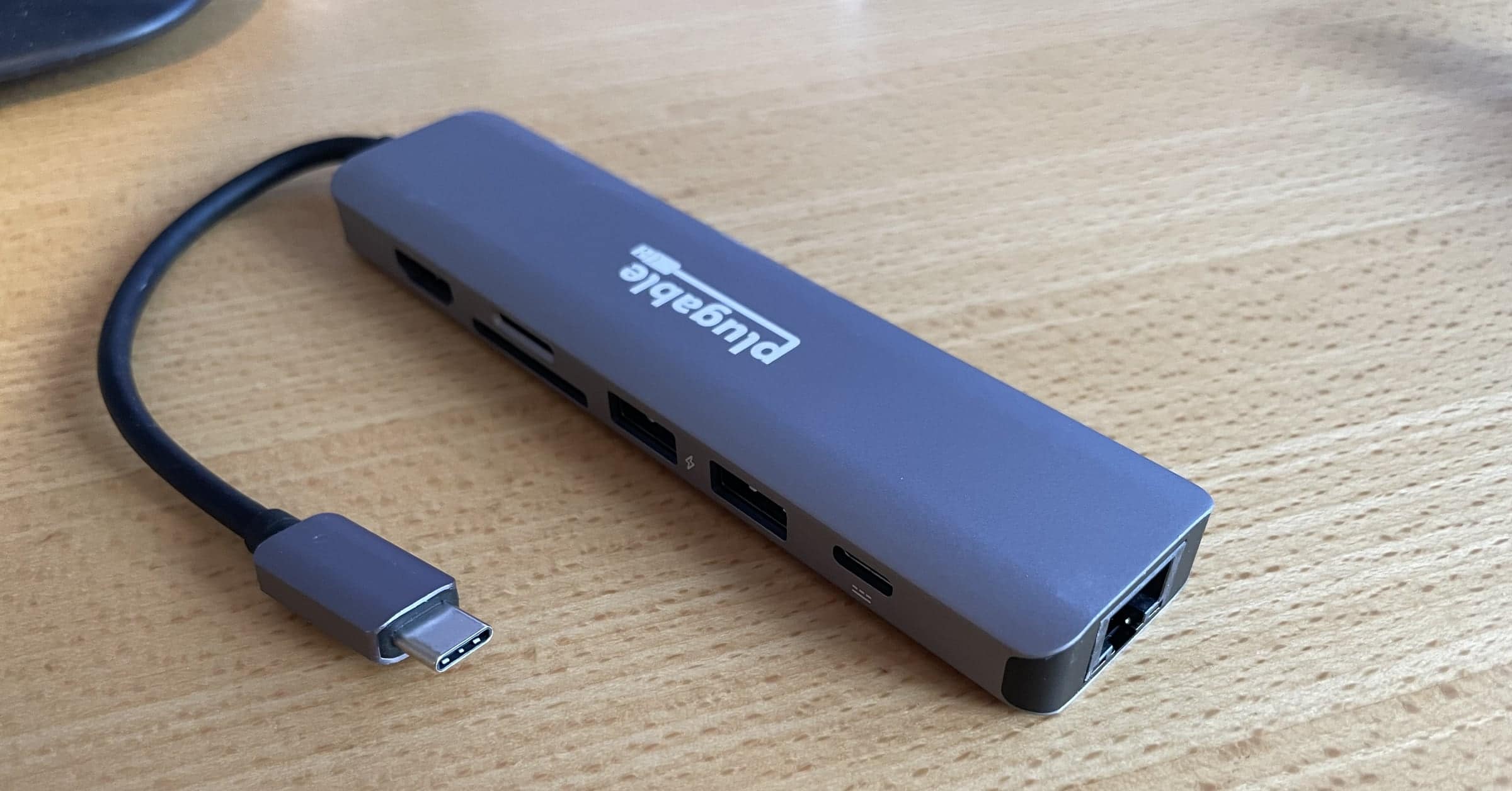
CES 2021: Plugable USB-C 7-in-1 Hub Brings Ethernet, Charging, and 4K HDMI
At CES on Tuesday, Plugable announced their new USB-C 7-in-1 hub, following the work-from-home trend of bringing Ethernet and 4K video to users in an easy-to-pack form factor (to use at home now, and for when we can go places again!). In addition to two 5Gbps USB 3.0 ports, Gigabit Ethernet, 4K HDMI, SD and microSD card slots, the Plugable hub includes a USB-C Power Delivery charging port capable of up to 87W of USB-C pass-through charging for your laptop and USB devices. Shipping now, this hub is available at Amazon for $34.95 at the time of publication.
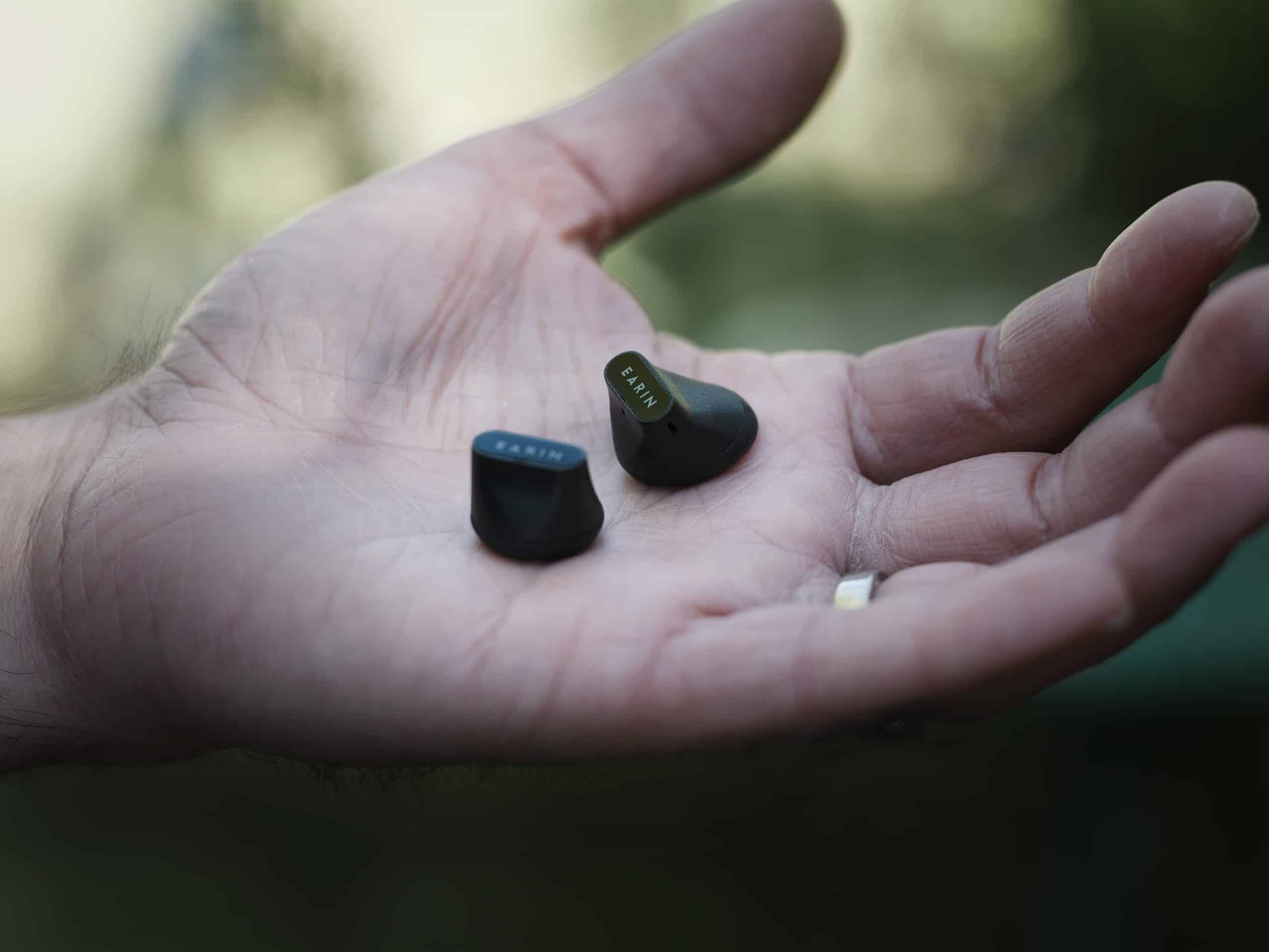
CES 2021: Earin A-3 Brings 14.3mm Dynamic Drivers to True Wireless Earbuds
Earin, the company who brought the first true wireless earphones to market, has announced their latest model, the Earin A-3. Sleeker than all previous models, the A-3 fits completely in the outer ear, with no stem, and yet is still able to pack a 14.3mm dynamic driver to deliver full sound. Available later in Q1 2021 for US$199, Earin A-3 uses the combination of a microphone, an accelerometer, and an adaptive algorithm to monitor voice and background noise in real-time, removing ambient noise and giving wearers high quality music and calling experiences. With 5-hour battery life, USB-C and wireless Qi charging, and Earin’s past performance, we expect these to be winners. Look for Earin A-3 at both Earin.com and Amazon later this quarter.

Buy Knock-Off Solo Loop Watch Bands for 80% Off Apple's Pricing
Every time Apple comes out with a new style of watch band, FOMO tells me to order one. Unfortunately, my wallet often disagrees (and wins that argument), as was the case with Apple’s US$49 Solo Loop and $99 Braided Solo Loop bands introduced this fall. Never fear, though, Amazon to the rescue! There are plenty of companies who sell knockoffs of Apple’s Watch band designs, many of which have proven to be of spectacular quality over the years. The $12 Solo Loop and $20 Braided Solo Loop clones my family found in our Christmas stockings last week were no exception. First, download (and print) Apple’s Solo Loop Watch Band Size Guide, then check ’em out and place your orders. Final step: enjoy!

Apple's M1 MacBook Air: One Week In, It's the Little Things
I was fortunate enough to receive my built-to-order M1 MacBook Air (16GB RAM, 512GB SSD, 8-core GPU) last Tuesday, and I’ve had a week to truly experience it. We’ve all read the early reviews (Snell, Gruber, and Bohn are the highlights), and they’ve focused on the specs and the highlights, so I won’t rehash (much of) that here. What I want to focus on are the little things.
macOS Big Sur Brings Thunderbolt Hubbing to All Thunderbolt 3 Macs
Larry O’Connor from Other World Computing joined us on Mac Geek Gab this week to share some news: macOS Big Sur makes Thunderbolt hubbing possible not just on the new M1-based Macs, but also on any Mac with Thunderbolt 3. Larry also explains the differences between Thunderbolt 3 and 4, and why, as Mac users, it doesn’t really matter for us. Watch the relevant segment in this clip and then go see the rest of Mac Geek Gab 844.

Was Your Mac Slow on Thursday? Apple's OCSP Server Was Likely the Cause
On Thursday, October 12th, right around 3:30pm EST, Apple’s OCSP server stopped responding. On the surface that doesn’t sound like much, but when you stop and realize this is the server responsible for authenticating the certificates at the core of all your apps, it starts to matter.
And matter it did! For about an hour yesterday, Mac apps wouldn’t launch (or would launch slowly), rebooting was super-slow (for the same reason), and even Zoom connections took minutes to connect.

TMO's Live Coverage and Commentary of Apple's "One More Thing" Event
Apple’s “One More Thing” event starts shortly, and TMO‘s staff will be providing coverage and commentary on our Live Blog throughout. Come join us!

TMO's Live Coverage and Commentary of the Apple "Hi, Speed" Event
Apple’s “Hi, Speed” event starts shortly, and TMO‘s staff will be providing coverage and commentary on our Live Blog throughout. Come join us!
iOS 14 Quick Tips and More — Mac Geek Gab 834
We’ve got first-run Quick Tips for iOS 14, iPadOS 14, watchOS 7, and tvOS 14 for you right here. You know those things that surprise and delight your friends when they see you do them? That’s what Quick Tips are! Come and learn at least five new things as John and Dave talk through Quick Tips plus answer your questions about everything Mac, Apple, iPhone, and more. Press play and enjoy hanging out with your two favorite geeks!

LG's webOS OLED TV: The Best Accessory for Your Apple TV+ Subscription
LG’s webOS is a very mature, up-to-date, cared-for platform that truly stands on its own. On top of that, the TV’s support for AirPlay 2 is the most reliable video AirPlay implementation I’ve experienced yet, and that includes working with various models of Apple TV.
TMO's Live Coverage and Commentary of the Apple "Time Flies" Event
Apple’s “Time Flies” event starts shortly, and TMO‘s staff will be providing coverage and commentary on our Live Blog throughout. Come join us!
Network Speed Dissection, Cool Stuff Found, and More — Mac Geek Gab 833
Having a solid connection to your network is only part of it. The other part? Speed! Dissecting the differences between these two — and teaching you how to do the same — are your two favorite geeks: John F. Braun and Dave Hamilton. Of course, that’s just one of the many things covered in this week’s episode. Lots more tips, questions answered, and Cool Stuff Found shared. Press play and learn those five new things, alright?

Sonos Arc Review Part 1: Oh, That Wide, Glorious Sound
Sonos’ latest home theater speaker, the Sonos Arc, begins arriving in customers’ homes later this month. We’ve had a few days to take a look—and a listen—to what essentially becomes their “Pro” soundbar, and we are duly impressed.