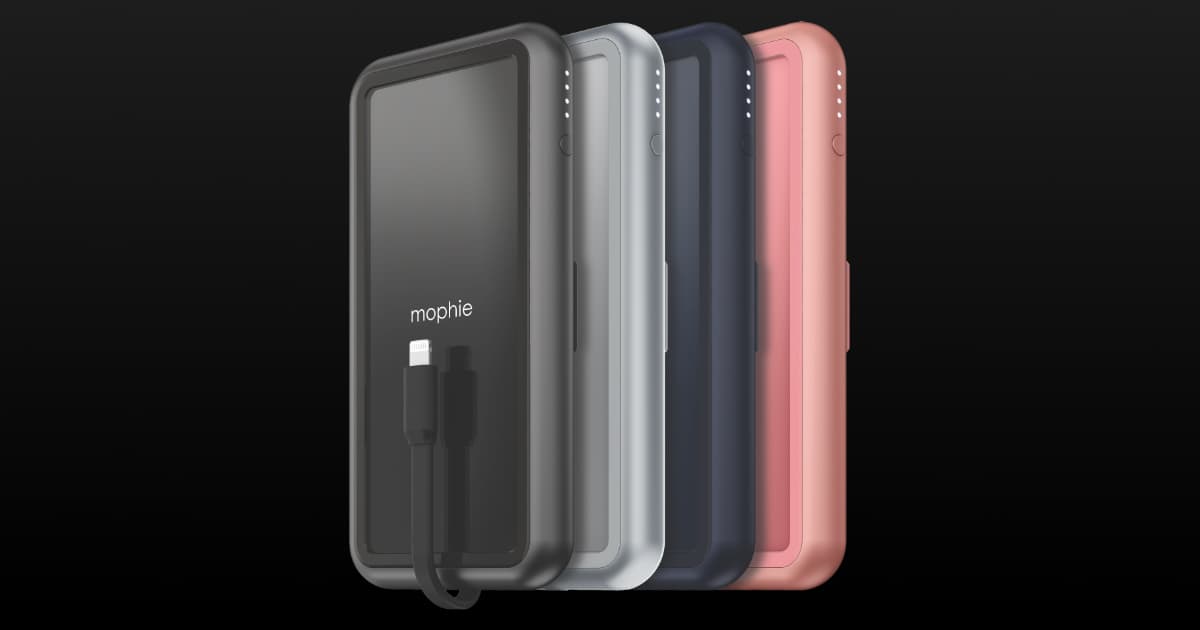
Kenu BingeBank Launches to Wirelessly Power Your iPhone

Today Kenu announces its first ever powerbank product, BingeBank. BingeBank is a new all-in-one wireless charging powerbank, complete with an innovative nanosuction phone stand. The perfect accessory for binge watching on-the-go, it securely holds your Qi-enabled phone at the perfect viewing angle and wirelessly charges it at the same time. Users can watch hours of their favorite Netflix series, YouTube channel, and even video chat or live stream without worrying about draining the phone battery. It also works great as a travel charging dock. The 10000 mAh capacity adds up to 35 hours of viewing time to the iPhone XS, and in addition to wireless charging, you can use a cable to fast charge two other devices through the 18W Power Delivery and Quick Charge USB ports. The 18W Power Delivery USB-C port can fast-charge an iPhone up to 50% in as little as 30 minutes, and can also charge a MacBook, MacBook Pro, or MacBook Air with Thunderbolt 3. Kenu BingeBank: US$59.95

HyperCube is a Data Backup iPhone Charger on Kickstarter

Sanho Corporation, creator of the USB-C Hyper Drive for iPad Pro, is coming out with a new product. Called HyperCube, it’s a data backup iPhone charger. When you plug your iPhone into it, then plug the HyperCube into a power outlet, all of your photos, videos, and contacts will automatically back up to a micro SD card or USB drive (sold separately). Then, once the back up is finished, you can remove the micro SD card or USB drive to view your content on another device. Copy/cut/paste/move/delete/rename files on microSD and USB drive, supports audio/video streaming playbacK, supports photo slideshow/thumbnail view, measures 47.3 x 35.5 x 24mm / 1.86” x 1.4” x 0.94”, weighs 20g / 0.71oz /0.04 lb. Early bird backers can get HyperCube for US$29. Expected to ship August 2019.

Google Pixel 4 Gives us a Hint of iPhone XI

Google just shared a photo of its upcoming Pixel 4 phone, and I think it gives us a hint of what the iPhone XI will look like. Android manufacturers are notorious for copying the appearance of iPhones, like the notch. The Pixel 4 shows a square camera module on the back, so I think it’s likely the rumors and mockups of a square iPhone XI camera module with three cameras are probably correct.

Well, since there seems to be some interest, here you go! Wait ’til you see what it can do. #Pixel4

AirDock 3-in-1 Wireless Charging Station:

We have a deal on the AirDock 3-in-1 Wireless Charging Station, which allows you to charge your iPhone, Apple Watch, and AirPods at the same time. There’s a Qi charger for your iPhone, an Apple Watch wireless charger, and cradle with a Lightning port for your AirPods case. This device is $34.99 through our deal.

SCOUT Wireless 5,000mAh Portable Charger: $34 with Coupon Code

We have a deal on the SCOUT Wireless 5,000mAh Portable Charger, a Qi charger that also has three different built-in charging cables, all in a compact form factor. Those cables include USB-C, USB-A (regular USB), and a Lightning cable. That means you can use it on your new iPad Pro and your iPhone X/S/R/Max, too. It’s $39.99 through our deal, but coupon code WEEKEND15 brings it down to $34 at checkout. Here’s a promo video with a closer look:

Charge 4 Devices at Once with This Fast Charging Wireless Pad: $59.50

We have a deal on the iPM Wireless Charging Docks with Removable Charging Pad. This device allows you to charge four devices at once with its integrated wireless charging pad. You can use it with smartwatches, smartphones, wireless headsets, or an Apple Pencil. The iPM Wireless Charging Docks with Removable Charging Pad is $69.99 through our deal, but coupon code WEEKEND15 brings it down to $59.50 at checkout.

Bloomberg WWDC Leak Highlights: Updated Maps, Health, Apple Watch Audio Books, Reminders, More

Bloomberg’s Mark Gurman got the goods on Apple’s WWDC software plans. Highlights include several improvements to Maps that I’m looking forward to. Apple is also improving the Health app, Reminders, adding audio book support to Apple Watch, a standalone app for the Apple Watch App Store on the watch itself, new Watch complications and faces, improved share sheet in iOS, combined Find my Friends and Find My iPhone, improved iMessage, an updated Books app with a reward system, and much more. There’s a ton of information in this piece, and it’s a good read.

Tim Cook On Why You Should Turn Off All Those Push Notifications

Tim Cook addressed the TIME 100 Summit Tuesday. There, he encouraged people to put down their iPhones. He even said he turned off push notifications from lots of apps, reported Techcrunch.

Today, when users install new apps they often say “No” to push notifications. And with Apple’s new tools to control notifications, users are now actively triaging which apps can get in touch. In fact, that’s what Tim Cook says he did, too. “If you guys aren’t doing this — if you have an iPhone and you’re not doing it, I would encourage you to really do this — monitor these [push notifications],” the CEO suggested to the audience. “What it has done for me personally is I’ve gone in and gutted the number of notifications,” Cook said. “Because I asked myself: ‘Do I really need to be getting thousands of notifications a day?’

An Inside Look at How Charging Cables Work

Charging cables are a requirement for any electrical device. But have you ever wondered how they work? Rhett Allain tells us.

Inside each of those cables are multiple wires. It doesn’t matter if the cable is used for power or for data—there have to be at least two wires inside. That is because all electric circuits depend on loops. You can’t make a loop with just one wire.