

If you use an iPhone and FaceTime, you probably wonder if your scheduled alarms still ring when a FaceTime call is active. You depend on alarms for waking up, catching appointments, or reminders. You want to know if FaceTime interrupts that.
Based on the latest info, your iPhone alarm still goes off even when FaceTime is running. The alarm plays through the Clock app and will trigger at the set time whether you are on a video or audio FaceTime call.
Alarms operate independently from calls, including FaceTime. That means FaceTime does not disable your alarm. The only time your iPhone won’t ring at the set time is if the phone itself is powered off.
Don’t miss the best of The Mac Observer
Set us as a preferred source and our Apple reporting ranks higher in your Google Search results and Discover feed — one tap, no account changes.
Here’s a clear and detailed guide on how those alarms work, what affects them, and how you can make sure you hear them while on FaceTime.
Table of contents
Methods
How iPhone Alarm Works With FaceTime
The iOS operating system treats alarms as high-priority system events. When a scheduled alarm time arrives, the Clock app takes over audio output regardless of what else is happening on your device. FaceTime stays active, but the alarm plays alongside it.
Alarms will still sound if:
- Your iPhone is awake and not powered off.
- You have set a specific alarm time in the Clock app.
Alarms may behave differently if:
- Your volume settings are low or muted.
- You have enabled Focus or Sleep modes that alter notification sounds.
- You use third-party alarm apps with custom settings.
Method 1: Confirm Alarm Settings
Check Alarm in Clock App
You need to ensure your alarm is active and set correctly.
- Open the Clock app on your iPhone.
- Tap Alarm at the bottom.
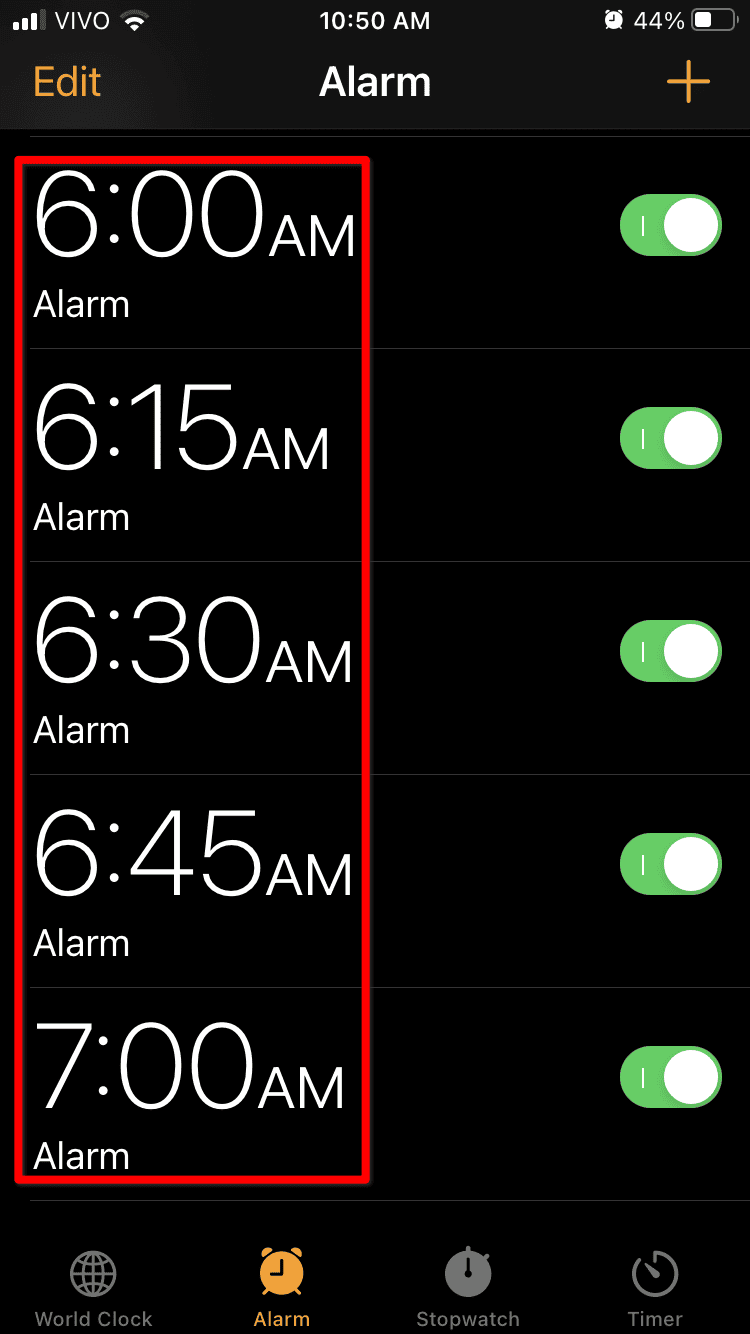
- Locate your scheduled alarm.
- Make sure the toggle switch next to the alarm time is on (green).
- Confirm the time and the sound selected are correct.


This step ensures the alarm is ready to trigger even when you are on a call.
Method 2: Adjust Volume and Alert Settings
Make Alarm Audible During FaceTime
Your alarm will go off, but you may not hear it if volume settings are low.
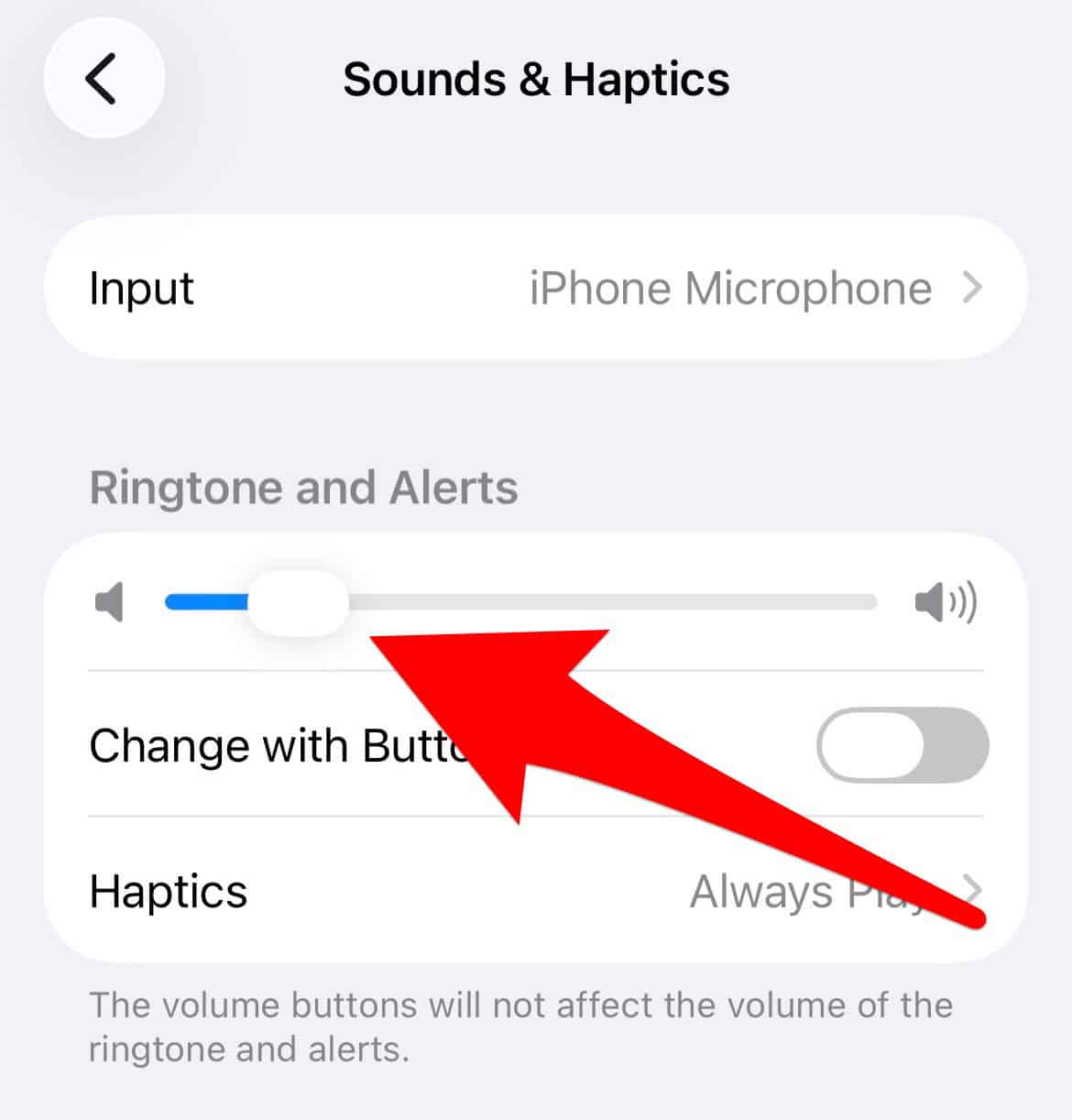
- Go to Settings.
- Tap Sounds & Haptics.

- Under Ringer and Alerts, slide the bar up to increase volume.
- Ensure Mute is off on the side switch.
- If you use Attention Aware Features, consider disabling them so the alarm does not reduce loudness.


Adjusting these settings increases the chance you hear the alarm over the FaceTime audio.
Tips
- Alarms trigger even if your phone is in silent mode.
- FaceTime audio does not usually broadcast the alarm sound to the other person.
- If alarms feel too quiet while on calls, raise ringer volume before FaceTime.
- Sleep or Focus modes may silence alerts unless you set them to allow alarms.
- Always test with a short timer to confirm behavior before relying on it for important reminders.
FAQs
Will my alarm ring if I fall asleep during FaceTime?
Yes. Alarms still go off even if you fall asleep or the app is running in the foreground.
Does the person on the FaceTime call hear my alarm?
In most cases, no. Alarm sounds are local to your device and do not transmit over the FaceTime audio stream.
What if my alarm does not go off on time?
If your alarm fails, check settings like volume, Focus mode, Sleep settings, and Attention Aware Features. These can affect alarm loudness or notification behavior.
Can I silence alarms only during FaceTime?
There is no built-in toggle to disable alarms just for FaceTime. You can adjust volume or turn off the alarm before starting the call.
Summary
- Your iPhone alarm will still go off during a FaceTime call.
- Alarms operate through the Clock app and are independent of FaceTime.
- Volume settings and Focus modes can affect how loudly you hear the alarm.
Conclusion
You can rely on your iPhone alarm while using FaceTime. Scheduled alarms trigger at the right time regardless of active video or audio calls. They will play through the device, and typically only you will hear them. Before important alarms, check volume, ringer settings, and any Focus or Sleep mode to make sure you don’t miss the sound. By confirming these settings, you ensure alarms work as expected even when you are deep into a FaceTime call.


Discussion