

Following the iOS 26 update, many iPhone users are unable to send or receive calls. The issue affects various models and has sparked concern across Apple forums and beta communities. Whether it’s dropped calls or missing cellular data, this guide offers practical solutions and community-sourced fixes to help restore your iPhone’s calling functionality quickly and reliably.
Table of contents
How to Fix iPhone Call Issues After iOS 26 Update
Check Cellular Signal and Coverage
Before adjusting settings, confirm that your iPhone has adequate signal strength. Poor reception can mimic software-related issues.
Don’t miss the best of The Mac Observer
Set us as a preferred source and our Apple reporting ranks higher in your Google Search results and Discover feed — one tap, no account changes.
- Look for signal bars in the top-right corner.
- Move to an area with better coverage.
- Toggle Airplane Mode off and on to reset the connection.
Restart Your iPhone
A simple restart can resolve temporary glitches introduced during the update.
- Press and hold the side button and volume button.
- Slide to power off.
- Wait 30 seconds, then power back on.
Update Carrier Settings
Carrier settings may require updating after a major iOS release.
- Go to Settings > General > About.
- If prompted, tap Update.
- Restart your device after the update.
Reset Network Settings
This step clears outdated configurations without deleting personal data.
- Go to Settings > General > Transfer or Reset iPhone.

- Tap Reset > Reset Network Settings.
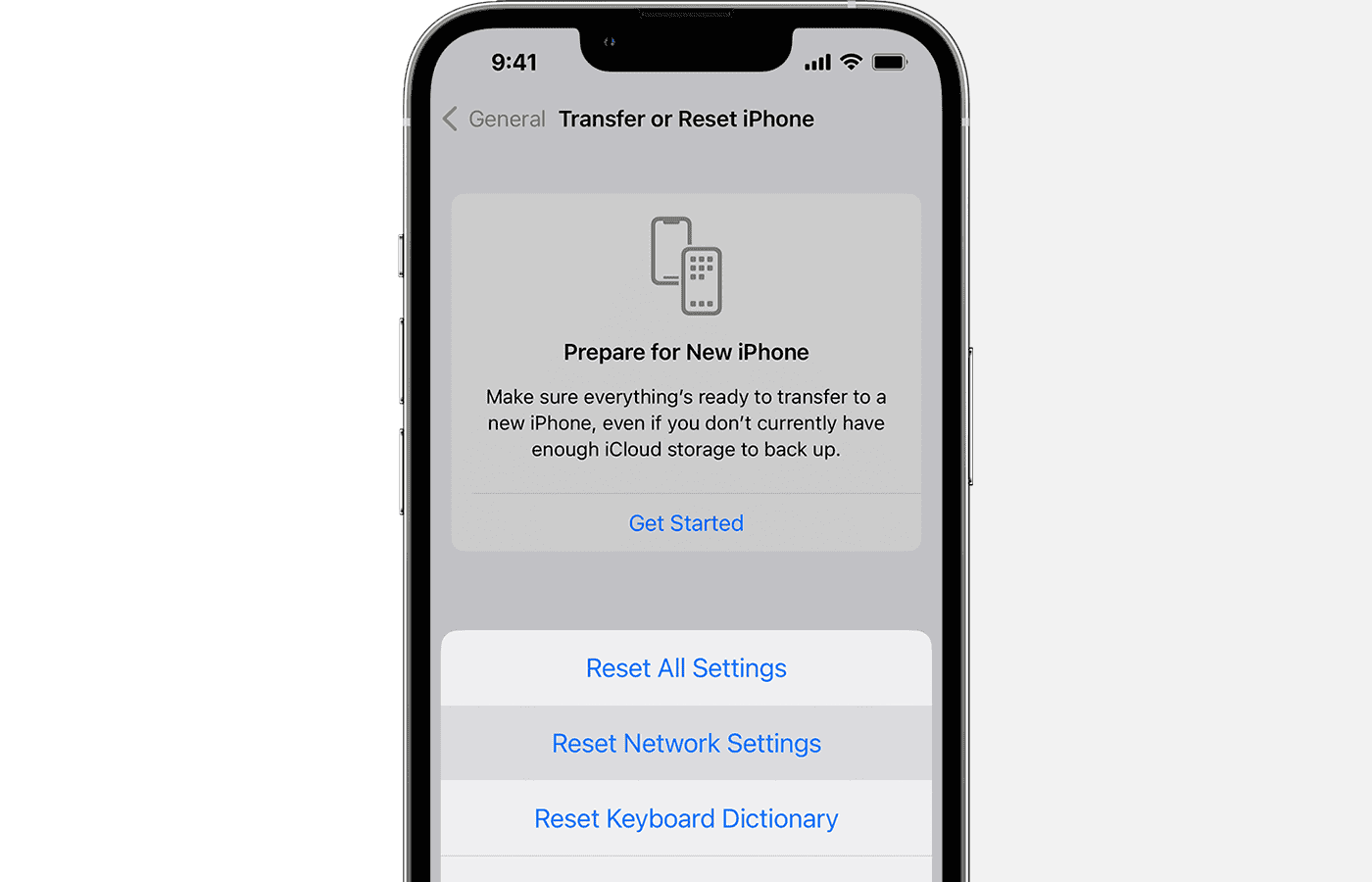
- Reconnect to Wi-Fi and reinsert the SIM if needed.


Disable Call Blocking and Silence Unknown Callers
Some users found that call screening features were unintentionally activated.
- Go to Settings > Apps > Phone.
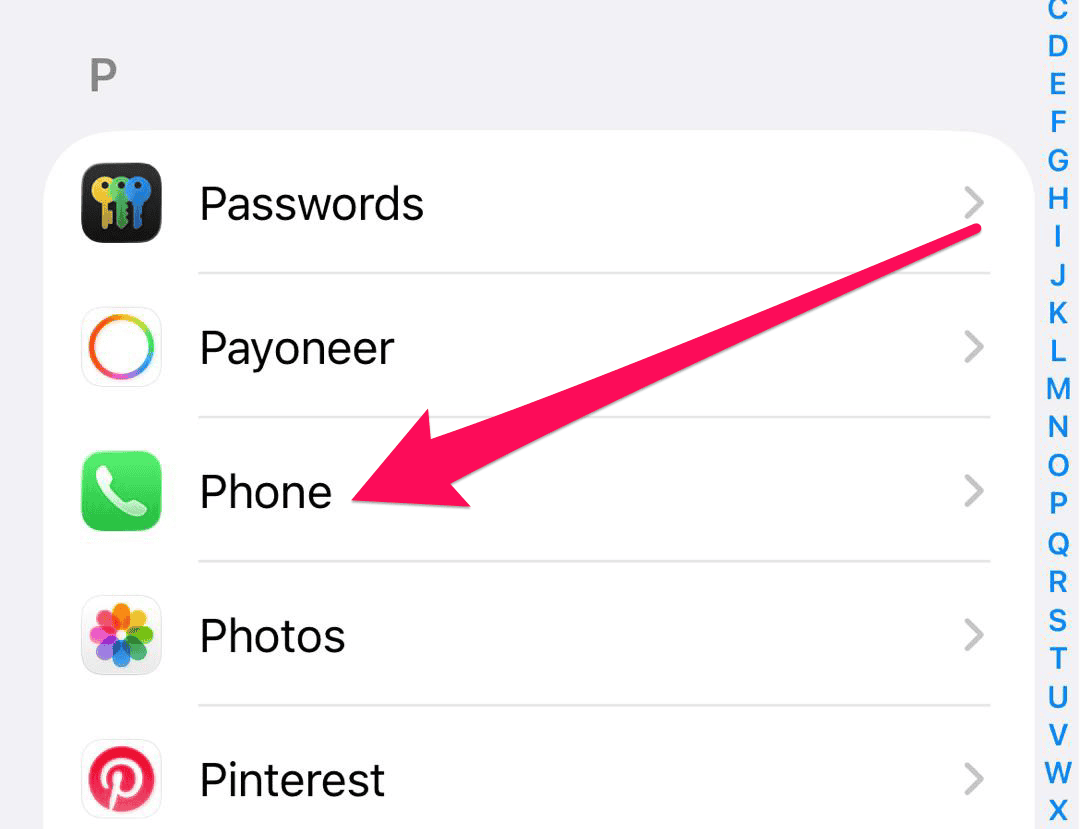
- Turn off Silence Unknown Callers.

- Check Blocked Contacts and remove any necessary numbers.


FAQ
This is likely due to a software glitch, outdated carrier settings, or misconfigured network preferences introduced during the update.
Apple typically addresses widespread issues in subsequent patches. Keep your device updated and monitor support channels.
Reports span across various models, suggesting it’s a system-level issue rather than device-specific.
Restore Call Functionality on iOS 26
If you’re experiencing no calls or mobile data after installing iOS 26, the steps above should help you regain control of your phone’s core features. While frustrating, this issue is solvable with a combination of manual fixes and community insights. Stay updated and connected—your iPhone should be back to normal soon.


![Fix “macOS Cannot Verify That This App is Free from Malware” [2026]](https://www.macobserver.com/wp-content/uploads/2025/05/MacBook-displaying-multiple-macOS-Gatekeeper-icons-under-a-red-X-surrounded-by-Gatekeeper-dialogs-over-the-default-macOS-Sequoia-wallpaper.webp)

There is no Silence Unknown Callers option on my phone. I see a Screen Unknown Callers option, which was set to Ask Reason for Calling. I changed it to Never. Hopefully that will fix the sudden issue I have with my phone ringing and not being presented with the standard option to pick up. Instead, I’ve been seeing a strange message and I finally learned I had to press the tiny, tiny phone icon to allow me to answer the call. Super messed up on Apple’s part! I’ve missed a few calls because of this horrible bug.
I’m unable to make calls or receive messages which make it impossible to do on-line banking! Bills need to be paid!