
Your date of birth on your Apple ID matters. Apple uses it to set up age-related features like parental controls, age ratings on the App Store, and access to services. If the age on your account is wrong, you can change it in most cases. Apple now lets you update your date of birth on iPhone, iPad, Mac, or the web.
Updating your age is straightforward when you are at least 13 under local law. If your account was created as a child account below 13 and you need to change it to an adult age, Apple’s system adds more rules. In such cases, a family organiser’s approval may be required.
Table of contents
Methods
Apple provides several ways to edit your birth date. Use the device or platform you have access to.
Don’t miss the best of The Mac Observer
Set us as a preferred source and our Apple reporting ranks higher in your Google Search results and Discover feed — one tap, no account changes.
Using an iPhone or iPad
You can change the birthday directly from the device’s Settings app.
- Open the Settings app on your iPhone or iPad.
- Tap your name at the top of the screen.
- Select Personal Information. You may be asked to sign in with your Apple ID password.
- Tap Birthday.
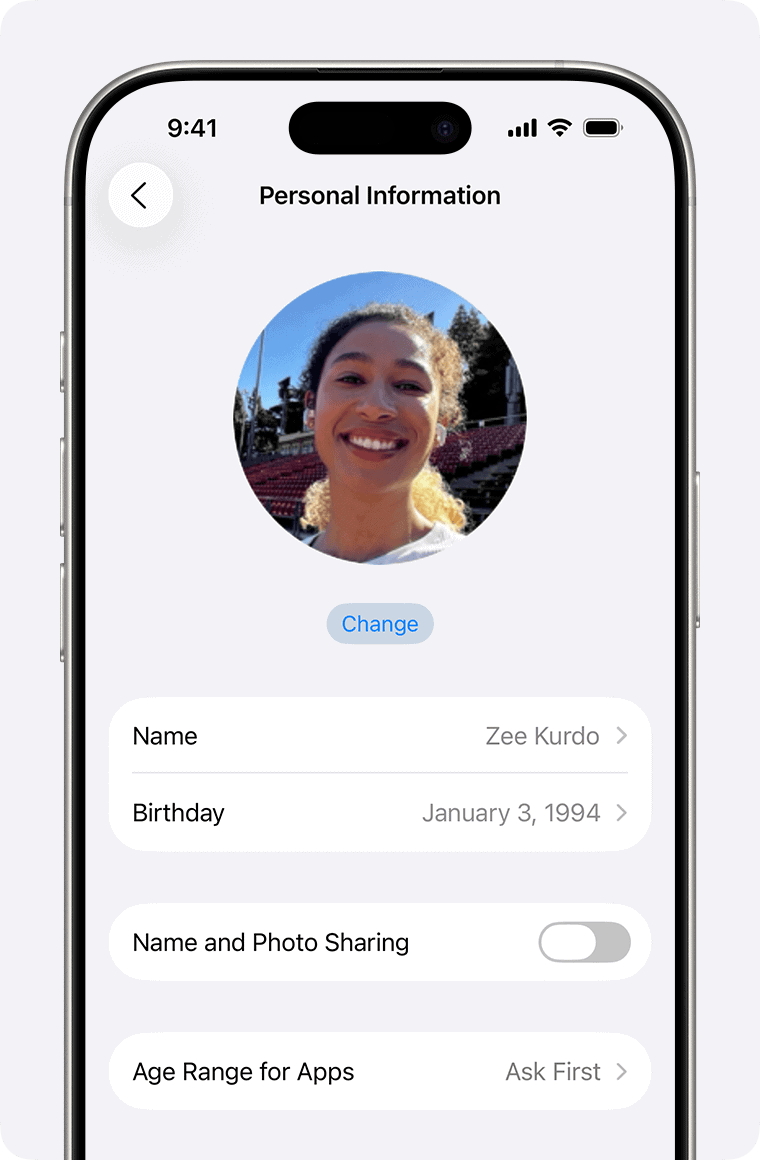
- Select the correct date, then tap Done to save.
Using a Mac
On macOS, you can update your birth date from System Settings.
- Open System Settings or System Preferences on your Mac.
- Click your name in the sidebar.
- Go to Personal Information.
- Click the current Birthday.
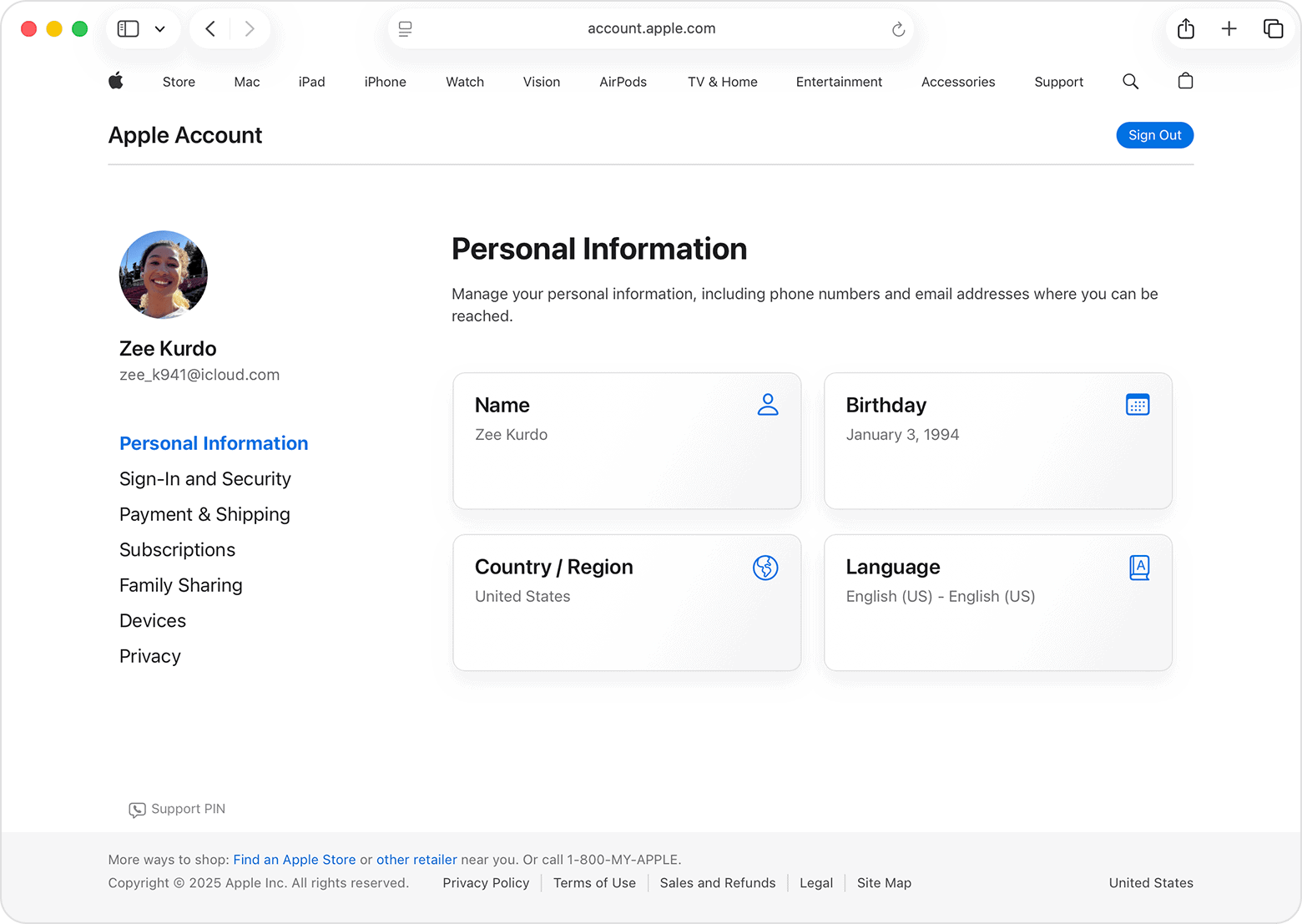
- Choose the correct date and click Done.
Using the Web
You can edit your date of birth on Apple’s account website from any browser.
- Open a web browser and go to Apple’s account page.
- Sign in with your Apple ID.
- Click Personal Information.
- Select Birthday.
- Enter the correct date of birth and click Save.
This method works whether you are using a Windows PC, Mac, or phone browser. It also applies when you cannot access Apple services on your devices.
Special Cases and Restrictions
- Child Accounts. Accounts set as child accounts often require a Family Sharing organiser’s approval to change the birth date to any age below 13 or to a date that changes the account’s age category.
- Changing Child to Adult Age. Apple allows editing a child’s birthday online. In some cases, if the system rejects the change because of age rules, contacting Apple Support becomes necessary.
- Local Age Rules. The age Apple uses as the cutoff for child accounts can vary by country or region. In many places it is 13.
- One Time Edit Window. On macOS, once you change your birthday, you have about 24 hours to correct mistakes. After that, you cannot freely edit without support.
Tips
- Always enter your correct birth date.
- Sign in with the same Apple ID you use on your devices.
- If you cannot edit the birth date on device settings, use the web method.
- For child accounts, set up Family Sharing before changing ages.
- Keep your security details like email and phone number updated.
FAQs
Can I change my age on Apple ID if I’m under 13?
Yes. A Family Sharing organiser must approve the change.
What if Apple will not let me change the age?
If the system blocks the change, contact Apple Support. They may ask for verification.
Will changing my birthday affect Apple services?
Yes. Age-based features like parental controls and content limits change when your age changes.
Can I change my age more than once?
Yes, but child accounts and restricted accounts may have limits.
Do I need to sign in again on all devices?
No. The change updates everywhere automatically.
Summary
- You can update your Apple ID age on iPhone, iPad, Mac, or the web.
- Child accounts need Family Sharing approval.
- Age rules depend on your region.
- The web method works when device settings do not.
- Apple Support can help if the system blocks the change.
Conclusion
Correcting your age on your Apple ID is simple in most cases. Apple lets you change your birth date from device settings or the web. If your account is a child account, extra steps or approval may be needed. Enter the right date to keep your Apple services working properly.




Discussion