

iOS 26 brings Liquid Glass, new Lock Screen options, and even customizable Messages backgrounds. And iOS 26.1 brings bug fixes, performance enhancements (especially battery life), and refinements to the controversial Liquid Glass design introduced in iOS 26. Furthermore, iOS 26.2 comes with refined design updates, new Reminders alarms, upgraded Apple Music and Podcasts features, and added AirDrop privacy protections. But what if the update isn’t showing up on your iPhone at all?
Here’s the thing: it happens every year with big releases, and the fixes are usually simple. Let’s go through the reasons why iOS 26.2 might not appear and how to get it installed.
Table of contents
Before You Start
- Check compatibility: iOS 26.2 supports iPhone 12 and newer, plus iPhone SE (2nd gen and up). Older devices like the iPhone XR and XS don’t make the cut.
- Back up your iPhone: Always back up before updating. You can back up to your Mac or PC or use iCloud.
- Charge your phone: Make sure you have at least 50% battery or keep your iPhone plugged in.
- Stable Wi-Fi: Updates won’t download on weak or cellular connections.
1. Make Sure You’re Running the Latest iOS 26.x
If you’re stuck on an older release like iOS 26, the update might not appear until you install the latest version before iOS 26.2. Go to Settings → General → Software Update and install anything you see there first.
Don’t miss the best of The Mac Observer
Set us as a preferred source and our Apple reporting ranks higher in your Google Search results and Discover feed — one tap, no account changes.

You can also follow our step-by-step iOS update guide if you’re not sure.
2. Restart Your iPhone
Sometimes the update simply doesn’t show up because the system needs a reset. A quick restart often triggers the update check and makes iOS 26 appear.

3. Remove Any Old Beta Profiles
If you joined Apple’s beta program, you might be locked into a different channel. To switch back to public releases:
- Go to Settings → General → VPN & Device Management.
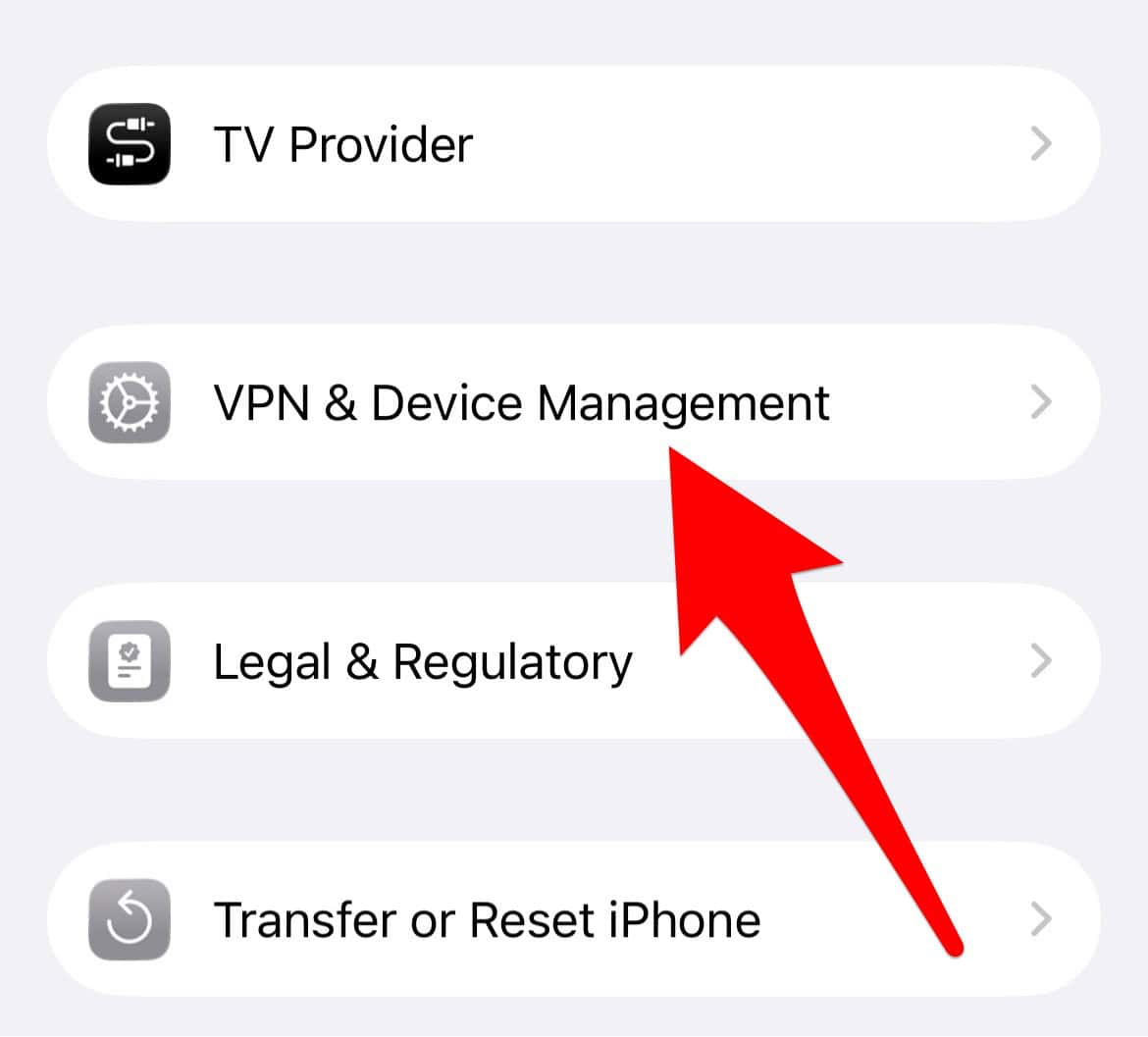
- Tap your iOS Beta Profile and choose Remove Profile.
- Restart your iPhone and check Software Update again.

If you want to step off beta entirely, see our full guide on downgrading from iOS 26 to iOS 18.
4. Check Apple’s Servers
When updates like iOS 26.2 launches, millions of iPhones are trying to download it at the same time. If the update isn’t showing, Apple’s servers might be overloaded. Waiting a few hours—or even until the next day—usually fixes it.
5. Use Finder or iTunes to Update Manually
If it’s still not showing up:
- Connect your iPhone to a Mac or PC.
- Open Finder (macOS Catalina or later) or iTunes (Windows/older macOS).
- Select your device in the sidebar.
- Click Check for Update.

- Install iOS 26.2 directly from your computer.

This method is also useful if you plan to manually restore or downgrade.
6. Free Up Storage Space
The iOS 26.2 installer is large, and it can even go over 12GB, depending on when you last updated your iPhone. If you’re low on storage, the update won’t appear. Head to Settings → General → iPhone Storage and clear space. Deleting old videos, apps, or even moving photos to iCloud can help.

FAQ
Because Apple dropped support for those models. You’ll keep getting security patches, but you won’t get iOS 26.x’s new features like Liquid Glass.
Yes, but only if your iPhone is supported and Apple is still signing iOS 26.2. You’ll need Finder or iTunes to install the IPSW file manually.
Not at all. In fact, some people prefer waiting for iOS 26.2 to squash early bugs before updating.
Recap
- Confirm your iPhone supports iOS 26.2.
- Back up your device.
- Restart and check for updates again.
- Remove any beta profiles.
- Update manually via Finder/iTunes if needed.
- Free up storage and wait if Apple’s servers are busy.
Conclusion
If the iOS 26.2 update isn’t showing up, don’t panic. It usually comes down to one of three things: compatibility, profiles, or timing. Once you’ve worked through the steps, you’ll be ready to install Apple’s latest update and enjoy everything new, from custom app icons to spatial scenes and the refreshed Camera app.


The fun for me started today after havin installed the 26.3 Beta update. My Sennheiser TWS Momentum 4 are connected but do not play anything.
When I disabled VPN the button showed up for me
wow – great website!! my 1st time at this website, found while trying to fix same iphone touch screen problem that i now see many others having. besides good help with that problem, MacObserver also alerted me to add’l things to check on both my iphone & ipad related to iOS26. THANK YOU MACOBSERVER!! have bookmarked you for future help!! I’m gettin too old for this crap….