

iOS 27 lets you pause location sharing with one person without turning off sharing for everyone. This is useful when you want a temporary break while keeping Find My active for family members, devices, and other trusted contacts.
Apple’s location-sharing guidance confirms that sharing can be managed per person through Find My, Messages, or Maps. In iOS 27, Find My adds a timed pause for an individual contact, while Stop Sharing My Location remains the permanent option.
A pause affects what that contact can see across Apple apps that use the same Find My relationship. Apple calls the command Hide Location, and sharing resumes automatically the next day. It does not turn off Location Services, disable Find My iPhone, or prevent you from locating your own devices.
Don’t miss the best of The Mac Observer
Set us as a preferred source and our Apple reporting ranks higher in your Google Search results and Discover feed — one tap, no account changes.
Pause or stop sharing your location
Use a timed pause when you want sharing to resume automatically. Use Stop Sharing My Location when you want the relationship to remain off until you manually start it again.
Pause sharing with one person in Find My
The People tab shows each contact who can receive your location. Select the individual rather than changing the global Share My Location switch.
- Open the Find My app on your iPhone.
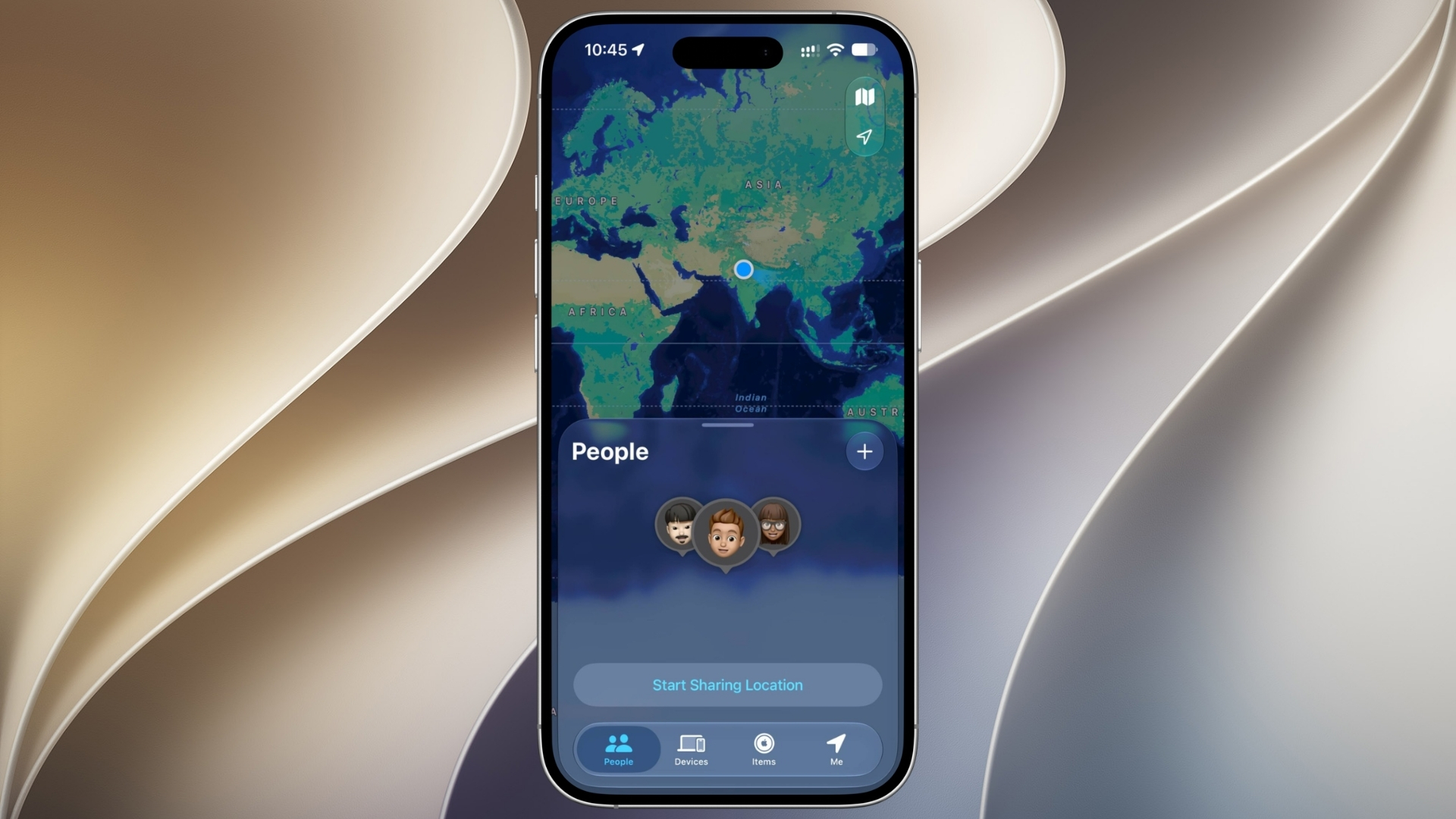
- Tap People at the bottom of the screen.
- Select the person whose access you want to pause.
- Tap the More button.
- Tap Hide Location.
- Return to the People list and check that the temporary status appears for the correct contact. Sharing automatically resumes the next day.

Stop sharing with one person indefinitely
Use this route if no timed pause appears or if you do not want sharing to resume automatically.
- Open Find My and select People.
- Tap the person’s name.
- Scroll down and tap Stop Sharing My Location.
- Tap Stop Sharing Location to confirm.
- Review the People tab to make sure you changed the intended contact only.
Review sharing with Safety Check
If personal safety is involved, Safety Check provides a broader review of people, apps, and information that can access your data.
- Open Settings and tap Privacy & Security.
- Tap Safety Check.
- Choose Manage Sharing & Access to review people individually, or Emergency Reset when you need to stop sharing broadly and immediately.
- Follow the onscreen review and update account security when prompted.
For related background, read our guides to using Find My for another person and adding devices to Find My.
Tips
Location privacy changes can affect personal relationships and safety, so confirm both the selected person and the duration before finishing.
- Use the individual contact controls instead of turning off Share My Location for everyone.
- Remember that deleting Find My does not automatically stop an existing sharing relationship.
- Check Messages and Maps if you originally started the location share there.
- Use Safety Check when you are concerned about unwanted access beyond location alone.
- Reopen Find My the next day to confirm that sharing resumed as expected.
FAQs
Will the other person be notified when I pause sharing?
Apple’s behavior can vary by software version and the method used. The person may notice that your location is unavailable, and earlier systems may show a Messages notice when sharing stops. Do not rely on the change being invisible.
Does pausing one person affect Family Sharing?
The individual pause targets the selected person. Other contacts should keep their existing access, although you should verify the People tab after making the change.
What if Hide Location does not appear?
Confirm that the iPhone is on iOS 27 and that you selected a person who currently receives your location. You can use Stop Sharing My Location as the documented fallback, then start sharing again later.
Does turning off Location Services do the same thing?
No. Turning off Location Services affects many apps and system features. The person-specific Find My control is narrower and leaves device tracking and other location services available.


Discussion