

Low Power Mode on Apple Watch reduces battery consumption by limiting certain features while keeping core functions active. It can be enabled through the Control Center, the Settings app, or the Watch app on iPhone. Turning it on helps extend battery life during long days, travel, or outdoor activities where charging is not available. So, let’s jump into the steps below, which explain every reliable way to activate Low Power Mode on any Apple Watch model.
Table of contents
What Is the Low Power Mode
Low Power Mode works on Apple Watch models running watchOS 9 or later. The feature reduces background activity, disables some sensor-heavy tasks, and limits always-on elements to conserve battery power. Activating it does not stop essential features like notifications, activity tracking, or heart rate readings, but it adjusts how often they update. General watchOS behavior is also described in this overview of Apple Watch functions.
Here’s How to Turn on Low Power Mode on Apple Watch
1. Turn on Low Power Mode from Control Center
A quick way to enable Low Power Mode is by using the Control Center.
Don’t miss the best of The Mac Observer
Set us as a preferred source and our Apple reporting ranks higher in your Google Search results and Discover feed — one tap, no account changes.
- Swipe up on the watch face to open Control Center.
- Tap the battery percentage tile.
- Toggle Low Power Mode on.
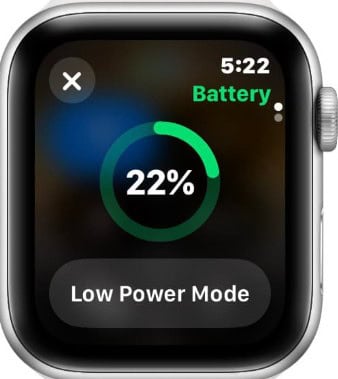
- Confirm the prompt.

This activates battery-saving adjustments immediately.
2. Enable Low Power Mode from Settings
If you prefer using Settings, it only takes a few steps.
- Press the Digital Crown.
- Open Settings.
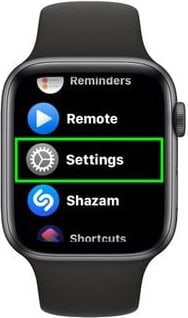
- Tap Battery.
- Turn on Low Power Mode.
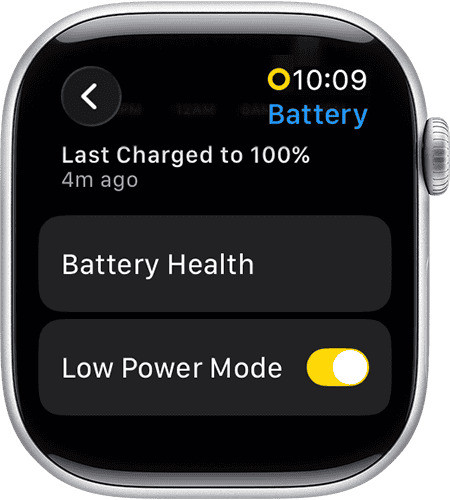


This provides direct access to the battery controls built into watchOS.
3. Turn on Low Power Mode from the iPhone Watch app
Low Power Mode can also be enabled from the paired iPhone.
- Open the Watch app.
- Tap Battery.
- Toggle Low Power Mode on.
This is useful when the watch is not on your wrist.
4. Set Low Power Mode for workouts
Low Power Mode can help extend battery life during long workouts.
- Open Settings on Apple Watch.
- Tap Workout.
- Turn on Low Power Mode.
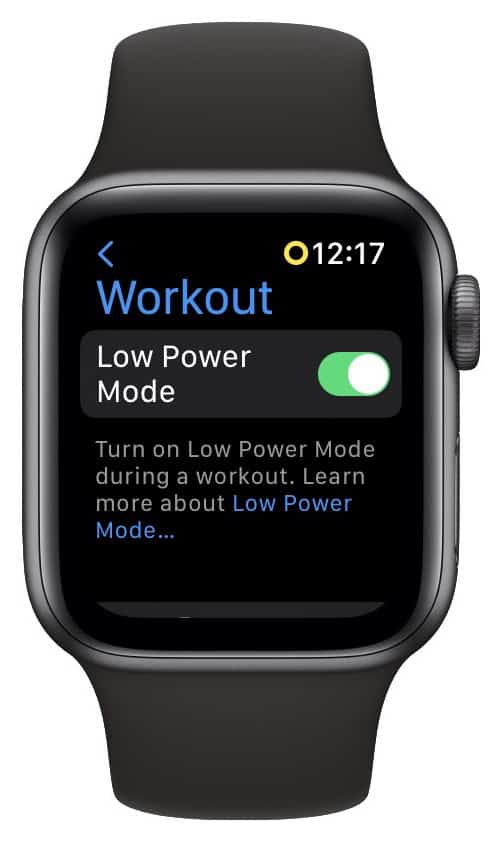

This reduces sensor usage while keeping tracking active.
Additional Tips
• Keep watchOS updated for the latest battery enhancements.
• Use Theater Mode and Reduce Motion if you need additional savings.
• Turn off Always On Display for more battery life.
• Charge the watch briefly throughout the day to keep levels stable.
Conclusion
Low Power Mode is a simple tool that helps extend battery life by adjusting non-essential functions while keeping core features active. It can be turned on quickly through Control Center, the Settings app, or the Watch app on iPhone. With the right configuration, the watch remains functional throughout long days and extended use.
FAQs
No. Essential tools like notifications, activity tracking, and heart rate readings still work.
Yes. It can remain enabled until you manually turn it off.
It limits some features, but distance, pace, and calories still work.
Notifications continue but may update less frequently.



Discussion