

Choosing the right email client is key. It helps manage your digital communication efficiently. Apple Mail is the default option for macOS users. It is highly integrated. Thunderbird, by Mozilla, is a powerful alternative. It is open-source. Both offer strong features. Their approaches differ greatly. They vary in integration, flexibility, and platform support.
Table of contents
Comparing Apple Mail vs Thunderbird
Features
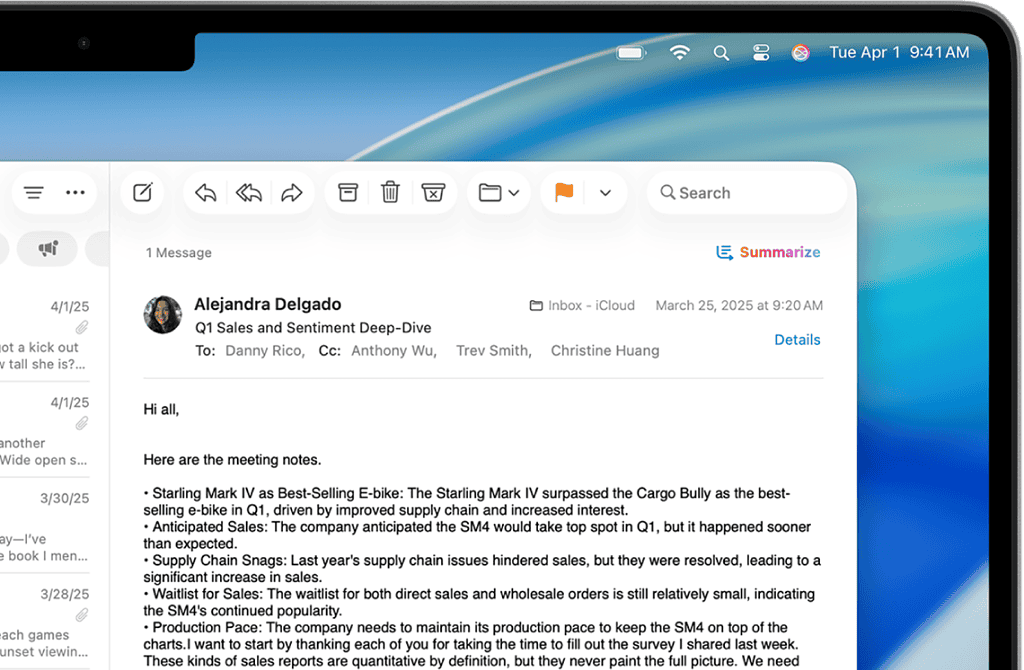
Apple Mail integrates well with the Apple ecosystem. This includes iCloud, Siri, and Contacts. It also works with the Calendar applications. Its core functionality is simple. It offers Mail Drop for large attachments. It also has VIP sender lists. This tool is frictionless for the typical Apple user.
Thunderbird handles multiple accounts effectively. Furthermore, it offers advanced features. These include a robust chat client. It also has the integrated calendar extension, Lightning. It supports open standards thoroughly. It is a central platform. Users manage email, newsfeeds, and chat protocols here. Thus, it acts as a very capable hub.
Don’t miss the best of The Mac Observer
Set us as a preferred source and our Apple reporting ranks higher in your Google Search results and Discover feed — one tap, no account changes.
User Experience
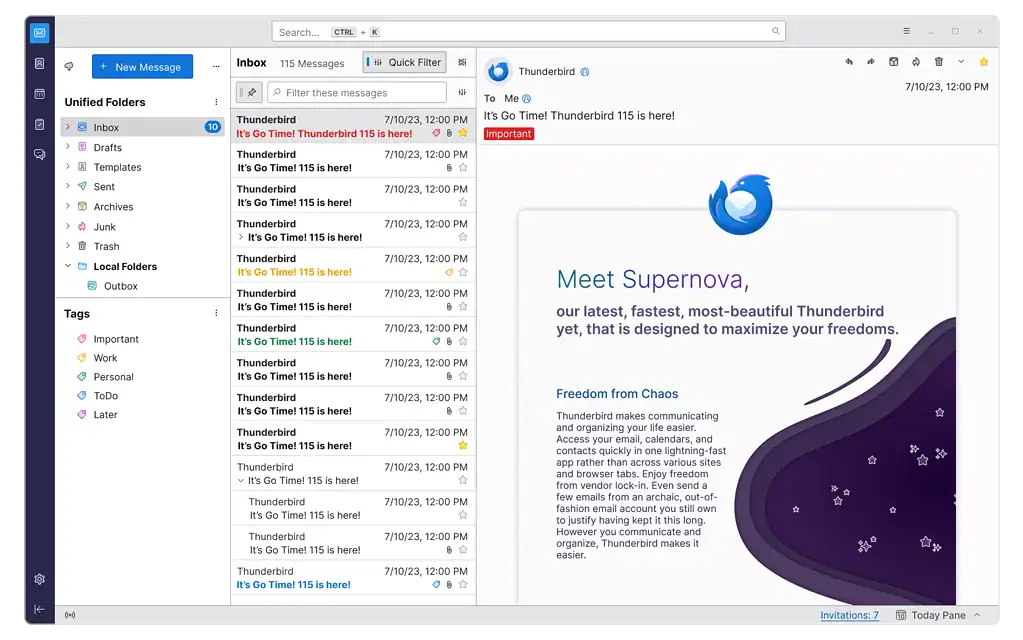
Apple Mail focuses on simplicity. It also provides a polished aesthetic. It matches the standard macOS design. The learning curve is very small. Its interface is intuitive. It is consistent with other Apple apps. For a smooth Mac experience, start with the default app. Check its performance before looking for best Apple Mail client alternatives.
Thunderbird offers a functional interface. However, it is less sleek. Its design is more practical. It focuses on information density. It prioritizes power-user access. The interface can look older. Yet, its cross-platform nature helps. It gives a consistent experience on Windows, macOS, or Linux.
Customization
Apple Mail allows limited customization. It mainly covers basic layout options. Users can change font choices and signatures. This design maintains simplicity. It prevents the client from becoming too complex. This ensures overall ease of use.
Conversely, Thunderbird is highly customizable. This shows its open-source background. Users modify its look and functions extensively. They use numerous extensions and themes. Many add-ons are available. This control lets users tailor the client exactly. It meets their specific workflow needs.
Privacy
Apple Mail privacy connects to Apple’s policies. It includes Mail Privacy Protection. This feature hides a user’s IP address. It also blocks tracking pixels. The application is not open-source. However, Apple does not sell user data. This builds trust in its privacy stance.
Thunderbird is open-source. Therefore, its code is public. This offers great transparency. Users avoid proprietary tracking methods. They directly control their data storage. They also manage data processing. Consequently, privacy advocates often prefer it.
Security and Encryption
Apple Mail supports standard encryption protocols. It includes S/MIME support natively. Setting up an account is easy. You can quickly add an an account to Apple Mail. Then, you start using secure connections. Its security relies deeply on macOS features.
Thunderbird includes native OpenPGP support. It also uses S/MIME for encryption. Developers update it often. They address new security issues quickly. When comparing Apple Mail vs Gmail, security is vital. Feature sets are also important factors. Thunderbird often stands out. It has a strong, community-driven security model.
Key Differences: Apple Mail vs Thunderbird
| Feature | Apple Mail | Thunderbird |
| Platform | macOS, iOS, iPadOS | Windows, macOS, Linux |
| Open Source | No (Proprietary) | Yes (Open Source) |
| Integration | Deep (Apple Ecosystem) | Moderate (Via Extensions) |
| Customization | Limited | Extensive (Via Add-ons) |
| Sleekness | High | Utilitarian |
FAQ
No, Apple Mail is only for Apple systems. You can access your account through a web browser. Or, you can set up another client, like Thunderbird.
Yes, Thunderbird is a free application. It is also open-source. Mozilla maintains it. Donations support its ongoing development.
Choosing Your Ideal Email Client
The best choice depends on your priorities. Choose Apple Mail for deep integration. Pick it for a clean Mac interface and simplicity. Conversely, choose Thunderbird for cross-platform use. Select it for extensive customization via add-ons. It also offers open-source transparency. Furthermore, if you ever need to access your Apple Mail on Windows, you will use a web-based connection or a third-party client.




Discussion