

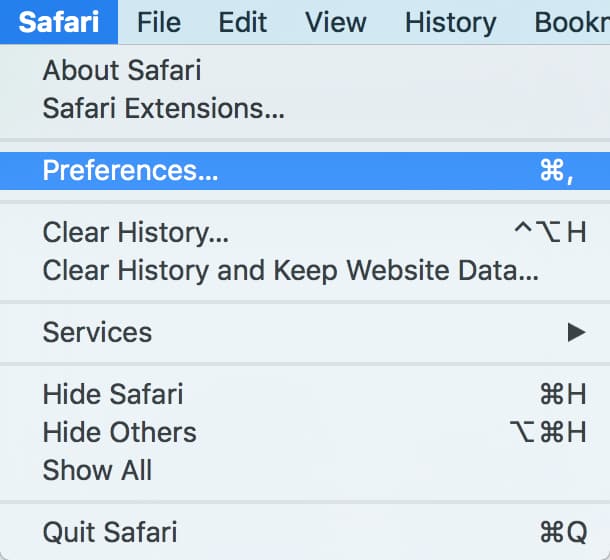
Though it happens less often these days than it used to, I still occasionally run across websites that work better in Firefox or Chrome than in Safari. Luckily, Safari’s got a little hidden menu option that makes trying a page in another browser a breeze! To turn this nifty feature on, what you’ll do is click on the Safari menu at the upper-left corner of your screen and choose “Preferences.” Then pick the Advanced tab.

Under that, toggle on the checkbox labeled “Show Develop menu in menu bar.”

Once you do, there’ll be an extra menu at the top of your screen. Under the new “Develop” option, you’ll now get the choice to open your page with the other browsers installed on your Mac.

I find this especially handy for troubleshooting, as this makes it a snap to check if the problem could be your browser. And hey, it sure is much faster than copying and pasting!
Don’t miss the best of The Mac Observer
Set us as a preferred source and our Apple reporting ranks higher in your Google Search results and Discover feed — one tap, no account changes.


Too bad they just didn’t put the Open With command in the File pulldown menu. Great tip Melissa. There’s still a lot of sloppy untested web page design.
FYI… if you have Parallels installed, it will also recognize the browsers of the running VM. Since I have an Ubuntu VM running, I have the option of opening this page in Firefox or Chrome under Ubuntu since that VM is running. When I develop webpages, I have the Win7 VM running I can use it test the pages using IE10.
I don’t know if this works with VMWare since I am a Parallels user!
You get an extra piece of cake tonight. The times I’ve needed this is beyond counting and this will save a LOT of time. Thanks.