

Have you tried the latest visionOS 2 Beta? While the spotlight might be on iOS 18 and iPadOS 18, the visionOS 2 is nothing to scoff at. It’s the second major OS update for Apple Vision Pro. As expected, it promises to bring a whole new spatial computing experience. You can test new features like creating spatial photos from existing images, using new hand gestures to navigate, and personalizing your Home View by rearranging apps. Here’s how to update your AVP.
How To Download And Install visionOS 2 Dev/Public Beta
To access the beta versions of visionOS, you must enroll in the Apple Beta Software Program. Additionally, make sure you sign in to your Apple Pro using the same Apple ID that you registered.
 NOTE
NOTE
- Open Settings and go to General.
- Then, select Software Update.
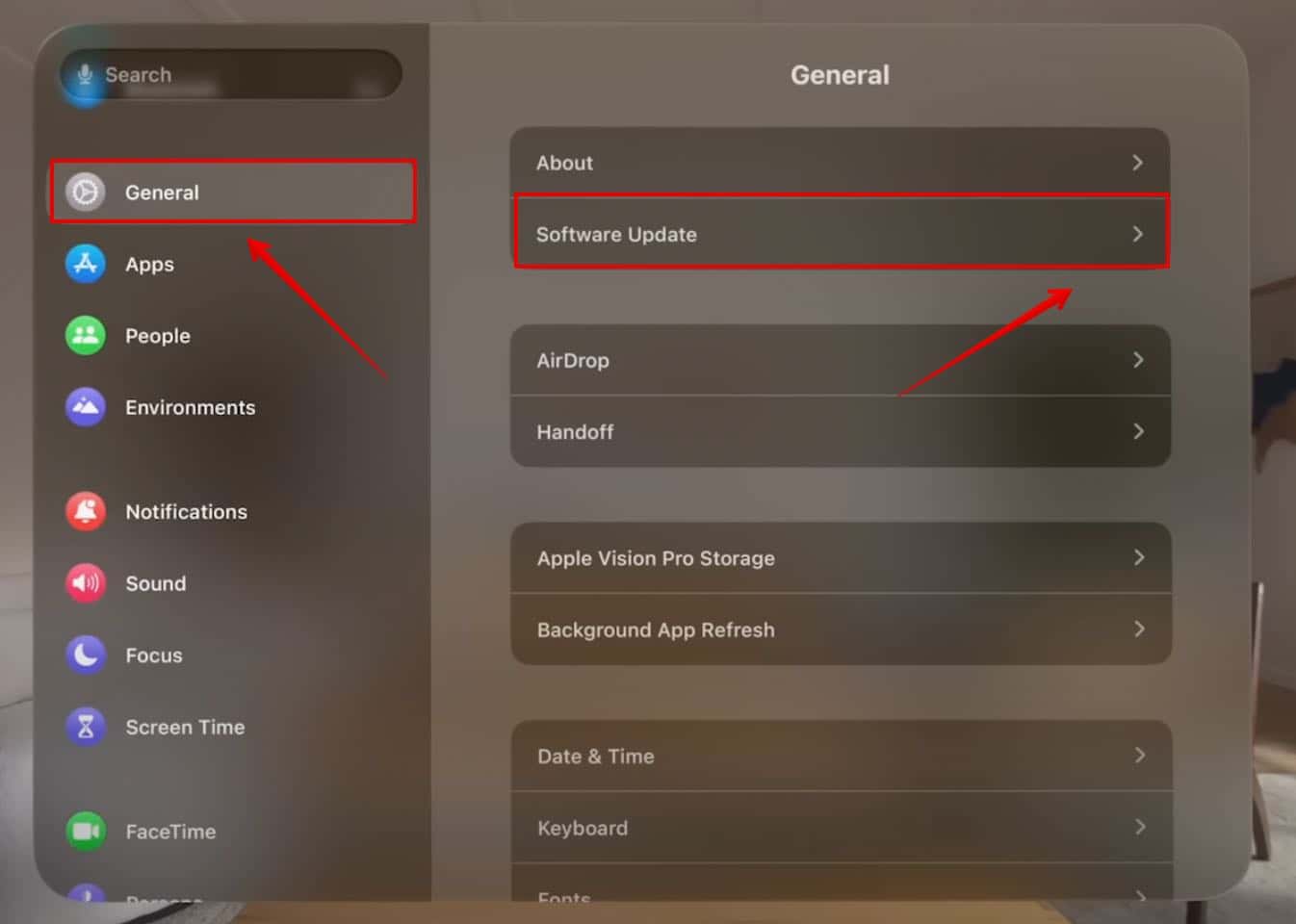
- Now, open Beta Updates.
- Choose visionOS 2 Developer Beta or visionOS 2 Public Beta.
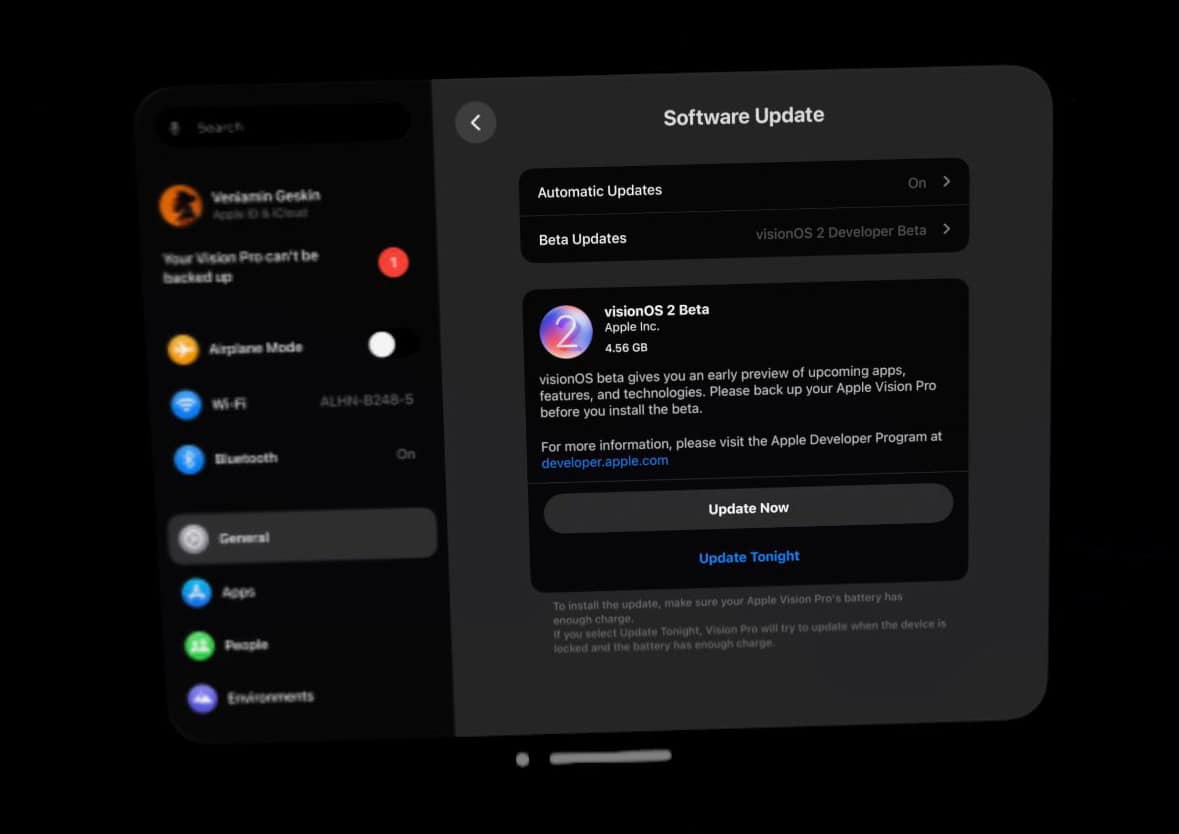
Image Credits: Beta Profiles - Wait for the system to check for the new update.
- Tap on Update Now.


The device will now restart and you can test the new changes. Furthermore, as a member of the Beta Software Program, you can install other beta versions of iOS, watchOS, macOS, and tvOS.
Don’t miss the best of The Mac Observer
Set us as a preferred source and our Apple reporting ranks higher in your Google Search results and Discover feed — one tap, no account changes.


Discussion