

Hey, remember this little guy?

Don’t miss the best of The Mac Observer
Set us as a preferred source and our Apple reporting ranks higher in your Google Search results and Discover feed — one tap, no account changes.
That’s right—you can get the old Software Update app back in your Dock. Why would you want to? Well, this’ll give you a one-click way to check for updates, which is faster than using the App Store and clicking on the proper tab. And heck, it’s WAY faster than using the Apple Menu to check for updates if you don’t keep the App Store in your Dock. Plus, doesn’t it give you warm-and-fuzzy nostalgia for versions of macOS gone by? It sure does for me.
Anyhow, if you wanna put this in your own Dock, it’s easy! Start by clicking on the Finder icon on the left side of your Dock to activate that program, and then click on the “Go” menu at the top and choose “Go to Folder.”
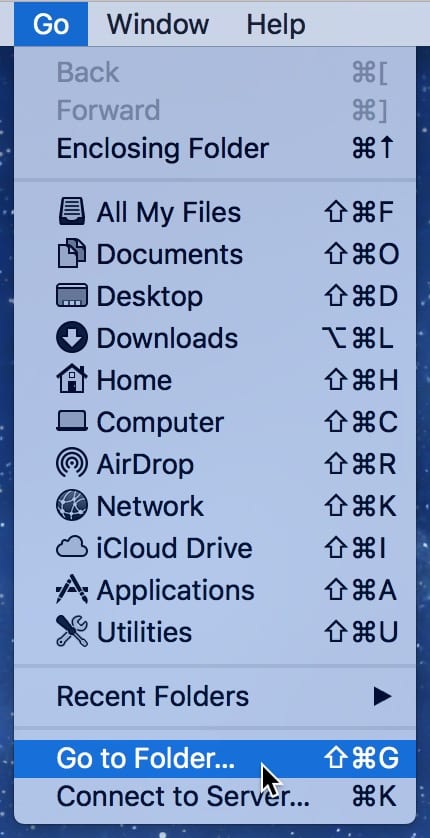
Then you’ll type or paste the following in the box that appears:
/System/Library/CoreServices
Like so:

Press “Go” there, and when the CoreServices folder opens, look for the Software Update app, then just drag it down and drop it in your Dock.

And that’s it! One-click update-checking, plus gooey memories of How Things Used to Be. Makes me pretty happy in a weird sort of way.


Aw, thank YOU, BlackCorvid! This made me happy, so I thought it might make you all happy, too. 🙂
That’s a beautiful thing, Melissa. Thank you.