

If you want to add an Apple Watch to a family member who doesn’t have their own iPhone, you can join a family plan using the Family Setup feature. Follow these steps to configure the watch via your iPhone and enroll it in a shared family plan.
Table of Contents
How to Join a Family Plan With Apple Watch
1. Check Requirements Before Starting
You’ll need an Apple Watch Series 4 or newer with cellular (or Apple Watch SE cellular), running at least watchOS 7. You also need an iPhone 6s or newer with iOS 14 or later. Both you and the family member must each have separate Apple IDs, and be part of the same Family Sharing group with you set as organizer or parent/guardian. Two‑factor authentication must be enabled on both accounts. A cellular plan is needed if you want full connectivity.
2. Pair the Apple Watch Using Your iPhone
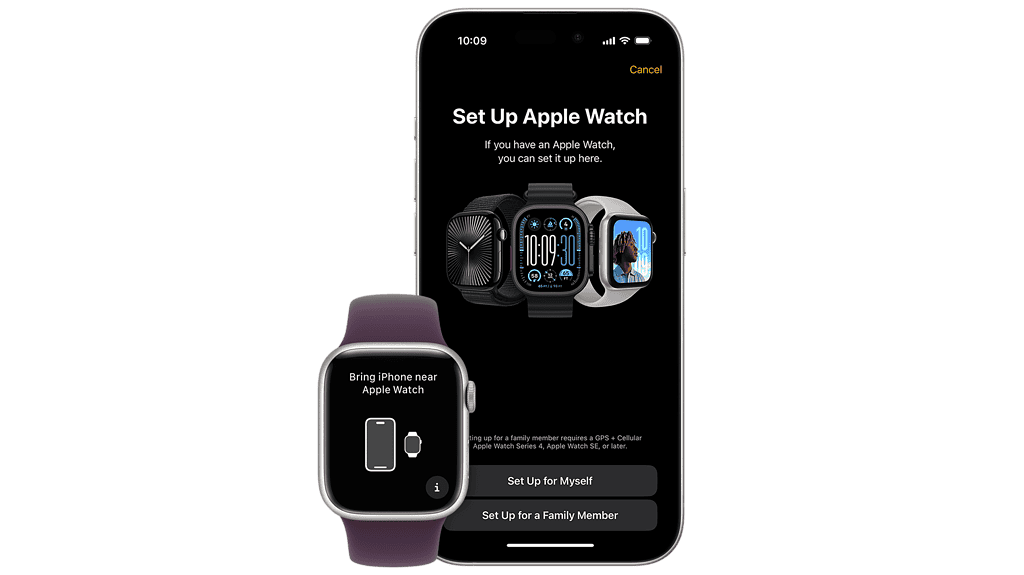
Power on the Apple Watch by holding the side button until the Apple logo appears. Hold the watch close to your iPhone. When Use your iPhone to set up this Apple Watch appears, tap Continue. In the Watch app, go to All Watches > Add Watch > Set Up for a Family Member > Continue. Then use the camera to pair the devices (or choose manual pairing if needed).
Don’t miss the best of The Mac Observer
Set us as a preferred source and our Apple reporting ranks higher in your Google Search results and Discover feed — one tap, no account changes.
3. Select the Family Member and Configure Settings
After pairing, choose the family member who will use the Apple Watch. If they aren’t listed, tap Add Family Member and sign in with their Apple ID. After that, start configuring the Apple Watch according to the on-screen instructions.
You can enable parental controls like Ask to Buy for app downloads. Then decide whether to set up cellular (if supported), share Wi‑Fi, and configure options such as location sharing, emergency contacts, health and activity tracking, and communication permissions. Optionally, set up school‑time restrictions and shared contacts through Screen Time.
4. Manage the Watch from Your iPhone
FAQ
To use Family Setup, you need an Apple Watch Series 4 or newer with cellular, an iPhone 6s or newer, and both accounts should be part of the same Family Sharing group with separate Apple IDs.
While you can set up Family Setup without a cellular plan, some features, like calling and messaging, require a cellular plan on the Apple Watch.
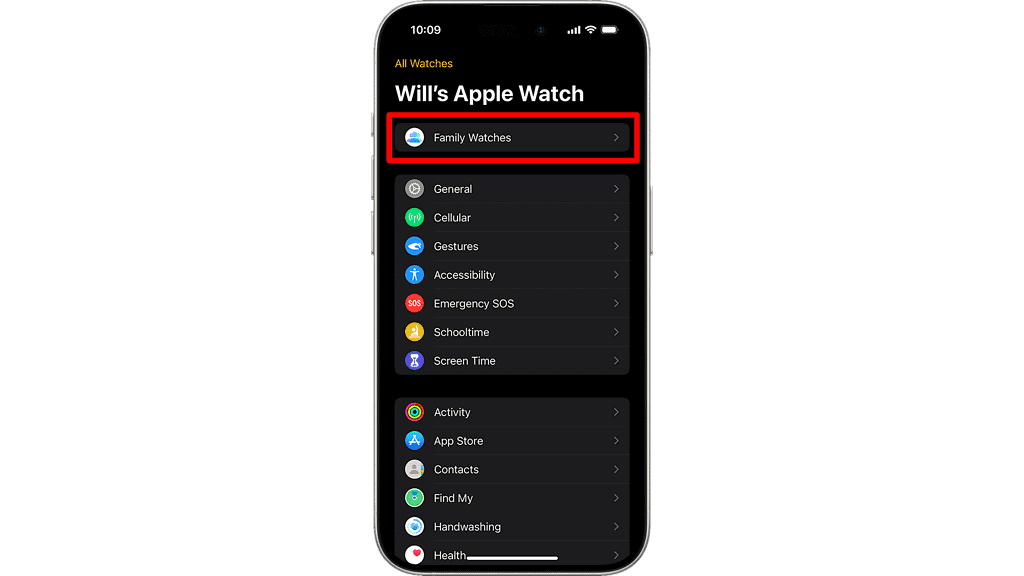
Yes, once set up, you can manage settings, control features, and track health and activity remotely through the Watch app on your iPhone.
Summary
To join a family plan with an Apple Watch, use the Family Setup process. This lets a family member enjoy Apple Watch features even without owning an iPhone:
- Verify requirements
- Pair the watch via your iPhone
- Select the family member and configure settings
- Manage the watch remotely from your iPhone.
Getting a family member set up with an Apple Watch is straightforward. With Family Setup, you can provide them with the benefits of an Apple Watch, even if they don’t own an iPhone. With full parental control, location tracking, and activity monitoring features, the Apple Watch becomes a powerful tool for family use.




Discussion