

It’s not hard finding an Apple App store app that promises to clean your hard drive and speed up your Mac with the touch of a button. That, or you can rely on native macOS tools that don’t always deliver in the ways you hope. There can be a lot of options out there when it comes to taking care of your Mac, and CleanBuff is here to cut itself away from the rest.
After spending some time with CleanBuff, I’ve come to appreciate the app’s simple controls and clean design, and its capabilities as an organizer, performance enhancer, and health tool have caught my attention. It’s a solid blend of automation and user control, giving users some rather powerful tools while allowing them to still have control makes this a rather approachable app.
CleanBuff at a Glance
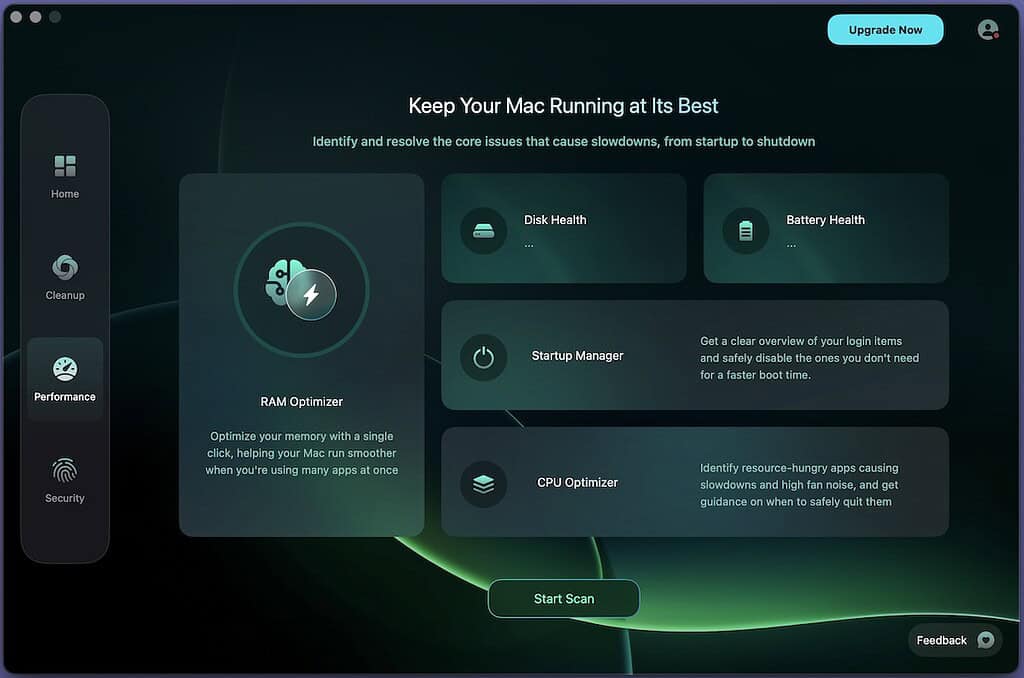
CleanBuff focuses on three areas of your Mac: storage, health, and speed. In terms of storage, CleanBuff looks for duplicate items, junk, and overly large folders to help keep your storage space tidy. As someone that finds themselves creating an assortment of seemingly random images on a daily basis, this alone caught my interest. However, there’s also speed up tools that provide options like managing your startup tools or keep your performance in check.
It’s also worth noting that CleanBuff also provides you with metrics about the health of your Mac, such as how your battery is doing or if your storage is about to become full, all without performing changes in the background. Optimize your RAM for keeping your workloads in check, or just free-up some memory that’s gone inactive. In short, it’s got some features that can make for some good housekeeping, and I wanted to take it for a test drive to see how it all handled.
Don’t miss the best of The Mac Observer
Set us as a preferred source and our Apple reporting ranks higher in your Google Search results and Discover feed — one tap, no account changes.
Cleaning Your Mac On Your Own Terms

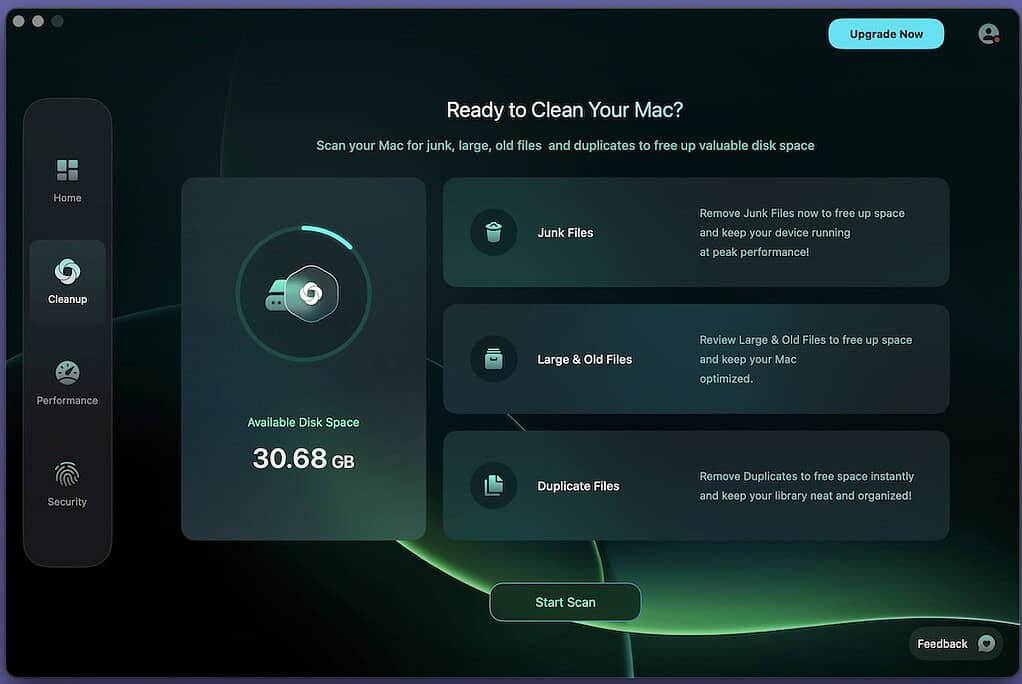
Running CleanBuff off my M4 MacBook Air, I first wanted to see how well it handled eliminating system junk. As mentioned, I frequently move through a lot of files — especially product images — so no doubt random little files are scattered throughout the folders on my device. That’s not even considering app caches and superfluous system files. On my first runthrough, I was pleasantly surprised.
Performing the scan was rather straightforward, and the results were presented clearly. I appreciated how CleanBuff walked me through the process, showing me what files it suggested I delete. That’s a pretty nice thing about it, as CleanBuff never deletes anything automatically, and there’s even options to undo actions should you need it.
Being able to select what I wanted to eliminate and keep was rather nice, and the process was rather straightforward. It found a variety of weird, random little files I had completely forgotten about, and it freed up some additional space, which is rather nice considering I mistakenly went with the 256GB model, meaning any and every file eventually becomes a nuisance to me. It’s also worth remembering that CleanBuff is notarized by Apple, so the files you want are safe.
System Information and Viable Resources
Naturally, it isn’t just about getting rid of the fluff, as I found the additional aspects of CleanBuff to be rather useful as well. There’s plenty of apps available online that promise to “boost” your Mac, but CleanBuff actually focuses on the capabilities and hardware within your machine. Being able to monitor my startup data or track my CPU and RAM usage beyond what Activity Monitor provides is pretty nice. It gives me some additional information I may not have known, and I can base my decisions off actual data.
You’d be surprised at what apps can eat up your CPU, at least I certainly was. For me, it was my internet browser that surprised me the most. Though it wasn’t too surprising as I love keeping multiple windows open for days if not weeks on end. It’s good for eliminating background strain, and it’s rare that anyone suffers from having too much information about their Mac.
Of course, now’s as good a time as any to dip back into the UI of CleanBuff, as I really like the overall aesthetics and presentation. It’s got a distinct style that works well with the feel of my MacBook without feeling like an imitator. Though I somewhat consider myself a professional user, there’s still plenty of resources for beginners, including a FAQ section along with a help center that’s got a fair amount of documentation and even a way to contact the company.
The Pros and Cons of CleanBuff
After playing around with the software and exploring some of my options, I find it to be rather suitable for what it does. The security of keeping the user in control ensures nothing personal ever gets removed, and I’m still a big fan of nothing being deleted automatically. The performance insights can also be useful for a variety of situations — whether that’s attempting to diagnose a problem or simply keeping your system in-check, and overall I think the design can work for newbies and the pros.
On the flip side of things, it’s not a perfect experience, though few things are. Something to remember is that CleanBuff isn’t a miracle worker — it’s not going to completely overhaul your system in just a few taps. There’s still some diligence on your end, and what you do with certain information is up to you, but the right information is available to get you going. There’s also the issue that it requires macOS 13 (Ventura) or up, so those looking to clean older systems may be sunk. So keep these things in mind.
Cost and The Final Word
There’s several options when it comes to the cost of CleanBuff, and it really depends on what you’re looking for. There’s monthly and yearly subscription options, though there’s also two different plans: Pro and Essential. This primarily boils down to extra security features in the Pro plan, which can help fix and remove potential security issues, so it’s worth doing your research if you plan on checking out the app — especially if you have concerns with security threats and malware.
However, you are able to cancel a subscription at any time, and CleanBuff also provides a 30-day money-back guarantee, which is always nice. There’s also the ability to try before you buy, as the app includes a 7-day free trial along with an unlimited free version.
At the end of the day, CleanBuff delivers a nice suite of features that doesn’t feel like it’s pulling the wool over your eyes. Between the app’s transparency and overall security concerning your files and information, there’s a lot of ground this app covers in a way that feels intuitive rather than clunky. It’s a nice middle ground between apps with never-ending menus and apps that seemingly only feature one button, and those that check it out are sure to be happy with it.




Discussion