
Apple has introduced a new Excluded Apps setting in iOS 27.2, giving iPhone users more control over which applications Siri can access and use for personalized responses. The feature also prevents excluded apps from appearing in Search and Siri suggestions, allowing users to manage these permissions from a single location.
The change arrives alongside broader Siri AI personal context improvements, which allow Apple’s assistant to retrieve information from Messages attachments, Calendar events, voicemails, and Safari history. With Siri gaining access to more personal information, the new setting offers users a straightforward way to restrict individual apps.
How Excluded Apps Works in iOS 27.2
Previously, users had to manage several individual settings to limit Siri’s access to applications. With iOS 27.2, Apple has replaced the earlier App Access controls with a centralized Excluded Apps menu, where multiple applications can be restricted simultaneously.
Don’t miss the best of The Mac Observer
Set us as a preferred source and our Apple reporting ranks higher in your Google Search results and Discover feed — one tap, no account changes.
According to Apple’s official iOS 27 release notes:
Excluded Apps lets you choose which apps Siri, Search, and suggestions can access, all from one setting.
By default, Siri can access supported applications and use their information to provide relevant answers or perform actions. Adding an application to the exclusion list prevents Siri from using its content for personalization, accessing its supported actions, or including its information in suggestions.
For example, excluding a messaging application can prevent Siri from retrieving its conversations or performing supported messaging tasks. Similarly, users can restrict work-related applications containing confidential information.
How to Exclude Apps From Siri on iPhone
Apple has placed the new controls directly inside Siri settings, making it possible to restrict several applications together.
- Open Settings on your iPhone.
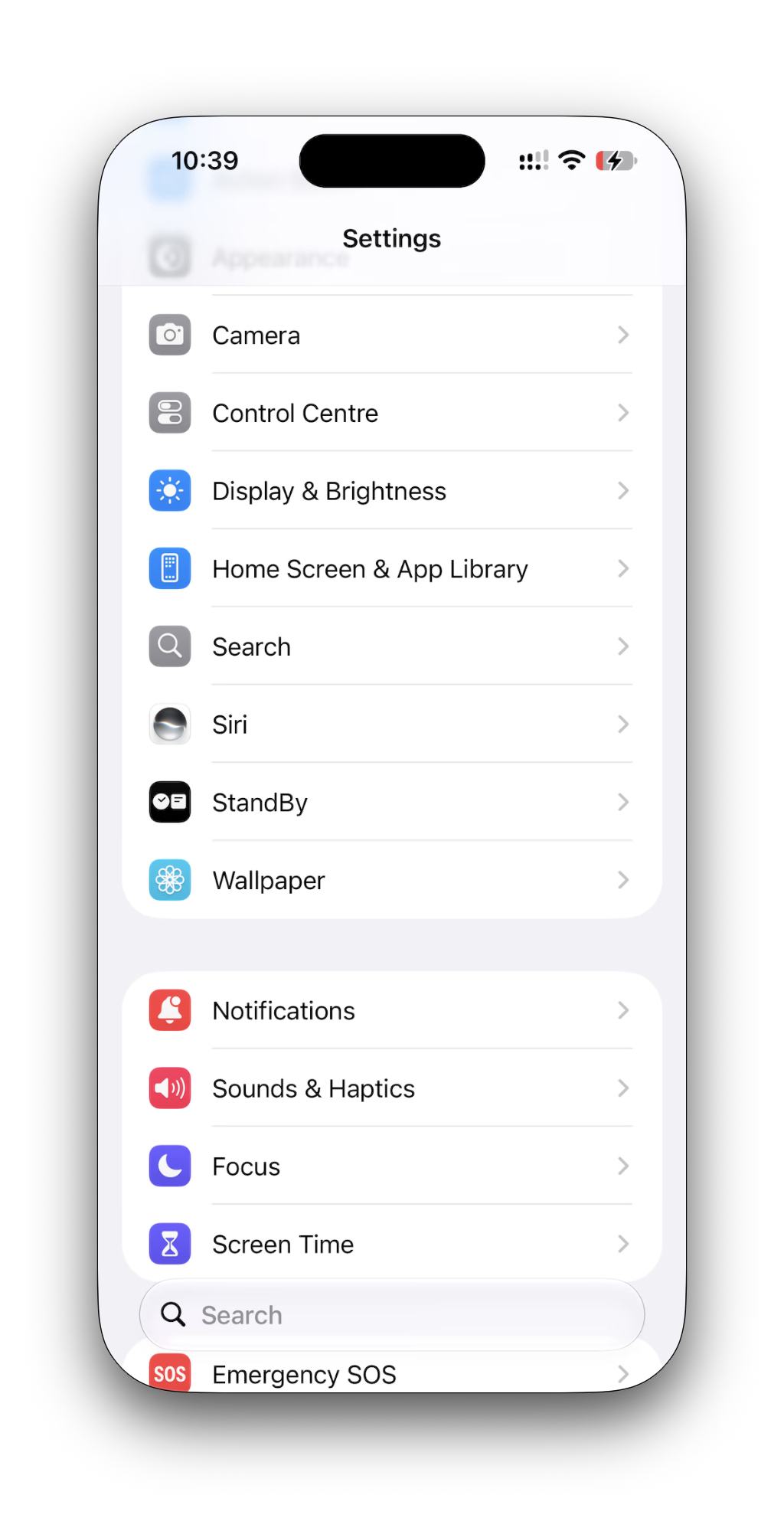
- Scroll down and select Siri.
- Tap Excluded Apps.
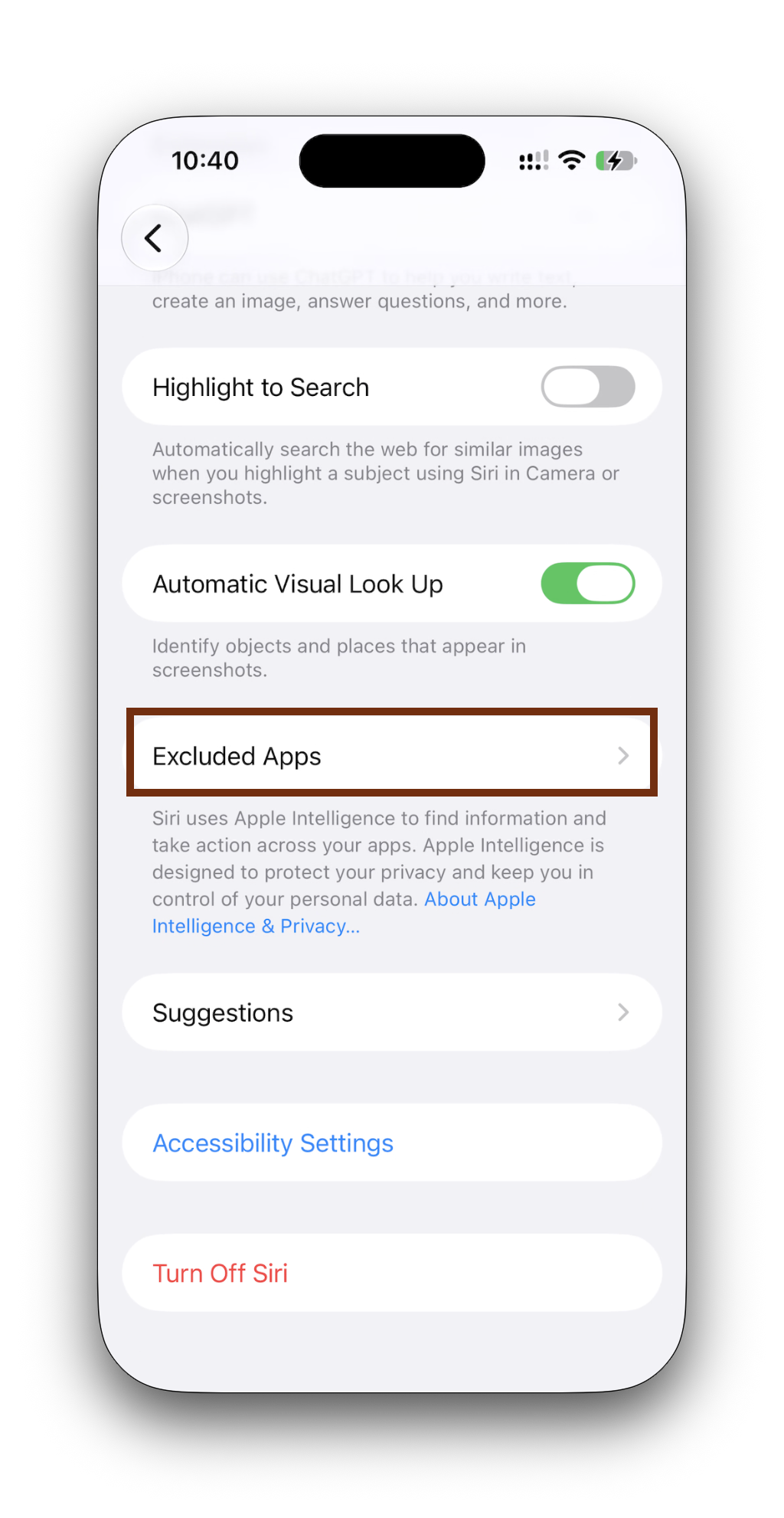
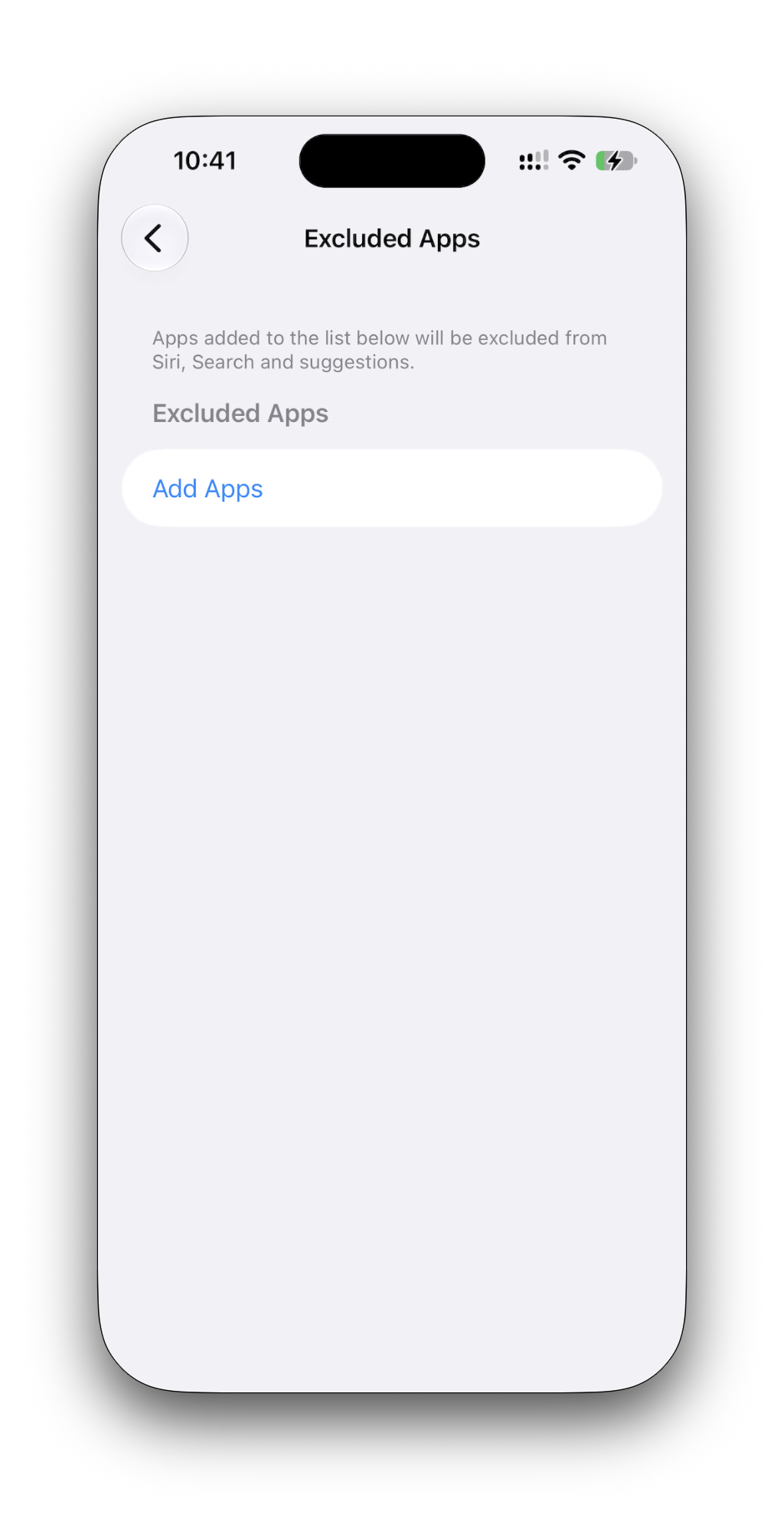
- Select Add Apps to view installed applications.
- Choose the apps you want Siri to stop accessing.
- Tap the blue checkmark to save your selection.
You can restore access by opening Excluded Apps, selecting Edit, tapping the red removal icon beside an application, and confirming the change.
Why the New Siri Privacy Setting Matters
The feature becomes particularly relevant as Siri AI expands its personal context capabilities, including the ability to remember previous conversations and retrieve information across applications.
Apple’s Siri privacy documentation also explains that excluding an application stops its contributed information from being used to personalize Siri or generate suggestions across other apps.
However, restricting an app can also disable related Siri commands and personalized suggestions, so users should consider which features they regularly use before changing access.
The Excluded Apps setting is available with iOS 27.2, which Apple released publicly on October 26, 2026. Advanced Siri AI features continue to require an Apple Intelligence-compatible iPhone, including the iPhone 15 Pro models and iPhone 16 or later.



Discussion