
Apple’s macOS 26 “Tahoe” arrives with Liquid Glass, a system-wide redesign that makes the menu bar fully transparent, rounds window corners, and introduces floating sidebars and toolbars across core apps. It’s a bold swing meant to unify Apple’s platforms — but the rollout is exposing design seams that heavy Mac users can’t unsee.
News
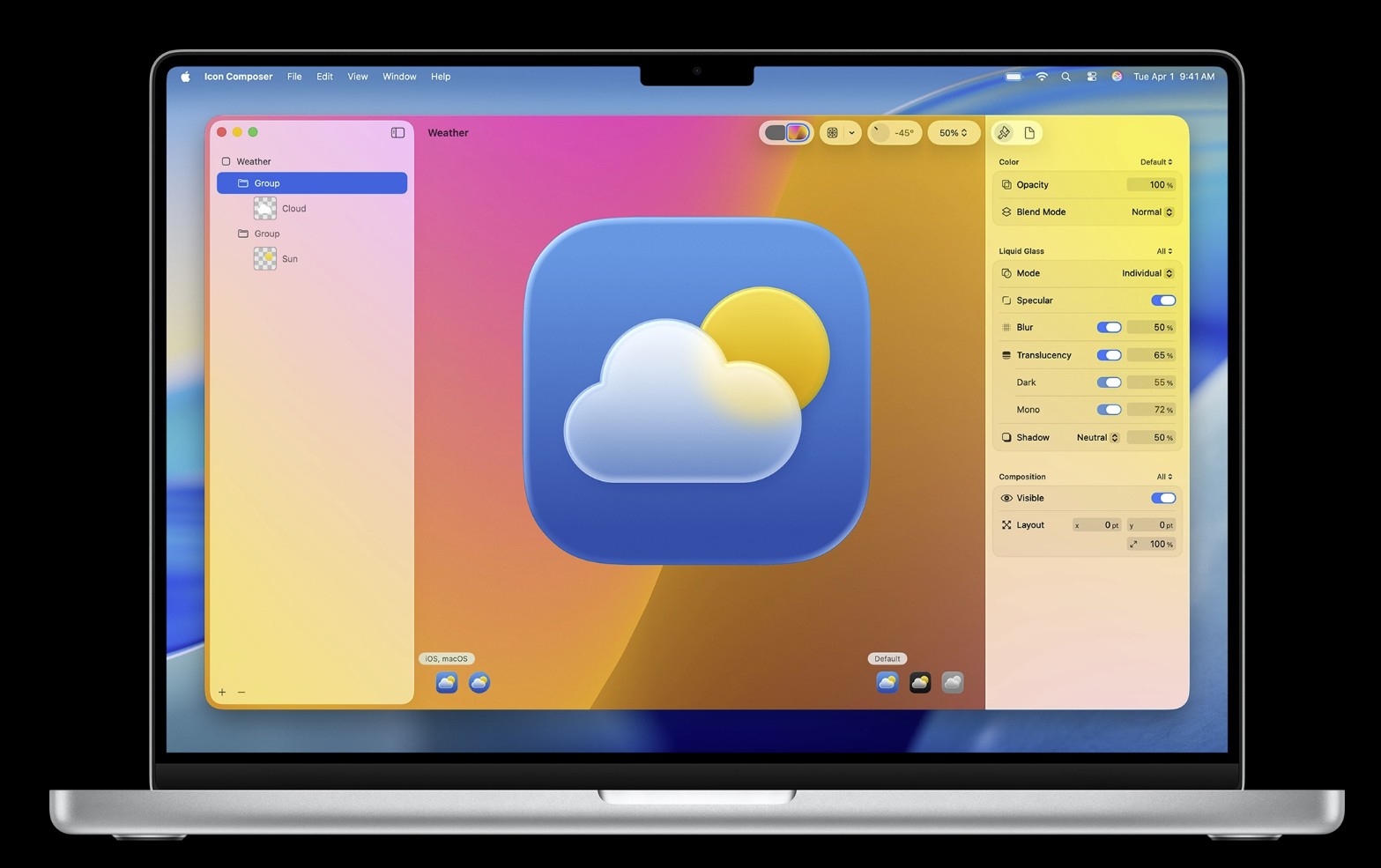
Apple Icon Composer: How to Use
Apple now ships a modern Icon Composer for building Liquid Glass–ready app icons, alongside Xcode’s asset catalogs, iconutil for macOS .icns, and the SF Symbols app for in-app glyphs. We’ll map the whole toolchain, show fast workflows, and flag common App Store Connect pitfalls.
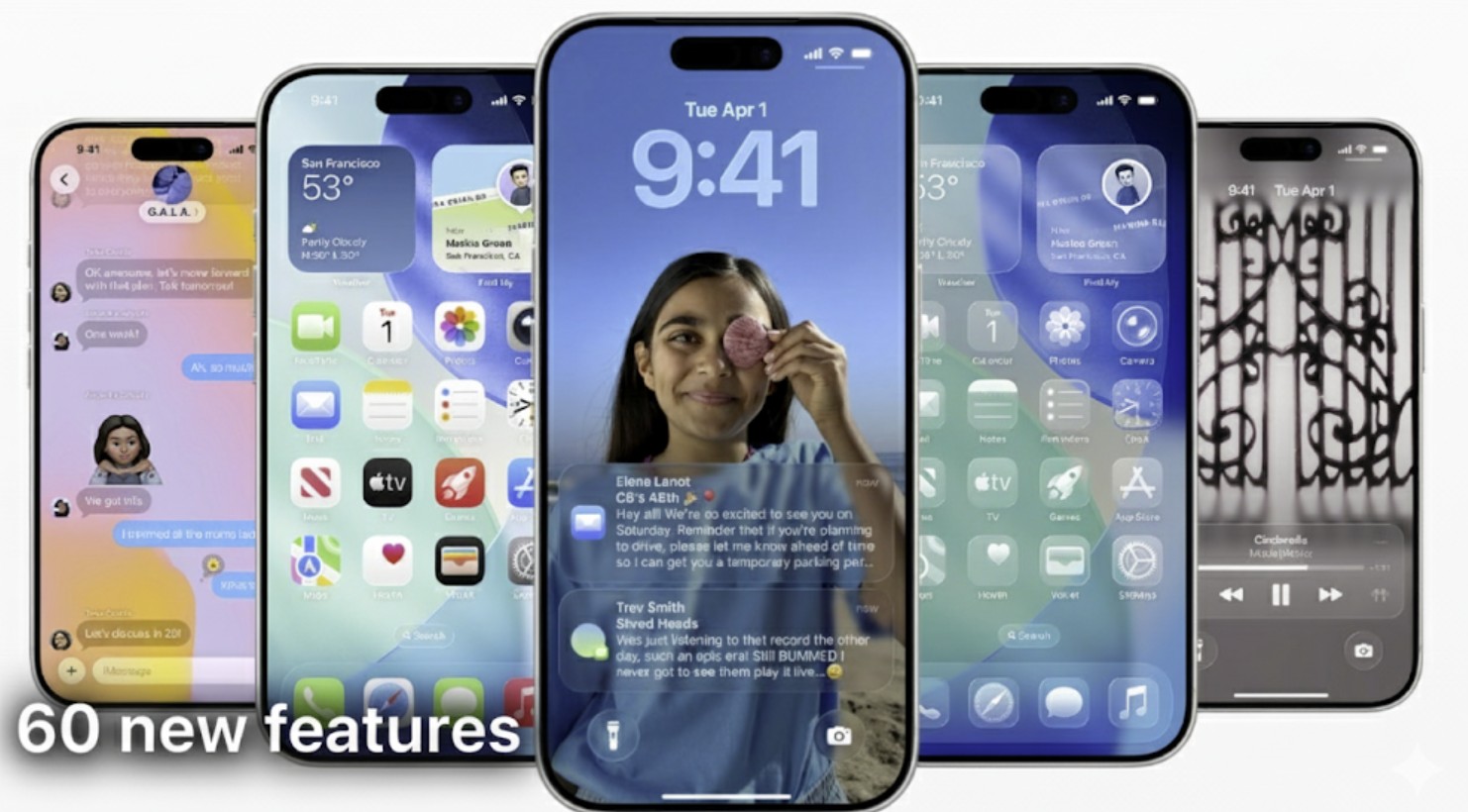
iOS 25 Isn’t Happening: Here's Why
Apple’s latest iPhone software is iOS 26, but lots of people are googling “iOS 25” because (1) Apple renamed the platform to match the year—jumping from 18 to 26—so many assume there should be a 2025-branded “25,” and (2) they’re really looking for what’s new, stability takes, or how to update under the old numbering.

Apple Stock Gains as iPhone 17 Orders Surge
Apple stock closed up 1.1% at 236.70 on Monday as early iPhone 17 demand outpaced last year’s cycle, according to multiple Wall Street trackers. Preorders opened Friday; in-store availability is this Friday, which we’ve detailed in When will iPhone 17 be available in stores.
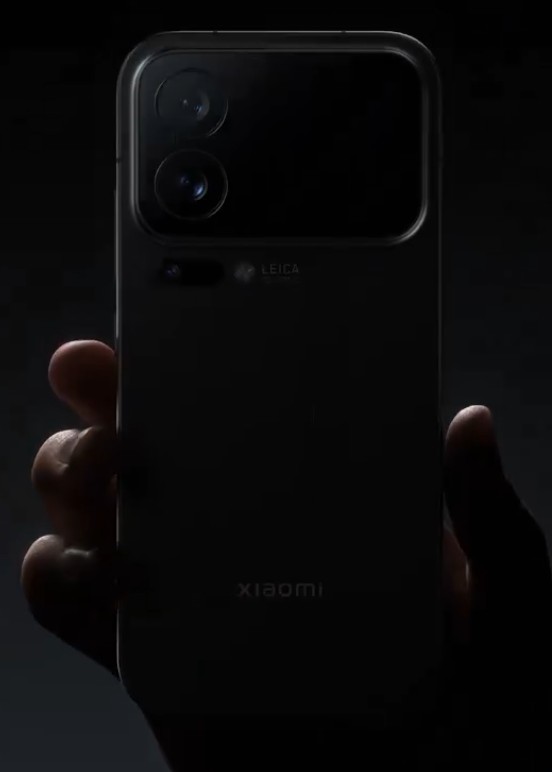
Xiaomi 17 Pro challenges iPhone 17 with Leica 50MP trio and rear “Magic” display
Xiaomi is skipping straight to the 17 series (17, 17 Pro, 17 Pro Max) to go head-to-head with Apple’s new iPhones in China, pulling its launch forward and touting “the most significant upgrade” to its numbered line. Company leaders are also claiming first dibs on Qualcomm’s Snapdragon 8 Elite Gen 5 for the range.
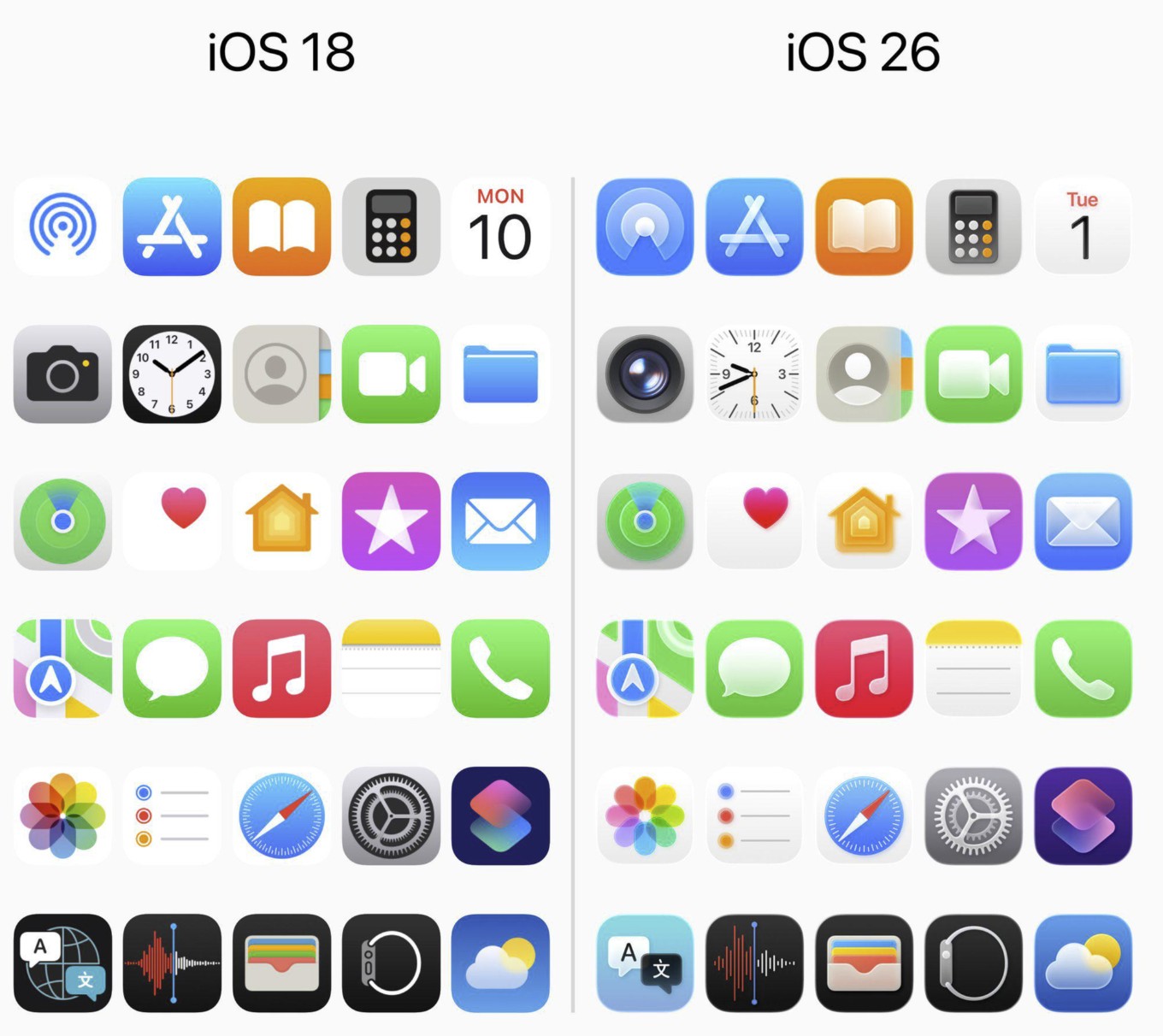
iOS 18 vs iOS 26 App Icons: Community Debate
The thread is split. Fans see a thoughtful refresh that nods to classic iOS and matches the new Liquid Glass look; critics say the icons feel blurry, low-contrast, and less legible—especially Camera and Clock. A lot of people also say they’ll get used to it in a month.
What Really Makes an iPhone Feel High-end?
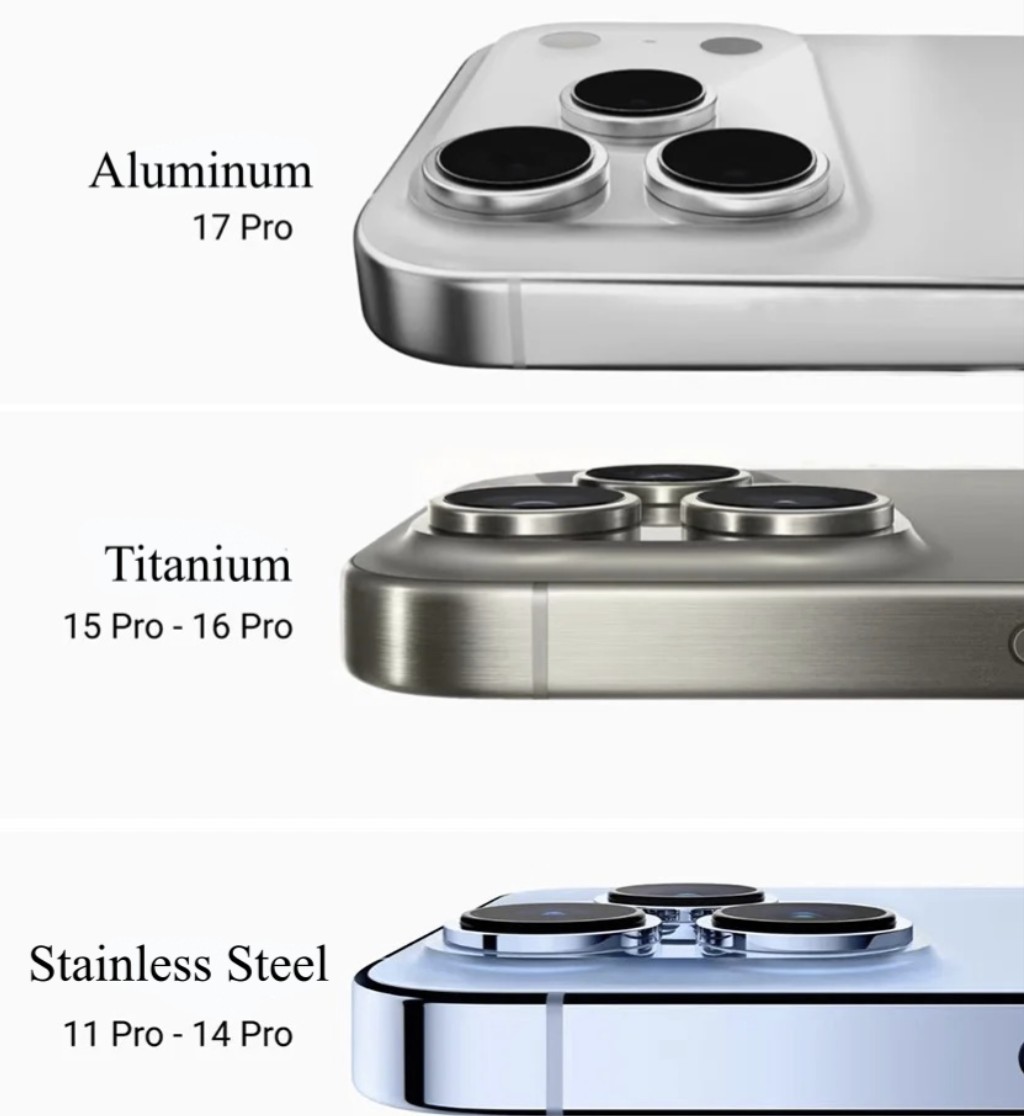
Reading through the community debate, I kept nodding at both camps. Some people equate heft with luxury; others say the frame material and finish matter far more. After living with Apple’s latest design turn, here’s my take—plus where the conversation lands once you factor in thermals, durability, and the unavoidable reality that many of us use cases anyway.

Is macOS Tahoe stable?
Short answer: For most users on supported Macs, yes—macOS Tahoe (26) is proving solid enough for daily use, with a few day-one quirks and some app gaps. You can skim what’s new in our overview, macOS Tahoe 26 Released: What’s New and How to Update Your Mac, then decide if you should jump now or wait for 26.1.

iOS 26.1 Release Date will be Late October?
Based on Apple’s pattern for the first “.1” after a major iOS release, expect late October 2025 for iOS 26.1. Historically, Apple ships .1 roughly 5–6 weeks after the .0 build. That lines up with a late-October window following iOS 26’s mid-September release.

iOS 27 Release: What to expect after the Liquid Glass reset
The ink is barely dry on iOS 26, but “iOS 27” is already trending. That’s normal after a major release—especially one that changes how the iPhone looks and feels. Here’s the short version: iOS 26 did the big visual reset; iOS 27 is shaping up to be the year Apple tunes that new look, pushes Apple Intelligence deeper, and—if the early whispers hold—preps iOS for a foldable iPhone.

Is iOS 26 stable? We answer
With the release of iOS 26, iPhone users are deciding whether to install the update immediately or wait. For most people with a recent iPhone, the new software is stable enough for daily use. Our testing on an iPhone 14 Pro Max shows that while there are minor quirks, the overall experience is smooth.

Apple Watch Ultra 3 vs Ultra 1: Should You Upgrade Now?
The original Apple Watch Ultra set a new bar for battery life, rugged build, and outdoor features. Three years later, Ultra 3 arrives with meaningful refinements aimed at athletes and adventurers who want a brighter, smarter, and more connected watch.

iOS 26 Dark Mode Update Sparks User Complaints Over ‘Tilted’ Icons
iOS 26’s redesigned Dark Mode is receiving criticism from iPhone users who say the new look is uncomfortable, distracting, and in some cases even dizzying.

Apple Music Expands Transfer Tool to Almost Every Country
Apple expands its music transfer tool globally, letting you move playlists and libraries from Spotify, Tidal, YouTube, and more into Apple Music.

Digital Passport Feature Is Delayed in iOS 26
iOS 26 launches, but Apple delays Digital ID for U.S. passports; Wallet support will arrive in a future update soon.

Apple Pay Adds Affirm and Klarna for In-Store Purchases
Apple Pay now accepts Affirm and Klarna in stores, letting you split purchases into flexible, transparent payment plans on iOS

Apple Releases watchOS 26 With Liquid Glass Design and Health Tools
Apple releases watchOS 26 with Liquid Glass design, new health alerts, Workout Buddy, Notes app, and updated watch faces today.

iOS 26 CarPlay Widgets Explained: How To Use Them
CarPlay has become an essential part of the iPhone driving experience, giving you navigation, music, and communication tools without touching your phone. With iOS 26, Apple introduced a new generation of CarPlay widgets that make dashboards more useful, customizable, and safer to use.

How to Fix iOS 26 Screenshot Issues (7 Easy Methods)
After updating to iOS 26, some iPhone users have noticed and reported issues on several forums while trying to take screenshots. From screenshots not saving to glitches when sharing them, these problems are common after major updates.

Best iOS 26 Wallpapers (4K Options and Apps for iOS Devices)
Wallpapers are one of the easiest ways to give your iPhone a fresh look, and iOS 26 makes them more immersive than ever. With the new Liquid Glass design, wallpapers interact with system elements like icons, widgets, and the Lock Screen clock, making your device feel dynamic and personalized.

Apple Launches iPadOS 26 With Major Productivity Upgrades
Apple’s iPadOS 26 introduces Liquid Glass design, multitasking with resizable windows, new apps and expanded professional tools.

Apple Brings 200 Documented Changes Across iOS 26, iPadOS 26, and macOS Tahoe
Apple launches iOS 26 with nearly 200 changes, introducing Liquid Glass design, smarter apps and multitasking upgrades.

Critical macOS Sonoma 14.8 Update With 39 Security Fixes Released
Apple released macOS Sonoma 14.8 on September 15, 2025, a significant security update that addresses 39 vulnerabilities across the operating system. The patches resolve serious issues ranging from potential data exposure and application sandbox escapes to bugs that could allow an attacker to gain full root control of a machine. Given the breadth and severity of the fixes, this update is essential for all Sonoma users.

Apple Says iOS 26 Can Drain iPhone's Battery Right After Update
Apple explains iOS 26 update may temporarily affect iPhone battery and performance, but most impacts fade after setup.


