
Text expansion is kind of an overlooked feature of iOS and macOS but it can save you a lot of time if you type repetitive things a lot.
Tips

macOS: Here’s How to Restore the Mac Startup Chime
Are you looking to restore the Mac startup chime? Many newer Macs do away with this feature but you can bring it back with a terminal command.
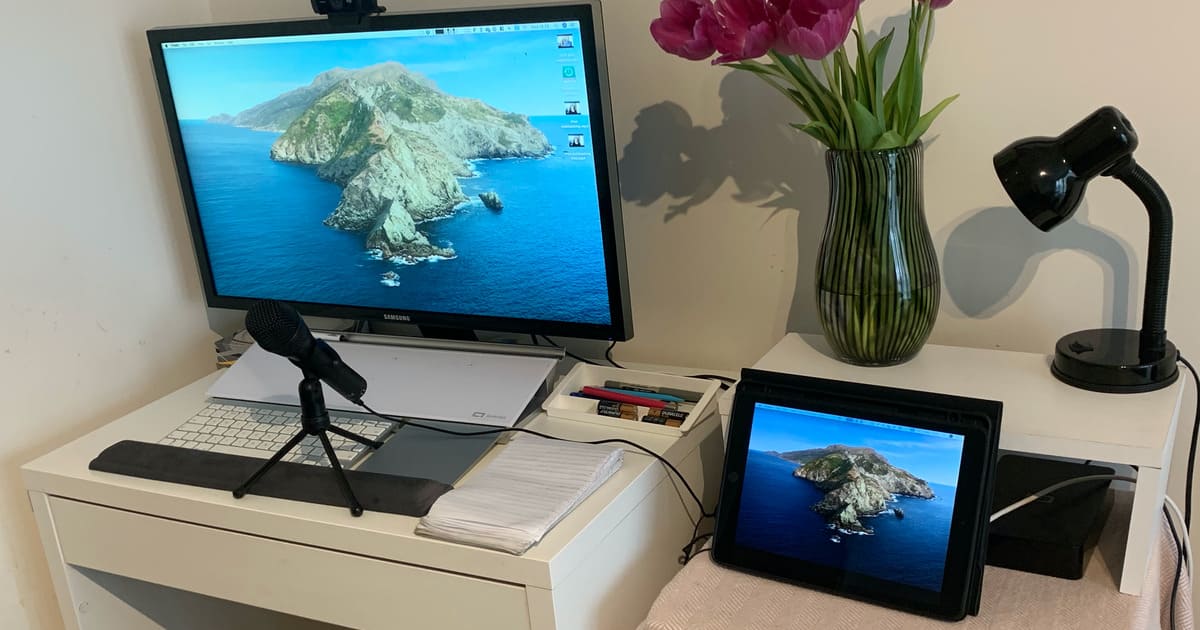
Use SideCar to Make Your iPad a Secondary Display For Your Mac
SideCar means that you can turn your iPad into a secondary display for your Mac in just a few easy steps, with customizable options.

Worried About Germs? Here’s How to Clean Your iPhone (Update)
Your iPhone is probably your most-used device and it easily gets covered in germs. Here’s how to clean your iPhone the right way.

5 Productivity Apps to Help You With Your Work
We’ve found five productivity apps to use so you can give your workflow a boost, like using MindNode, Standard Notes, Fantastical, and more.

How to Get $5 Credit at a Wells Fargo ATM
Wells Fargo is offering its customers US$5 if they use Apple Pay at an ATM. The offer is valid until March 5, 2021.
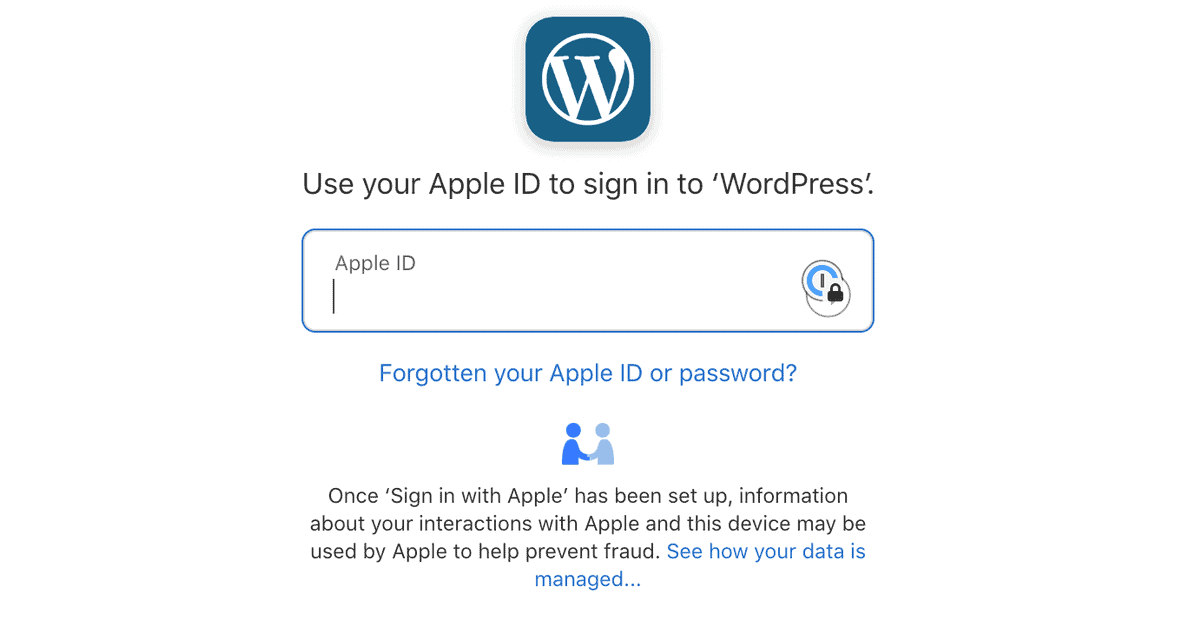
Use Sign in With Apple to Access Your WordPress.com Account
You can easily login to your WordPress.com account using Sign in With Apple, making access simpler and a bit more secure.

How to Take iPad Screenshots Using Your Apple Pencil
As well as using the hardware buttons to take a screenshot on your iPad you can use the Apple Pencil or an alternative stylus.

5 Mint Alternatives You Can Use For Your Financial Needs
We’ve found five Mint alternatives if you want an app to manage your finances, or you’re a Mint user and you’re looking for something new.
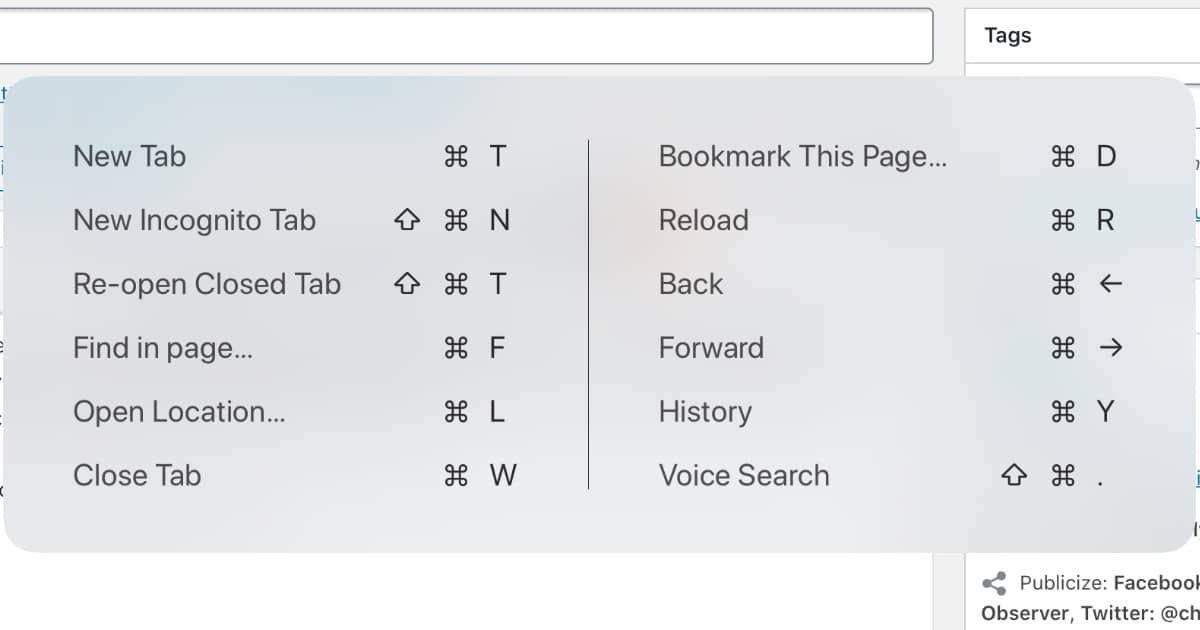
See All Your iPad Keyboard Shortcuts in One go
If you’re using your iPad with keyboard, you can easily see all the shortcuts available to you with a click of one button.

How to Take Screenshots and Record Your Screen on iPad With iOS 13
Taking screenshots on an iPad is a simple click of the button. However, recording the screen requires a couple of extra steps.

Earth 3D Brings Gorgeous Live Wallpapers to Your Mac
Earth 3D is a cool app we recently discovered in the Mac App Store. It gives you live wallpapers and screensavers of the earth.

Here’s How to Block Apple News+ Magazines
Andrew found that the Today tab in News is filled with News+ content, despite not being subscribed. But he found a way to block News+ magazines.

What Do Bank-Level Encryption and Military-Grade Encryption Mean?
Two phrases that you’ll often hear in security are “bank-level security” and “military-grade encryption.” But what do they mean?

HDR Mode is a Quick Trick to Make Your Photos Look Better
The next time you take a picture, consider turning on HDR mode. It can help you deal with clipped highlights and shadows.

iCloud is a Syncing Service, Not a Backup Service
It’s important to keep backups of your data. One way to do that is iCloud Backup, but that shouldn’t be your only backup method.

Here is My Shortcut to Get App Screenshots
Andrew created a shortcut to get app screenshots from the App Store in a higher quality than what it defaults to when you download them.

Apple Card Supports OFX to Export Transactions
Apple Card now supports the ability to export financial transactions to Open Financial Exchange (OFX). This is what apps like Mint support.

Here’s How to Turn Off Netflix Autoplay Previews
Today we can finally turn off Netflix autoplay previews, a feature that annoyed many users. You’ll have to sign in to Netflix in a browser.

4 Cloud Services to Torrent Files on iPad
Andrew found four cloud services that let you torrent files on iPad. All of them have free accounts and with two you don’t need an account.

Every VSCO Preset and What Photography They’re Best For
Over the past two years Andrew has collected information on every VSCO classic preset and the kind of photography each one works best with.

Don't Miss Out On Your Free Year of Apple TV+
The free trial for Apple TV+, which people who purchased a new device from September 10 2019 qualified for, is coming to an end.

iOS 13: How to Use Screen Time as a Privacy Feature
Using Screen Time, Andrew shows you how to block robocalls, disable your microphone and camera, and make the job harder for thieves.

How to Set up Announce Messages With Siri on AirPods Pro
Announce Messages with Siri is a feature with certain Apple headphones where Siri reads your incoming messages and lets you reply with voice.