
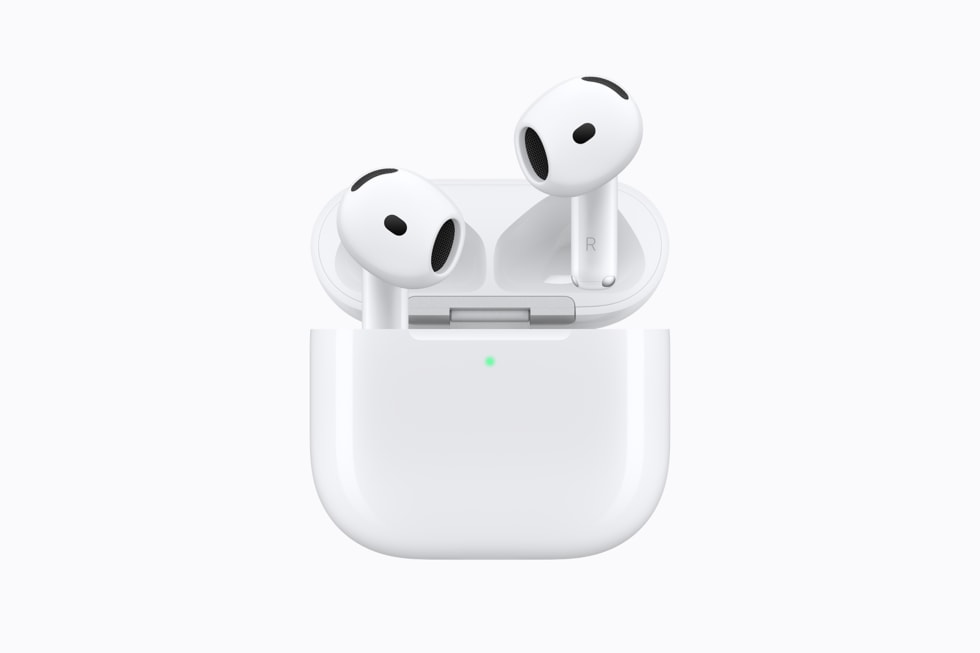
Live Translation sits on Apple’s AirPods 5 feature list, but the earbuds are not what decides whether you can use it. Apple’s support documentation sets the terms: an iPhone 15 Pro or later on iOS 26 or later, the latest AirPods firmware, Apple Intelligence turned on, the Translate app installed, and it states that the feature is not available in China mainland.

That makes Live Translation the most conditional item on a set of $129 earbuds. The AirPods 5 tech specs page lists it with one qualifier, that it needs the latest operating system and Apple Intelligence, and leaves the rest to a support article. Our AirPods 5 announcement coverage carried the feature list from Apple’s press release, which named the feature without naming the phone it requires.
| Requirement | What Apple states |
|---|---|
| iPhone | iPhone 15 Pro or later |
| iPhone software | iOS 26 or later |
| AirPods | Latest AirPods firmware. The support article names AirPods 4 with ANC, AirPods Pro 2, AirPods Pro 3 and AirPods Max 2 |
| Apple Intelligence | Turned on |
| App | Translate installed |
| Region | Not available in China mainland, and not available in all languages or regions |
The iPhone requirement is the strict part
An iPhone 15 Pro floor is narrower than it first reads. Apple runs full Apple Intelligence on iPhone 15 Pro, iPhone 15 Pro Max and iPhone 16 or later, so an iPhone 15 or iPhone 15 Plus falls outside the requirement no matter which version of iOS it is running.
Don’t miss the best of The Mac Observer
Set us as a preferred source and our Apple reporting ranks higher in your Google Search results and Discover feed — one tap, no account changes.
The software floor is lower than the launch calendar suggests. Apple’s article says iOS 26 or later, not iOS 27, so a qualifying iPhone that is already up to date meets the requirement before iOS 27 arrives on September 14. The newest hardware clears it comfortably, as the iPhone 18 Pro specifications show.
The language list is a subset of a subset
Apple publishes Live Translation availability feature by feature, and the AirPods version supports fewer locales than the Phone and FaceTime version does.
| Where Live Translation runs | What Apple lists |
|---|---|
| Messages | The broadest of the three lists |
| Phone and FaceTime | Chinese (Mandarin, Simplified), excluding China mainland; Chinese (Mandarin, Traditional); English (UK and US); French (France); German (Germany); Italian; Japanese; Korean; Portuguese (Brazil); Spanish (Spain) |
| With AirPods | A subset of the Phone and FaceTime list, excluding Italian (Switzerland) and Portuguese (Brazil) |
So the earbuds get the shortest list of the three, and the AirPods 5 tech specs page does not reproduce it. Anyone buying for one specific language pair has to read the feature availability page rather than the product page.
How Apple says you start it
The steps below follow Apple’s published description of Live Translation with AirPods and may differ slightly once iOS 27 ships on September 14.
- Download the languages first: wear the connected AirPods, open Settings, tap the AirPods name at the top, then under Translation tap Languages and select what you want stored.
- Open the Translate app, go to the Live tab, and set the language the other person is speaking plus the language you want to hear.
- Start it in one of five ways: press and hold the stem on both AirPods at the same time, ask Siri to start Live Translation, tap Start Translation in Translate, use Control Center, or use the Action button.
- Apple notes that starting Live Translation turns on Adaptive Audio if it is not already on.
- To show the other person what was said, use the Live tab on the iPhone for a transcript or play the translation through the iPhone speaker. Tap the X to stop.
- When both people wear supported AirPods, Apple says each participant hears the conversation translated into the language of their choice.
Apple’s own support article has not added AirPods 5
The article that carries these requirements lists supported models as AirPods 4 with ANC, AirPods Pro 2, AirPods Pro 3 and AirPods Max 2. AirPods 5 are not in that list, even though the AirPods 5 tech specs page credits them with the feature.
There is no AirPods 5 support document or manual in Apple’s library yet either, the same gap the full event recap flagged across this launch. The product pages are ahead of the support pages, which is worth knowing before anyone plans a trip around the feature.
What Apple has not said
Apple has not published a Live Translation language list on the AirPods 5 tech specs page, and it has not published a region list beyond the China mainland exclusion and the general caveat about languages and regions. It has not said whether translation is processed on the earbuds or on the iPhone, has published no latency or accuracy figures, and has said nothing about whether downloaded languages work without a network connection.
It has also not published a firmware version or a date for the AirPods 5 firmware the feature requires, and it has not explained why its support article still omits the model. Pre-event expectations collected in our AirPods 5 rumor round-up did not anticipate a requirement list this long.
AirPods 5 have been available to pre-order since September 9 and reach stores on Friday, September 18. iOS 27 arrives on Monday, September 14, though the requirement Apple publishes is iOS 26 or later, so a qualifying iPhone does not have to wait for Monday to try this one.



