
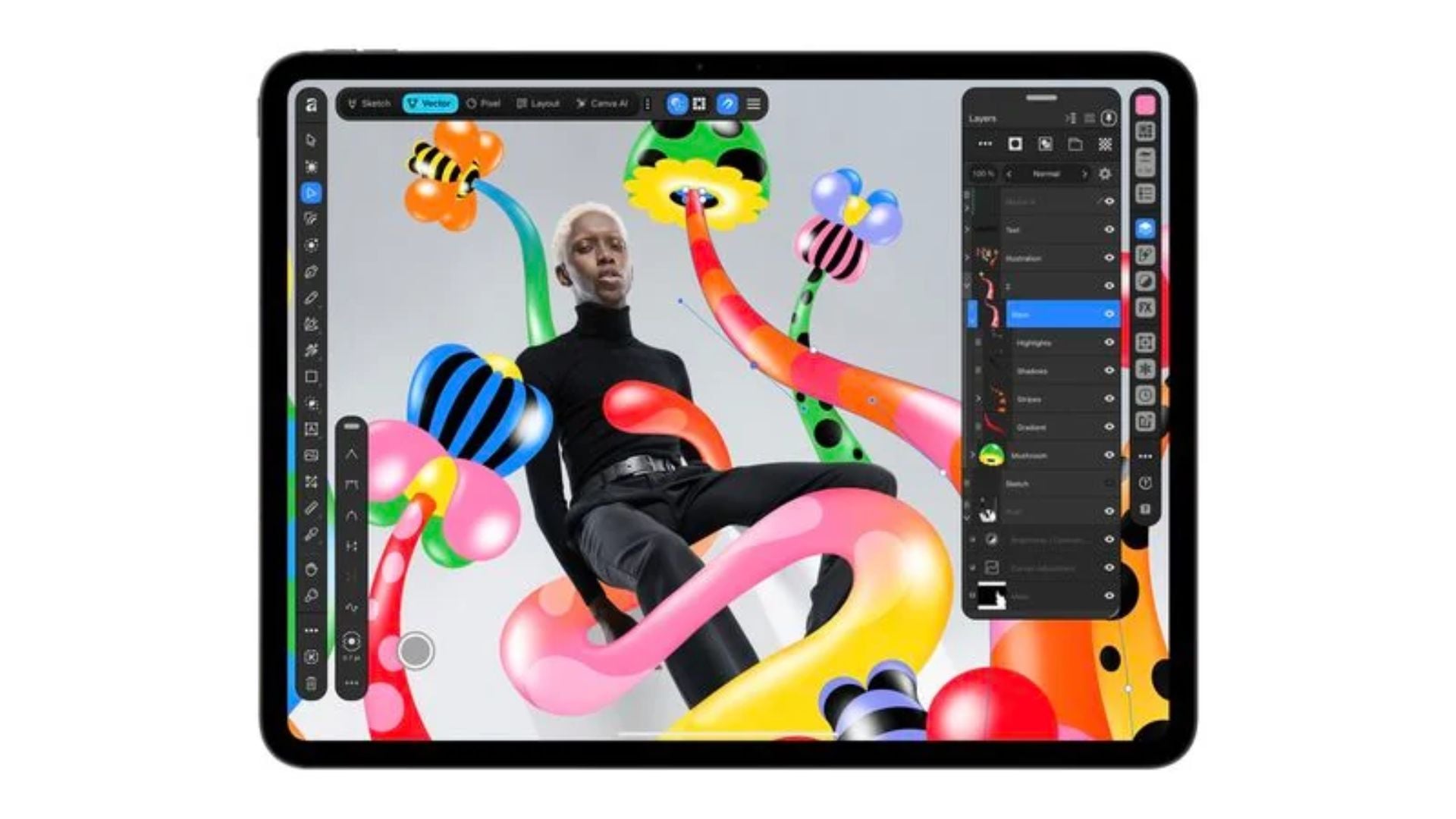
Digital design giant Canva just brought its powerful Affinity software suite to the iPad. This release combines the previously separate design tools into a single, unified, and entirely free application. Users can now jump between drawing, photo editing, and page layouts without ever leaving their document. It is a big move that makes pro-level creative tools much more accessible to tablet users everywhere.
The new touch-focused application merges four creative studios together
Instead of forcing creators to download different apps for different tasks, this new release packs everything into one place. You get Sketch, Vector, Pixel, and Layout studios right at your fingertips. The new Sketch Studio is built specifically for touch controls and works beautifully with the Apple Pencil. It even includes a library of editable brushes for digital artists.
This setup means you can start a simple drawing and then easily build clean vector paths over it in the same file. For photography fans, the Pixel tools handle RAW image development, complex selections, and retouching. The Layout studio takes care of the publishing side, helping you manage multi-page documents, grids, and print-ready outputs. Because the Affinity by Canva app uses the same native file format across all platforms, a project you start on a tablet will open perfectly on your desktop later.
Don’t miss the best of The Mac Observer
Set us as a preferred source and our Apple reporting ranks higher in your Google Search results and Discover feed — one tap, no account changes.
Premium artificial intelligence features require a paid subscription plan
While the core drawing and editing tools are totally free to use without restrictions, some of the newer smart features sit behind a paywall. To access the Canva AI Studio, users need an active premium plan like Canva Pro or Canva for Teams. This paid tier unlocks time-saving tricks like instant background removal, noise reduction, and smart blur correction.
For people who prefer traditional design methods, the free tier is more than enough to complete professional work. You just need a device running iPadOS 18.0 or later to get started. If you want to grab the software, you can read more and download the iPad app right now.
This release shows how committed the company is to challenging other big players in the creative software space. By offering desktop-class design tools at no cost on a popular tablet, they are giving independent artists, students, and small businesses a great reason to create more on the go. As mobile hardware gets closer to the power of a Mac, having software that can actually use that power makes the iPad a much better tool for real work.


Discussion