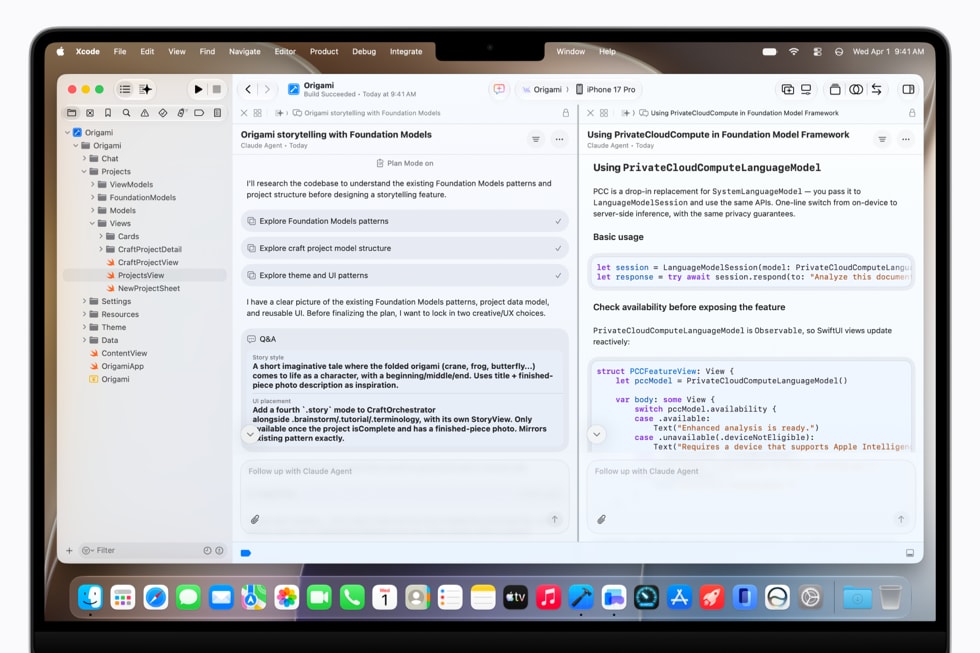
Apple released Xcode 27.1, build 27A9275, on October 15, 2026, with Swift 6.4 and the SDK for iOS 27.1. According to Apple’s release notes, it requires a Mac running macOS Tahoe 26.6 or later, and App Store Connect began accepting apps built with it the same day.

This is the release build that follows the Xcode 27.1 beta Apple shipped in September with the first iPhone Duo Simulator. It is the version developers can now use to send iOS 27.1 apps to the App Store and to TestFlight.
What Xcode 27.1 includes
Apple’s release notes list the core of the release in one sentence: “Xcode 27.1 includes Swift 6.4 and SDKs for iOS 27.1, iPadOS 27, tvOS 27, watchOS 27, macOS 27, and visionOS 27.”
Don’t miss the best of The Mac Observer
Set us as a preferred source and our Apple reporting ranks higher in your Google Search results and Discover feed — one tap, no account changes.
| Item | Xcode 27.1 |
|---|---|
| Build | 27A9275 |
| Release date | October 15, 2026 |
| Swift | Swift 6.4 |
| SDKs | iOS 27.1, iPadOS 27, tvOS 27, watchOS 27, macOS 27, visionOS 27 |
| On-device debugging | iOS 17 and later, tvOS 17 and later, watchOS 10 and later, and visionOS |
| Mac requirement | macOS Tahoe 26.6 or later |
| Deployment targets (Apple’s Xcode support page) | iOS 15 to 27, iPadOS 15 to 27, tvOS 15 to 27, watchOS 9 to 27, visionOS 1 to 27, macOS 12 to 27 |
The only new feature Apple lists is in Previews: “The canvas overrides picker now includes a Display group for previewing content on a device’s alternative display.” That is aimed at apps that show content on a second screen, such as iPhone Duo’s outer display.
App Store Connect now accepts Xcode 27.1 builds
In its release notes for October 15, Apple says developers “can now upload apps built with Xcode 27.1 using the SDK for iOS 27.1, iPadOS 27.0, macOS 27.0, tvOS 27.0, visionOS 27.0, and watchOS 27.0 for the App Store, and for internal and external testing through TestFlight.” The same note invites developers to submit iPhone Duo optimized apps and games.
For iPhone and iPad owners, that is the practical change. Apps updated for iOS 27.1 features and for iPhone Duo’s displays can now go through App Review and out to customers, rather than sitting in beta builds.
What is new in Swift 6.4
Swift 6.4 itself was announced on Swift.org on September 15, 2026. Highlights from that post include:
- Swift Build is now the default in Swift Package Manager, so projects build the same way on Linux, macOS and Windows.
- Subprocess reaches 1.0, a cross-platform way to run and interact with other programs from Swift.
- Swift’s Span now bridges directly with C++20’s std::span.
- WebAssembly bridging through JavaScriptKit is up to 40 times faster.
- Smaller everyday changes, such as writing some Rocket? instead of (some Rocket)?, a new @diagnose attribute to control warnings in code, and async calls inside defer blocks.
Apple’s Xcode support page lists Swift 6.4 as the compiler for Xcode 27.1, with Swift 6, Swift 5, Swift 4.2 and Swift 4 language modes.
The Mac Catalyst catch, and how to work around it
Developers who also ship their iPad app to the Mac through Mac Catalyst should read the known issues first. Apple lists two:
- Projects that use APIs specific to iOS 27.1 show compile errors when building for Mac Catalyst, with messages such as “undeclared identifier,” “not found,” “has no member” and “cannot find.” Apple’s workaround is to wrap the affected code in build-time conditionals: #if !targetEnvironment(macCatalyst) in Swift or #if !TARGET_OS_MACCATALYST in Objective-C.
- Projects that target iOS 27.1 show no Mac Catalyst run destination. Apple’s workaround is to add a Mac Catalyst 27.0 minimum deployment in target settings.
Note that the SDK list includes iOS 27.1 but macOS 27, which fits with iOS 27.1-only APIs failing in a Mac build.
iPhone Duo Simulator limits
The iPhone Duo Simulator is still the main way to test the foldable before hardware is in hand, and Apple’s release notes list four known issues:
- The initial Simulator launch can take several minutes.
- StandBy is unavailable in the iPhone Duo Simulator runtime.
- Running and debugging most app extensions is unavailable in the iPhone Duo Simulator runtime.
- An app using CameraCaptureAccessory can use both displays at the same time without an active camera capture session.
The last one matters for camera apps: the simulator lets an app use both displays without an active capture session, so camera behavior across both screens should be confirmed on a device. Because most app extensions cannot be run or debugged in the iPhone Duo runtime either, extension testing also has to wait for hardware.
Who needs to update
Developers on macOS Tahoe 26.6 or later can install Xcode 27.1 now. Anyone still on an earlier Mac release has to update macOS first. Apple’s full notes are in the Xcode 27.1 release notes.
Our earlier report on the Xcode 27.1 beta and the iPhone Duo Simulator covers what the beta first brought.