
With Bryan out on vacation Bob “Dr. Mac” LeVitus joins Jeff Gamet to talk about why Bob doesn’t routinely run a malware checker on his Mac, plus the rant a little about cell service providers, and talk about their macOS High Sierra upgrade experiences.
Mac
The Mac – or “Macintosh” if we’re going back to 1984 – is the first computer to effectively market a graphical computer to the masses, all delivered by Apple (or, at the time, Apple Computer).
The Mac has gone through several stages of evolution and iteration since 1984, including the MacBook Air, MacBook Pro, Mac mini, iMac, iMac Pro, Mac Pro, Performa, Power Mac (including the G4 Cube!), iBook, and more. It remains one of the most popular computers you’ll see in business, schools, and homes today.

Apple Rolls Out iOS 10.3.3, macOS 10.12.6 Beta 5
Apple released iOS 10.3.3 beta 5 for the iPhone and iPad, and macOS Sierra 10.12.6 beta 5 Wednesday afternoon.

Calendar: Contacting Event Invitees
Emailing or messaging everyone in a Calendar event invitee list is easy if you follow Melissa Holt’s advice.

Apple Music and the Record Labels, Macs in Education - TMO Daily Observations 2017-06-22
Kelly Guimont and John Martellaro join Jeff Gamet Apple working to renegotiate how much money it pays to record labels for Apple Music, plus they dive into the state of Macs in education.

Pages, Keynote, Numbers Updates Add New Shape Libraries, More
Apple rolled out updates for Pages, Keynote, and Numbers on the Mac that add in more than 500 professionally drawn shapes, plus other improvements, too.

Apple Releases EndNote Compatibility Plug-in for Pages 6.2 and Newer
If you’re working on research projects that require a lot of citations odds are you’re using EndNote, and if you’re also using Pages 6.2 or later, it’s time to download the new EndNote Plug-in 3.0.

AppleCare+ for Mac: Accidental Damage Protection for a Price
You no longer need to lie to the Genius Bar!

Here are the Macs that can Run macOS High Sierra
Read on to see if your Mac makes the cut for macOS High Sierra.

Apple's WWDC Keynote Was One We Never Dreamed Could Happen
Apple’s WWDC keynote address was one that we hoped for, dreamed about but never thought would actually happen.

Apple's Developer Payouts Top $70 Billion
Apple shared the big payout numbers just days ahead of next week’s Worldwide Developer Conference.

How to Require a Password to Wake Your Mac from Sleep or Screen Saver
This Quick Tip is about a very, well…quick setting to change to make your Mac more secure. If you can just unlock your Mac after it’s been sleeping without needing a password or your fingerprint, you’ve gotta read this! And make the change! We pretty much insist.

Imagine What Mac Sales Would Do If Apple Did Something Crazy Like Update All the Macs
During the second quarter of 2017, Apple saw Mac unit sales increase by a modest four percent. Jeff Butts, ever the dreamer, imagines what would happen if Apple gave us new Macs across all the various form factor categories, from the Mac Mini to the Mac Pro.

Final Polycarbonate MacBook Joins Apple's Obsolete Product List
Farewell, white MacBook, because Apple just added you to its vintage and obsolete products list. The 2010 13-inch MacBook with white polycarbonate body joined the unsupported hardware list on May 1, closing the final chapter on the laptop model along with three MacBook Pro models.

Pop Goes the Laptop: Some New MacBook Pros are Making Unexplained Clicking Sounds
Your new MacBook Pro may be making a popping sound, but Apple doesn’t have anything to say about it. Many MacBook Pro users are complaining about what sound like random trackpad click noises coming from their laptop and so far Apple has been silent about the issue.
Macintosh Original Andy Hertzfeld to Keynote Vintage Computer Festival April 29th
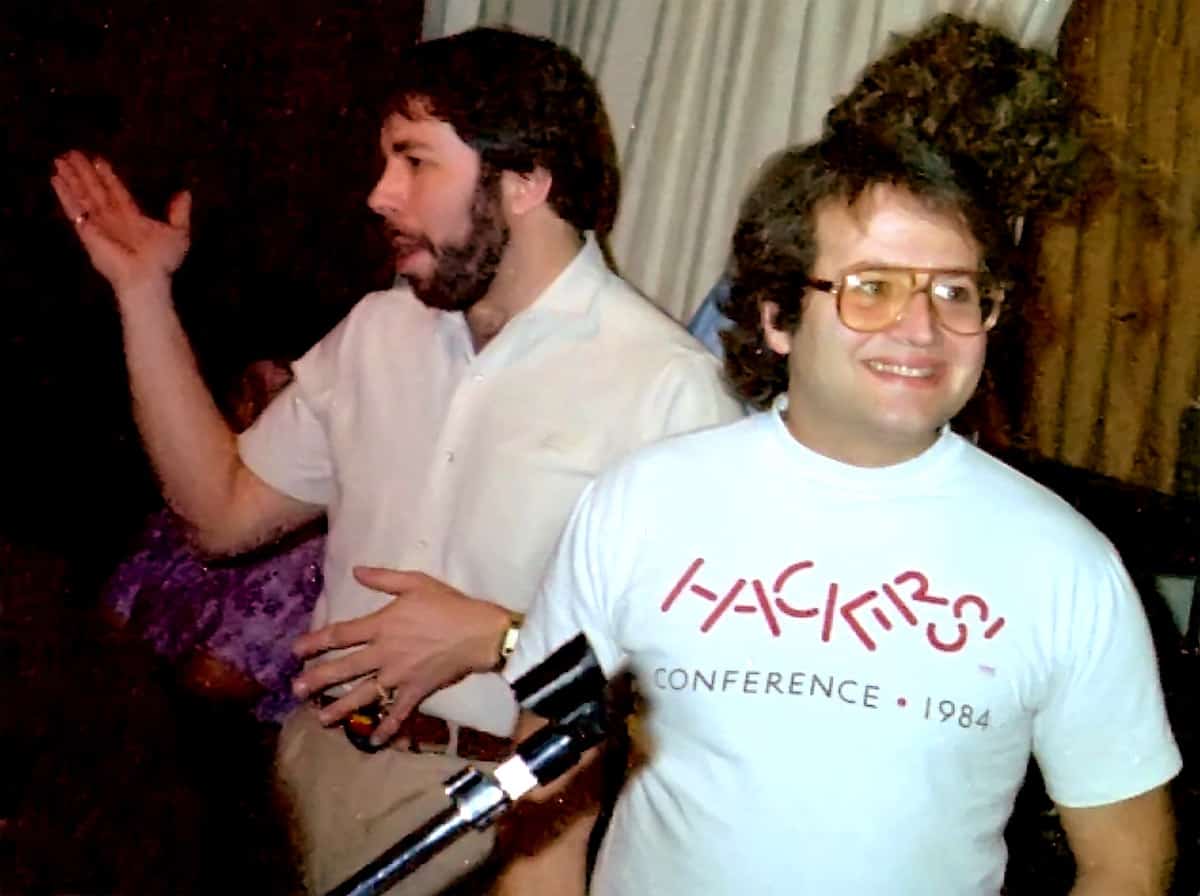
Andy Hertzfeld from Steve Jobs’s original Macintosh team will be presenting a keynote address at Vintage Computer Festival Southeast 5.0 in Roswell, Georgia. The event takes place on April 29th and 30th, and Mr. Hertzfeld will be speaking on April 29th. This event is dedicated to vintage computers and includes booths, consignments, hands-on activities, exhibits, concessions, and speakers. In addition to Mr. Hertzfeld, Tandy executive Don French will be offering his own keynote presentation. Andy Hertzfeld left Apple in 1984, and in the years since he cofounded Radius (1986), General Magic (1990) and Eazel (via Wikipedia). He also took a lead role in the creation of Google+. Admission for the event is $10 for one day and $15 for two days. Kids 17 and under get in free with a parent or guardian, and students get in free with an ID. The pic below is of Steve Wozniak and Andy Hertzfeld from back in the day.

Touch Screen Macs, iPhone's Name, and Star Wars - ACM 407
Would Apple ever make a touch screen Mac? Bryan and Jeff chew over recent rumors about Apple making an iMac for creative pros that would compete with Microsoft’s Surface Studio. They also talk about iPhone’s name and Disney’s management of the Star Wars franchise.
PDFpen 9 Loads Up with New PDF Editing and Export Features
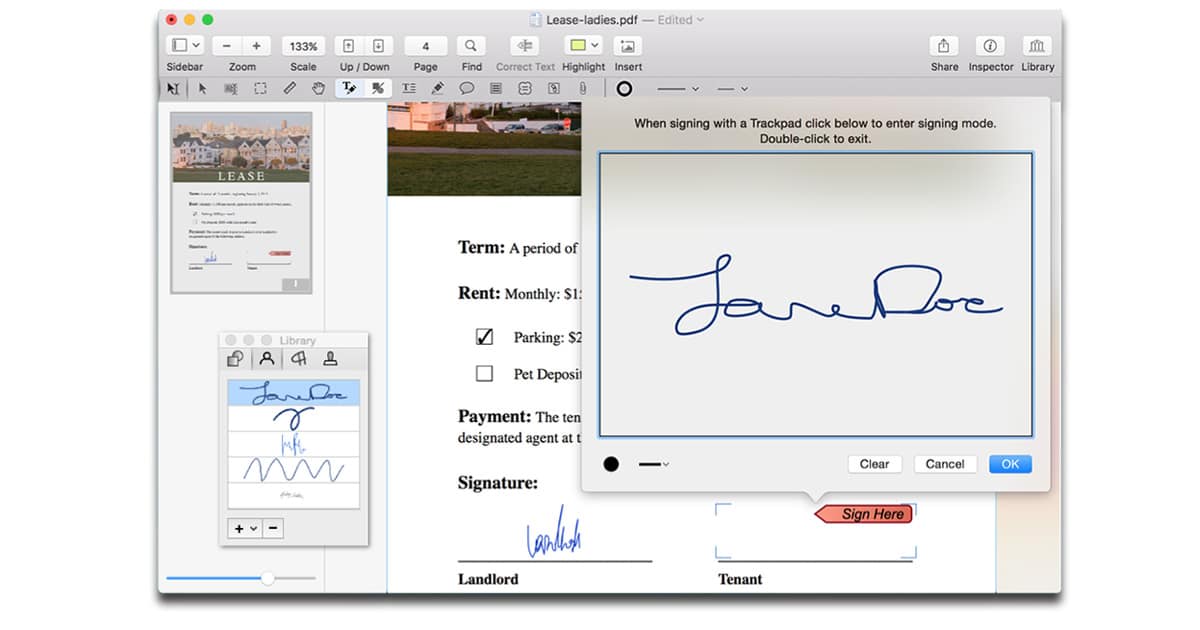
Smile PDFpen 9 and PDFpen Pro 9 for the Mac are out, and are loaded with more than 100 new features. The new versions improve annotations, and table of contents editing; export to JPG, PNG, 1-bit TIFF, and flattened PDF, plus exporting to several resolutions; can make and open links in other files, and supports forms with calculations; improves font smoothing, and more. PDFpen Pro is my go-to PDF editing app and it’s much easier to use than Adobe Acrobat. PDFpen 9 costs US$74.95 and PDFpen Pro 9 is $124.95. The upgrades for both cost $30 and are free if you purchased after January 1st, 2017. You can download demo versions at the Smile website.

APFS Performance Lags HFS+, for Now
Apple is looking to replace HFS+ with a new file system, but is APFS really ready for prime time? Jeff Butts and Dave Hamilton have put the new file system through some tests, and report in on their findings.
![Bob LeVitus’s ‘Working Smarter for Mac Users’ Available Now [Update]](https://www.macobserver.com/wp-content/uploads/2017/03/working-smarter-mac-users-cover-bob-levitus-wide.webp)
Bob LeVitus's 'Working Smarter for Mac Users' Available Now [Update]
Bob “Dr. Mac” Levitus released a new book Tuesday, Working Smarter for Mac Users. It’s a productivity book specifically written for Mac users, and it combines Bob’s own techniques for overcoming procrastination with his decades of learning how to get the absolute most out of his Mac. [Update: Working Smarter for Mac Users is now live on iBooks. – Bryan]
Asypr Bringing InnerSpace Game of Exploration to Mac
Aspyr announced Thursday that it will be bringing InnerSpace to the Mac. InnerSpace is an exploration game where players, “soar through the skies and dive through the oceans, and the secrets of Inverse will reveal themselves.” Players can also uncover artifacts throughout the game world that upgrade your vehicle and reveal clues about past civilizations. I’m writing about it today because I think it’s gorgeous. Initially crowdfunded through KickStarter, Aspyr is partnering with the developers to bring it to both PlayStation 4 and Steam (for Mac and Linux). Pricing hasn’t been announced, and the game is expected later this year.
New Mobile Battery Tech, Upgrading Old Macs - TMO Daily Observations 2017-03-06
Rechargeable battery technology may be getting a much needed boostfrom the same man who invented the tech in our iPhone batteries. Dave Hamilton and Jeff Butts join Jeff Gamet to tak about what may be in store for future mobile device batteries, plus they share some tips on extending the life of our old Macs.
iPhone 8, Lightning, and Hey Siri on the Mac - TMO Daily Observations 2017-03-03
We’re learning more about what to expect when Apple ships the iPhone 8 this fall, and it’s looking like we won’t have to give up our Lightning ports after all. John Martellaro and Jeff Butts join Jeff Gamet to look at Lightning and USB-C, plus Touch ID and finger print sensors embedded in the display. Jeff Butts also shares a tip on using “Hey, Siri” on your Mac.
Avoiding Microsoft Office in 2017 and Apple's View of the Mac - TMO Daily Observations 2017-03-02
John Martellaro joins guest-host Bryan Chaffin to talk about whether having or not having Microsoft Office on your Mac is a relevant question in 2017. They also try and consider the state of the Mac product line from Apple’s viewpoint, and how the company might look at the importance of new hardware.
Apple Rumors and Manufacturing, Tim Cook's Pipeline, and $AAPL - ACM 400
In this 400th episode of Apple Context Machine, John Kheit joins Bryan Chaffin to discuss rumors of iPhone 8 and Samsung Galaxy S8, Apple manufacturing, Tim Cook’s claim that Apple cares about pro users and creative pros in particular, the company’s supposed pipeline, and $AAPL’s record high valuation. Oh…and Nickleback.