

In a previous tip, I mentioned PhoneView, an excellent third-party utility for pulling texts off your iPhone or iPad. If you’d rather, though, there is a way to export a conversation out of Messages on the Mac, so if you’ve gotta save just one string of texts, it’s pretty darned simple (and free!).
If you need to do this, then, open Messages and click on the conversation in the sidebar that you’d like to save.

Then here’s the only weird part: You’ll need to make sure that the part of the conversation you need has been loaded in the program. So scroll up within the conversation itself to keep stepping further back in time until you find everything you want to keep.

See? Scroll up there. By the way, that [redacted] has been [redacted] because of [redacted].
When you’re satisfied that you’ve got the incriminating statements you want—because that’s why you’re doing this, right? Blackmail?—you’re gonna use the Mac’s built-in PDF-saving functionality. Start by going to File > Print from the menus at the top.
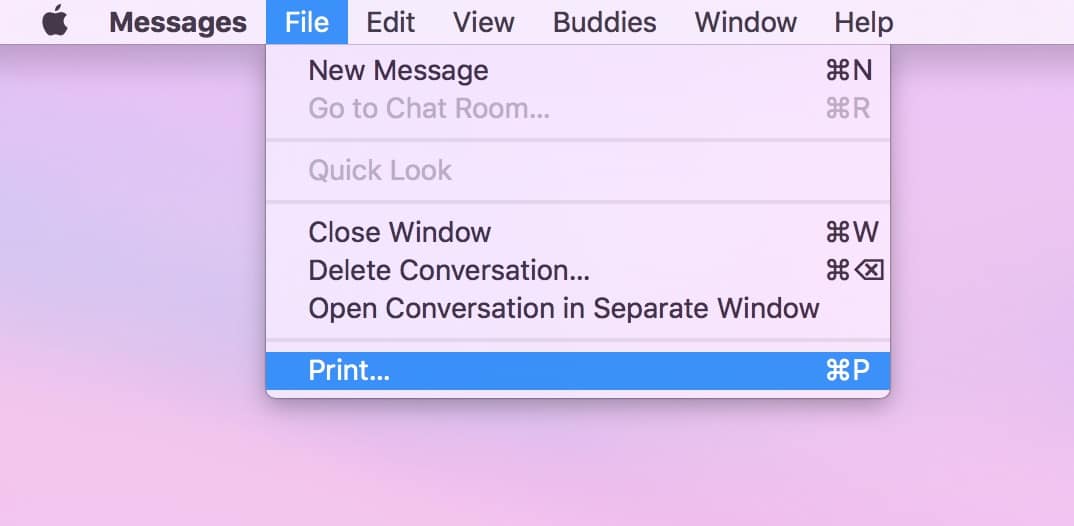
Then within that resulting print dialog box, look for the “PDF” drop-down in the lower-left.

Clicking on that will reveal a bunch of options, and the one we want is “Save as PDF.”

Afterward, you can choose where to save your stuff, and then you’ve got the history of that conversation stored! As far back as you scrolled, at least. But if you’re having trouble getting Messages to work on your Mac at all, be sure to go and look through Apple’s support article on it.
Don’t miss the best of The Mac Observer
Set us as a preferred source and our Apple reporting ranks higher in your Google Search results and Discover feed — one tap, no account changes.



This is an old conversation, but I am looking for a way to export a 2.5 year conversation that was extensive. It’s to document a research process — and I should have been doing it as I went along, but we were too busy with ideas. Does anyone know if I can export the entire thing? It took me nearly an hour to scroll back as far as possible — and I can’t even get all the way to the beginning. I lose the first 6 months. Any help would be appreciated! Thank you.
By the way, I mean a Messenger conversation.
One more issue — I have tried to just copy it, but I think it’s just too big. I can’t really get it to do that.
Hey Cynthia!
As far as I know, there’s no way to isolate part of a conversation this way; however, you could just delete the unnecessary pages from your PDF afterward. Here’s an Apple support article on how:
https://support.apple.com/kb/PH20221
Hope that helps!
Melissa
I tried this twice, but both times, the entire conversation was saved instead of just a portion. I am not able to isolate just the portion that I want to keep. Any ideas?
Thank YOU for reading, Poszmisz!
Pretty sweet! Thanks for the infomation! 🙂