
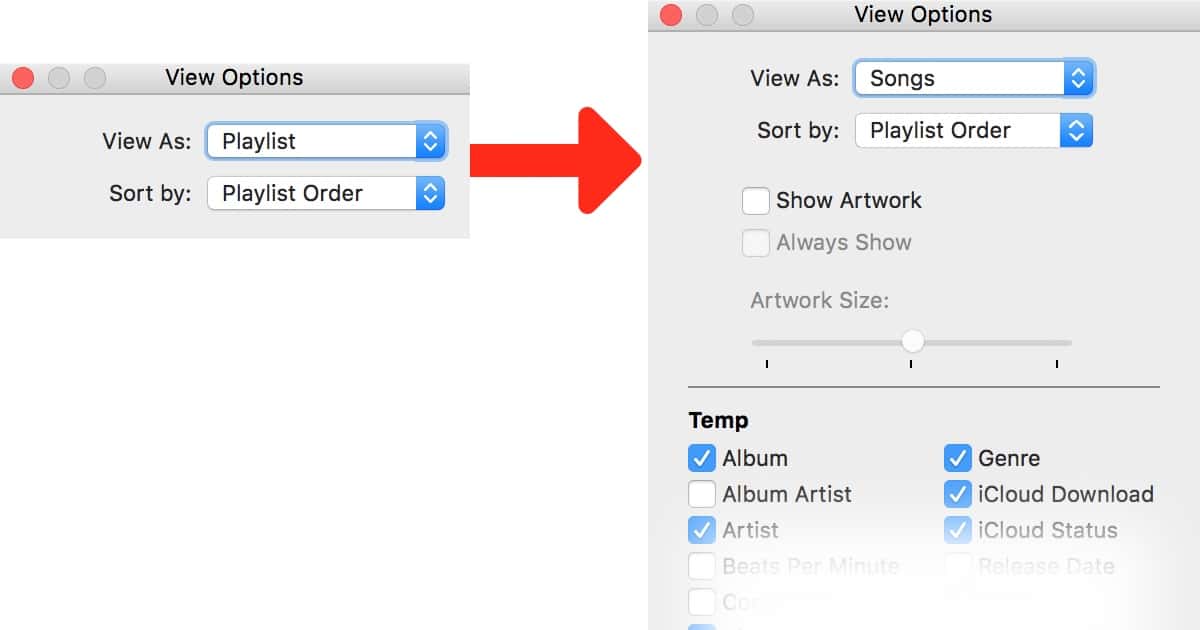
Every update to iTunes seems to refine a feature out of the interface, and as I created a new playlist in iTunes this morning I found yet another. All new Playlists are stuck in “Playlist” view, which has a limited selection of columns and no obvious way to customize them.
No worries, you can still customize them, you just have to change your View first:
- Select the playlist you want to edit.
- Go to View > Show View Options
- Change the “View As” dropdown to “Songs“.
- Watch as the window expands to give you all your column options, then edit as you wish.

Don’t miss the best of The Mac Observer
Set us as a preferred source and our Apple reporting ranks higher in your Google Search results and Discover feed — one tap, no account changes.




Why do the yahoos need to do updates (or downdates) to make it worst.