
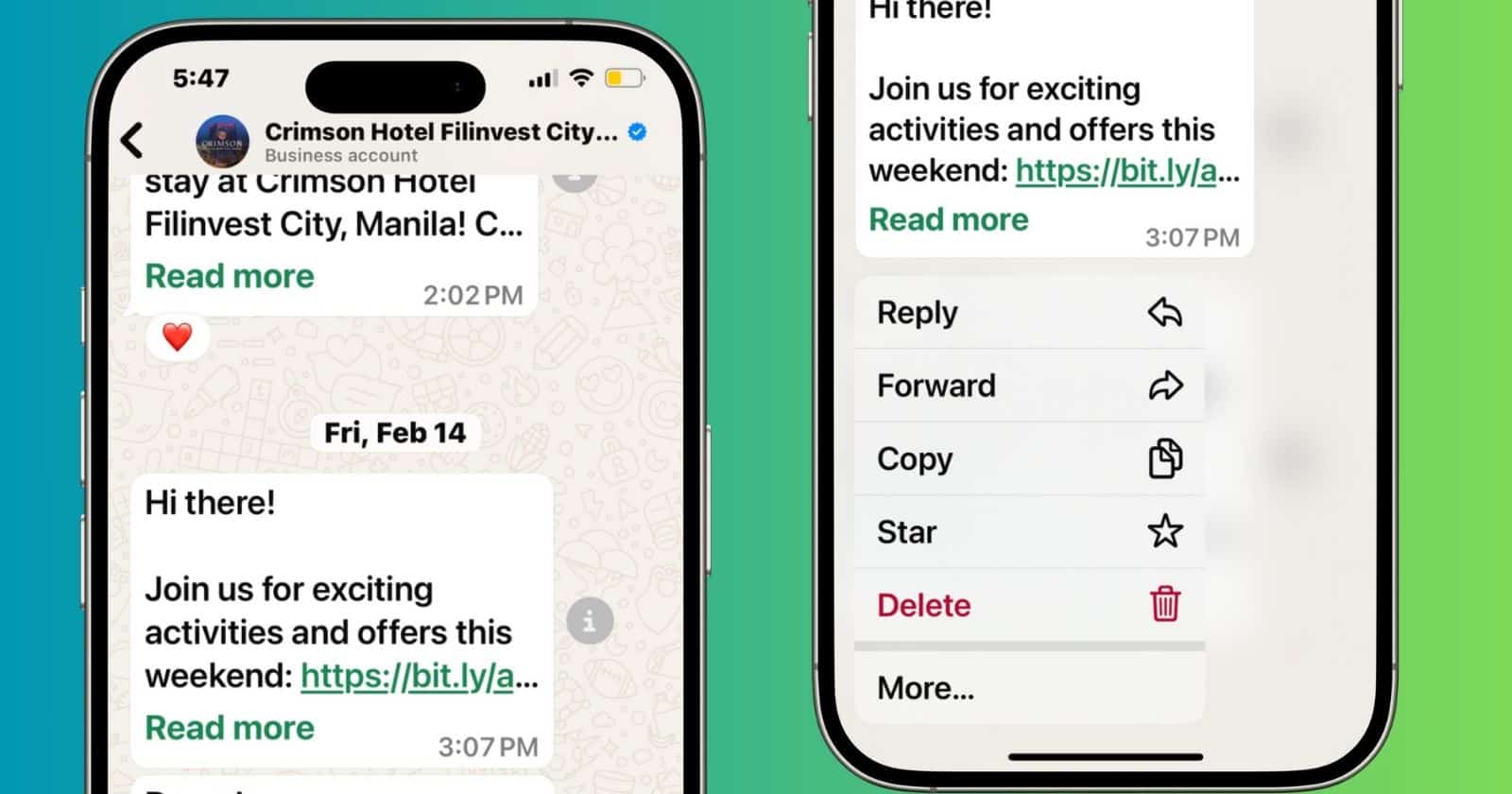
One of my favorite things about the iPhone is how sharp and responsive its touchscreen feels. The animations are fluid, your actions will register instantly, plus the system easily distinguishes between a regular tap and a long press. That said, bugs still happen. And it can manifest in the weirdest ways, like on WhatsApp, where a single tap doesn’t open links.
Honestly, it’s easier to just long-press links than to go through troubleshooting. If you’d rather fix what’s actually wrong with your phone, however, here’s where to start.
1. Update WhatsApp
Time needed: 5 minutes
App updates often patch gesture-related bugs caused by outdated tap targets or missing event listeners. If the app wasn’t optimized for the latest iOS gesture handling APIs, single-tap detection may fail. Updating forces the app to recompile against newer frameworks and UI specs, restoring default behavior for embedded links.
- Open the App Store.
- Tap your profile icon in the top-right.
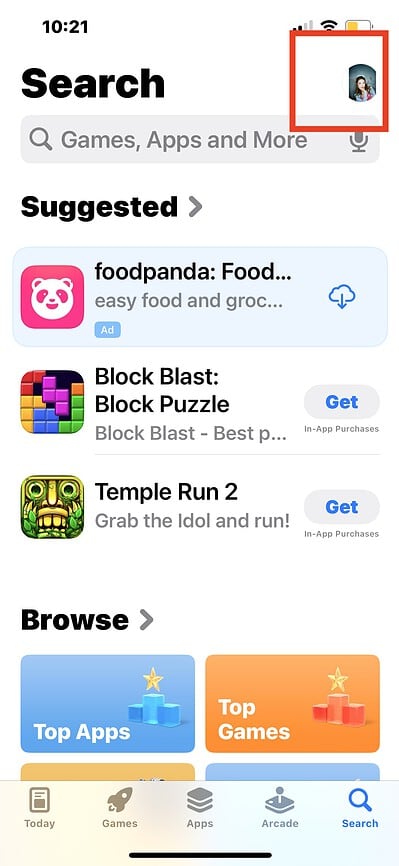
- Scroll to WhatsApp and tap Update.
2. Offload and Reinstall WhatsApp
Offloading preserves user data while deleting app binaries, local config files, and corrupted interface caches. If gesture recognizers are broken due to residual layout bugs or corrupted plist values, offloading flushes these. Reinstalling then pulls a fresh app copy aligned with current iOS runtime expectations.
Don’t miss the best of The Mac Observer
Set us as a preferred source and our Apple reporting ranks higher in your Google Search results and Discover feed — one tap, no account changes.
- Go to Settings > General > iPhone Storage.
- Tap WhatsApp, then tap Offload App.
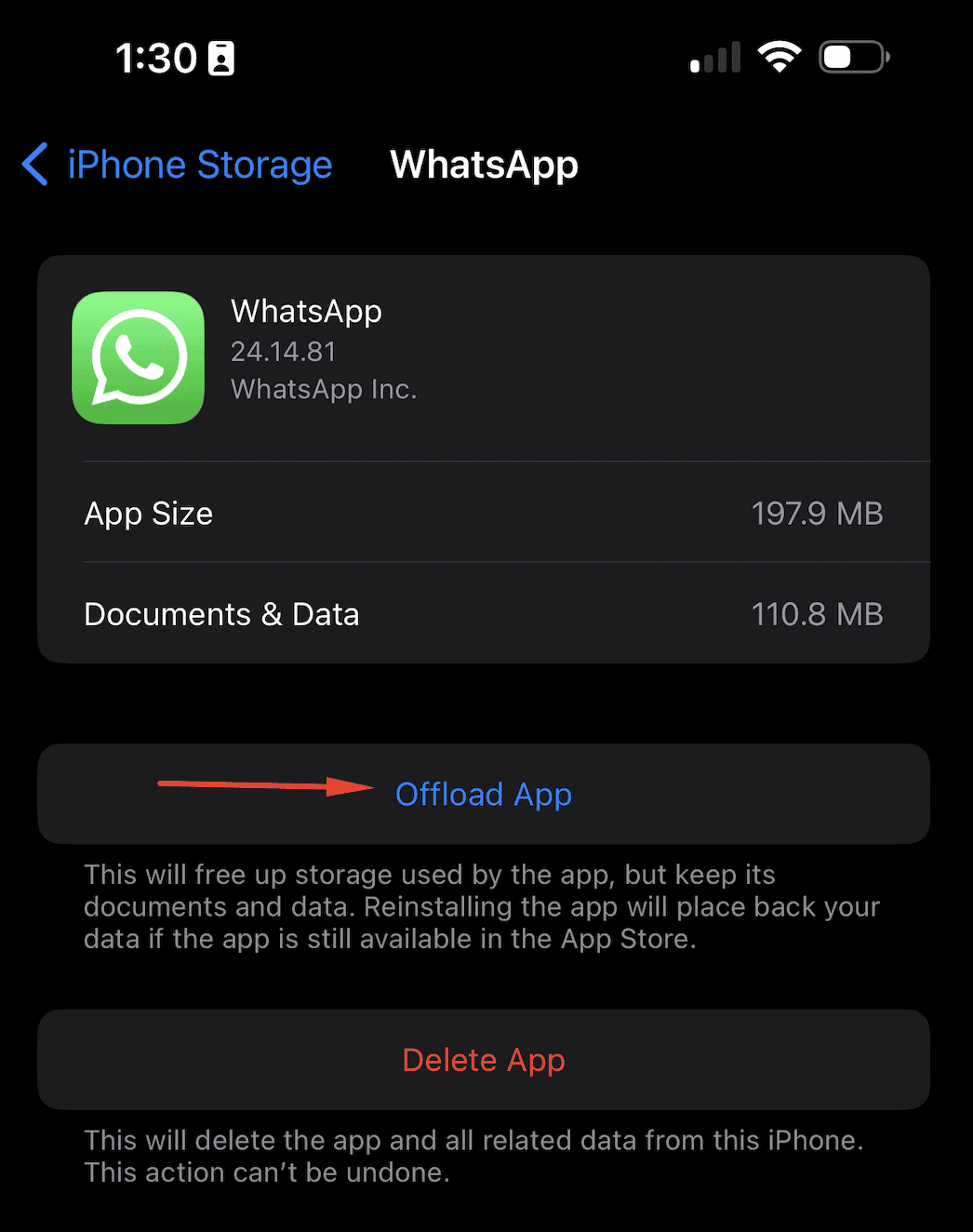
- Once done, tap Reinstall App.
3. Test Other Apps
Testing in other apps helps isolate the scope of the issue. If links work fine in Safari or Messages, the failure likely stems from WhatsApp’s UI rendering layer, not iOS-wide touch handling. This narrows troubleshooting down to app-level bugs, not digitizer or system gesture engine faults.
- Open Safari, Notes, or Messages.
- Tap hyperlinks or tappable content.
- Compare behavior with WhatsApp.
4. Disable Tap Assistance
Touch Accommodations alters how iOS processes rapid or brief screen touches. If Delay or Hold Duration is enabled, tap events may not fire properly within apps not designed for them. Disabling it resets touch interpretation to default, allowing standard taps to register without delay modifiers.
- Go to Settings > Accessibility > Touch > Touch Accommodations.
- Turn Touch Accommodations off.
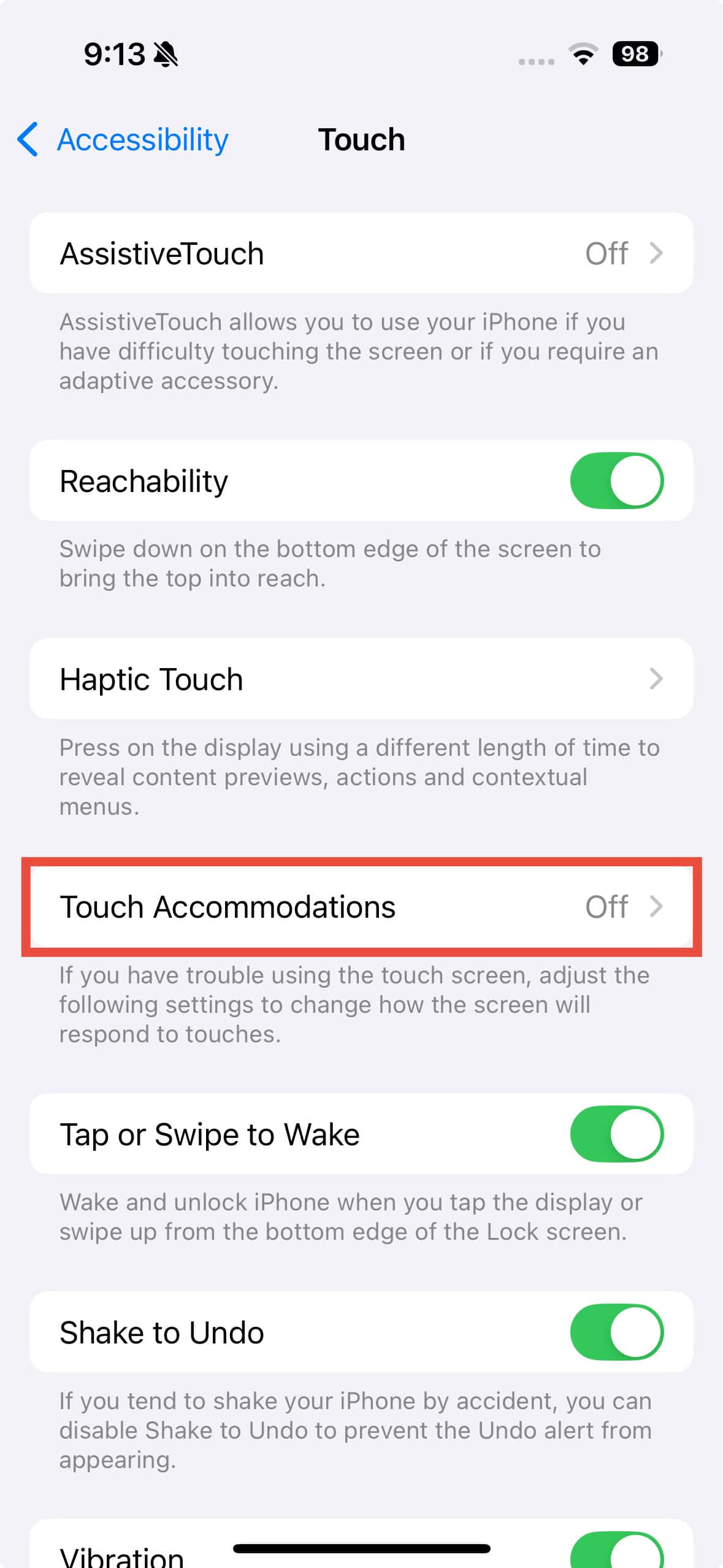
- Restart WhatsApp and test links.
5. Turn Off VoiceOver
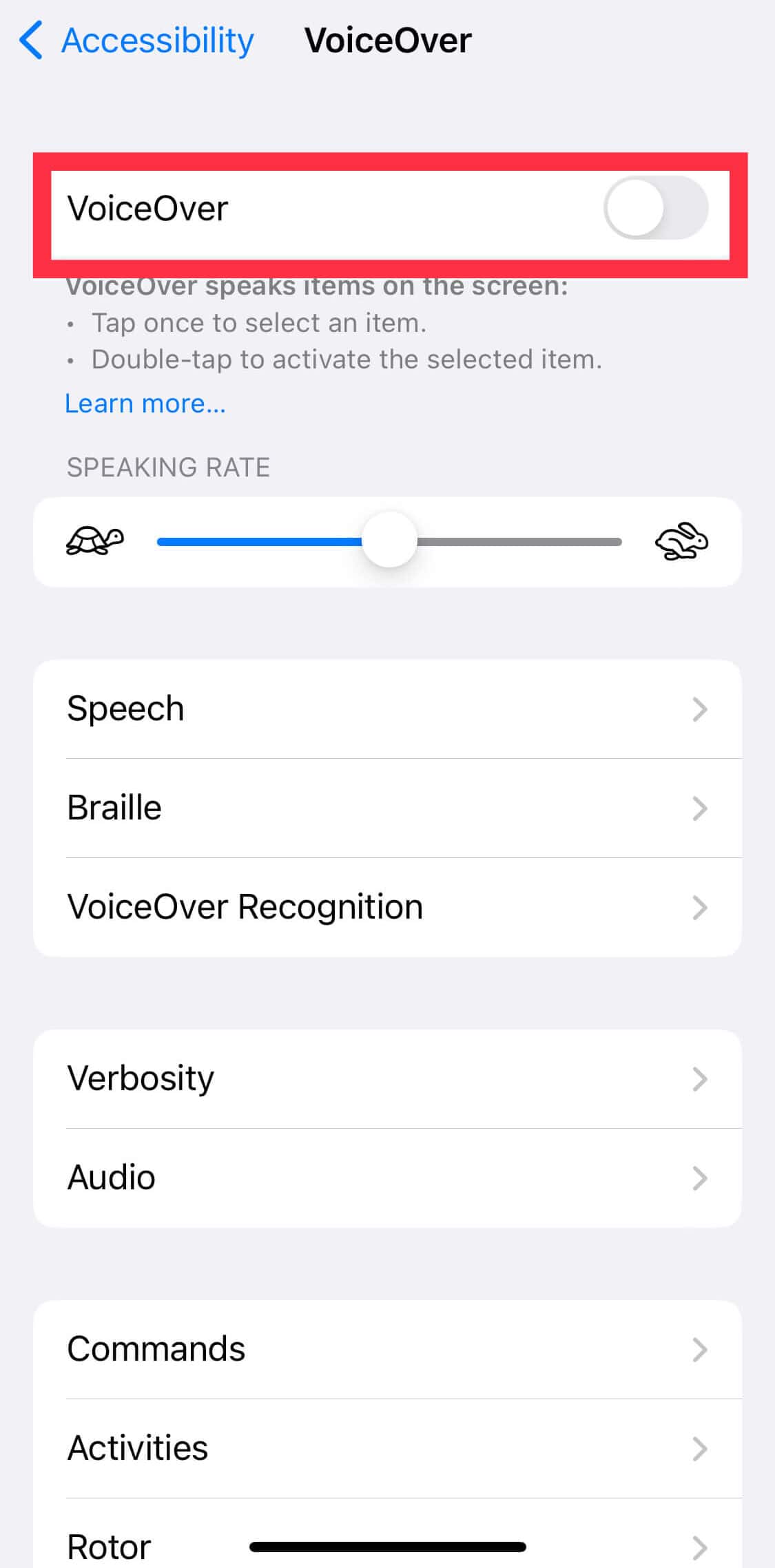
VoiceOver repurposes single taps for selection only, requiring a second tap to activate elements. If enabled, links in WhatsApp won’t open on the first touch. This affects apps with embedded web views or non-native link rendering. Turning VoiceOver off reverts to standard one-tap interaction.
- Go to Settings > Accessibility > VoiceOver.
- Turn VoiceOver off.
- Return to WhatsApp and test.
6. Factory Reset iPhone
Persistent touch issues may stem from corrupted system frameworks or gesture misregistration within UIKit. A factory reset clears all third-party configurations, resets accessibility services, and reinstalls a clean system image. Only use this only if system-wide touch behavior remains broken after all app-level attempts.
- Go to Settings > General > Transfer or Reset iPhone.
- Tap Erase All Content and Settings.
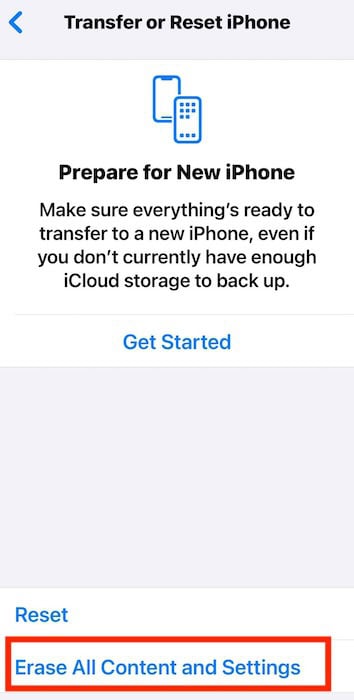
- Follow the prompts to reset your device.
At this point, your best bet is to contact Apple Support or the WhatsApp Help Center. But if your WhatsApp feels a bit off lately, you’re not imagining it. The app has been undergoing a major redesign, and that includes subtle changes to its UI responsiveness and gesture handling. While most users won’t notice these shifts, they can sometimes introduce bugs like this one. If you’re curious about the new layout or want to see what else changed, check out our breakdown.




Discussion