

One of the things I would never, ever be aware of if I didn’t do tech support is that some users have a lot of Safari tabs open all the time. Like, a LOT of Safari tabs. For some folks, open tabs are apparently a way to remember to follow up on things or purchase items. I don’t personally understand the mindset of not bookmarking pages—I have a folder full of temporary bookmarks just for that purpose!—but whatever blows your skirt up, I always say.
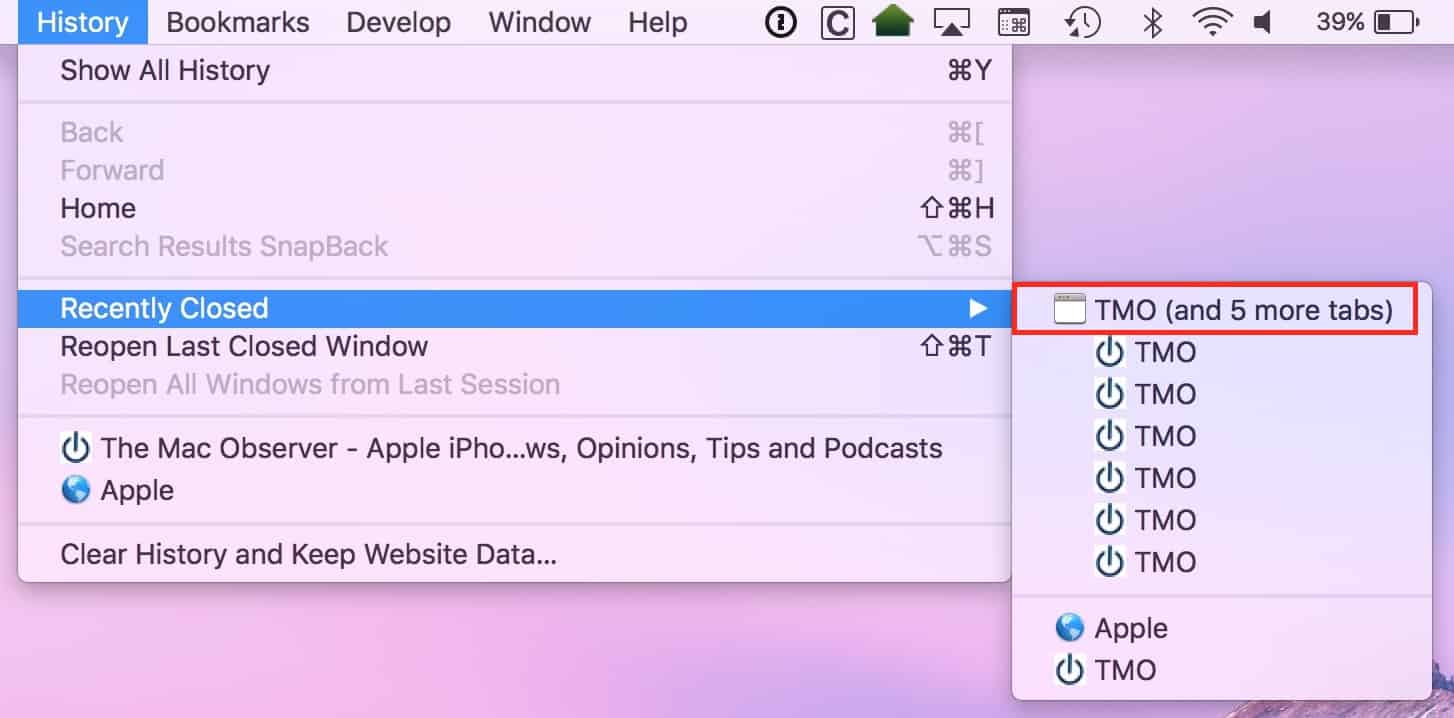
In any case, if you’re one of the people who uses Safari’s tabs in this way (or if you just close stuff sometimes when you don’t mean to, like I do), then you’ve gotta know how to recover lost tabs if they get lost accidentally. The menu item for that is under “History” at the top of your screen:
Recover Lost Tabs and Windows in Safari
So within that menu, you can see “Recently Closed,” which’ll show you tabs and windows that you may have dismissed accidentally. If you’ll note the item I’ve called out in red, that was one window with many tabs under it, and if I click the top item, it’ll open everything that was in that window. Or I could click any single item to reopen that one page.
Also under that menu are “Reopen Last Closed [Window/Tab],” which does just what it says, and “Reopen All Windows from Last Session,” which is handy if Safari didn’t restore your tabs after it was quit for whatever reason. All of these options may look a little different or say slightly different things depending on exactly how many tabs you closed, for example, but if you’re looking to get back what you lost, this “History” menu is the way to go.
Finally, there’s one more trick to know in Safari, and though it seems obvious, I think it’s something most people don’t think about—if all you want is to undo accidentally closing a tab right after you did it, you’d just press Command-Z like you would anywhere else to undo your last action. It’s the shortcut for Edit> Undo Close Tab.
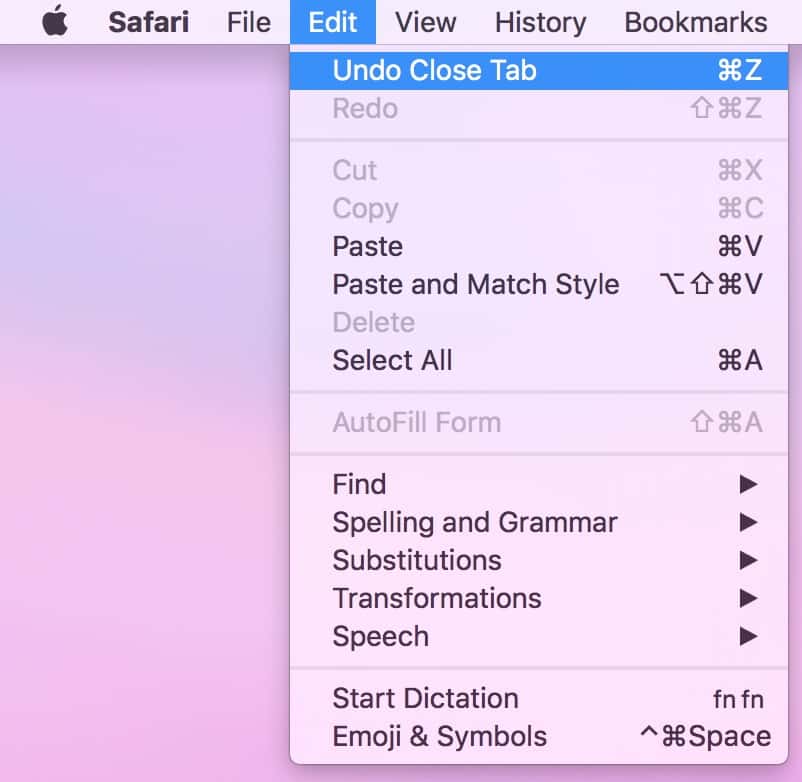
You can also press this shortcut multiple times to get back several tabs if you went on a closing frenzy and then came to your senses.
For you non-Safari users: Chrome and Firefox have very similar options to these, and in both cases, those choices are also listed under the program’s “History” menu. So, you know, whatever browser you use, you can now rest assured that you could get your tabs back if you needed to. Though no matter which is your preferred browser, if I sit at your computer and you do have fifty tabs open at once, I may just silently judge you a bit.
Or a lot. I ain’t sayin’.
Don’t miss the best of The Mac Observer
Set us as a preferred source and our Apple reporting ranks higher in your Google Search results and Discover feed — one tap, no account changes.


Discussion