
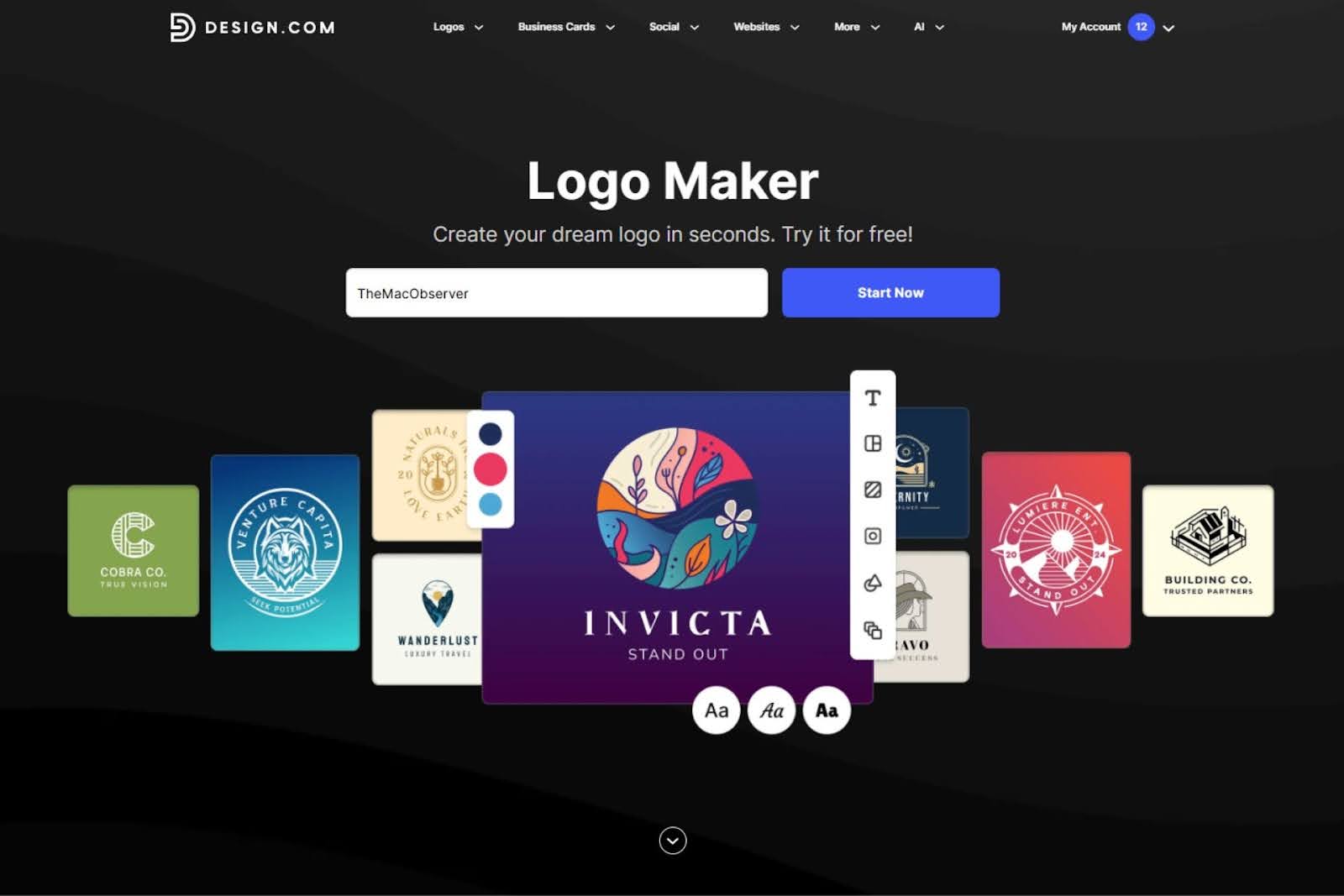
Creating a logo usually feels harder than it should, especially for users without design experience. The challenge rarely comes from a lack of ideas, but from uncertainty: which style works, whether changes will break the layout, and how a finished logo actually translates into real-world use.
Design.com positions itself as a way to remove that friction by guiding users through logo creation step by step, without requiring design knowledge.
Don’t miss the best of The Mac Observer
Set us as a preferred source and our Apple reporting ranks higher in your Google Search results and Discover feed — one tap, no account changes.
Although Design.com runs entirely in the browser, many Mac users rely on web-based tools for creative work. This review focuses on how Design.com performs as a logo maker and AI logo generator when used on macOS, examining logo quality, customization, export options, pricing clarity, and how well the platform supports beginners from first idea to usable brand assets.
First impressions and setup experience
Design.com opens with a minimal entry point. Instead of asking users to define visual preferences up front, the platform starts by requesting only a business name. From that single input, the system infers an industry and related concepts automatically to generate relevant logo directions.
Users can manually adjust or override those assumptions later, but the default experience removes early decision fatigue.
Within seconds, logo options appear on screen.
These are not minor variations of a single layout but structurally different designs, including wordmarks, icons, emblems, and combined symbol-text logos. For beginners, this matters because it shifts the process from imagining a logo to reacting to concrete options.
On macOS, the experience feels responsive in Safari and Chromium-based browsers. Navigation remains smooth even when scrolling through large result sets, which often include hundreds of logo options.
Logo generation quality and variety

The strength of Design.com’s logo maker lies in volume and structure. The platform draws from a library of more than 360,000 logo templates, supported by over 1 million total design templates. These templates are created by professional designers and checked for originality, which gives the generated logos a consistent baseline of quality.
Generated logos vary meaningfully in layout, spacing, and typographic hierarchy. Icons do not simply swap colors or fonts; many options differ in composition and balance. This reduces the risk of users settling on a logo that looks visually unrefined.
For beginners, the most important aspect is that spacing, alignment, and proportion are already resolved. Even before customization, the logos feel finished enough to evaluate seriously.
Customization without breaking the design
After selecting a logo, Design.com moves into customization with clear constraints. Users can adjust text, colors, and layout orientation without destabilizing the overall structure. This design-safe editing approach prevents common beginner mistakes, such as misaligned elements or uneven spacing.
Typography options include more than 750 fonts, with over 525 exclusive to the platform. Switching fonts automatically recalculates spacing and proportions, which keeps logos visually balanced. Color changes apply consistently across the logo, and layout toggles allow horizontal, stacked, or icon-only variations.
For users who want more control, advanced editing options allow subtle spacing and sizing refinements. These adjustments feel incremental rather than destructive, encouraging experimentation without risk.
Why template depth matters for originality
AI logo generators often face criticism for producing generic results. Design.com counters this by offering multiple structurally distinct starting points rather than a single design refined endlessly. Users compare fundamentally different logo approaches early in the process, which makes decision-making clearer.
Because templates rely on exclusive fonts and a large vector shape library, customization changes the identity of the logo rather than just its surface appearance. As a result, finished logos feel deliberate rather than auto-generated.
Export formats and real-world usability
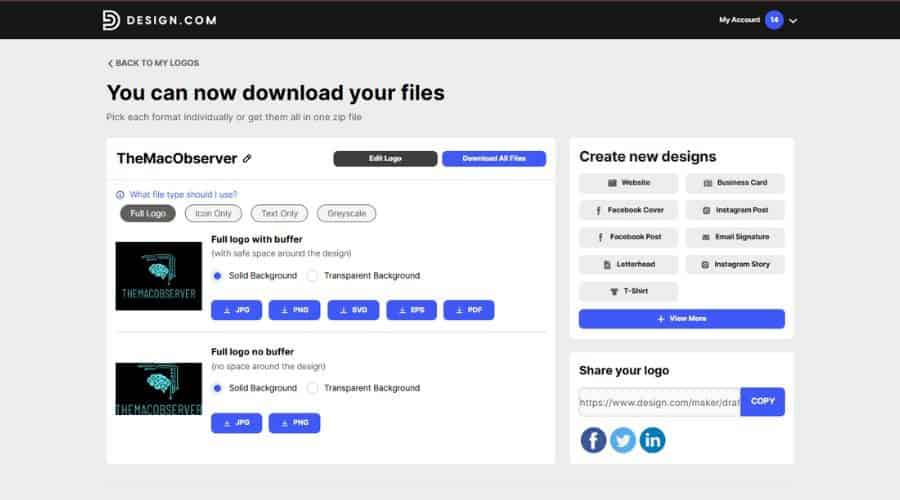
Once finalized, logos can be exported in formats that align with real usage scenarios. Available formats include SVG, EPS, and PDF for print and scaling, along with PNG and JPG for digital use. Animated exports in GIF and MP4 add flexibility for social and marketing content.
Transparent backgrounds, icon-only exports, and inverted color versions make it easier to reuse the logo across different contexts. On macOS, files integrate cleanly into common workflows, whether dropped into Keynote, Pages, Preview, or third-party creative apps.
All logo files are commercially safe and checked for originality. Users who need exclusivity can opt for extended licensing, which removes the logo from the public library.
Pricing: what beginners actually pay for logo creation
Design.com allows beginners to explore logo creation without paying upfront. Users can generate logos, compare styles, refine layouts, and export finished logo files before deciding whether to upgrade.
The free plan includes:
- Downloadable high-resolution logo files and vector formats, matching paid logo exports
- A free website builder that applies logo colors and fonts automatically
- A free link-in-bio creator for social profiles
- A free digital business card for sharing contact details online
- Access to more than 50 additional design tools for print and social designs
Users can create and save designs with those additional tools at no cost. Downloading files for non-logo designs requires a premium plan.
This setup allows users to evaluate logo quality and real-world usability before spending anything.
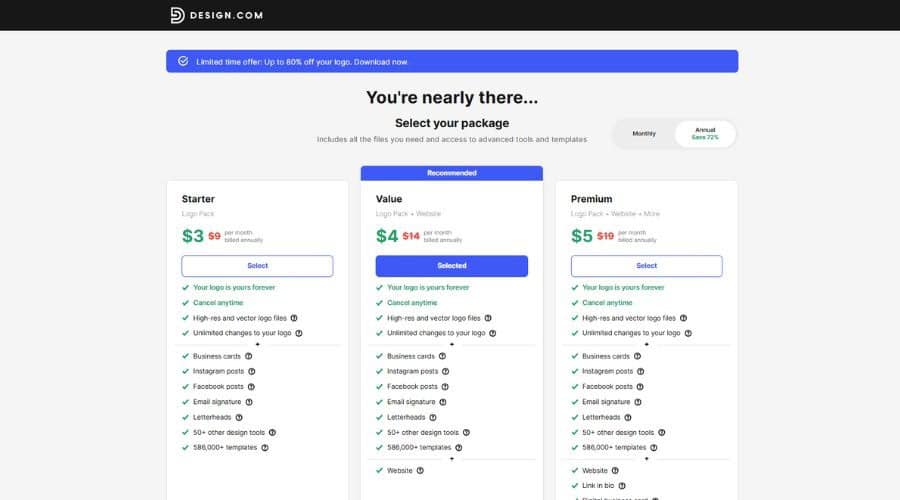
Paid plans expand how the logo can be deployed:
Starter – Logo Pack ($5 per month, billed annually)
Includes high-resolution and vector logo files (SVG, EPS, PDF), raster and animated formats, transparent backgrounds, icon-only exports, and unlimited logo edits.
Value – Logo Pack + Website ($6 per month, billed annually)
Adds website creation tools, allowing users to publish a branded site immediately.
Premium – Logo Pack + Website + More ($7 per month, billed annually)
Adds a link-in-bio page and a digital business card for broader online presence.
All plans can be billed monthly or annually, with annual billing offering a substantial discount.
Brand expansion beyond the logo
Design.com treats the logo as the foundation of a broader branding system. Once created, logo colors and fonts automatically apply across more than 50 branding tools. These include business cards, invoices, social posts, presentations, flyers, posters, menus, and websites.
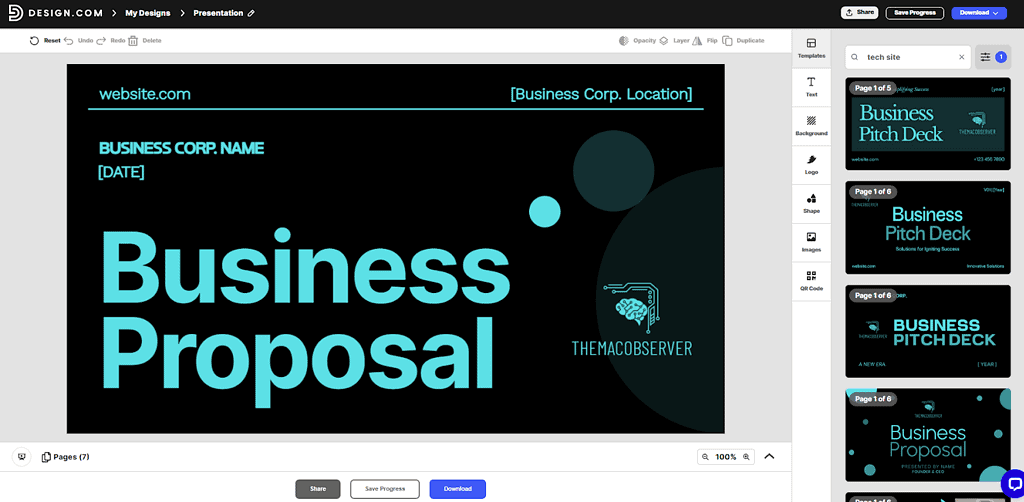
This automation reduces repetitive setup work and helps maintain visual consistency, especially for users managing multiple touchpoints.
Website and digital presence tools
Design.com includes tools for building a website, link-in-bio page, and digital business card across all plans. These tools allow users to move from logo creation to public presence without switching platforms.
Free versions include Design.com branding and feature limits but remain functional for early testing. Domain registration integrates directly into the workflow, keeping branding assets centralized.
Verdict
Design.com succeeds by removing the most common barriers beginners face when creating a logo. Strong starting templates reduce uncertainty. Controlled customization protects visual quality. Flexible export options make logos usable immediately. Clear pricing allows users to test before committing.
For Mac users who want a professional logo without learning design software or navigating complex creative tools, Design.com offers a structured, low-risk path from idea to finished brand assets.




Discussion